The Hermes Command Deskone AI employee, in every room
Hermes isn't a chat tab in my Agent OS — it's the employee behind thirteen doors: chat, voice, tickets, outreach, memory. Here's the whole desk, room by room, and how you wire one in.
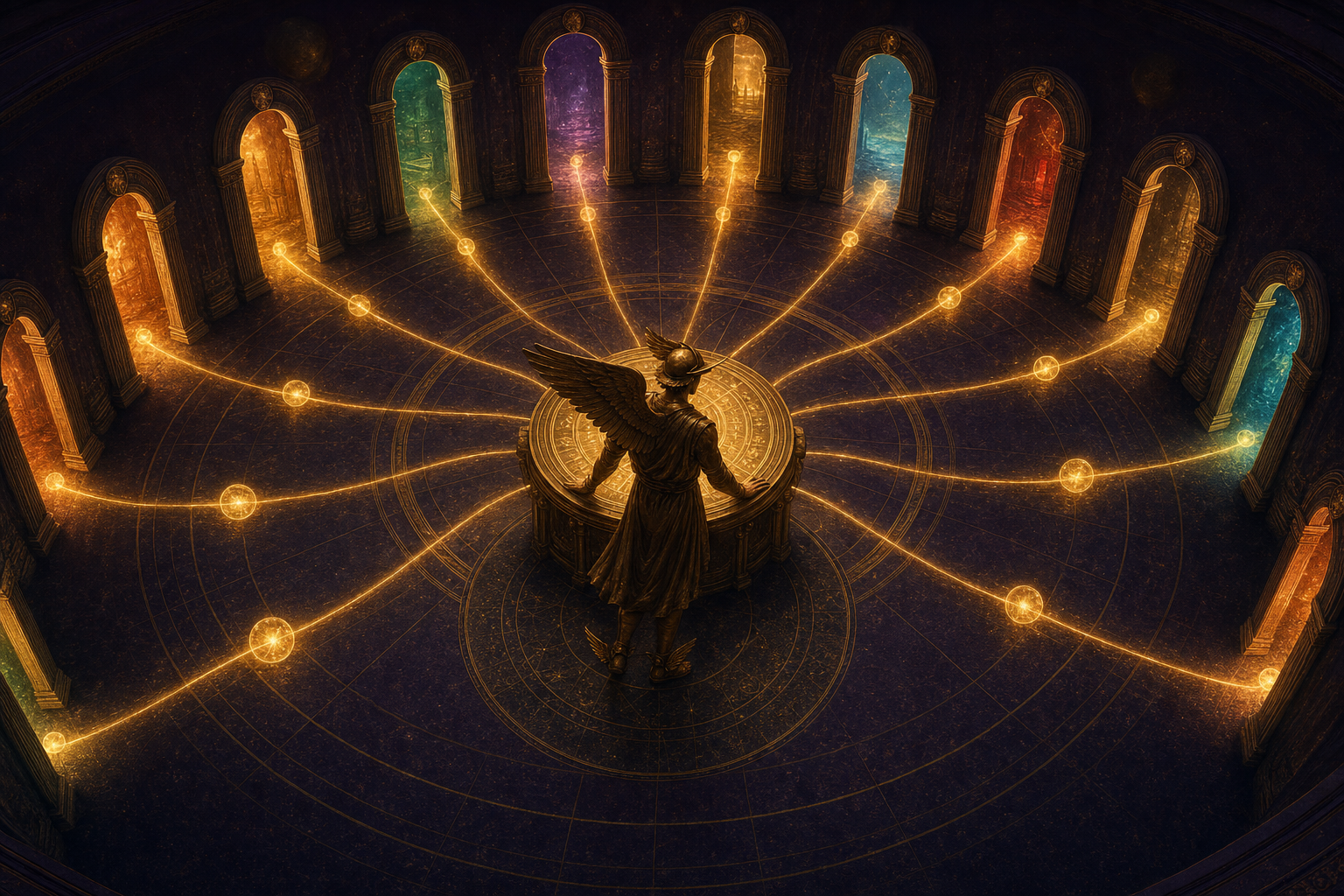
The Scattered Agent Problem.
Imagine hiring a brilliant assistant.
Then locking them in a different building for every job.
Want to talk? Walk to the chat building.
Want something built? Walk to the tasks building — and explain everything again.
Want it spoken out loud? There's no building for that at all.
That's AI for most people right now: five tabs, five logins, zero shared memory.
The assistant is smart. The office is a mess.
The Hermes Command Desk™ fixes the office: one agent, one memory, standing behind every door of one dashboard.
Hermes installs in one click, and the OS finds it on its own.
Every screenshot below is my real machine, running it today.
One desk. Thirteen doors.
Hermes is an open-source AI agent from Nous Research — a brain that can use tools, run commands, and remember.
My Agent OS gives that one brain thirteen doors: Chat, Apollo voice, Oracle, Astros, Studio, Sessions, Outreach, Mixture, Workspace, MCPs, Manage, Control Room, and Goal Mode.
Walk through any door and it's the same employee on the other side.
Say "hey Hermes" out loud, type in the chat, or drop a ticket on the board — same brain, same memory, different door.
And every single exchange auto-saves to my Obsidian vault, so nothing is ever explained twice.
One request's journey across the Desk
So when someone asks "but what IS it?" — it's one open-source agent, given thirteen doors and one permanent memory inside the dashboard I already work in.
The Desk, door by door
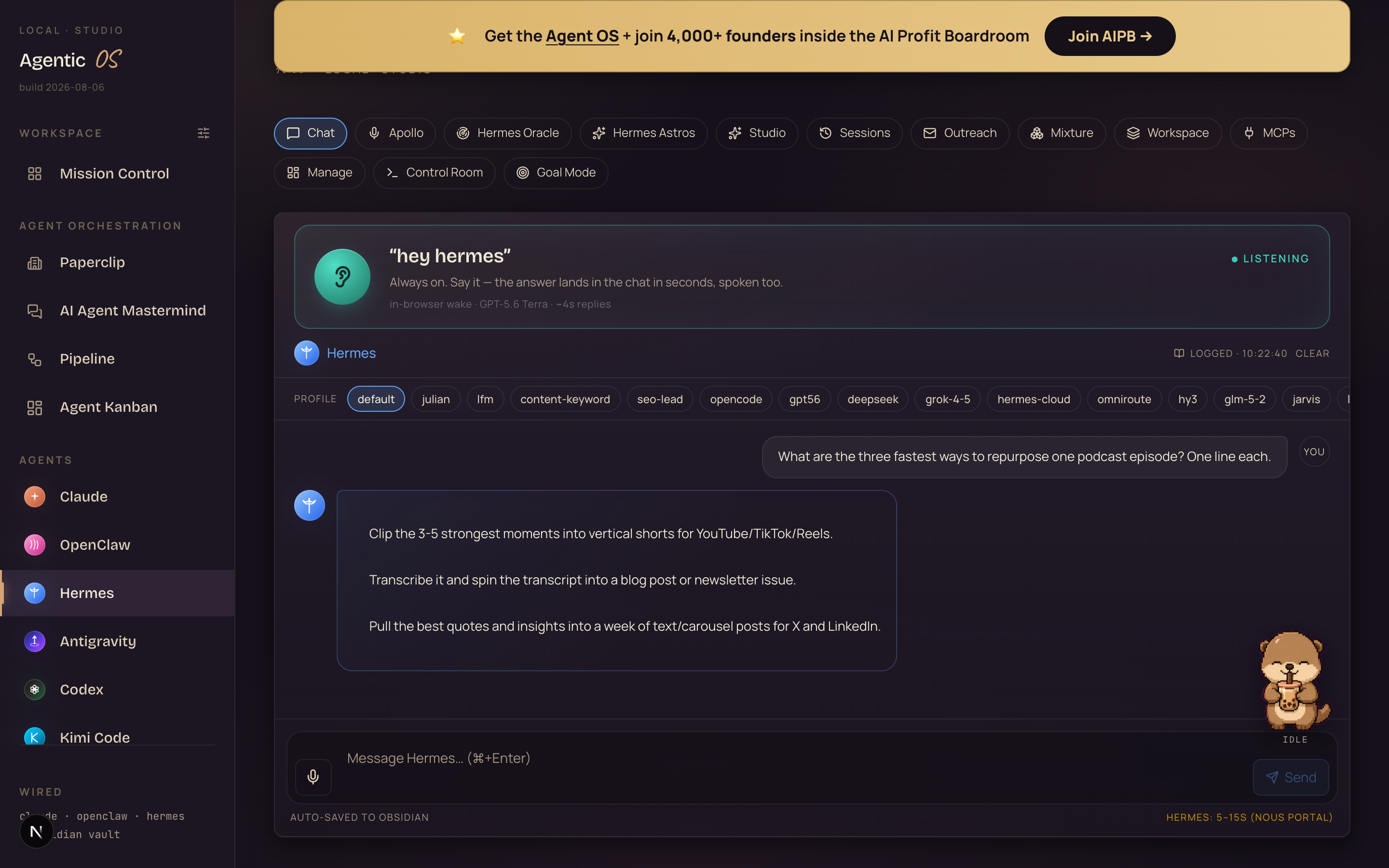
What you're looking at: the main room, live. The wake card is green — ● LISTENING — the thirteen doors run across the top, and below is a real answer it just gave me about repurposing a podcast episode. Note the footer: every exchange auto-saves to Obsidian.
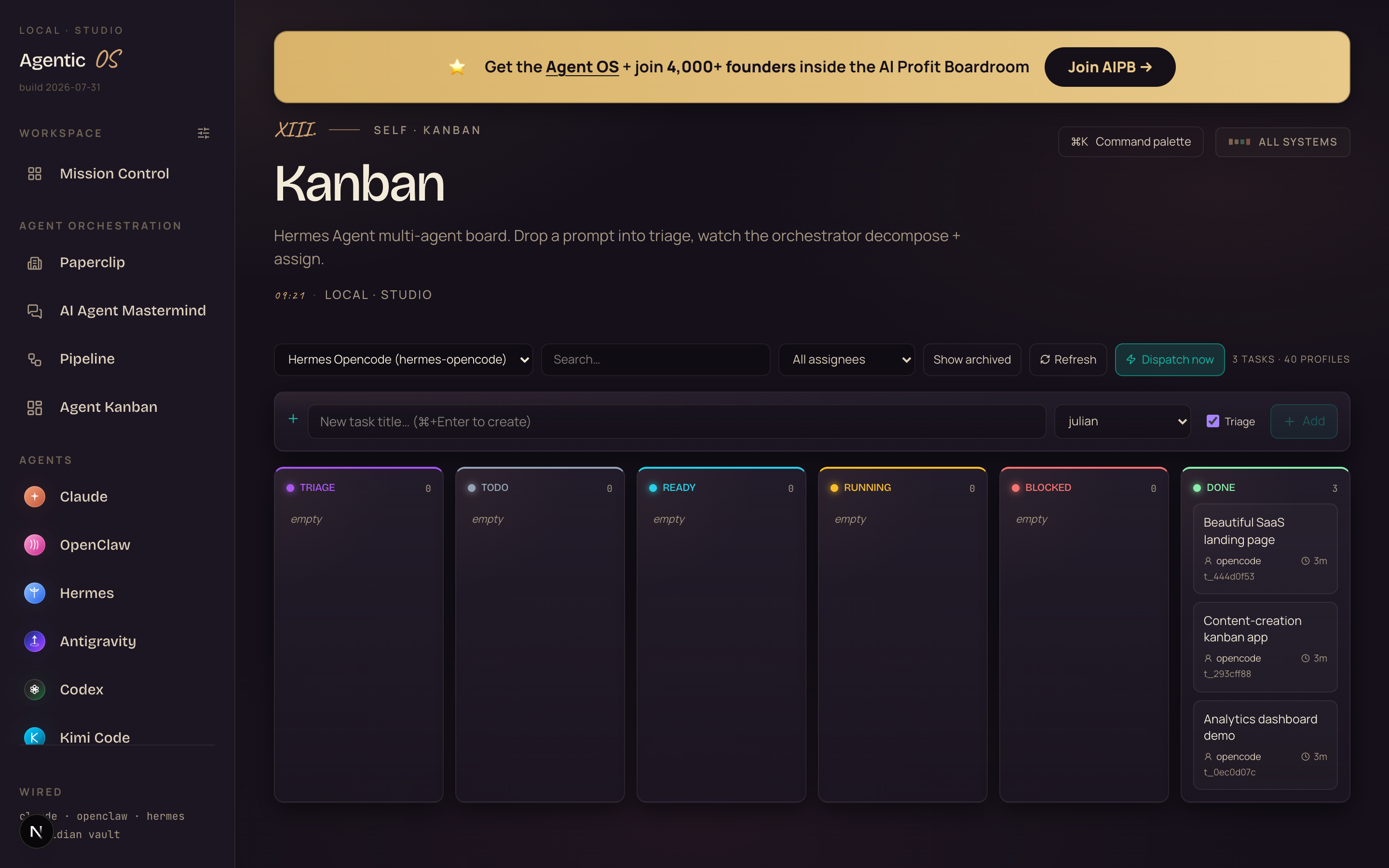
What you're looking at: the ticket door. Three build tickets — a landing page, a content kanban app, an analytics dashboard — all moved to DONE by Hermes workers, not by me. You'll play all three builds in a second.
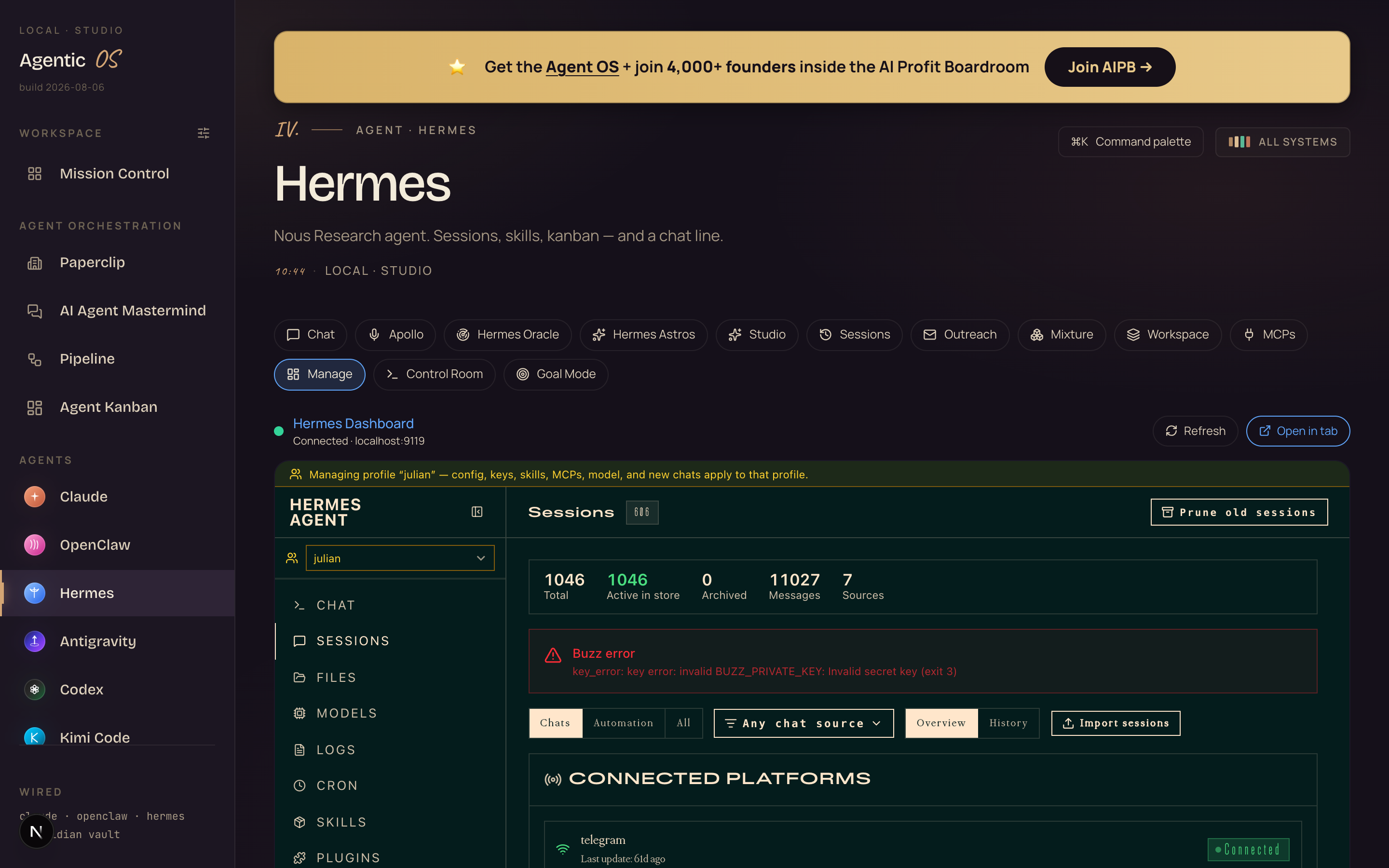
What you're looking at: the manager's office. The full Hermes dashboard lives inside the OS — 1,018 saved sessions, every model, log, cron job and skill, no terminal required.
Things the Desk built while I wasn't looking
These three builds were tickets on the board above. Hermes workers drove them end to end on free models — my bill was $0.00.
Click any card — these are the live builds, not screenshots.

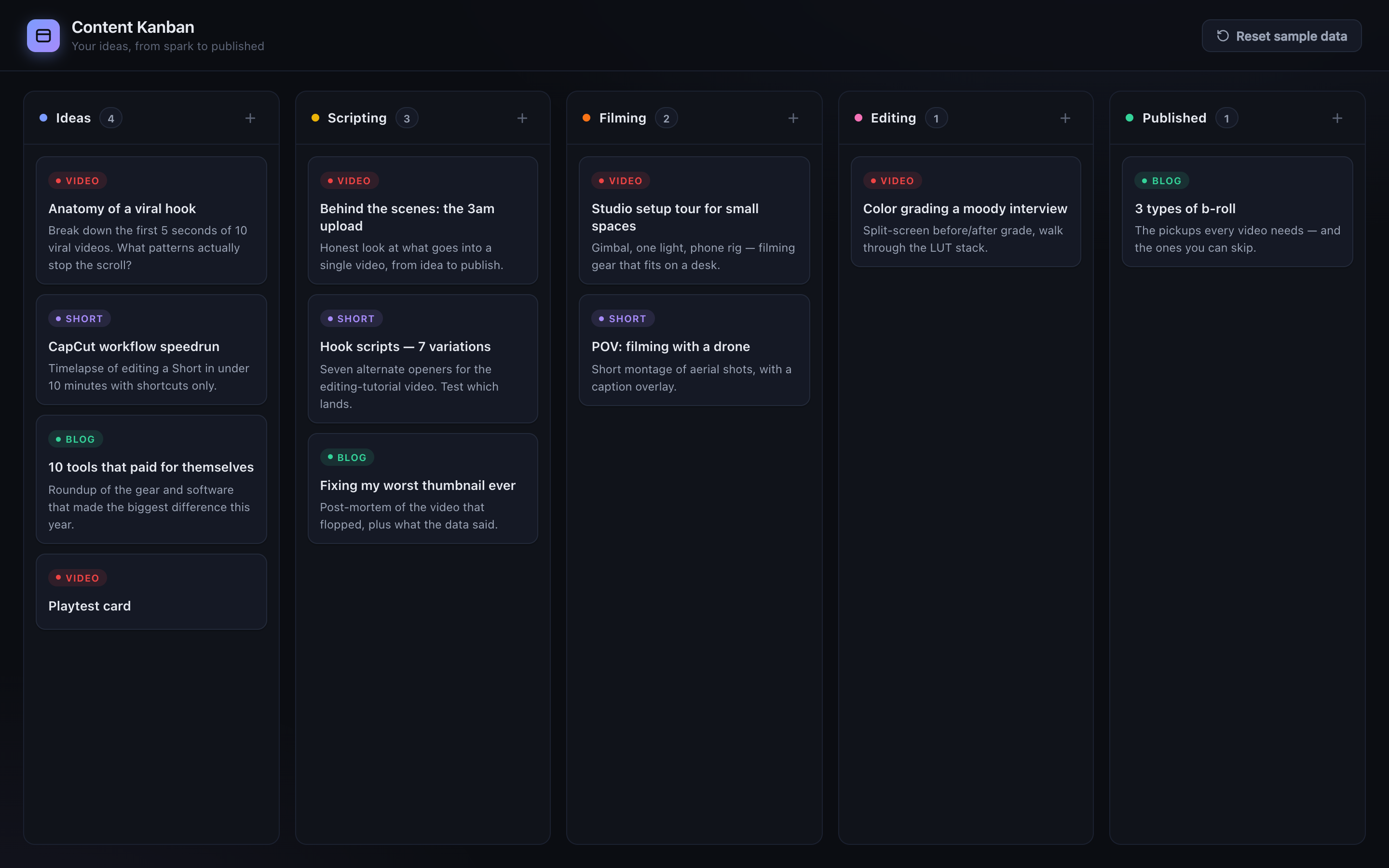
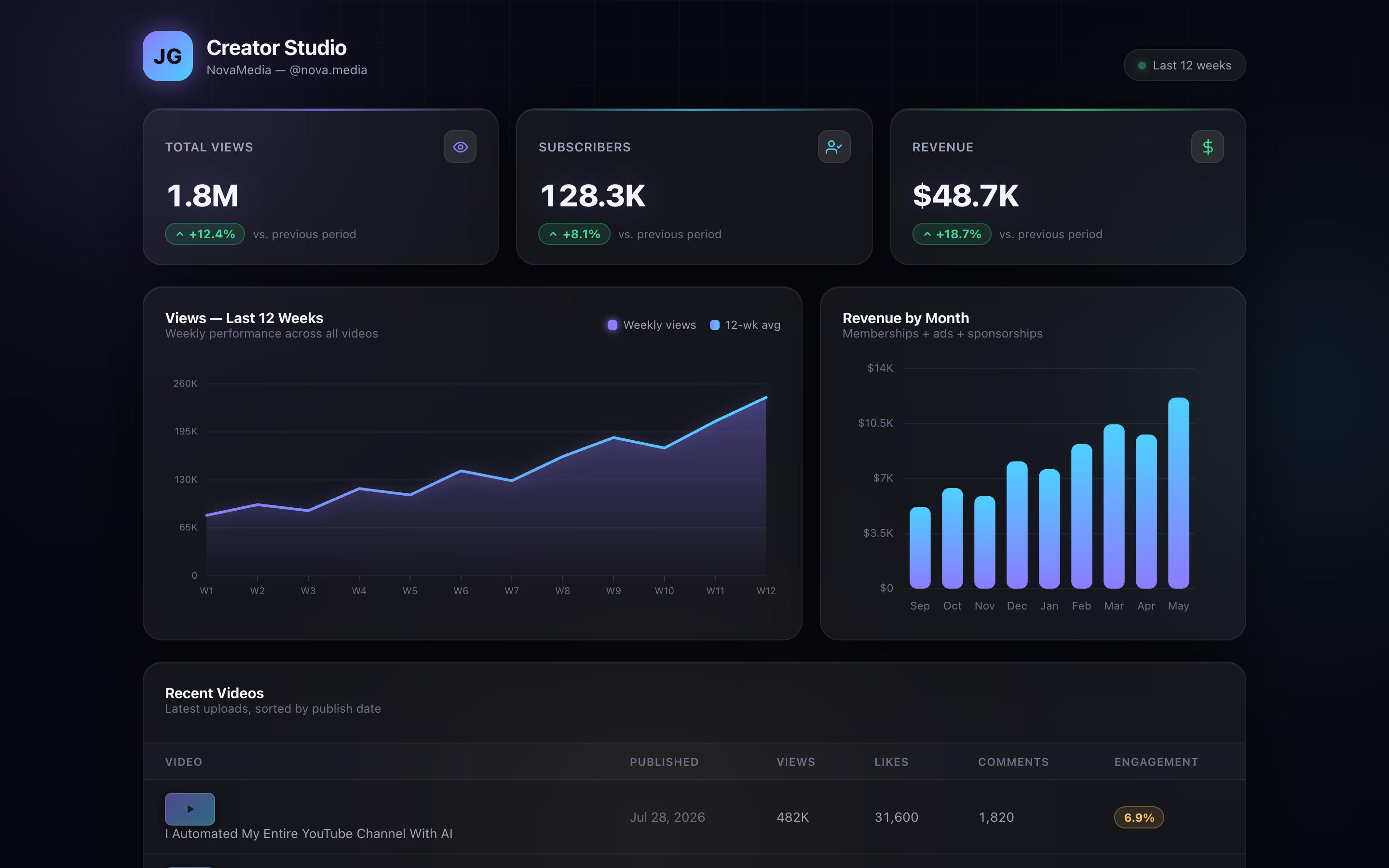
The full story of that build line — including the three traps that crash everyone's workers — is here: the kanban build line guide →
The Hermes Command Desk™ — five layers
The exact system, bottom to top. Screenshot it.
Five buildings vs one desk
- A chat tab here, a voice app there, tasks nowhere
- Re-explain the business in every window
- Answers scattered across tools, lost by Friday
- Nothing runs unless you're sitting there
- Every new AI = another disconnected login
- Speak, type, or file a ticket — same employee
- It reads the vault; it already knows the business
- 1,018 sessions saved and searchable
- Workers ship builds off the board while you sleep
- Every new model becomes one more chip at the same desk
You don't have to. You live in two — chat and voice — and the rest are there the day a job needs them.
What's actually holding you back
Wrong: "Voice AI is a gimmick — it never works in real life."
Right: The wake card in the screenshot is genuinely armed all day on my machine — spoken answers land in ~5 seconds, in the real chat thread, saved to memory.
Wrong: "Agents can't be trusted with real work unattended."
Right: The three builds above shipped from tickets with verification built in — the worker checks the artefact before marking done. Trust comes from the checking, not the hoping.
Wrong: "This must need a monster machine."
Right: The OS is a dashboard; the brains are chips. Point chips at free APIs, cheap relays, or local models — the desk doesn't care.
Members post their wins in a 158-page doc — real businesses, written in their own words.
Read the 158-page wins doc →Get the Hermes Command Desk built for you.
You can wire this yourself with the steps below. Or get the whole thing done inside the Agent Operating System — the desk, the voice, the board, and the memory loop pre-connected.
The exact setup. Copy it.
Step 1: Hermes installs in one click.
Nous made the install a single click now — the full walkthrough (plus two frontier brains you can run free) is in my one-click guide.
One trap to skip: on a Mac, the CLI wake word needs its own microphone permission — the browser wake card in the OS sidesteps that entirely, which is exactly why I built it there.
Step 2: The OS reads your profiles folder on its own.
Every profile in ~/.hermes/profiles/ appears as a chip in the chat automatically. Each chip is one employee persona — its own model, memory, and rules.
Start with one. Add chips as you need them — mine range from free local models to the giants.
Step 3: Turn on the doors you'll actually use.
Tap the ear once to arm the wake word — it re-arms itself every visit after that.
Create a board with hermes kanban boards create my-builds and the ticket door lights up in the OS too.
Test it the way I did: say "hey Hermes, what's on my board?" — the answer should come back out loud in about five seconds.
No — that's the biggest myth about it. The everyday 90% runs on free local models and free-tier APIs, and for frontier work it drives the subscriptions you already pay for — your Claude plan already includes the Claude CLI, and the OS plugs straight into it.
Hermes itself is open source, and inside the AI Profit Boardroom there are full token-optimisation tutorials so usage never worries you again.
My honest take, after months at this desk
If you talk to AI more than five times a day: yes — the voice door alone pays for the setup time in a week.
If you're drowning in "I asked ChatGPT something great last month and lost it": the memory layer is the cure, and it's automatic.
The people giving their AI a desk now, while everyone else juggles tabs, are going to be way ahead when this becomes normal. Every door you open compounds.
Readers bookmark. Operators hire.
This guide gives you the Hermes Command Desk — the rooms, the wiring, the receipts. The Boardroom gives you the year I spent building everything around it: the full OS, the memory loop, the build line, the coaching calls where we wire yours together, and 4,000+ founders who've already hit your exact error message.
Readers bookmark this page and keep five tabs open. Operators join, install the Agent OS this week, and say "hey Hermes" to an employee who never forgets.
Decide which one you are tonight.
Get the Agent OS →