New · Nous Hermes Cloud · preview, dropped 8 July 2026
The 60-Second AI Employee™.
Nous just put Hermes in the cloud. An always-on agent that never sleeps, remembers everything it learns, and reaches you on Telegram, Slack, email or your terminal. I set it up as a profile, wired it into my Agent OS, and here's the exact play — including the free way to run it today.
Until now your agent lived on your machine. Close the laptop, it stops. Hermes Cloud flips that: the agent lives on Nous's infrastructure, runs 24/7, and scales to zero when idle so you only pay while it works. Pick a name and a model, and it's online in seconds — no servers, no DevOps, no YAML. This guide shows the whole thing: the free local mirror I built, the Hermes Cloud tab I added to my Agent OS, and the two-click deploy for the real cloud agent.
24/7always-on, runs while you sleep
$0idle — scales to zero, pay only while working
200+models to pick from on Nous Portal
5channels — Telegram, Discord, Slack, Email, CLI
I ────── The Problem
The Closed-Lid Problem.
Imagine hiring the perfect employee.
They work brilliantly — right up until you close your laptop.
Lid down, they stop. Mid-task. Mid-sentence. Every single time.
That's every AI agent you run today. It lives on your Mac — so it sleeps when your Mac sleeps.
The overnight build never finishes. The 6am report never sends. On a plane, your whole agent team is off the clock.
You built an AI workforce that keeps office hours. Yours.
The 60-Second AI Employee™ breaks that cycle for good.
Thinking it? "Cloud servers sound expensive and technical."
There are no servers to touch — you pick a name and a model, and it's online in seconds.
And it scales to zero: the agent costs nothing while it's idle. You pay only for the minutes it's actually working.
II ────── How it works, in simple words
A doorway, an agent that never clocks off, and every channel you use.
Three pieces. That's the whole system.
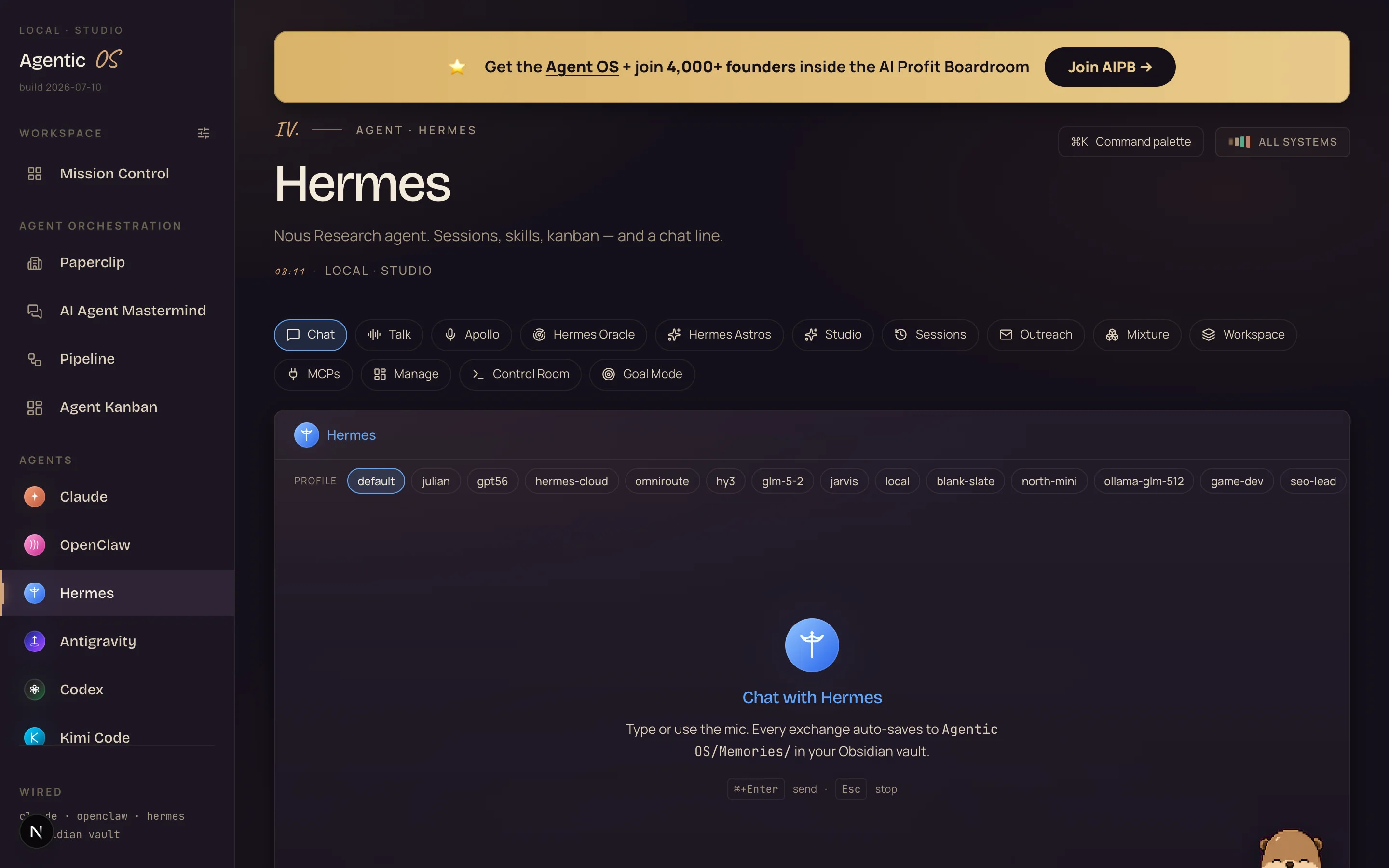
What you're looking at: my real Hermes tab inside the Agent OS. See the hermes-cloud chip in the profile row — that's the cloud employee sitting one click away from every local profile.
1. The doorway: Nous Portal.
One login that serves 200+ models plus a Tool Gateway — web search, image gen, text-to-speech, browser use — all through infrastructure Nous already runs. Hermes Cloud lives inside the Portal, so the account you already use for Hermes is the account that deploys the cloud agent.
2. The agent: a Cloud Agent.
You give it a name and pick a model. It gets its own hardened container, its own persistent workspace, and it runs 24/7 on Nous's servers instead of your Mac. When it's idle it scales to zero — the meter only ticks while it's actually working. Stop it and it drops to a storage-only rate, its memory intact.
3. The reach: every channel.
One cloud agent, one memory, reachable from Telegram, Discord, Slack, Email or the CLI. You message it from your phone on the train; it's the same agent, with the same memory, that you left running at your desk.
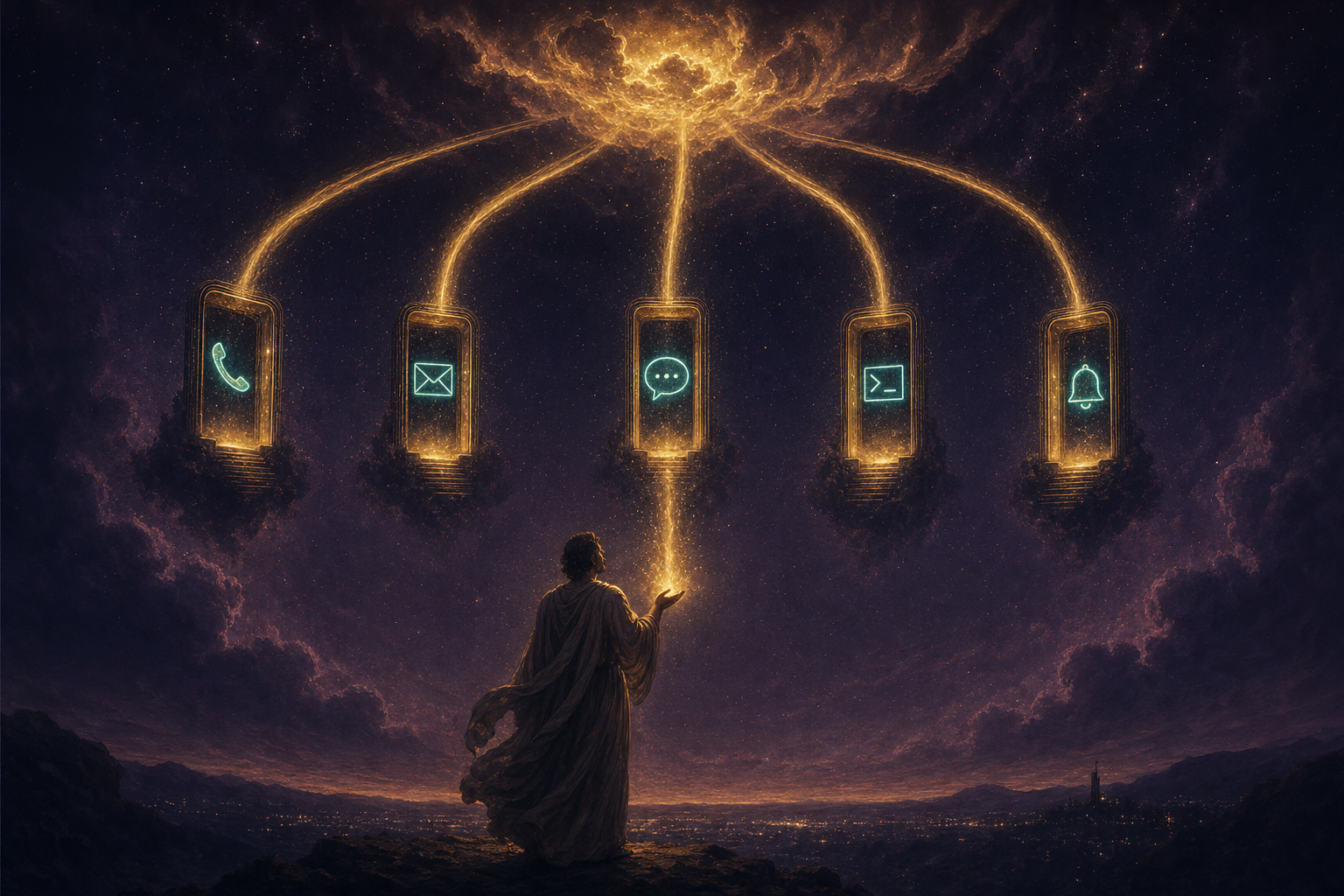
The whole machine — one Portal login opens the door, the Cloud Agent works around the clock, and you reach it from anywhere.
III ────── Exactly how it works, step by step
What happens when you deploy one — no mystery.
You add credit or a subscription. A Cloud Agent needs a minimum balance to deploy — $10 in credits, or an active Nous subscription. This is the one paid gate: a real server is going to run your agent, so there's a floor. The exact minimum is shown on the deploy screen.
You name it and pick a model. Open Cloud, type a name, choose one of 200+ models and an instance size. This is the whole "configuration" — no servers to provision, no YAML to write. You can change the instance size later and the hourly price just adjusts.
Nous provisions a hardened container. Your agent gets its own isolated sandbox with a dedicated, persistent workspace. Provisioning finishes in seconds.
The dashboard goes live. You chat with the agent right in the browser, or connect a channel — Telegram, Slack, Discord, email — and talk to it from there. Same agent, same memory, every surface.
It works while you sleep. Hand it a scheduled job in plain English — "every morning at 7, pull yesterday's numbers and email me a brief." It runs unattended through the gateway, 24/7.
It scales to zero when idle. Between tasks the agent isn't burning compute, so the meter reads $0. You only pay for the minutes it's actually working.
Its memory builds up over time. Files, memory and config live with the agent, not your device. Whether it's running or stopped, it never forgets how it solved a problem — so it gets more capable the longer it runs.
One agent's life — top up once, name it, deploy in seconds, then it runs around the clock and answers from anywhere.
So when someone asks "but what IS this?" — the honest one-line answer:
it's your Hermes agent, moved off your laptop onto a server that never sleeps, that you pay for only while it works.
Always-on ≠ always-billed. Full rate only while working, $0 idle, a sliver to hold memory when stopped.
Your business just stopped closing when your laptop does.
IV ────── Straight from the source
The announcement. Read it, then run it yourself.
The announcement · 8 July 2026
Nous puts Hermes in the cloud
This is where it started. Nous Research announcing Hermes Cloud — "Hermes Agent lives in cloud," an always-on autonomous agent that remembers what it learns and gets more capable the longer it runs.
Read the framing: no servers, no DevOps, no YAML — pick a name and a model and it's online in seconds.
That's not a chatbot pitch. That's an operator pitch — an agent you deploy once and it keeps working while you're asleep.
Straight from the Hermes Cloud page, here's what a Cloud Agent actually gives you — the six features, in Nous's own words:
I was you. Then I gave my agent a home that never sleeps.
Before
Every agent I ran lived on my Mac. Close the lid, it stopped mid-task.
A long job meant leaving the laptop open all night, fan roaring, screen glowing.
Away from my desk, I couldn't reach the thing that was doing my work.
And every new session started cold — I re-explained the same context, again.
Then Hermes Cloud landed — the same agent, moved onto a server that never clocks off.
After
Now the agent lives in the cloud. My laptop closes; the work keeps going.
It scales to zero when idle, so 24/7 uptime doesn't mean a 24/7 bill.
I message it from my phone on Telegram — same agent, same memory, anywhere.
And its memory builds instead of resetting — it gets sharper the longer it runs.
You can have this too. Same agent. A home that never sleeps.
VI ────── The receipts
Real people. Real wins. Inside the Boardroom right now.
3,900+ Founders inside AIPB
400k YouTube subscribers
38 Countries · live members
163k X / Twitter followers
29k+ Udemy students
I'm not going to paste invented quotes here.
The wins are real and written by the members themselves — agency owners, ecom founders, course creators, solo operators across 38 countries.
Read them in their own words.
You've seen what an always-on agent does. Now decide to actually have one.
The next five minutes show the exact setup — the free local mirror I ran this morning, and the two clicks that put the real agent in the cloud.
So here's the deal.
If you're reading this — promise yourself one thing right now. You'll finish this guide AND stand up your Hermes Cloud profile before you sleep tonight. Just the profile. Because the moment an agent keeps working after you close the laptop, the way you use AI changes for good — you stop babysitting and start delegating.
The people sitting still keep leaving the lid open all night. The people implementing today wake up to finished work.
Be one of those people.
Commit to the transition. Commit to taking action today. This changes everything about your workflow.
Hire it in sixty seconds. It never asks for a day off.
VII ────── I set it up — here's the proof
I built the Hermes Cloud profile — and put it in my Agent OS.
Two things you can copy. First, a hermes-cloud profile that mirrors a Cloud Agent locally so you can run it for $0 today, no credits needed. Second, a Hermes Cloud tab in my Agent OS dashboard — one place to see the profile, read the features, and hit deploy.
The profile — set up and tested.
I created the profile, pointed it at a free Nous model, and ran two checks through it: a plain reply, and a real tool call. Both passed on the first try, at zero cost:
$ hermes-cloud -z "Reply with exactly: Hermes Cloud online."
Hermes Cloud online.

$ hermes-cloud --yolo -z "use your shell tool: echo tooltest-$((6*7))"
tooltest-42        # ← it called the tool, ran it, reported back
That's the whole point of a cloud agent — it doesn't just talk, it acts. The local mirror proves the chain works before you ever spend a cent. When you're ready for the real thing, you swap the model line to the flagship nousresearch/hermes-4-405b and deploy.
The Agent OS tab — live status, one-click deploy.
I added a Hermes Cloud surface to my dashboard: it reads the live profile, shows the six features, lays out the deploy steps, and links straight to the Portal. Here's the shape of it:
The Hermes Cloud tab I added to my Agent OS — live profile status, the six features, and the two-click deploy, all in one panel.
"Isn't a $10 minimum just another subscription trap?"
No — it's a floor, not a treadmill. A real server runs your agent, so there's a minimum to deploy. But it scales to zero when idle: between tasks the meter reads $0, and if you stop the agent it drops to a tiny storage-only rate while keeping its memory.
You pay for minutes of actual work, not for the clock. And if you just want to try the mechanics first, the free local hermes-cloud profile above costs nothing at all.
VIII ────── The exact setup
Do it yourself — the free mirror, then the cloud.
Start free on your own machine, then deploy the real thing when you're ready. Here's everything I ran.
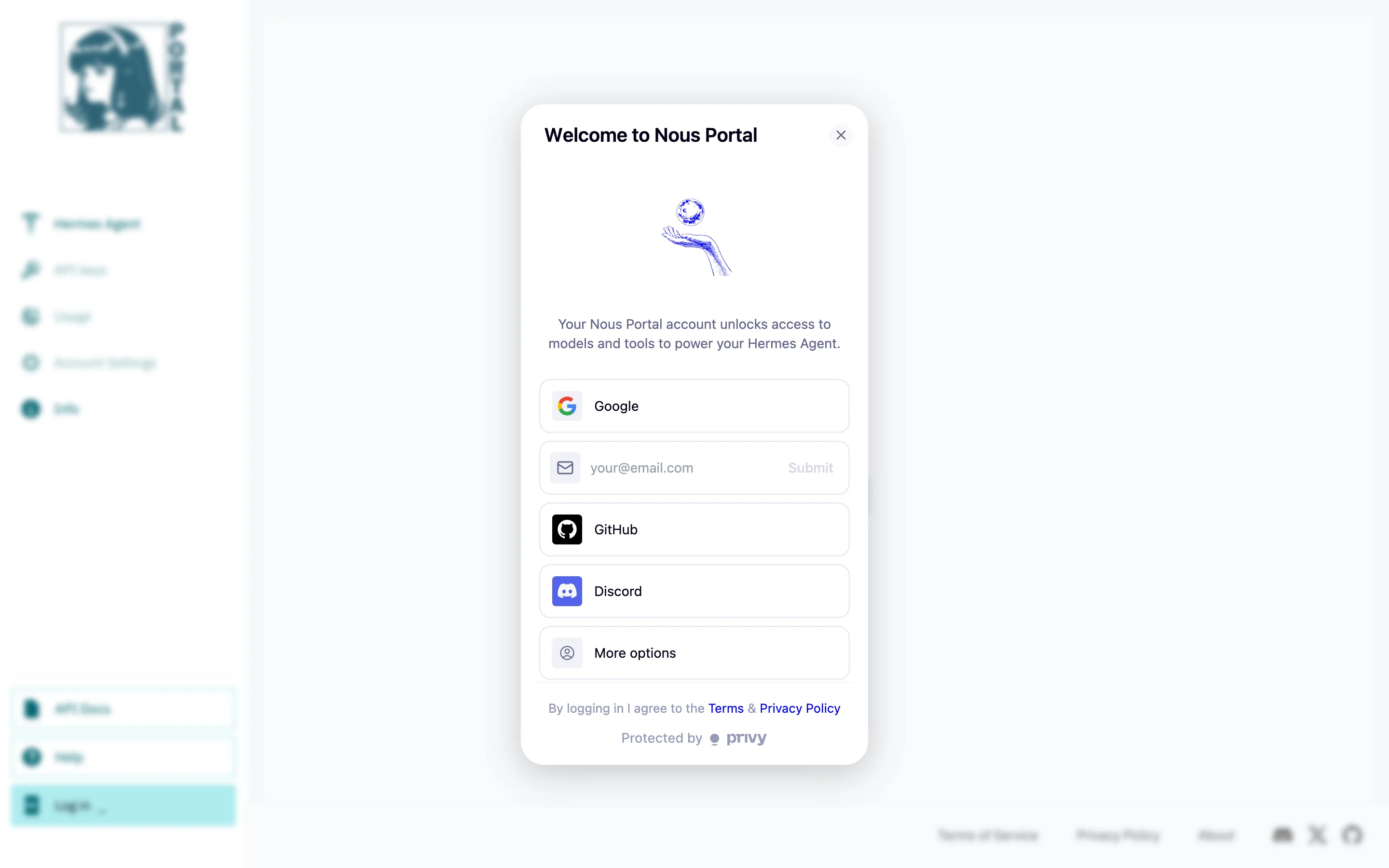
What you're looking at: the actual first step. Nous Portal's sign-in — Google, email, GitHub or Discord. This screen to a deployed agent is where the sixty seconds happen.
Part 1 — the free local mirror (3 commands).
# 1. create an isolated profile
hermes profile create hermes-cloud

# 2. log it into Nous Portal (browser opens once — or reuses saved creds)
hermes-cloud auth add nous
Then set the model. Open ~/.hermes/profiles/hermes-cloud/config.yaml and make the model block read:
model:
  default: stepfun/step-3.7-flash:free   # runs at $0 — no credits needed
  provider: nous
  context_length: 256000
Part 2 — deploy the real Cloud Agent (two clicks, ~60 seconds).
Sign in + add credit. Go to portal.nousresearch.com/cloud, sign in, and top up — $10 minimum, or an active subscription. The current minimum is shown right on the deploy screen.
Name it + pick a model and size. Click Deploy now, give the agent a name, choose a model (the flagship is nousresearch/hermes-4-405b) and an instance size.
Deploy. Provisioning finishes in seconds and the agent's dashboard is live. Chat in the browser, or connect Telegram / Slack / Discord / email to reach it anywhere.
Two gotchas I hit so you don't have to:
Gotcha 1 — import the Portal creds into the profile. A fresh profile isn't logged in yet — running a task gives "Hermes is not logged into Nous Portal." Fix: hermes-cloud auth add nous, which imports your saved Nous credentials. One command, done.
Gotcha 2 — the flagship model is paid.nousresearch/hermes-4-405b needs credits, so the free local mirror uses a free Nous model instead (only two are free right now — stepfun/step-3.7-flash:free and tencent/hy3:free). Deploying to the cloud is exactly where you switch to the paid flagship — same $10 gate as the Cloud Agent itself.
"I already run Hermes on my Mac — why bother with the cloud?"
Because your Mac sleeps, closes, and reboots — and your agent dies with it. A Cloud Agent runs 24/7 on Nous's servers: it survives a closed lid, finishes the overnight job, and you reach it from your phone.
Its memory lives with the agent, not the device, so it never resets between sessions. Local Hermes is your workshop; Hermes Cloud is the worker you leave running when you walk away.
"Is a cloud agent safe? It's running on someone else's servers."
Every agent gets its own hardened, isolated container with a private workspace — it isn't sharing space with anyone. You deploy under Nous Portal's standard terms, same as using any model there.
The honest rule I use for every provider: put builds, research and public work through it freely; keep true client secrets for systems you control. Decide your line before you start, then use it hard inside that line.
IX ────── The framework
The 60-Second AI Employee™.
Four moves. Each one removes a limit that kept your agent chained to your desk.
i.
Lift it off the laptop
You stop leaving the lid open all night — the agent moves onto a server that runs 24/7. Close your machine, the work keeps going.
ii.
Only pay while it works
You stop paying for idle time — the agent scales to zero between tasks. Always-on uptime, but the meter only ticks during real work.
iii.
Give it one memory, everywhere
You stop re-explaining context — memory lives with the agent, not the device. Reach it from Telegram, Slack or the CLI and it's the same agent that never forgets.
iv.
Dock it in your Agent OS
You stop hopping between tabs — the Hermes Cloud profile sits inside your dashboard beside every other engine, with live status and one-click deploy.
"Doesn't running Agent OS burn a fortune in tokens?"
No — that's the biggest myth about it, and this guide is part of the proof.
Agent OS runs the everyday 90% on free local models, plugs in free windows and free mirrors exactly like this one — a Hermes Cloud profile at $0 — and drives the CLIs you already pay for only on the hardest work.
Add the Caveman token-diet on top and even the paid replies shrink 60–75%.
Inside the AI Profit Boardroom there are full token-optimisation tutorials, so you cut usage to the bone and never think about it again.
X ────── Old way vs new way
Old way vs new way.
Old waylaptop open all night
Agent lives on your Mac — close the lid, it stops
Long jobs mean leaving it running, fan roaring, all night
Away from your desk? You can't reach your own agent
Every session starts cold — you re-explain the context
Spin up a server yourself: DevOps, YAML, a bill that never sleeps
Memory lives on one device — switch machines, lose it
New waydeploy once, it never sleeps
Agent lives in the cloud — runs 24/7, survives a closed lid
Overnight jobs finish while your machine is off
Reach it from Telegram, Slack or your phone, anywhere
Memory builds over time — it gets sharper the longer it runs
No servers, no DevOps, no YAML — name it, pick a model, deploy
Scales to zero when idle — always-on without an always-on bill
"What if I stop the agent — do I lose everything it learned?"
No. Your agent has its own dedicated, persistent workspace, so its files, memory and configuration stay with it whether it's running or stopped.
Stopping just pauses the compute and drops you to a small storage-only rate. Start it again whenever you need it and it picks up exactly where it left off — nothing lost.
The whole pitch in one bar — you sleep, the agent runs, and morning arrives with the work already done.
You sleep. It ships. That’s the whole trade.
Get the whole operating system
Get the 60-Second AI Employee built for you.
The 60-Second AI Employee is one profile inside the Agent Operating System — the dashboard I run my whole business on. Join the AI Profit Boardroom and you get everything:
Hermes pre-configured — profiles, the Portal login flow, and the Hermes Cloud tab ready to deploy
Free local models — the everyday 90% of work at $0 on your own machine
The Caveman Command Engine — 60–75% off every paid reply
Every CLI you already pay for — Claude, Codex, Gemini, Kimi, GLM, Grok in one dashboard
Hermes Astros — the 24/7 YouTube competitor watcher that writes your titles
The Hermes Oracle — its sibling that watches X and drafts your posts
The Video Director — topic in, finished video out
Agent Kanban — Planner → Builder → Reviewer teams that ship real work
The memory vault — an Obsidian brain your agents actually read
3,900+ founders + me — daily tutorials, weekly calls, new tools added the week they ship
You're not buying a tool. You're getting the whole operating system I run a seven-figure business on — as a zip, with coaching calls where we set it up together.
Inside the AI Profit Boardroom · skool.com/ai-profit-lab
Set up in an afternoon · used in 38 countries · new tools added every week
XI ────── Three beliefs to drop
What's holding you back.
Wrong: "An agent only works while I'm at my desk with it running."
Right: A Cloud Agent runs 24/7 on Nous's servers. You close the laptop and it keeps going, finishes the overnight job, and messages you the result. The desk was never the point — the work is.
Wrong: "Cloud hosting means servers, DevOps, and a wall of YAML."
Right: Nous's whole pitch is the opposite — pick a name and a model, and your agent is online in seconds. No servers to provision, no config files to babysit. Two clicks, about sixty seconds.
Wrong: "My agent forgets everything the moment I close the session."
Right: Memory lives with the Cloud Agent, not your device. Files, memory and config persist whether it's running or stopped — so it never forgets how it solved a problem, and it gets more capable the longer it runs.
Don't take my word for it
158 pages of members who already broke through these exact beliefs. Their stories — real businesses, real wins — are documented here.
Try it free first.hermes profile create hermes-cloud, then hermes-cloud auth add nous. Set the model to stepfun/step-3.7-flash:free and run a smoke test — $0, proves the chain.
Sign in at portal.nousresearch.com/cloud. The Cloud page is where you deploy — this is the doorway everything else uses.
Add credit or subscribe. $10 minimum in credits, or an active subscription — the floor to deploy a real Cloud Agent. The exact minimum shows on the deploy screen.
Name it, pick a model + size. Click Deploy now, name the agent, choose a model (flagship: nousresearch/hermes-4-405b) and an instance size. Deploy — it's live in seconds.
Connect a channel. Wire up Telegram, Slack, Discord or email so you can reach the agent from your phone — same agent, same memory, anywhere.
Give it a scheduled job. In plain English: "every morning at 7, pull yesterday's numbers and email me a brief." It runs unattended through the gateway.
Let it work while you sleep. Hand it the overnight task, close the lid. It runs 24/7 and scales to zero when idle — you only pay for the minutes of real work.
Stop or resize any time. Stop it to drop to the storage-only rate with its memory intact, or change the instance size and the hourly price just adjusts. Nothing lost either way.
XIII ────── Recap
What you gain.
You got an agent that never sleeps. It lives in the cloud and runs 24/7 — close the laptop and the work keeps going.
You only pay while it works. Scales to zero when idle; stop it and it drops to a storage-only rate, memory intact.
You reach it everywhere. One agent, one memory, on Telegram, Discord, Slack, Email and the CLI.
You skipped the DevOps. No servers, no YAML — name it, pick a model, deploy in about sixty seconds.
You tried it for $0 first. The free local hermes-cloud profile — set up, tested, both checks passed before spending a cent.
You docked it in your OS. A Hermes Cloud tab beside every other engine — live status and one-click deploy.
Its memory compounds. Files, memory and config live with the agent — it gets more capable the longer it runs.
You dodged the gotchas. The Portal-creds import and the paid-flagship trap — solved here so your setup works first time.
"Your agent used to die when you closed the laptop. Now it works the night shift — and remembers every one."
Your move
Your 60-Second AI Employee is waiting to be hired.
Every few weeks the ground shifts — a new model, a new door. The people with the Agent OS walk through the same afternoon, because the machine room is already built:
The 60-Second AI Employee — Hermes wired to the Portal, ready to deploy to the cloud
The full Agent OS zip — every agent, profile and tab, with coaching calls where we set it up together
Free local models — the everyday 90% of work at $0 on your own machine
Astros + the Oracle — YouTube and X watched 24/7, titles and posts drafted for you
3,900+ founders across 38 countries — daily tutorials, a 30-day roadmap, someone online whenever you get stuck
And when the next thing lands? I test it, I break it, and it's in the OS the same week.
The AI Profit Boardroom is where the actual Agent OS lives — the templates, the prompts, the daily rooms, the weekly walkthroughs. Same builds you read about here, taught hands-on inside.