The SEO Agent OS — one system that researches, writes, deploys and remembers.
Four connected systems doing the whole job: live keyword research on your real Search Console data, one-click deployment to five sites, an AI video pipeline, and a memory vault that makes every piece unique.

The Four-Tab Problem.
Picture how most people do AI SEO right now.
Tab one: a keyword tool, guessing from third-party estimates.
Tab two: ChatGPT, writing an article that sounds like everyone else's ChatGPT article.
Tab three: the CMS, where you paste and publish one post at a time, by hand.
Tab four: a video app that has never met the other three.
Four tools. Zero connections.
The keyword tool doesn't know what you already rank for.
The AI doesn't know your business, your numbers, or what worked last month.
The publish step doesn't scale past one site.
And nothing learns — next month starts from zero, again.
The SEO Agent OS breaks that cycle for good.
Using AI to write is the easy 20%. The other 80% is picking keywords from your real ranking data, deploying at scale, and feeding results back in so content gets more unique over time — that's the part the four tabs never do.
One loop, five steps, and it never forgets.
The whole system is one loop.
It looks at your real Google Search Console data and finds pages that are close to ranking.
It writes new articles using everything it remembers about your business.
One click deploys them to five sites at once and submits every page to be crawled.
Google reacts. The system measures what moved.
And then the important part: it writes what happened back into its memory — so the next loop starts smarter than this one.
Follow one keyword through the machine.
The system pulls your live Search Console data.
Not a third-party estimate — your actual queries, clicks and positions from the last 28 days, read directly from Google.
It scores every query for striking distance.
Positions 5–20 are the money zone: Google already half-trusts you there. It also flags pages ranking on page one with a low click rate — a better title fixes those for free.
The memory vault loads before a word is written.
Your case studies, your numbers, your voice, what ranked before — 1,261 memories and 186 notes. Every draft starts from your context, not a blank page.
It writes five unique articles — one per site.
Same keyword, five genuinely different articles. Not one article copy-pasted five times — five angles, so the sites never compete with each other.
One click deploys everything in parallel.
Five Netlify builds run at once. The auto-deploy toggle means generate and publish is a single action.
Every new URL is submitted for crawling.
The pipeline ends with an index submission, so pages don't sit invisible for days waiting to be found.
Results flow back into the vault.
What ranked, what didn't, which titles pulled clicks — written into memory. That's why month three beats month one.
So when someone asks "but what IS it?" — it's an operating system where four SEO jobs that used to be four tools became one loop that remembers.
Open the things this system built.
This page isn't theory — the system that's described here published the site you're reading right now.
The four systems inside the SEO Agent OS.
Each one works alone. Connected, they compound.
The Keyword Research System
You stop guessing what to write. It reads your live Search Console data and hands you the queries you're already close on.
The Deployment System
You stop publishing by hand. One click writes five unique articles and pushes five sites live in parallel, then submits every URL for crawling.
The Video System
You stop skipping video. One topic becomes a researched script, an avatar presenter, generated B-roll and a finished MP4 — plus 60-second Shorts.
The Memory System
You stop sounding like everyone else. A vault of your real numbers and results feeds every piece — information gain Google can't get anywhere else.
Keywords picked from your data, not a guess.
Here's the actual research screen in my OS.
You pick a site, pick a date range, and hit run.
It pulls live Search Console queries and ranks what to write or refresh next — striking-distance positions, low-CTR wins on page one, content gaps, and high-impression opportunities.
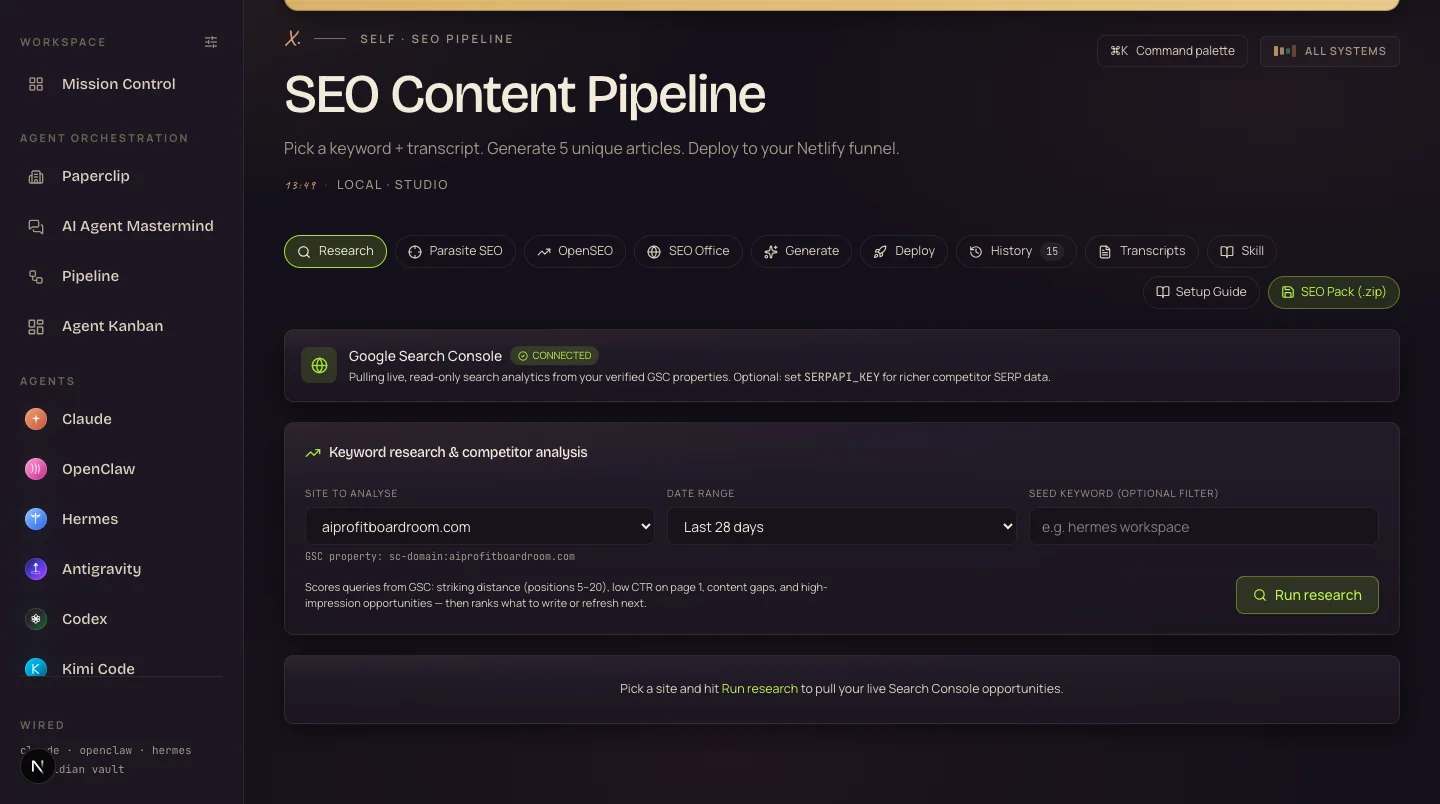
What you're looking at: the research tab with Search Console connected (the green badge). The scorer text spells out the strategy — striking distance positions 5–20, low CTR on page 1, content gaps, high-impression opportunities.
The data source here is Google Search Console — it's free, and it's more accurate about YOUR site than any third-party database, because it's Google telling you what Google sees.
One click. Five sites. Every page submitted.
This is the pipeline screen — keyword in, five unique articles out, deployed to five sites in parallel.
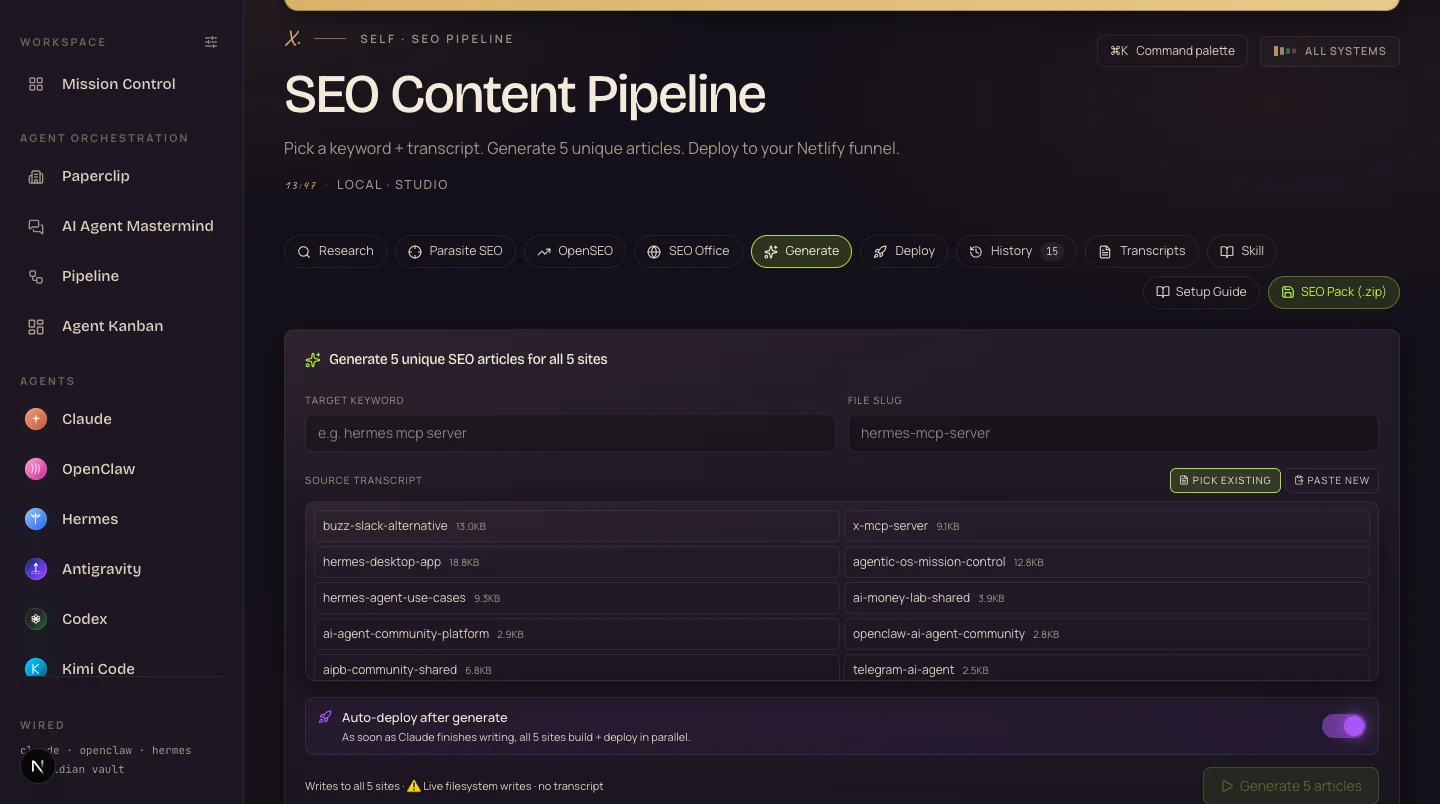
What you're looking at: the pipeline with real source transcripts loaded, and the auto-deploy toggle on — "as soon as Claude finishes writing, all 5 sites build + deploy in parallel."
Each site gets a genuinely different article — different angle, different structure — grounded in your real data from the memory vault. Generic AI content is a risk; content with information gain from numbers only you have is exactly what "helpful content" means.
The topics you rank for become videos too.
The Video Director takes one topic and runs the whole production.
It researches, writes a script you can edit, films an avatar presenter, generates B-roll, and cuts it all into one MP4 — saved to the workspace.
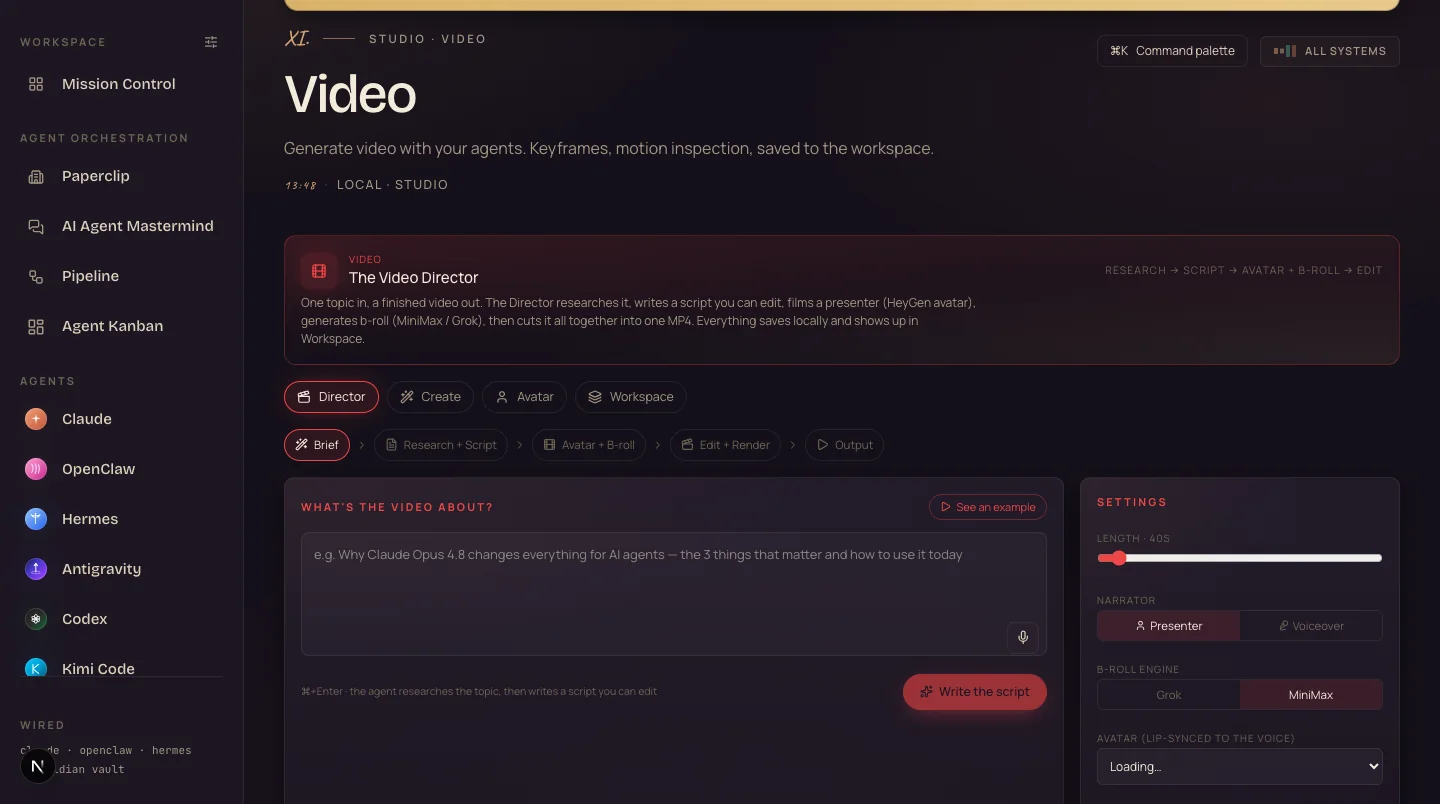
What you're looking at: the Director brief — you describe the video, pick a presenter or voiceover narrator, choose the B-roll engine, and the pipeline runs research → script → avatar + B-roll → edit → render.
And for short-form, the Notebook tab turns your sources into ~60-second vertical Shorts — here's the generator with its gallery of finished clips.
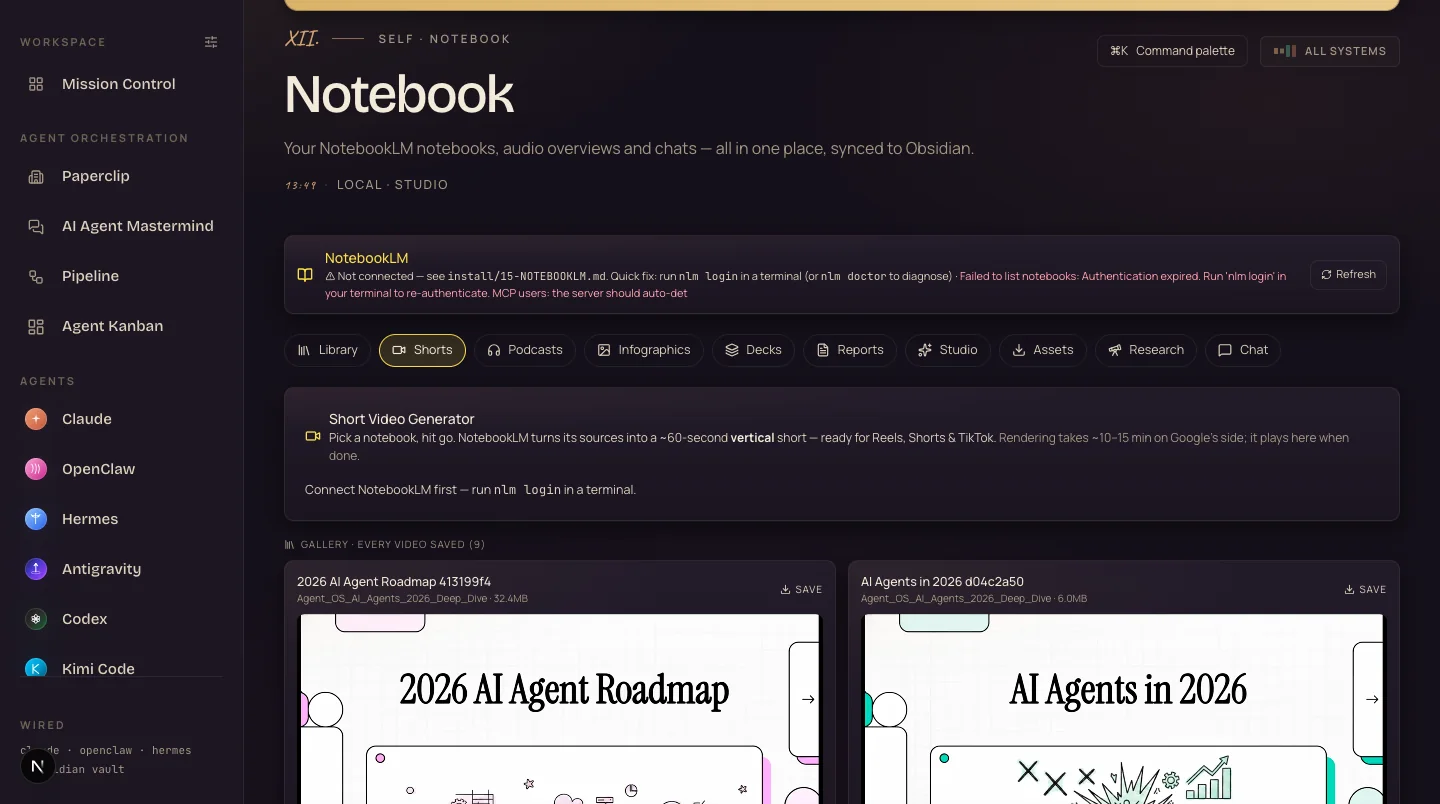
What you're looking at: the Shorts lane — pick a notebook, hit go, and finished 60-second verticals land in the gallery (nine saved here, like "2026 AI Agent Roadmap").
That's the point of the Director — the time cost drops to writing a two-line brief and approving a script. The research you already did for the article is the video's research too.
The vault that makes everything sound like you.
This is my actual memory galaxy — every dot is a memory, every line is a connection.
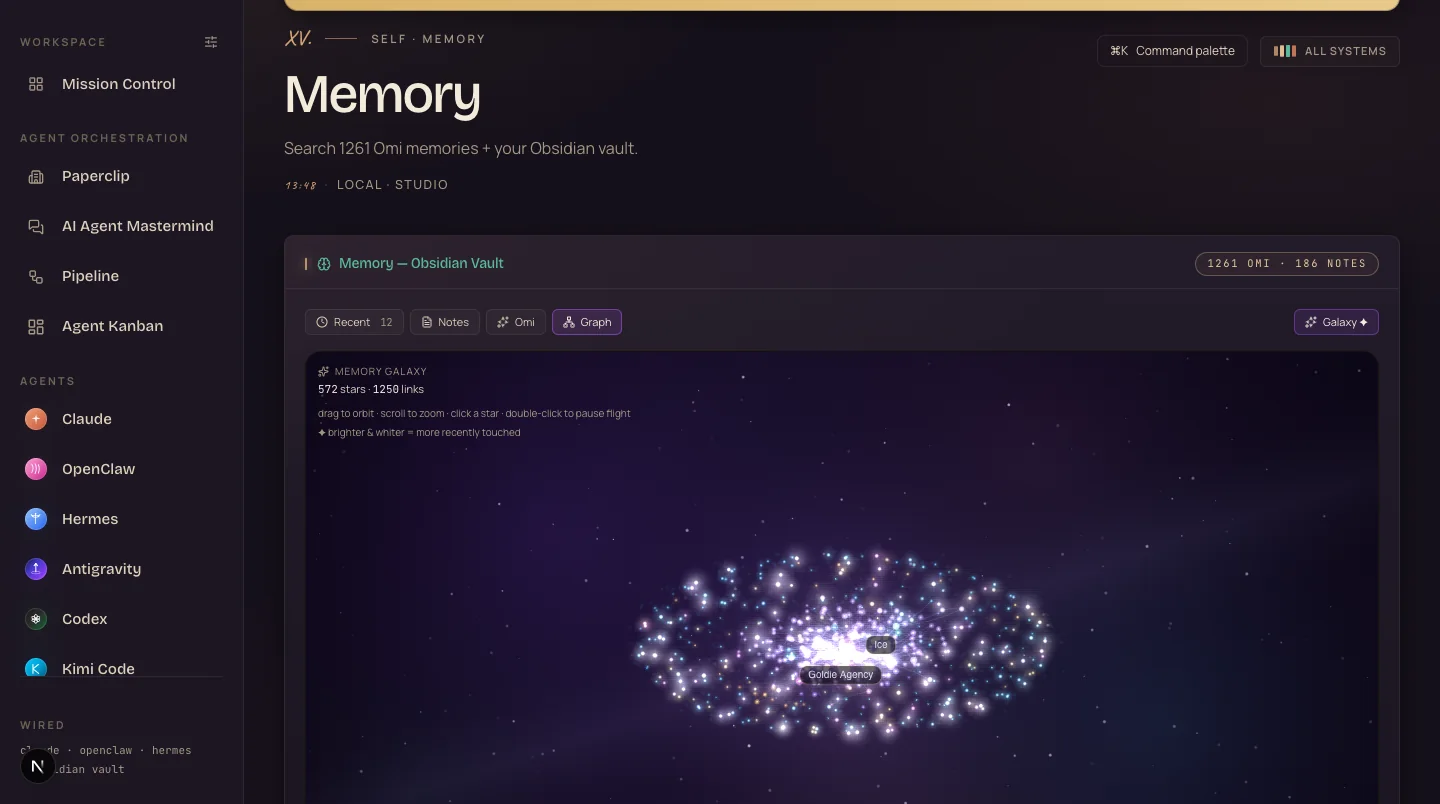
What you're looking at: 1,261 memories and 186 vault notes rendered as a galaxy — 572 stars, 1,393 links. Brighter and whiter means more recently touched. This is what loads before any article gets written.
Three jobs, one vault:
Personalisation — drafts open with your voice, your offers, your clients already in context.
Information gain — your real case-study numbers go into the content. Google rewards pages that add something new, and data only you have is the easiest "new" there is.
Uniqueness — five articles on one keyword stay different because they draw on different memories, not one shared template.
It's a folder of notes plus a connector. If you can drag a folder and paste one line of config, you can run it — and the OS keeps it updated automatically from there.
What a content week looks like, before and after.
The four-tab grind.
- Pay a keyword tool to guess from third-party data.
- Prompt ChatGPT from a blank page, every time.
- Get generic articles any competitor could generate.
- Paste and publish one post at a time, per site.
- Skip video — no time left.
- Nothing learns; next month starts from zero.
The one-loop week.
- Research runs on your live Search Console data — free.
- Every draft opens with 1,261 memories of context.
- Five unique articles per keyword, information gain baked in.
- One click deploys five sites in parallel + submits for indexing.
- The same topic ships as a video and a 60-second Short.
- Results write back to memory — month three beats month one.
Every part shows its work — the research screen shows the queries it scored, the pipeline shows each site build, the vault shows what it remembered. You approve; it executes.
Get the SEO Agent OS built for you.
You can wire all four systems yourself with the SOP below. Or get the whole thing done inside the Agent Operating System — research, deployment, video and memory pre-connected.
Three things you might be thinking.
Members inside the Boardroom run this stack across agencies, ecom stores and content businesses. Their wins are documented in a 158-page doc, in their own words.
Read the 158-page testimonials doc →Real people run this. Real traffic came out.
Clicks on funnel sites shipped by this exact pipeline, before → after:
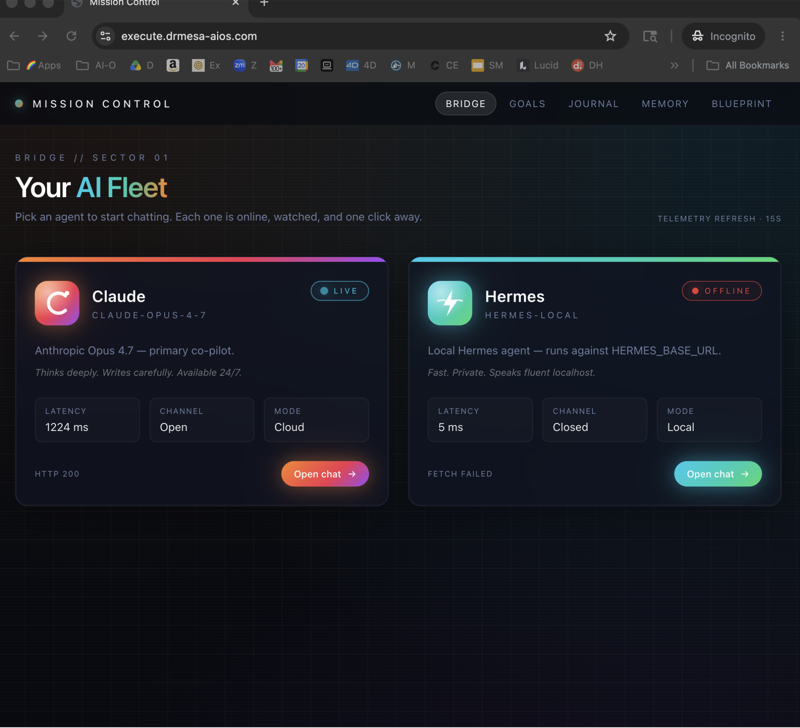
The system's output, live on this page.
Both of these are live sites the SEO Agent OS publishes to — scroll them right here.
Build your own, step by step.
Step 1: Verify your sites in Google Search Console.
Free, takes minutes per site, and it's the data source everything else reads from.
Step 2: Connect read-only GSC access to your agent.
A service account or OAuth token your agent uses to pull queries — read-only, so nothing can be changed by mistake.
Step 3: Score for striking distance.
Rank every query by position 5–20, low CTR on page 1, and high impressions with no page. That ordered list is your content calendar.
Step 4: Build the memory vault.
A folder of notes — your offers, case studies, numbers, voice — connected so every draft loads it first.
Step 5: Template the multi-site deploy.
Static sites on Netlify (or your host), one build command each, so "publish everywhere" is a loop, not an afternoon.
Step 6: End every deploy with an index submission.
Submit each new URL for crawling as the last pipeline step — pages that sit unsubmitted sit unseen.
Step 7: Add the video lane.
Topic → script → avatar + B-roll → MP4, plus 60-second Shorts from the same sources. Reuse the article research.
Step 8: Close the loop monthly.
Write what ranked back into the vault. This one habit is what makes the system compound instead of repeat.
A month on the loop.
Week 1 — Wire the data
Days 1–7GSC verified, read access connected, first striking-distance report pulled. Just look at it — most people have never seen their real list.
Week 2 — First batch out
Days 8–14Vault started, first keyword through the full pipeline, five pages live and submitted.
Week 3 — Add video
Days 15–21One article topic becomes one Director video and one Short. Same research, three formats.
Week 4 — Close the loop
Days 22–30Re-pull GSC, compare, write results to the vault, run batch two. Feel the difference context makes.
What you walk away with.
Run the SEO Agent OS, don't just read about it.
The SOP above is the free path — every step, nothing held back. The Boardroom is the shortcut: the whole system pre-wired, plus the people who run it daily.
Readers bookmark this page and go back to the four tabs. Operators join, install the OS this week, and ship their first five-site batch by Friday.
Prefer it done for you? My agency runs SEO end to end — book a free SEO strategy session at goldie.agency.