The seven layers, running live on screen.
Most people read about the Agent Operating System. Today you're going to watch it run. Seven layers. All on screen. The memory graph with thousands of real nodes. Ultracode firing twelve agents at once on a live map. The dashboard you can click. The tutorial is the demo — by the end of this page, you've seen the whole Agent Operating System work. This is the live companion to /build-agent-os.

If you want this, join the AI Profit Boardroom. You get the Agent Operating System, and we update it daily with stuff exactly like this. The live 7-layer tour just shipped today. We've already added it — along with everything else inside.
You've heard about the seven layers. Today you watch them run.
There's a sister guide to this one called /build-agent-os. That one is the reference — it teaches the seven layers of the Agent Operating System on paper. This guide is the live tour. We open the dashboard. We click into each layer. You see it working.
The seven layers are: Foundation, Memory, Brain, Agents, Command, Production, Loop. Most guides describe them. This one shows them. Every layer is a real screen. Every screen is doing real work right now.
Layer 3 — memory — is the actual memory graph with thousands of live nodes. Layer 5 — agents — is Ultracode lighting up twelve specialists at once. Layer 6 — production — is real outputs sitting in the Workspace. By the end of this page, you've seen the entire Agent Operating System run with your own eyes.
"The tutorial IS the demo. By the bottom of this page, you've already watched the Agent Operating System do its job."
I was you. Then I built a system I could see.
Before
I used to run my AI work in twelve open tabs.
One for the chat. One for the docs. One for the prompts. One for the outputs.
I had no idea what my agents remembered. I had no idea what they had done.
When something broke, I couldn't tell which tab broke it.
It worked, but only because I held it all in my head. The day I got tired, the whole thing fell over.
Then I built the Agent Operating System in seven layers I could see.
After
Now I open one dashboard. Seven layers. All visible.
I can see my memory graph with thousands of nodes — every fact about my business sitting there.
I can see twelve agents working at once on a live map.
I can see every output in my Workspace, saved forever.
The Agent Operating System runs my whole business now — and I can watch it do it.
You can have this too. Same seven layers. Same dashboard. Same path.
Real people. Real wins. Inside the Boardroom right now.
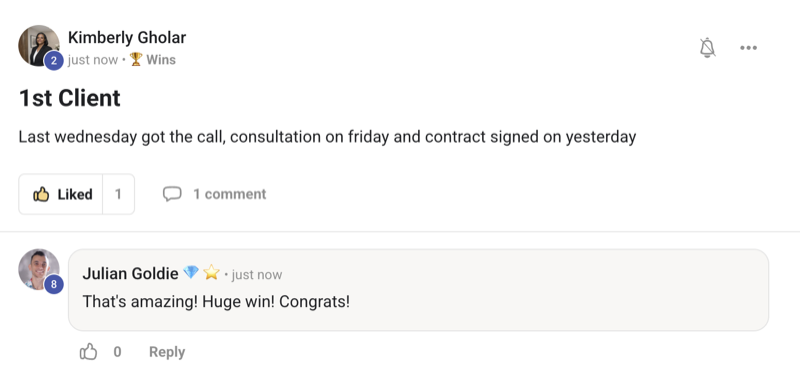
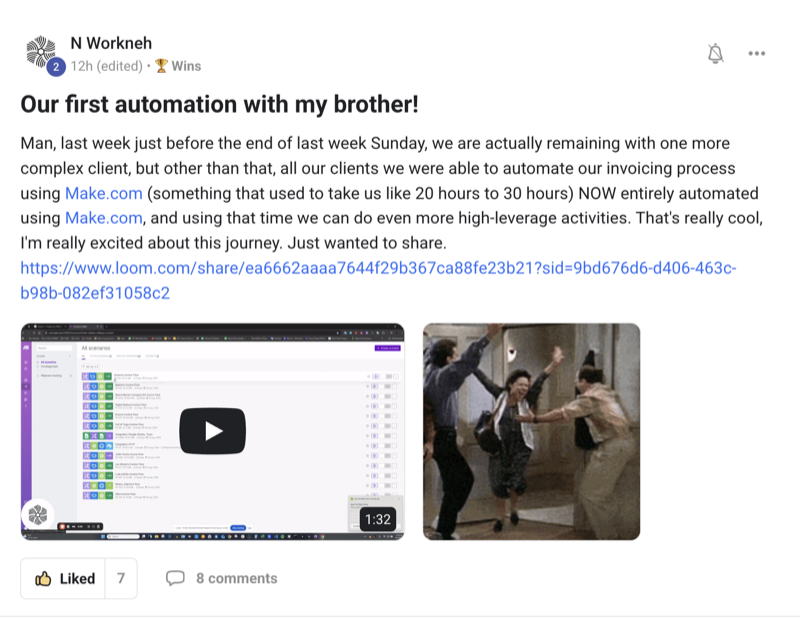
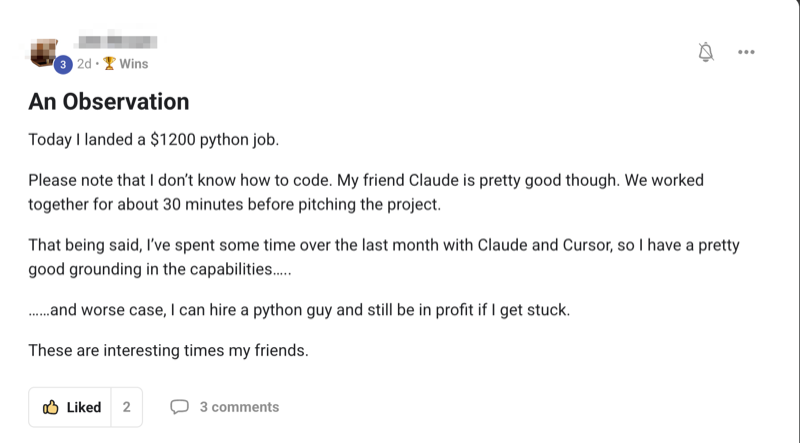
Here's what's already happened for members running this exact seven-layer Agent Operating System — agency owners, ecom founders, course creators, solo operators. Different businesses. Same result: they stopped guessing what their AI was doing and started running a system they could see.
Commit to transitioning today. Not tomorrow.
You've seen the proof. Real members. Real wins. People running this exact seven-layer Agent Operating System right now.
The next ten minutes show you every layer — running, on screen, in real time.
So here's the deal.
Promise yourself one thing right now: you'll finish this guide, and you'll open the Agent Operating System dashboard for yourself before you go to sleep tonight. Just one session. Because the moment you make this switch, the way you work with AI changes for good. You stop juggling tabs. You start running a system you can see.
The people sitting still are still pasting prompts into a single chat box.
The people acting today are the ones who'll look back and say "that was the night I built my Agent Operating System."
Be one of those people.
Commit to the transition. Commit to taking action today. This changes your whole workflow.
Twelve tabs alone vs the Agent Operating System
- Open twelve tabs and try to remember what each one is for — ~5 min just to set up
- Paste the same business context into every new chat — ~10 min per session, every session
- Save outputs in your downloads folder and hope you find them later — ~30 min hunting per week
- Have no idea what your AI actually remembers about you — wasted prompts, generic answers
- One agent at a time, one slow step at a time — hours per task
- If something breaks, you have no clue which tab caused it — full restart every time
- Result: tools, but no system — you do all the work of holding it together
- Open one dashboard. Seven layers, visible. — ~10 sec
- Your memory graph is already there with thousands of nodes about your business — built once, lives forever
- Outputs land in the Workspace, saved and replayable — $0 lost work
- You see exactly what your AI remembers — every fact, on a graph you can click
- Ultracode fires twelve agents at once on a live map — minutes, not hours
- When something breaks, the dashboard shows you where — fix in seconds
- Result: a system you can see, trust, and grow — your AI works for you, not the other way round
It's the opposite. A solo operator running the Agent Operating System works like a small team — without hiring one. The whole point of the seven layers is so one person can run what used to need ten. That's the unlock.
Every new feature like Ultracode and the live Swarm Map goes straight into the Agent Operating System inside the AI Profit Boardroom — the day it ships. You never fall behind. You just open your dashboard and the new layer is already there.
The Goldie 7-Layer Live Tour™
This is the live tour of the same seven layers I teach in /build-agent-os. There, you read about them. Here, you watch them run. Each layer is a real screen inside the Agent Operating System dashboard. Each one is doing a real job right now. Here's the roster — and what each one gives you when you click it.
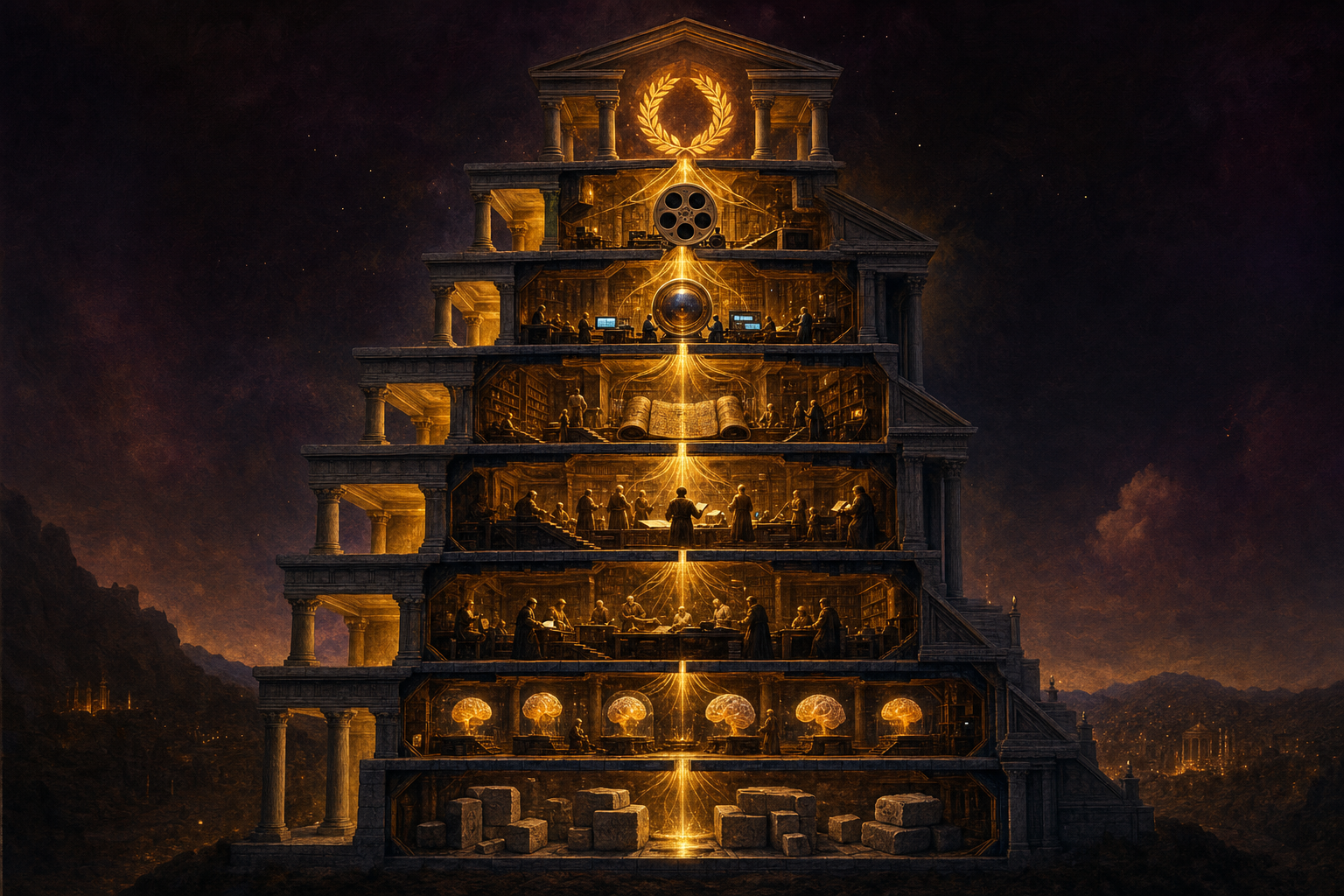
Foundation — the ground floor
The base layer. Free Claude Code, OpenClaw, and Hermes all wired into one dashboard. You stop paying $200 a month for AI subs. You stop wondering which tool to open. One ground floor. One door in.
Memory — the brain you can see
The real memory graph with thousands of nodes. Every fact about your business, your voice, your customers — laid out as a map you can click. No more re-explaining context every session.
Brain — the thinking layer
The reasoning engine that pulls from memory and decides what to do next. It thinks with full context — your business, your goals, your standards — so every answer is grounded in real you.
Agents — your specialist team
Ultracode fires twelve specialist agents at once on a live map. The scout. The writer. The linker. The inspector. You watch them all light up and finish, side by side, in real time.
Command — your control room
The mission panel where you type one instruction and steer the whole team. Ready-made missions. Goal Mode. The Swarm Map. You're the conductor and you can see every player.
Production — the Workspace
Where everything the agents build lands and lives forever. Pages, plans, audits, briefs — saved, searchable, replayable. The Workspace is the loot box from every run.
Loop — the daily flywheel
The system runs itself, gets better with each run, and updates daily. The Loop is what turns "I used AI today" into "my Agent Operating System ran my business today."
Seven layers. One dashboard. All on screen. Let's walk through each one live.
Foundation — one door in
Open the dashboard. The first thing you see is the Foundation layer — your three engines, all connected, all running. Free Claude Code is wired in. OpenClaw sits next to it. Hermes is online. One door in.
You don't pick a tool. You just say what you want. The Foundation layer routes the job to the right engine without you thinking about it.
Watch it live: click the status bar at the bottom — three green dots. Three engines. Online. That's the whole Foundation layer in one glance.
Keep your ChatGPT. The Agent Operating System uses Free Claude Code as the base, but it can orchestrate every engine you already pay for. It doesn't replace your tools. It puts them all behind one door.
Memory — a real graph with thousands of nodes
This is the layer most people don't believe is real until they see it. The Memory layer is a live graph of every fact about your business — pulled from your notes, your docs, your past chats — laid out as a clickable map.
When I open mine, the graph has thousands of nodes. Every customer. Every offer. Every workflow. Every preference. All connected.
Click a node — say, "AI Profit Boardroom" — and you see every other node connected to it. The lines between are the relationships. Click a line and you read why two facts are linked.
Watch it live: zoom out. The whole map. Zoom in on one cluster. Real facts. Real connections. This is what your AI is actually reading from every time you ask it something.
You don't. The Memory layer builds itself as you work. Every chat, every doc, every note adds nodes. By week two you've got hundreds. By month two you've got thousands. You just use the system and the graph grows.
Brain — the layer that thinks with full context
The Brain layer is the reasoning engine. When you ask it something, it doesn't start from zero. It reads from the Memory layer first, pulls in the nodes that matter, and only then thinks.
So when I ask, "draft a launch email for my next AIPB cohort," it already knows what AIPB is, who the cohort is for, what tone I write in, and which past emails worked. The answer comes back grounded — sounds like me, fits my business.
Watch it live: ask it a question. Then click the "context used" panel — you see the exact nodes it pulled from memory before answering. The thinking is transparent. No black box.
Generic answers come from generic context. The Brain layer pulls from your real memory graph before it thinks — your customers, your offers, your voice. The answer fits you because the input was you. That's the whole unlock.
Agents — Ultracode firing twelve at once
This is the wow layer. Flip on Ultracode and type one instruction — say, "build me an SEO plan for my new offer." A dozen specialist agents fan out. You watch them appear on the live Swarm Map.
The scout finds keywords. The mapmaker builds the topic clusters. The architect designs the pillar pages. The writer drafts each one. The linker wires the internal links. The inspector audits the lot. All at the same time. All visible.
A counter ticks up. "12 agents working · 3 done · 9 in progress." Each dot settles with a tick when it's finished. The whole team works in real time, in front of you.
Watch it live: click any dot mid-run — you see what that agent is doing this second. The keyword scout's current search. The writer's current draft. Live.
It runs on Free Claude Code as the base. The whole swarm fires inside the free tier for most jobs. Real members are running this every day for $0. The cost bar at the top tells you exactly where you stand at any moment.
Command — your control room
The Command layer is the panel where you steer everything. One text box. A set of ready-made mission buttons — "build my SEO," "draft my launch," "research my niche," "audit my site." You don't need clever prompts. You pick a mission and go.
Underneath the box sits the Swarm Map I just showed you, and Goal Mode — where you tell the Agent Operating System a bigger outcome ("rank for these ten terms in 30 days") and it keeps working toward it across sessions.
Watch it live: tap a mission, type one line about your business, hit go. The whole Agent Operating System fires up — Memory, Brain, Agents, all moving together. You're the conductor and you can see the orchestra.
If you can click a button and type a sentence, you can run this. The Command layer is one panel with big buttons. Members who'd never opened a terminal have the Agent Operating System running on the first day. Read the testimonials doc — it's full of them.

Get the Agent Operating System
Everything you're seeing — the seven layers, the live memory graph with thousands of nodes, Ultracode firing twelve agents at once, the Swarm Map, the Workspace — is the same Agent Operating System I run every day. It connects Claude, OpenClaw, and Hermes into one dashboard with one shared memory, so every agent already knows your business. And we update it daily — the live 7-layer tour shipped today and it's already inside.
- The full Agent Operating System zip file + every prompt
- The 7-layer setup, done with you step by step
- Daily updates — new layers and features added the day they ship
- Four live coaching calls every week
- A 30-day Agent Operating System roadmap + a member map to find builders near you
- 3,200+ members across 38 countries, someone online 24/7
Or read the 158-page testimonials doc first →
Production — the Workspace where it all lands
When a dozen agents finish a run, where does it all go? The Workspace. The Production layer is the place that holds every output forever — pages, plans, briefs, audits, calendars, emails.
Open the Workspace and you see a clean list. Click any item and it shows as the thing itself — a page shows as a page, a calendar as a calendar. Nothing's hidden inside a chat log.
Every run is saved. Click "replay" on any old job and the whole swarm shows up again on the Swarm Map — the same dots, the same order. You can show a client exactly how their plan got built.
Watch it live: finish a run, open Workspace, click the latest folder. There's everything the agents made — ready to ship.
That's the whole reason the Production layer exists. Every output lives in the Workspace forever. You don't paste it anywhere. You don't download it. You don't lose it. Open the dashboard tomorrow and it's still right there.
Loop — the daily flywheel that runs itself
The Loop layer is what turns the Agent Operating System from "a thing I used today" into "a system that ran my business today." It's the schedule, the triggers, and the daily check-ins.
You set the Loop once. Now every morning your scout looks for new keywords. Every Monday your audit agent checks the site. Every release day, new features get added to your dashboard automatically.
The Loop is the layer that keeps the whole Agent Operating System running while you sleep. It's also the layer that makes "updated daily" real — when a new tool ships, the Loop pulls it in and adds it to your dashboard the same day.
Watch it live: open the Loop panel. You see a tidy list of jobs scheduled. The last run. The next run. The status. The Agent Operating System ticking along — without you holding it together.
The Loop layer is the thing that catches updates. New release? The Loop pulls it in. Something broke? The Loop flags it and tells you exactly what. Your Agent Operating System gets stronger every day instead of older.
Tools and layers like this drop every few days now. Inside the AI Profit Boardroom, we add them to the Agent Operating System for you — so you're always running the newest seven-layer build, not last month's setup.
Why these seven layers are so strong inside the Agent Operating System
You could try to build the seven layers on your own — many people do, then quit a week in. Here's why it's so much more powerful as one system, in plain words:
- The layers share memory. The Memory graph isn't just for the Brain. The Agents, the Command panel, and the Loop all read from it. So every layer is working with the same picture of your business.
- You can see the whole stack. One dashboard. Seven layers. Every screen on. No tab juggling. The Agent Operating System makes the invisible visible.
- The Workspace catches everything. No matter which layer made a thing, it lands in the same Workspace. You never lose work. You never start over.
- The Loop keeps it fresh. When new features ship, they slot into the right layer automatically. Your seven-layer Agent Operating System is the same on day one and stronger every week.
- The whole team is in one place. Claude, OpenClaw, Hermes — all online inside the Foundation layer. Every agent in the swarm can pull from any engine.
"On paper, the seven layers are a blueprint. Inside the Agent Operating System, they're a working machine you can watch run."
My honest take
Use the seven-layer Agent Operating System if you're tired of having "tools" instead of a "system." If you're still pasting prompts into one chat box and crossing your fingers, this is the upgrade. If your AI work feels invisible — like you can't tell what it remembered, what it did, or where the output went — this fixes it.
And here's the thing worth sitting with: the people who learn to run the Agent Operating System now, while the layers are brand new, are going to be miles ahead when everyone else catches up. Every layer you click. Every run you watch. Every output that lands in your Workspace. It all compounds.
Most people will read about the seven layers, nod, and keep working in twelve open tabs. Don't be most people. Open the dashboard.
Six months from now, running the Agent Operating System is normal. The window where you can be early to this — and have the layers be a real edge — is closing fast. Today is when the gap is biggest. Today is when the price of moving is smallest.
What you gained today
You saw all seven layers, live. Not a diagram. The real Agent Operating System dashboard.
You saw a real memory graph. Thousands of nodes. Every fact about a business, mapped.
You watched twelve agents fire at once. Ultracode on the live Swarm Map — proof, not theory.
You met the Workspace. Every output saved, replayable, never lost.
You learned the Loop. The layer that runs your system while you sleep.
You stay current. Updated daily inside the Agent Operating System — new features the day they ship.
Seven layers. One dashboard. All on screen.
That's the Agent Operating System, live.
Run your own 7-layer Agent Operating System this week
Want the whole seven-layer Agent Operating System running for you, not just another tool you check now and then? Grab the Agent Operating System inside the AI Profit Boardroom. It turns Claude, OpenClaw, and Hermes into one dashboard with seven visible layers, shared memory, and one place you control. And we update it daily — so the moment a new feature like Ultracode ships, it's already in. The live 7-layer tour came out today, and it's already added inside.
- I built it in my own sessions — you get the zip file
- Every prompt + the memory graph setup
- Daily updates — newest layers, never last month's setup
- Coaching calls where we set up your seven layers together
- A 30-day Agent Operating System roadmap + a member map to connect with builders near you








