Run hundreds of AI agents at once.
Claude Opus 4.8 just landed. With it came two huge things: Ultracode and dynamic workflows. In plain words — you can now give one instruction and Claude spins up hundreds of helpers working at the same time, then checks their work before it shows you. I've wired all of it into the Agent Operating System so you can actually watch the swarm work, see it argue with itself, and keep everything it builds. Let me show you.

Opus 4.8 dropped — and it brought a swarm
On 28 May 2026, the newest Claude model went live: Claude Opus 4.8. It's sharper, it's more honest (about four times less likely to let a mistake slip past without flagging it), and it costs the same as the last one.
But the headline isn't the model. It's what shipped with it — a new ability called dynamic workflows, switched on by a setting called Ultracode.
Here's the simple version: a normal AI chat is one helper, doing one thing at a time. Dynamic workflows let Claude break a big job into pieces, hand each piece to its own helper, and run hundreds of those helpers at the same time — then have other helpers double-check the work before you ever see it.
"Claude dynamically writes orchestration scripts that run tens to hundreds of parallel subagents in a single session, checking its work before anything reaches you."
— Anthropic, Introducing dynamic workflows in Claude Code, 28 May 2026
The proof it works at scale? A developer used it to rebuild a huge software project from one programming language into another — around 750,000 lines of code, hundreds of agents working in parallel, two reviewers on every file, done in 11 days. Work that would normally take a team months.
That's the power. Now here's the problem nobody's solved — and the part I built.
I was you. Then I gave my agents a whole team.
Before
Big jobs used to crush me.
I'd give my AI one task, and it would plod through it alone — one step, then the next, then the next.
A job that touched a hundred files took all day.
And when it finally finished, I had no idea if the work was any good — I just had to trust it and hope.
I'd lose whole afternoons babysitting a single helper.
Then Ultracode changed everything.
After
Now I give one instruction and a swarm of helpers takes the job apart.
Hundreds of them work at the same time, inside my Agent Operating System.
Other helpers try to poke holes in the work before it ever reaches me.
The big jobs that ate my whole day now finish while I make a coffee.
You can have this too. Same brain. Same path.
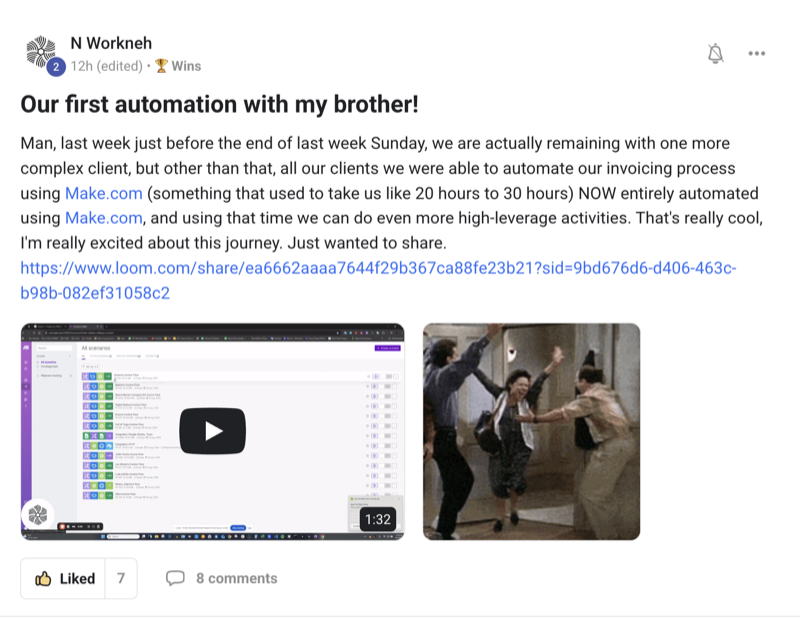
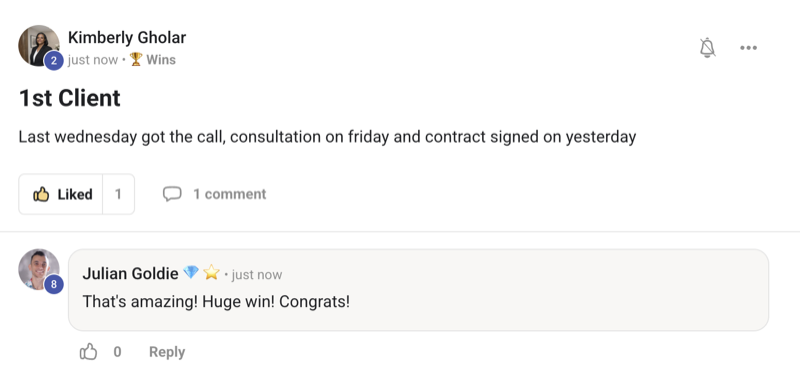
Real people. Real wins. Inside the Boardroom right now.
Here's what's already happened for members running this stack — agency owners, ecom founders, course creators, solo operators. Different businesses. Same result: they stopped doing the slow, lonely work by hand.
Commit to transitioning today. Not tomorrow.
You've just seen what's coming — one person, commanding hundreds of helpers at once.
The next few minutes show you exactly how I wired it in.
So here's the deal.
Promise yourself one thing right now: you'll finish this guide, and you'll turn on one piece of it before you sleep tonight. Just one. Because the moment you make this transition, the way you work changes for good — you stop doing slow, lonely jobs by hand and start commanding a team.
The people sitting still are about to get passed by folks who learned to run a swarm.
The people who act today are the ones who'll look back and say "that was the moment everything sped up."
Be one of those people.
Commit to the transition. Commit to acting today. This changes how you get everything done.
One lonely helper vs a whole swarm
- Give your AI one big job
- It works on it alone, one step at a time
- You sit and watch a wall of text scroll by
- A job touching 100 files eats your whole day
- No idea if the work is actually good
- You just trust it and hope
- Result: slow work, and no proof it's right
- Give one instruction to the Agent Operating System
- It splits the job and runs hundreds of helpers at once
- You watch the whole swarm on a live map
- Other helpers try to break the work before you see it
- You get a clear "here's what we found and checked"
- Everything it builds is saved in one place
- Result: fast work, double-checked, all kept
It isn't. You type what you want in plain words — "audit my whole project," "find the dead weight," "stress-test this plan." The swarm does the heavy lifting. You just read the result.
The Goldie Swarm Stack™
Here's the simple shape of how a swarm gets a big job done for you — five steps, start to finish. This is the whole thing in five words: Command, Swarm, Verify, Watch, Keep.
Command
You give one plain-words instruction. That's your whole job. "Audit my project." "Migrate this." "Find every bug." You're the conductor — you don't play every instrument.
Swarm
The job gets split into pieces, and hundreds of helpers take a piece each — all working at the same time. Hours of work happen in minutes.
Verify
Other helpers act like judges. They try to poke holes in the work and prove it wrong. Only what survives gets through. You get checked work, not guesses.
Watch
You see the whole thing happen on a live map — every helper as a glowing dot, lighting up as it works. The magic stops being invisible. You can show people.
Keep
Everything the swarm builds lands in one tidy workspace. Nothing gets lost. You can open it, show it off, and use it whenever.
One toggle wakes the swarm
Inside the Agent Operating System, the Claude panel now has a little ⚡ Ultracode switch. Flip it on, and Claude is allowed to spin up a whole swarm when a job is big enough to need one.
You don't have to set anything up. You flip the switch, you type your job, and the swarm decides for itself when to fan out.
Try it like this: turn on Ultracode, then type "go through my whole project and find anything broken." Watch what happens next.
Good question — a swarm uses more than a normal chat, so the switch warns you every time it's on, and it's off by default. You turn it on only for the big jobs that are worth it. You're always in control of when the swarm wakes up.
Watch hundreds of agents work — the Swarm Map
This is the part that makes people say "wow." When a swarm runs, you don't just stare at text. You get a live, breathing map.

Every helper shows up as a glowing dot. Gold dots are the workers, doing the jobs. Pink dots are the judges, trying to prove the work wrong. The emerald centre is where everyone finally agrees. A counter climbs as it runs: "47 agents working · 12 things found · 9 confirmed."
You can finally see the thing that makes this special. It's the difference between hearing "AI did some work" and watching a hundred helpers swarm your job in real time.
No — it's the real run. Each dot is a real helper. When one finishes, it settles. When a judge knocks back a finding, you see it happen. It's the honest picture of what your swarm actually did.
It argues with itself — the Verdict panel
Here's what builds real trust. The Agent Operating System shows you the back-and-forth between the helpers.
You see it plainly: "Helper 34 found a problem → a judge said no, that's not real → Helper 51 looked again and confirmed it is."
Watching the swarm check its own work means you're not just trusting a black box. You see what was found, what got thrown out, and what survived. That's a level of "show your working" no single AI chat gives you.
True — and that's exactly why the judges matter. Opus 4.8 is already far more honest about flagging its own mistakes, and the swarm doubles down on it: nothing reaches you until other helpers have tried to break it first.
One-click missions
Not sure what to type? You don't have to think. The Agent Operating System has ready-made missions — one button each:
- Audit my whole project — find what's weak or risky
- Find the dead weight — spot what can be cleaned up
- Move this from old to new — a big change, handled for you
- Stress-test my plan — poke holes in it from every angle before you commit
Click one, and the swarm fires off on a focused job. No blank page. No "what do I even ask for."
That's the whole reason these missions exist. The smart instruction is already written for you. You just pick the job you want done and press the button.
See the cost as it runs — with a limit you set
A swarm does a lot, so the Agent Operating System shows you a live meter as it works — time spent, and cost so far, ticking up in front of you.
Even better, you can set a cap before it starts. Say "spend no more than this," and the swarm stops itself when it gets there. No surprises.
It flips the scary part into the selling point: "a full day of work, for the price of a sandwich." You see exactly what you're getting and what it cost.
It can't — you set the limit, and the meter is right there the whole time. The swarm respects your cap and stops. You decide how far it goes.

Get the Agent Operating System
Everything you've seen — Ultracode, the live Swarm Map, the Verdict panel, one-click missions, the cost meter — is built into the Agent Operating System I run every day. It connects Claude, OpenClaw, and Hermes into one dashboard with one shared memory, so every helper already knows your business.
- The full Agent Operating System zip file + every prompt
- The Ultracode + Swarm Stack setup, done with you step by step
- Four live coaching calls every week
- Daily tutorials as new features ship
- A 30-day roadmap to get it all running
- 3,200+ members across 38 countries, someone online 24/7
Or read the 158-page testimonials doc first →
Make the AIs race each other
Here's something no single AI app can do. Inside the Agent Operating System you've got Claude, Hermes, Codex, and Gemini all in one place. So you can fire the same job at all of them at once and watch them race side by side.
Give them all "build me a simple landing page," then compare the results in split panels and keep the best one. You stop guessing which AI is best for a job — you just let them compete and pick the winner.
The Agent Operating System runs all of them together, including the ones you already pay for. It doesn't replace your tools — it lets them work side by side, so you always get the best answer in the room.
See everything you built — the Workspace
When a swarm builds a pile of stuff, where does it all go? Into your Workspace — a tidy gallery of everything your agents made for you.
Click any item and see it right there — a web page shows as a web page, a picture as a picture. Nothing gets lost in a folder somewhere. It's all in one place, ready to open, show off, or use.
And because every swarm run is saved, you can replay it later — scrub back through "here's how it found 12 problems in 6 minutes." Perfect for showing a client, a teammate, or just proving the magic was real.
Not anymore. The Workspace keeps every output and every run in one place. You stop hunting through folders and start building on top of what you've already got.
My honest take
Turn Ultracode on for the big jobs — a full review, a giant clean-up, a plan you want stress-tested. Leave it off for quick little chats. That's the whole rule.
And here's the thing worth sitting with: the people who learn to run a swarm now, while this is brand new, are going to be miles ahead when everyone else catches up. Every big job you hand to a swarm today, you learn how to command a team. It all compounds.
Most people will read about Opus 4.8, think "neat," and carry on doing everything by hand with one slow helper. Don't be most people.
"You stopped being the worker. Now you're the conductor — and you've got hundreds of helpers."
What you gained today
You stopped working alone. One instruction now runs hundreds of helpers at once.
You stopped guessing. Helpers check each other, so you get work that's been double-checked.
You can see the magic. The live Swarm Map shows every helper working in real time.
You stay in control. A cost meter and a limit you set mean no surprises.
You never lose work. The Workspace keeps everything your agents built.
You get the best answer. Race Claude, Hermes, Codex, and Gemini — keep the winner.
One instruction in. A hundred helpers out.
That's the Agent Operating System.
Run your own swarm this week
If you want hundreds of helpers working for you — not just another tool you check now and then — grab the Agent Operating System inside the AI Profit Boardroom. It turns Claude, OpenClaw, and Hermes into one dashboard with shared memory and one place you control. And every new update — like Opus 4.8 and Ultracode — makes the whole system more powerful on its own.
- I built it in my own sessions — you get the zip file
- Every prompt + the memory setup
- Coaching calls where we set it up together
- A 30-day roadmap + daily tutorials
- A member map to connect with builders near you








