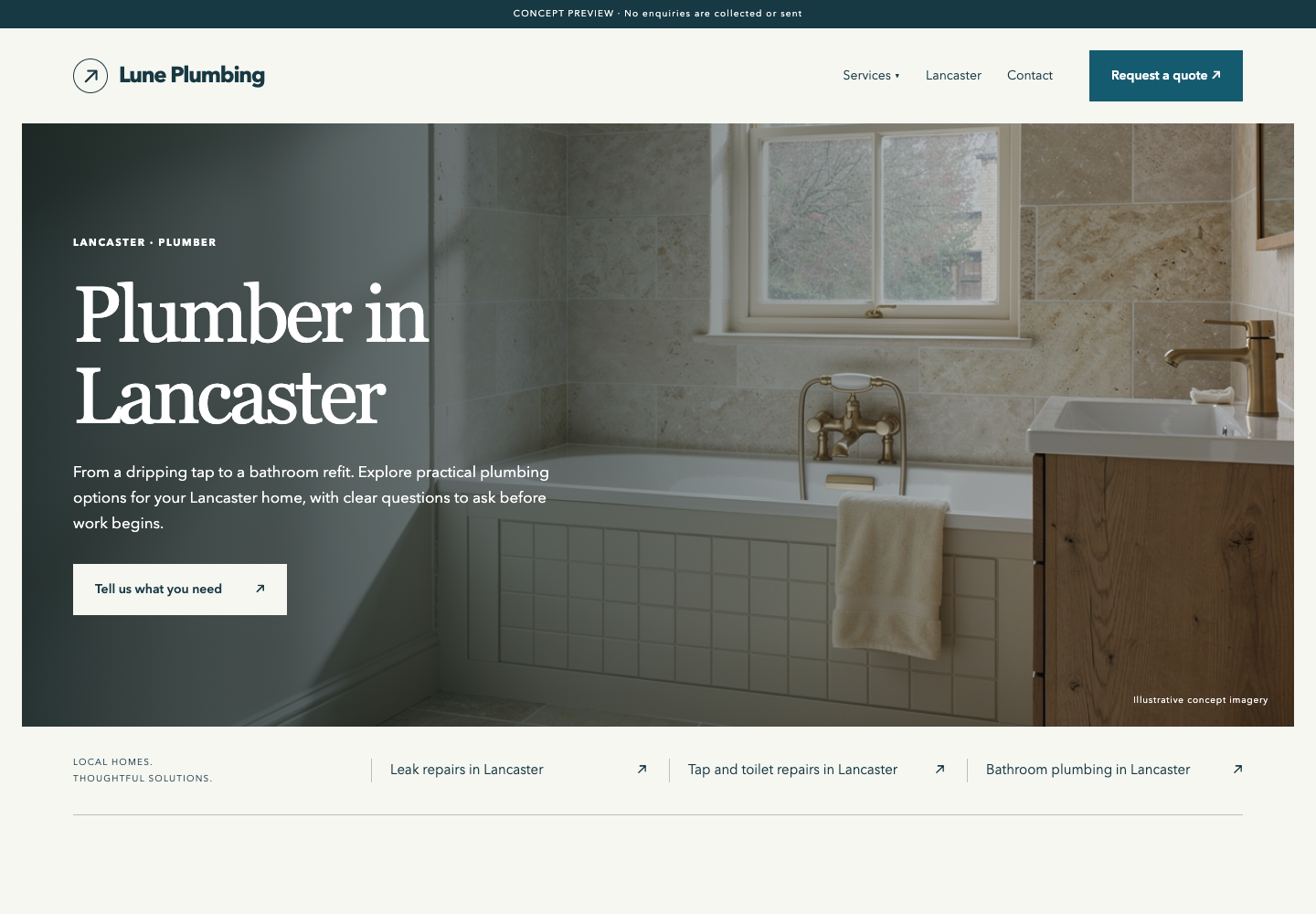
Plumber in Lancaster
Lancaster, Lancashire, UK
6 pages · 4 original concept images
Read the large text aloud. Follow the “On screen” line. Scroll to the next step. Website Generator now lives in the Design OS tab bar. Start with installation, then follow a real patio website from brief to saved draft.
Plumbing, roofing and patio installation in Lancaster, Lancashire. Each combines a specific trade and location, dedicated service pages, original concept imagery and a quote-request layout. These are noindex previews; forms do not send enquiries and rankings have not been measured.
Lancaster, Lancashire, UK
6 pages · 4 original concept images
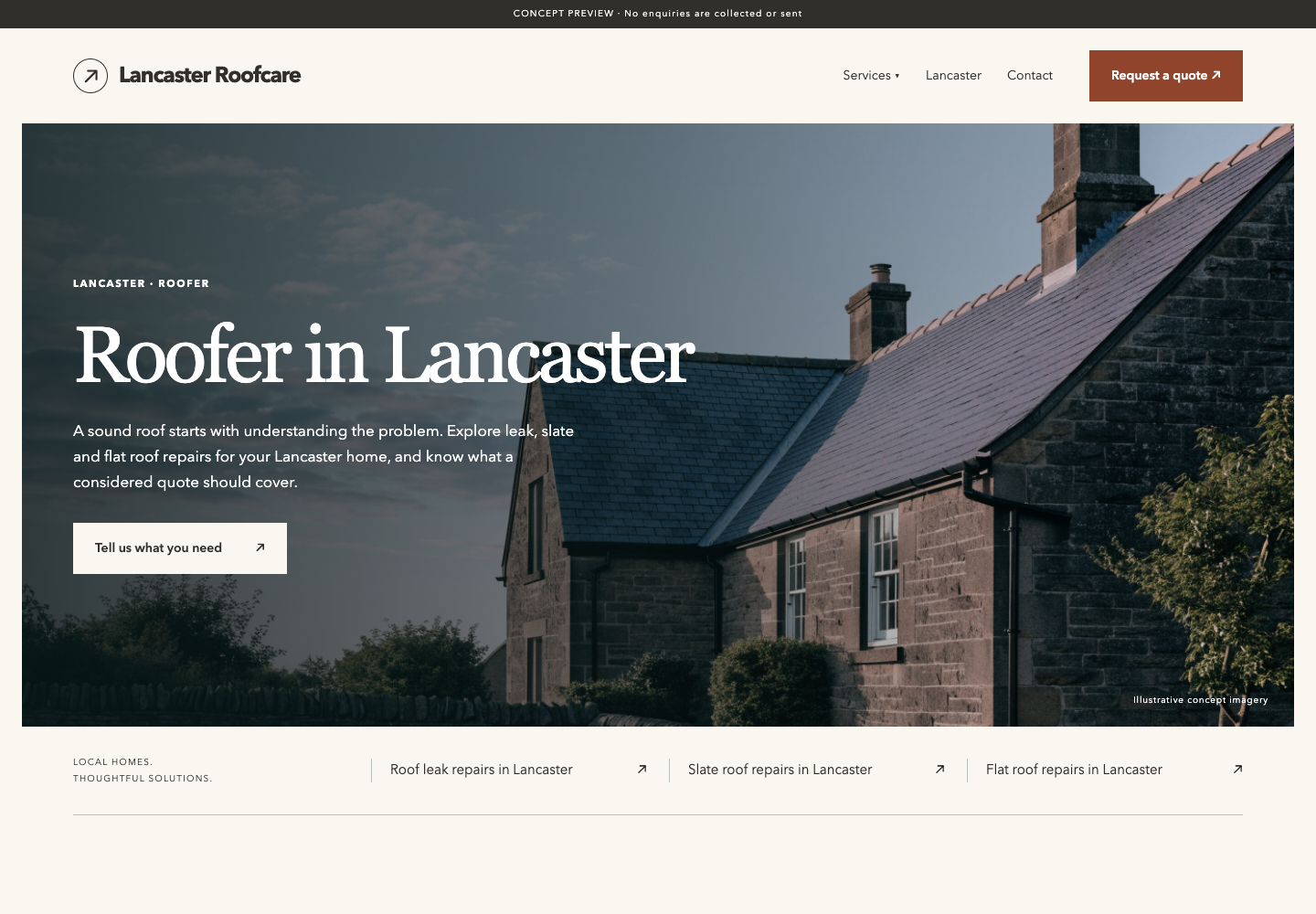
Lancaster, Lancashire, UK
6 pages · 4 original concept images
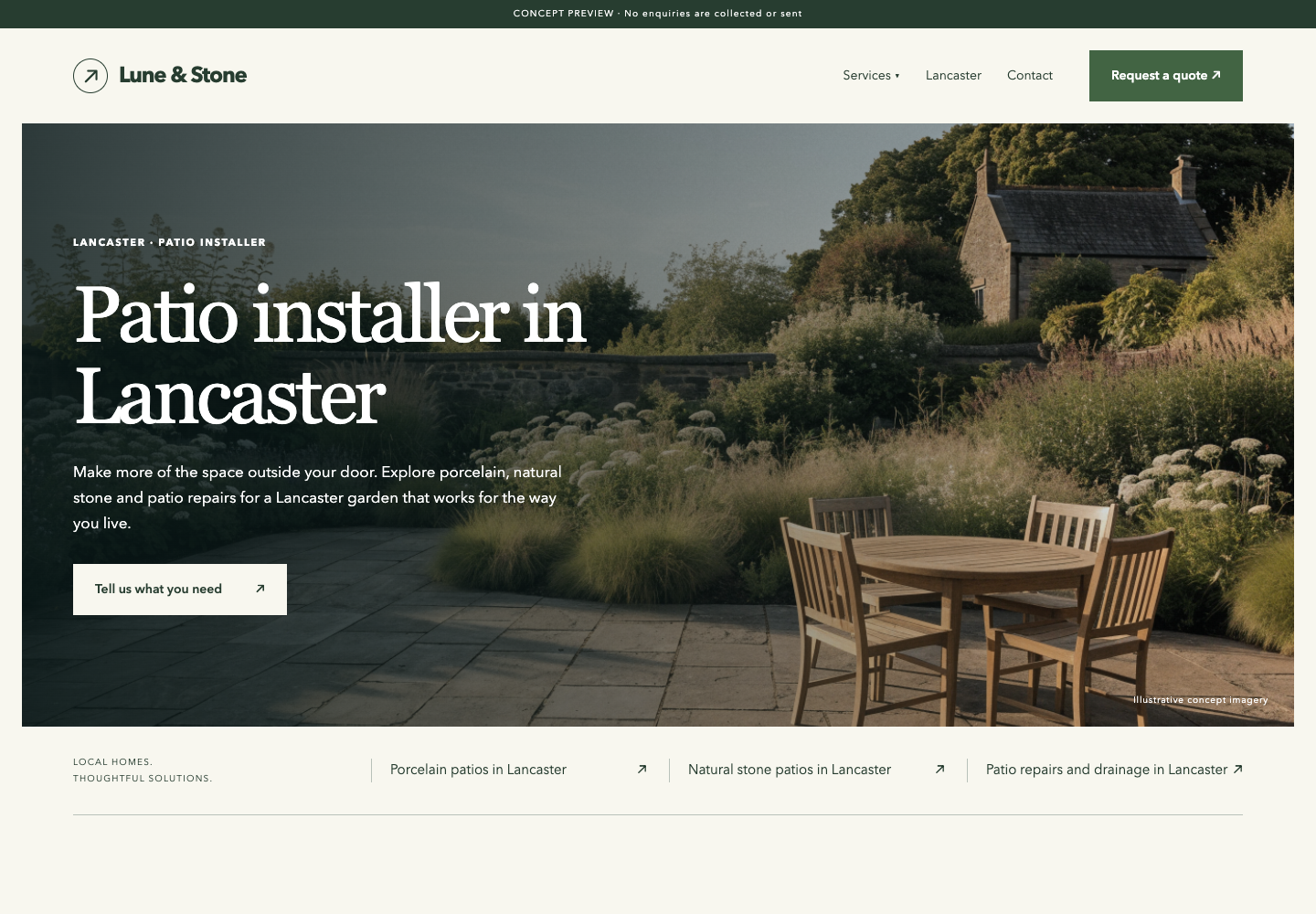
Lancaster, Lancashire, UK
6 pages · 4 original concept images
Download all three local websites + research notes
In Agent OS: Design OS → Website Generator → Local rank-and-rent examples. Fresh builds now use the improved photographic layout.
The walkthrough recordings below show the earlier layout. These three previews show the current local-service design.
I’m adding this to an existing Agent OS app. Fresh website copy uses its configured Codex account. The patio example also lets me inspect the design before I connect a writer.
On screen: Check the app is running locally, Python 3.9+ is installed, and Codex is connected for fresh generation.
Check: The existing Agent OS opens. The module uses the app’s connection; account limits still apply.
I’m giving my coding agent the module source and an exact build brief. It adds the new screen and menu entry while preserving the rest of my app.
On screen: Open the source package and INSTALL.md, then use Copy build brief. Run it in your existing Agent OS project.
Check: The agent adds Website Generator to the menu and reports the installation checks. The source package is an add-on, not the entire app.
Download module source · Read installation instructions
Add the Website Generator module to this existing Agent OS app using the supplied website-generator-source.zip. Read the app instructions first. Preserve existing user changes. Inspect the supplied source before merging.

Copy the new src/app/website-generator, src/app/api/website-generator, src/components/WebsiteGenerator.tsx and .css, src/lib/websiteGenerator.ts, scripts/website-generator and scripts/website-generator-check.cjs into matching paths. Add src/lib/designOrigin.ts only if absent; otherwise verify and reuse the existing helper. Reuse the app's existing config.codex and installed dependencies. If config.codex is missing, implement equivalent executable discovery and configuration; do not hardcode the original author's paths.

Add Website Generator as a tab in DesignOS.tsx using the existing WebsiteGenerator component, supporting /design-os?view=website-generator on reload. Preserve the standalone route and existing navigation. Do not replace either whole file. Use the navigation snippets in INSTALL.md. Keep the app bound to localhost. The Python worker needs Python 3.9+ and the configured, signed-in Codex CLI for fresh copy. No new package dependencies are required for the supplied app version.

Run the Python worker tests and TypeScript check. Start the app, open /website-generator, and use Open patio example. Then run the endpoint check against the actual local port. Generate one fresh fictional brief and verify linked service pages, mobile layout, notes and ZIP contents. Confirm saved drafts survive a page reload. Keep previews noindex and forms in demonstration mode. Report failures and untested items accurately. Do not publish a site or connect live enquiries as part of installation.

Add a Website Generator tab inside Design OS by reusing the WebsiteGenerator component. Preserve existing tabs and support /design-os?view=website-generator on reload. See INSTALL.md for integration details.


Original image generation now defaults on. Include scripts/website-generator/images.py. The image stage uses the configured Codex CLI and connected Higgsfield MCP tools with existing credits. It generates one hero plus one image per service, saves PNGs into the job, validates output, and packages them with IMAGES.json. Missing provider access or incomplete images must fail visibly; never fall back silently to the patio assets. Keep example and text-only modes available.


Local rank-and-rent scope: pair a physical local service with a specific town or city, such as a plumber in Lancaster. Do not substitute generic SEO or AI agency examples. Include scripts/website-generator/scripts/local_theme.py and assets/local.css: fresh builds use the improved photographic local-service theme, while the original patio demo remains available. Keep local-service headlines concise, generate relevant original images, and do not invent providers, addresses, credentials, reviews or live enquiry delivery. The public guide links to three Lancaster examples and their separate download.


Every fresh build must create a separate page for each requested service in the target city, with a service-plus-city URL, heading and title. Validate the returned page coverage; fail clearly if a service is missing or substituted. Show these pages in the website Services menu, homepage cards, related-page directory and the Agent OS preview panel. Example: Leak repairs in Lancaster at /leak-repairs-lancaster/. Do not satisfy this requirement with homepage sections alone.
I’m checking the worker and page routes, then opening the included example. A clean test result and a working preview give me evidence that the installation is ready for a fresh brief.
On screen: Use the verification commands below. In Website Generator, choose Open patio example.
Check: Draft ready appears with 15 pages for the included example. Verify a service link and the ZIP. Our tested app passed; other app versions may need adaptation.
PASS · Worker tests, input validation, origin rejection, linked pages, assets, ZIP, reports and preview containment.
TypeScript · No errors found.
Test summary from actual runs on 20 September 2026. Fresh installation on another machine has not been tested.python3 scripts/website-generator/test_worker.py npx tsc --noEmit # After Open patio example finishes: AGENT_OS_URL=http://127.0.0.1:3737 node scripts/website-generator-check.cjs
I’m describing a fictional patio site for small backyards in Austin. I’m explaining the shade and daylight choices, and I’m stating which business facts are unknown.
On screen: Fill Website / business name, Target city or area, Services to feature, the audience box and Verified facts and source links.
Check: The brief contains three distinct services and a useful angle. No invented contractor credentials are supplied.
I’m choosing Generate my website. The job is saved while the writer works. I can leave this page, but the local system must keep running.
On screen: Choose Generate my website once. Wait for Draft ready in Saved website.
Check: Creating your website… appears, followed by a saved draft. One build runs at a time. The start and completion recordings omit the waiting interval.
I’m checking the six-page draft in both widths. I can see the layout before choosing what needs editing. A finished draft still needs its facts and business setup reviewed.
On screen: Use Desktop preview and Mobile preview. Reload the page and select the draft from Saved website.
Check: The six-page draft remains saved. The preview resizes; the desktop and phone controls show the selected state.
I’m opening the website itself. The service choices link to separate pages, and the photo labels make clear that these are concept images.
On screen: Choose Open website preview. Follow a service link and inspect the contact page.
Check: The service page loads. The form remains a demonstration and does not deliver enquiries. Concept images are not a portfolio.
I’m reading Research & SEO notes and the launch checks before carrying the files forward. The package keeps the pages and project notes together.
On screen: Choose Research & SEO notes, inspect Before this goes live, then choose Download website ZIP.
Check: The package contains website files and project notes. Source claims still need review. Hosting, live forms and recurring SEO are not connected by this action.
Full installation instructions · Plain-text build brief
Missing writer: connect the Codex CLI account through the app’s existing setup. This module uses config.codex. The example needs no writer account. No additional AI provider key is required when Codex is already configured.
Python not found: install Python 3.9+ or set AGENTIC_OS_PYTHON_BIN to its executable path before starting Agent OS.
Stopped generation: inspect the saved job, confirm the local machine is awake, and use Retry saved brief. Only one build runs at a time. Writing has a ten-minute limit; the image stage has a thirty-minute limit.
Saved work: jobs persist in ~/.agentic-os/website-generator. They contain the brief, generated content, research notes, audit and website package. Do not share private business briefs without permission.
Originality: fresh text is drafted for the brief. With the default image option, new hero and service images are generated too; the theme can repeat. The first Austin test had no exact body-section matches against the included Dallas example. This is not a web-wide originality check. Research is best-effort: the first fresh test explicitly reported no web research.
Launch: review real business identity, provider role, domain, source claims, image rights, privacy notice and actual enquiry delivery. Drafts are noindex. Weekly workflow notes are documentation, not an enabled automation. Search rankings are not guaranteed.
Port: links assume this guide is served by the same Agent OS app. Use your app’s actual port in verification commands. The reference recordings were made on port 3737.
Current local application and generated projects inspected on 20 September 2026. Recordings use automated browser actions in the actual app, not voice control. Build-it diagrams are illustrative; this module was tested in the existing app, not on a fresh machine.
Search policy references: Google’s guidance on generative AI content, Google Search spam policies, and Business Profile eligibility. Google’s eligibility page lists lead-generation agents and companies as ineligible. The reference layout came from Temecula Patio Covers; our text and concept imagery are separate assets.