Keep exploring · more guides
---
name: voice-capture
description: Use whenever a voice note lands in the inbox — from the
  phone shortcut, Apollo, or a WhatsApp forward. Turn spoken ideas
  into filed, tagged, linked notes in the vault. Never let an idea
  die in an audio file.
runs-on: every voice note · usually 10–40 per week
tools: transcribe, vault read/write, dashboard post
---

## When to use
- A new audio file appears in Inbox/voice/.
- Apollo hands over a live conversation marked "capture this".
- I say "note this down" mid-call.

## Workflow
1. Transcribe the note into clean text.
   - Fix filler words ("um", "sort of") but keep my phrasing.
   - Keep slang and shorthand — that IS the voice. Never formalise it.
   - If audio is under 3 seconds or silent, stop and flag it.
2. Split the transcript into separate ideas.
   - One note per idea. A 2-minute ramble is usually 3–5 ideas.
   - An "idea" = anything with a who + a what ("video about X",
     "email angle for Y", "fix the Z page").
   - Off-hand comments ("remind me to call Mike") are TASKS, not
     ideas — route those to the ticket board instead.
3. Tag every idea by platform.
   - video — anything visual, tutorial-shaped, or "show them".
   - email — anything list-shaped, story-shaped, or offer-adjacent.
   - social — anything short, spiky, or reaction-bait.
   - One idea can carry all three tags. Most carry two.
4. Score each idea 1–5 for heat.
   - 5 = I said "this is the one" or repeated it twice.
   - 3 = solid, fits a current campaign.
   - 1 = parking-lot material. Still file it. Never delete.
5. Save each note to the vault.
   - Path: Ideas/YYYY-MM-DD-slug.md.
   - Front-matter: date, source (voice), tags, heat score.
   - Body: the cleaned idea + the raw transcript line it came from.
6. Link everything linkable.
   - Mentions an offer → link the offer page note.
   - Mentions a client or a niche → link that area note.
   - Mentions a past video → link it from Content/published/.
7. Post a one-line receipt to the dashboard.
   - Format: 🎙️ 4 ideas filed · 2 hot · top: "AI skills for restaurants".

## Edge cases
- Two ideas overlap an existing note — append to the existing
  note under a dated heading, don't create a duplicate.
- Can't tell if it's an idea or a task — file as both, mark the
  task from-voice, let the dispatcher sort it.
- Background noise / half words — transcribe what's confident,
  mark gaps with [unclear], never guess a product name or a number.
- A price or a promise is spoken — flag it for review. Never
  auto-publish anything with money in it.

## Output format
    ---
    date: 2026-08-09
    source: voice
    tags: [video, email]
    heat: 4
    ---
    Idea: AI skills for restaurants — how a small place could
    automate their weekly specials posts.
    Raw: "…idea for a video about AI skills for restaurants…"

## Quality gates
- [ ] Every idea has ≥1 platform tag and a heat score.
- [ ] File names are date-first so the folder sorts itself.
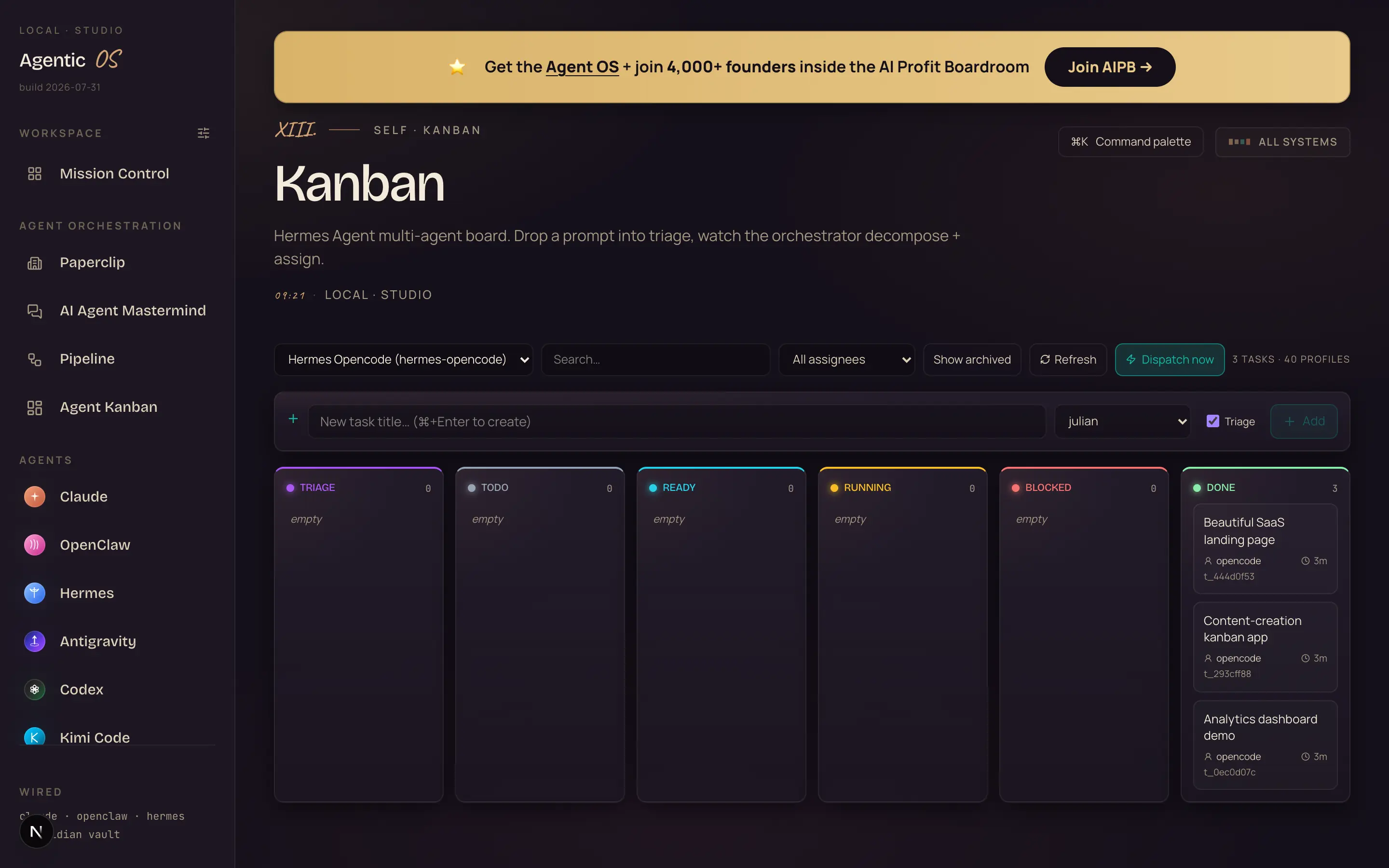
- [ ] Nothing from the transcript was left unfiled.
- [ ] The dashboard receipt went out within 2 minutes.
---
name: news-radar
description: Use on the morning schedule, or on demand when I say
  "what's moving". Read the live firehose of the industry — new
  models, agent tools, launches, trends — and return the six
  signals that matter, each with an angle I could use TODAY.
  The morning briefing skill: wake up already knowing what moved.
schedule: every morning · done before I wake up
tools: live search, trend read, vault write, dashboard post
---

## What counts as a signal
- A model or tool launch that touches our stack or our niche.
- A capability that just went free, or just got cheap.
- A trend moving fast enough that being early still matters.
- NOT: funding rounds, drama, anything I can't act on.

## Workflow
1. Run multiple search passes across the industry, not one.
   - New models · agent tools · platform changes · what builders
     are actually talking about this morning.
   - Cross-check anything surprising against a second source.
2. Rank by relevance to OUR audience first, recency second.
   - A small update to a tool we run beats a giant story about
     a tool we don't.
3. Cut to exactly SIX signals. The cut is the product.
4. For each signal, write the full card:
   - headline — what happened, one plain line.
   - why-now — why it's trending this morning, not last week.
   - the angle — MY take for OUR audience, one line.
   - format — what it wants to be (tutorial, reaction, deep dive).
   - heat — 1–100, how fast it's moving.
   - hook — a ready opening line I could read on camera.
   - source — one real link. No link, no signal.
5. Order the six by heat. Hottest on top.
6. Post to the dashboard, then file to
   Reports/radar/YYYY-MM-DD.md so the vault keeps every morning.

## Judgment rules
- Six signals. Not five, not nine. Scarcity keeps it read.
- If a story is unconfirmed, label it rumour — or drop it.
- Never re-report yesterday's signal unless it escalated.
- A quiet morning is fine: say so, give the two best watch-items.
  Never inflate.

## Edge cases
- Two signals are one story — merge them, keep the stronger
  hook, credit both sources.
- Something breaks AFTER the morning post — append it with a
  ⚡ prefix. Never rewrite the posted briefing.
- A search source is down — note it once, lean on the others,
  flag for review after 3 straight failures.

## Output format
    🔥 92 · Claude shipped scheduled skills overnight
    why-now: rolled out to everyone this morning
    angle: your marketing can now run on timers, no code
    format: live build · hook: "Your AI just learned to set
    its own alarm clock." · source →

## Quality gates
- [ ] Six signals, each with all seven fields and a live link.
- [ ] On the dashboard before 7:30am.
- [ ] Ranked by audience-fit first, recency second.
- [ ] Filed to Reports/radar/ for the vault.
---
name: winners-forge
description: Use every morning. Read OUR OWN content channels, rank
  what's actually performing — total pull AND how fast each piece
  is climbing right now — then forge eight new ideas that copy our
  proven winning patterns. Next week's content, mined from our own
  wins, waiting at breakfast.
schedule: every morning · 6:20am · re-stoked on demand
tools: channel stats, vault read/write, dashboard post, handoffs
---

## What it reads
- Our own channels — the last 90 days of published pieces.
- For each piece: total views AND views-per-day RIGHT NOW.
  A month-old piece still climbing outranks a spike that died.

## Workflow
1. Scan the channels and pull the real numbers.
2. Rank the winners two ways:
   - all-out winners — biggest total pull.
   - rising now — fastest views/day this week.
3. Detect the patterns in the winners.
   - What do the top pieces share? A format, a promise, a title
     shape, a tool name. Name the pattern in one line.
4. Forge EIGHT new ideas from those patterns.
   - Each idea copies a proven pattern — never a blind guess.
   - Each card carries:
     - a title in my exact style
     - the spoken opening hook, ready to read
     - why it will work — naming WHICH winner proves it
     - format + a confidence score (0–100)
5. Attach the one-click handoffs to every idea:
   - Make the video → the Video Director
   - SEO article → the SEO writer
   - Thumbnail → the Thumbnail Studio
   One click and the idea is already in production.
6. Cache the board and file the run to
   Ideas/forge/YYYY-MM-DD.md.

## Rules
- Only OUR channels. Rivals are the radar's job, not the forge's.
- Every idea names its proof ("pattern from: …"). No orphans.
- Never re-forge an idea shipped in the last 60 days — check.
- Confidence under 60 → parking lot, not the top board.

## Edge cases
- A winner won for a reason we can't repeat (a news spike) —
  say so on the card, score it low.
- The channels had a flat week — forge from the all-time
  winners instead, label the board "slow week · classics mined".
- Stats source hiccups — show the cached board with its
  date, loudly. Never render invented numbers.

## Output format
    90 · "This NEW Agent is WILD! (FREE)"
    hook: "Full power, no limits, and it just shipped an
    update that terrifies me."
    why: pattern from our fastest riser this week
    ↳ Make the video · SEO article · Thumbnail

## Quality gates
- [ ] Eight ideas, each with title + hook + why + score.
- [ ] Every idea traces to a named winner.
- [ ] All three handoffs wired on every card.
- [ ] Board fresh before breakfast · copy in the vault.
---
name: keyword-scout
description: Use on the every-few-hours sweep. Watch the keyword
  list for our niche, find what people are ACTUALLY searching
  around those terms, and hand back content ideas with suggested
  titles. The keyword list lives right in this file — edit it
  once, it's watched forever.
schedule: re-scans every few hours · logs to the vault
tools: live search, trend read, vault write, dashboard post
---

## The watchlist — edit HERE, once
- ai automation for small business
- claude ai skills
- ai marketing assistant
- ai agents for [niche] — expand per active campaign
- free ai tools for creators
This list IS the skill's memory. Add a line, it's watched.
Remove a line, it's forgotten. Nothing else to configure.

## Workflow
1. Sweep every term on the watchlist.
   - What are people searching around it this week?
   - Rising queries beat big flat ones — a small term doubling
     is worth more than a giant term drifting.
2. Chart each topic as a star. Magnitude = how hard it's
   rising. The starchart is the dashboard view.
3. For each bright star, build the dossier:
   - 5 suggested titles in my style, under 50 characters,
     anchor tool name included. Star the best one.
   - 3 angles — the promise + the proof I'd show on screen.
   - the signal — who's winning on this term, how fast.
4. Drop the starchart on the dashboard and file the dossiers
   to Ideas/astros/YYYY-MM-DD.md.
5. On demand ("scan the skies") — full deep-field re-sweep.

## Rules
- Only terms from the watchlist. No trend-chasing outside it.
- Every idea traces to a real search signal. No orphan ideas.
- If nothing rose, say so. Never invent demand.
- Stale watchlist (nothing rising 3 weeks) → propose 3
  replacement terms WITH data, in a note. Don't swap them in
  myself. The list is Julian's call.

## Edge cases
- A rival just covered a bright star — keep it, but the
  angle must name what they missed.
- Two terms light up on the same story — one dossier,
  both terms credited.
- Search quota runs thin — sweep the top half of the list,
  mark the rest "unswept". Never guess.

## Output format
    ⭐ STAR 01 · "free claude setups" · magnitude 95
    ★ "Free Claude Setup in 17 Minutes!"
    angle: the full stack, zero spend, live install
    signal: 86K views on this term in 4 days
    → open dossier — 5 titles · 3 angles

## Quality gates
- [ ] Every star traces to the watchlist + a real signal.
- [ ] Titles under 50 chars with an anchor name.
- [ ] Dossiers filed to the vault each sweep.
- [ ] Starchart fresh on the dashboard.
---
name: memory-vault
description: The glue skill. Runs after every session and before any
  writing task. The vault is the single memory every other skill
  shares — if it's not in the vault, the system doesn't know it.
runs: always · every session, every skill
vault: /Obsidian Vault — the one true memory
---

## The prime rule
Before ANY writing task: READ THE VAULT FIRST.
No draft, no reply, no script starts from a blank page. Ever.

## After every session — write back
1. Save a short summary of what happened: what was built,
   what was decided, what broke, what's half-done.
2. File it in the right drawer:
   - Sessions/ — work logs, one file per session, date-first.
   - Ideas/ — anything new worth keeping, one idea per note.
   - Reports/ — anything a scheduled skill produced.
   - Decisions Log — anything Julian ruled on. Quote his words.
3. Link as you file. A note with no links is a dead end.
   Link the client, the offer, the tool, the past post it touches.
4. Promote what deserves it. A one-off fact stays in the
   session note. A durable fact (a preference, a price, a rule)
   gets promoted to the area note it belongs to.

## Before any writing task — read forward
5. Read About Julian.md first — the voice, the numbers, the
   boundaries. This file outranks everything else.
6. Read three past posts of the same TYPE before drafting.
   Email → three emails. Script → three scripts. Match:
   - sentence length (short, punchy, one idea per line)
   - opening pattern (claim first, context second)
   - vocabulary (simple words, no corporate speak)
7. Read the active campaign note so the draft points at the
   thing we're actually selling this month.
8. Pull the freshest numbers from the vault, never from memory.
   Member counts, results, prices — the vault's copy wins.

## Hard rules
- Never ask Julian to re-explain the business. It's in the vault.
  If it's genuinely not, ask ONCE, then write the answer into the
  vault so no one asks again.
- Never store secrets, keys or client-private data in notes.
- Never delete a note. Archive to 06 Archive/ instead.
- Date-first filenames everywhere: 2026-08-09-slug.md.
- One idea per note. Big notes rot.

## Edge cases
- Two notes disagree (old price vs new price) — the newer note
  wins, and fix the older note in the same session.
- A fact can't be sourced to any note — mark the draft
  [unverified] and flag it. Never ship an unverified number.
- Vault search returns nothing for a topic we've discussed —
  that's a filing failure. Find the session log, extract it,
  file it properly.

## What good looks like
    A new writing task lands →
    the skill reads About Julian + 3 samples + the campaign note →
    the draft opens in my cadence, quotes this month's offer,
    uses this week's numbers →
    zero questions asked.

## Quality gates
- [ ] Session summary filed within 5 minutes of session end.
- [ ] Every new note carries ≥1 link and a date-first name.
- [ ] Every draft names the vault notes it drew from.
- [ ] Durable facts promoted, not buried in session logs.
"In today's fast-paced digital landscape, businesses must leverage cutting-edge solutions to stay ahead of the curve…"
"Most restaurant owners spend Sunday night writing the week's specials posts. Here's how one skill does it in four minutes."
---
name: ticket-dispatcher
description: Use whenever a ticket lands in To-Do on the Agent
  Kanban board. Read it, pick the right worker agent, watch the
  work, attach the results, move the card. Julian assigns work —
  this skill makes sure it gets DONE.
runs-on: every new ticket · board checked every few minutes
board: To-Do → In Progress → Review → Done
---

## The worker bench
- writer — emails, scripts, posts, product copy. Vault-fed voice.
- builder — pages, tools, small apps, HTML builds.
- researcher — competitor digs, niche scans, source-gathering.
- designer — thumbnails, social images (via the brand skill).
- seo — keyword work, drafts from Search Console data.
- Match by the ticket's VERB: write → writer, build → builder,
  find out → researcher, make it look → designer, rank → seo.

## Workflow
1. Watch the To-Do column. New card = new job.
2. Read the whole ticket before assigning.
   - A good ticket names the deliverable, the deadline, and where
     the output should land.
   - Vague ticket ("sort the emails out") → write ONE clarifying
     comment on the card with a proposed reading of the job, tag
     it `needs-detail`, and start on the safe 80% meanwhile.
3. Pick the right worker and brief it properly.
   - The brief includes: the ticket text, the relevant vault notes
     (voice file, campaign note, past examples), and the format
     the output must arrive in.
   - A worker briefed without vault context produces generic slop.
     That's a dispatcher failure, not a worker failure.
4. Move the card to In Progress with the worker's name on it.
5. Check the work before attaching it.
   - Deliverable matches what the ticket asked for — count things
     ("five subject lines" means five).
   - Voice check against the vault samples for anything written.
   - Every claim with a number traces to a vault note.
6. Attach results to the card — files, links, previews. The
   card must be self-contained: opening it shows the finished work.
7. Move to Review if the ticket touches money, clients or
   anything public. Move straight to Done only for internal
   drafts and research.
8. Post a receipt: `🎫 done · "spring offer subject lines" ·
   writer · 5 files attached`.

## Priority rules
- urgent label beats board order. Client work beats internal.
- Two tickets need the same worker → shortest job first, unless
  one is urgent.
- A ticket stuck In Progress > 24h gets escalated with a comment,
  never silently re-assigned.

## Edge cases
- The worker fails twice — stop, attach both failed attempts,
  tag blocked, summarise WHY in one line. Never loop a third
  time and burn tokens quietly.
- Ticket needs a human decision (spend money, contact someone,
  publish publicly) — park in Review with the decision spelled
  out as a yes/no question.
- Duplicate tickets — link them, work the older one, mark the
  newer one duplicate.

## Quality gates
- [ ] No card sits in To-Do unread for more than 15 minutes.
- [ ] Every Done card contains its deliverables. No empty Dones.
- [ ] Anything public or money-touching went through Review.
- [ ] Receipts posted for every completed ticket.
---
name: seo-miner
description: Use weekly. Mine OUR OWN Google Search Console data for
  striking-distance keywords — positions 11–20 — and draft the
  content that pushes them onto page one. Real demand only. No
  keyword-tool guessing.
schedule: weekly · Tuesdays · after fresh GSC data lands
sites: all five funnel sites — read the list from `Sites.md`
tools: GSC API (read-only), vault read, drafts to the board
---

## Why positions 11–20
- Position 11 is the top of page two: Google already half-trusts
  the page, it just needs a reason. That reason is usually depth,
  freshness, or a title that matches the query better.
- Pushing 15 → 5 takes one rewrite. Pushing 50 → 5 takes a year.
  Mine the easy wins first. Every week.

## Workflow
1. Pull 28 days of query data per site from Search Console —
   query, clicks, impressions, CTR, average position.
2. Filter to striking distance:
   - position 11–20, AND
   - impressions ≥ 30 (real demand, not noise), AND
   - the query fits our lane (agents, automation, AI marketing).
3. Also flag CTR leaks: positions 1–10 with CTR under half the
   norm for that spot — those need a title/description rewrite,
   not a new draft. Cheaper win, do them first.
4. Map each keyword to its ranking URL.
   - Existing page ranks → plan an UPGRADE of that page. Never
     spawn a second page to compete with our own.
   - No page truly targets it → plan a NEW draft.
5. Read the vault before drafting.
   - About Julian.md + three published posts from the SAME site
     so the draft matches that site's voice and level.
6. Draft one piece per easy win.
   - The title answers the QUERY, not our brand agenda.
   - Open with the pain the searcher typed, not a definition.
   - Include one real proof block — a number, a screenshot ref,
     a build — from the vault.
   - Internally link: the new draft points at the site's money
     page, and one older ranking post points at the new draft.
7. Queue every draft on the board as a ticket: keyword,
   current position, target URL, the draft, and a one-line brief
   of what changed. Julian reviews before anything publishes.
8. Log the week to Reports/seo/week-NN.md: wins mined,
   drafts queued, and LAST week's movements (position deltas on
   everything we touched).

## Rules
- Our own GSC data outranks any keyword tool. Always.
- Never draft for a keyword that would cannibalise a page already
  ranking top 10.
- Never touch pages that are climbing on their own (position
  improved 2 weeks straight) — momentum is fragile.
- One keyword family per draft. No Frankenstein posts.

## Edge cases
- GSC returns empty (auth expired) — flag it loudly, skip the
  week, never fall back to invented keyword lists.
- A win keyword is branded for a competitor — skip it. We
  don't rank for their name on purpose.
- Two sites both rank 11–20 for one query — assign it to the
  site with the stronger topical cluster, note the call.

## Output format
    ⚡ easy win · "hermes desktop" · pos 12 · 2,296 impressions
    → upgrade: /hermes-desktop-setup (exists, thin)
    → draft queued · ticket #214 · voice-checked
    last week: "claude ai skills" 14 → 9 after upgrade ✓

## Quality gates
- [ ] Every mined keyword has ≥30 impressions and fits the lane.
- [ ] Every draft voice-checked against that site's samples.
- [ ] No cannibalisation: one target URL per keyword family.
- [ ] Weekly movement log filed — wins AND losses.
---
name: brand-designer
description: Use when asked for a thumbnail, social image, banner or
  any graphic. Open the trained style reference FIRST, then
  generate. The output should look like it came from the same
  designer as everything else we ship — because it did.
runs-on: any image request · from chat, a ticket, or another skill
style-reference: `/vault/Brand/reference/` — colours, layouts, look
---

## The trained style — read before every job
- Palette: deep aubergine base, molten gold accents, emerald
  for proof/positive, cream text. Hex codes in Brand/palette.md.
- Type: heavy condensed display for headlines, max 6 words on
  a thumbnail, always sentence-punch ("THE SPRING OFFER IS LIVE").
- Layout: one focal subject, strong left-right eye line, arrow
  or gaze pointing at the payoff, generous dark space.
- Mood: premium, a little cinematic, zero clip-art energy.

## Workflow
1. Open the style reference folder before generating anything.
   Refresh on every job — the reference evolves.
2. Parse the request into a spec:
   - platform → size (widescreen video 1280×720 · X 1600×900 · square 1080)
   - the ONE message the image must land in half a second
   - any assets to include (product shot, logo, a face)
3. Draft the text layer first. Max 6 words, biggest word =
   the emotional word. If the request's text won't fit, propose a
   shorter cut in the same breath — don't shrink the font to 9px.
4. Generate at the right size for the platform. Never generate
   square and crop to 16:9 — compose natively.
5. Self-check against the reference:
   - Would this sit next to the last 10 thumbnails without looking
     adopted? (palette, type weight, spacing)
   - Is the focal point readable at phone size — 120px wide?
   - Any text baked by the model garbled? → regenerate, text is
     non-negotiable.
6. Save next to the post it belongs to — same folder as the
   script/draft, named slug-thumb-v1.png. Versions never
   overwrite: v2, v3…
7. Log the round to Brand/rounds.md: request → what was
   generated → which version was picked. This is how the style
   stays trained — every pick teaches the next job.

## Rules
- The reference folder outranks the request. If a ticket asks for
  neon green Comic Sans, flag the conflict instead of shipping
  off-brand work.
- Real faces only from the approved assets folder. Never generate
  Julian's face.
- No trend-template clones ("red arrow + shocked face #4823") —
  we have a look. Use it.
- Claims on images follow the same proof rules as copy: no numbers
  that aren't in the vault.

## Edge cases
- Request has no platform — default widescreen 1280×720, say so
  in the receipt.
- Model output ignores the palette twice — switch to the
  fallback compositional prompt in Brand/prompts.md (builds the
  layout in three explicit layers), which converges reliably.
- Asked for 6 variants — vary LAYOUT, not palette. The brand
  doesn't rotate colours per mood.

## Quality gates
- [ ] Style reference opened and named in the receipt.
- [ ] Correct native size for the platform. No crops.
- [ ] Text layer ≤6 words, readable at 120px.
- [ ] Version logged to Brand/rounds.md.
---
name: avatar-video
description: Use for the weekly video. Pick the strongest idea from
  the vault, script it in my voice, send it through the Video
  Director — script → my cloned voice → lip-synced avatar → b-roll
  → one finished MP4. No camera, no takes, no editor.
schedule: weekly · Thursday build · Friday approval
pipeline: research → script → voice → avatar + b-roll → edit → MP4
---

## Workflow
1. Pick the idea. Read this week's Ideas/ notes and take the
   highest heat score that fits the active campaign. Tie-breaker:
   the idea with proof on hand (a build, a screenshot, a number).
2. Write the script — 60 to 90 seconds, in my voice.
   - Read About Julian.md + the last 3 published scripts first.
   - Line 1 reconfirms the topic and promises the payoff.
   - One idea per sentence. Every sentence on its own line.
   - Third-grade words. If a sentence needs a comma map, split it.
   - End with the single CTA from the campaign note — never two.
3. Mark the b-roll beats in the script.
   - Tag 3–4 lines with [broll: …] — what should be ON SCREEN
     while that line is spoken (the dashboard, the build, the
     numbers). Concrete nouns only; "tech background" is banned.
4. Send the script through the Director.
   - Voice: the trained ElevenLabs clone. Speed 1.0. No music bed
     louder than -18dB under speech.
   - Avatar: the approved HeyGen presenter, bottom-right circle
     layout, so b-roll owns the frame.
   - B-roll: generate per the [broll] tags, 3–5s per clip.
5. Watch the full render before calling it done.
   - Lip-sync drift, garbled words, a b-roll clip that contradicts
     the line it plays under, captions misspelling a product name
     — any of these = fix and re-render. Never ship unseen video.
6. Drop the finished MP4 on the dashboard for approval with a
   3-line receipt: topic, duration, the CTA used. Julian approves
   or requests one change. One revision max, then it ships or dies.
7. After approval, file everything: script to Content/scripts/,
   MP4 reference to Content/published/, and the idea note gets a
   → shipped link so it never gets pitched again.

## Rules
- 60–90 seconds. At 150 words/minute that's 150–220 words. Cut to
  fit; never speed up the voice to cheat the count.
- The hook is spoken in the first 3 seconds. No logo intros.
- Numbers in the script come from the vault, same as all copy.
- One video per week ships. Two half-good videos lose to one good
  one. Don't queue extras without being asked.

## Edge cases
- Render fails mid-pipeline — retry the failed stage once with
  the same assets; if it fails again, file the error and flag.
  Never swap in a different voice or avatar to route around it.
- The clone mispronounces a product name — respell it
  phonetically in the TTS layer only; the caption layer keeps the
  correct spelling.
- The week's ideas are all weak (nothing above heat 3) — say
  so and propose re-running last quarter's best performer with
  updated numbers instead. Julian decides.

## Quality gates
- [ ] Script voice-checked against 3 published scripts.
- [ ] Full render watched start to finish before handoff.
- [ ] One CTA, from the active campaign note.
- [ ] Everything filed + the idea marked shipped after approval.
---
name: goal-runner
description: Use when given a GOAL, not a task. A task is one step
  ("draft five subject lines"). A goal is a mission ("research my
  top ten competitors — full report"). Break it down, run every
  step, check the work, loop until done. Built for overnight runs.
runs: on demand · long-horizon · while Julian sleeps
budget: max-turns 50 · own scratch directory · logs everything
---

## Workflow
1. Restate the goal in one line and define DONE as a checkable
   sentence ("a report exists covering offers, pricing and content
   strategy for 10 named competitors"). If DONE can't be written,
   the goal is too vague — ask ONE clarifying question, then run.
2. Break the goal into steps.
   - Each step small enough to verify on its own.
   - Order steps so early failures surface fast — the risky or
     unknown step runs second, never last.
   - Write the plan to plan.md in the scratch dir before step 1.
3. Complete each step, one at a time.
   - Use the other skills as tools: the vault for context, the
     watchlist for competitors, the miner for keyword data.
   - After each step, append to log.md: what ran, what came
     back, what changed in the plan.
4. Check the work after every step.
   - Does the output actually exist (file on disk, not claimed)?
   - Does it satisfy the step's own definition?
   - Sample-check facts: open 2 of the sources and confirm the
     numbers were read, not guessed.
5. Loop until DONE is true. Re-plan freely when reality
   disagrees with the plan — but log every re-plan with a reason.
6. Assemble the deliverable — one report, not a folder of
   fragments. Structure: summary first (10 lines), then detail,
   then sources, then "what I couldn't verify".
7. Leave it waiting with the coffee: the report on the
   dashboard, the full log linked, a 3-line receipt on top —
   what was done, how long it took, what needs a human call.

## Guardrails
- Stop conditions — halt and flag rather than improvise:
  - a step needs money spent, a login, or contacting a human
  - the same step has failed 3 times
  - 80% of the turn budget is gone with under half the steps done
  - two sources fundamentally contradict on something central
- Never delete anything. The scratch dir keeps every draft.
- Never touch systems outside the scratch dir + the dashboards.
- Facts get sources. Anything unsourced ships labelled
  [unverified] in its own section, never mixed into findings.

## Edge cases
- Goal turns out to be two goals — finish the primary, file
  the second as a proposed goal card. Don't double the runtime
  unasked.
- A source is paywalled — note what's behind it and move on.
  Never guess the contents.
- Woken mid-run (machine slept) — resume from log.md, stamp
  the gap, recheck the last completed step before continuing.

## Output format
    🎯 DONE · 2h 14m · 6/6 steps
    competitor-report.md — 10 rivals · offers · pricing ·
    90 days of content mapped · 3 gaps we can attack
    full log: log.md · unverified items: 2 (flagged)

## Quality gates
- [ ] DONE was defined before step 1 and checked at the end.
- [ ] Every step's output verified to exist on disk.
- [ ] All stop conditions respected — zero improvised spending.
- [ ] One assembled deliverable, sources included.
---
name: self-upgrade
description: The loop that makes every other skill smarter. After
  any run, compare what a skill produced with what actually got
  used or corrected. When a correction lands, write the lesson
  INTO that skill's file as a dated rule — permanently. The skill
  you run in month three is smarter than the one you installed.
runs: after every correction · weekly review on Sundays
guard: snapshot before every edit · anything rolls back
---

## The idea in one line
Corrections are training data. A correction that only fixes
today's output is wasted — written into the skill file, it
fixes every run after it, forever.

## Workflow
1. Watch every run's output for feedback.
   - An edit to the output, a redo request, a "next time do X",
     a thumbs-down — all of it counts as a correction.
2. Find the lesson behind the correction.
   - Not "this report was wrong" — WHY was it wrong?
     The rule is the why, not the instance.
3. Write the lesson into the RIGHT skill file, as a dated rule:
   - format: - [YYYY-MM-DD] the rule, one plain line — plus
     the why in one clause.
   - It goes under that skill's ## Learned rules heading.
   - Dated — so we can always see when and why a habit started.
4. Snapshot before every edit.
   - Copy the file to .snapshots/ first. A bad rule rolls
     back in one move. Nothing is ever lost.
5. Re-read the updated skill before its next run.
   - The next run obeys the new rule. That's the whole loop:
     corrected once, fixed forever.
6. Weekly review — Sunday.
   - Read every rule learned this week. Is it the RIGHT lesson?
   - Two rules that contradict → surface both. Julian rules.
   - A rule that fired zero times in a month → question it.

## Hard rules
- One correction = one rule in ONE file. Never spray a lesson
  across five skills — find where it belongs.
- Never delete an old rule silently. Retire it with a dated
  note and the reason.
- Never learn a rule from a guess. Only from a real correction.
- Secrets, keys and client-private details never get written
  into skill files. Rules are habits, not data.

## Edge cases
- The same mistake corrected twice — escalate: make the
  rule louder, move it to the top, flag the pattern.
- A correction contradicts an existing rule — the NEW one
  wins; the old one is retired with a date and a reason.
- Unclear which skill caused it — file the lesson to the
  review note and ask. Better unfiled than misfiled.

## What compounding looks like
    month 1: 4 rules learned · month 2: 11 · month 3: 19
    the same skills, the same files — sharper every week
    every mistake made once. None made twice.

## Quality gates
- [ ] Every rule is dated and carries its why.
- [ ] Snapshot exists for every edit. Rollback tested.
- [ ] Weekly review done — wrong lessons pruned.
- [ ] Zero rules learned from guesses.