JoinThe Goldie framework · free design skill for Claude
The Instant Design Department.
A whole design department — art director, brand designer, quality control — installed into Claude with one free command. Your AI stops shipping websites that look like every other AI website.
$0
what the whole department costs
57
anti-slop quality gates per page
20
named themes it rotates through
1
command to install it
✦
I · the problem
The Same-Site Problem.
Ask any AI to build you a website.
You already know what comes back.
A centred hero. A purple-to-blue gradient.
Three feature cards in a row, each with a little icon.
A fake stat like "trusted by 50,000+ teams."
It's not ugly, exactly. It's worse than ugly.
It looks exactly like every other AI website on the internet.
Your visitors have seen that page a hundred times this month.
And the moment they recognise it, they stop trusting it.
The Instant Design Department breaks that cycle for good.
Thinking it?"I'm not a designer. This sounds like designer stuff."
That's the point — you don't need to be. The department does the designer stuff.
You type one install command and then ask for websites the way you always have. The taste comes built in.
✦
II · how it works, in simple words
A department, not a template.
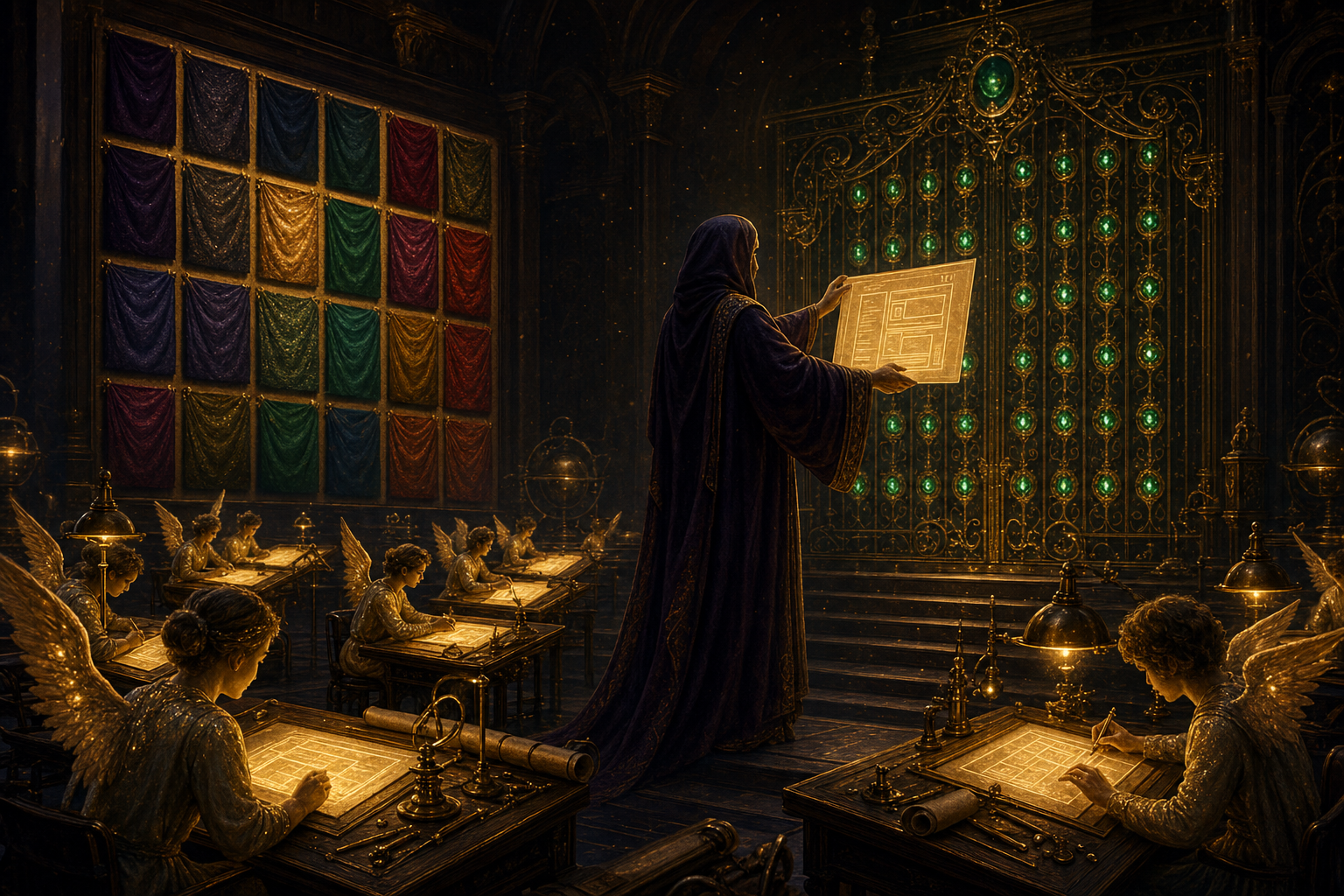
Hallmark is a free, open-source skill — a rulebook your AI reads before it designs anything.
Think of it as hiring a design department into Claude Code. Here's who's in the room:
An art director who asks three questions before any work starts: who's this for, what's the one action, what's the tone?
A layout planner with 21 named page shapes — and a hard rule that no two of your sites get the same one twice in a row.
A brand designer with a wardrobe of 20 themes — real palettes and font pairings, rotated so nothing repeats.
And a quality inspector who runs every page through 57 checks before you see it — the purple gradients, fake browser windows, invented stats and template heroes all get caught at the gate.
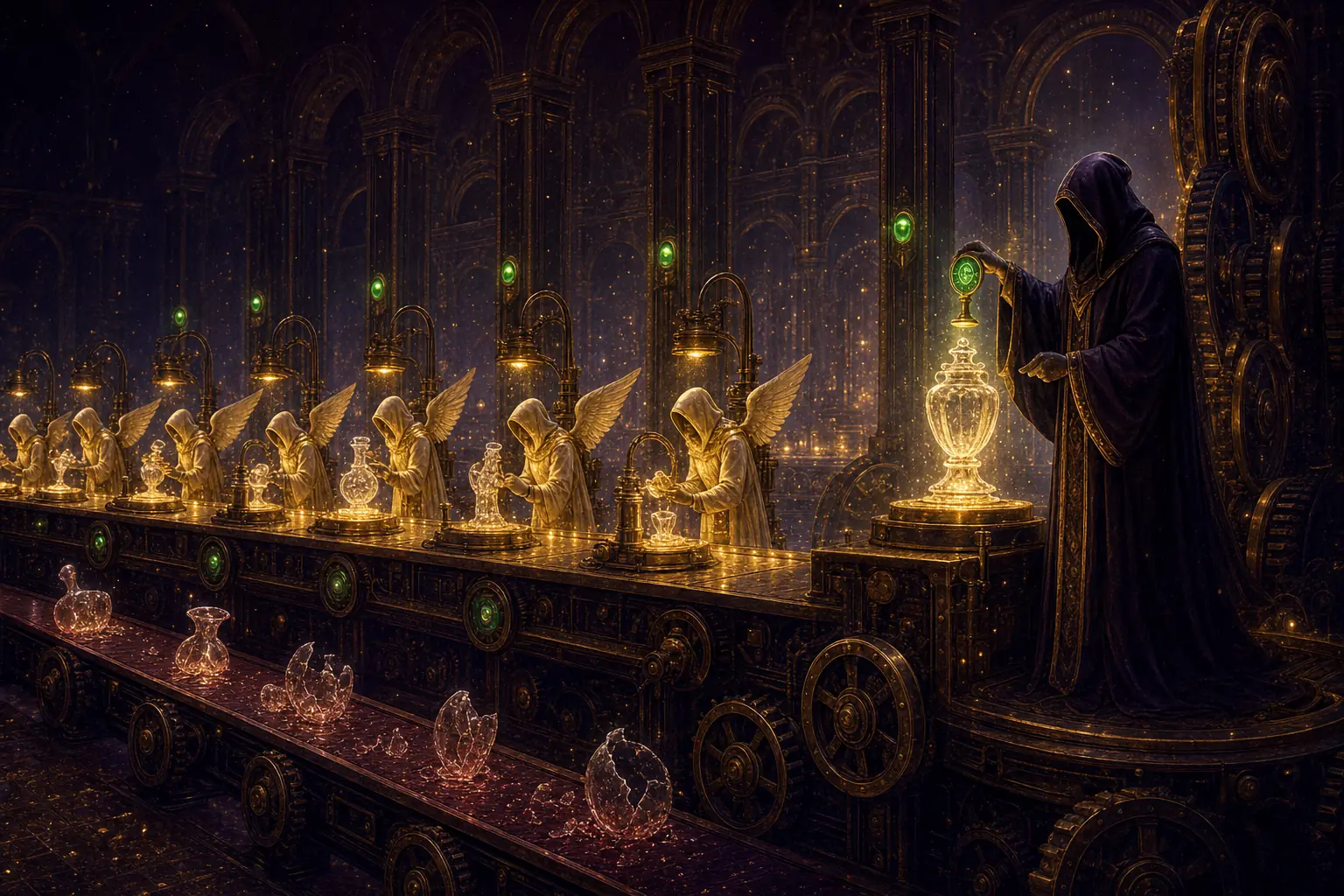
the pipeline every page goes through before it reaches you
Thinking it?"If it's free, it's probably weak."
It's free because it's a rulebook, not a service. There's no server, no subscription, no API bill — it's an open-source file (MIT licence, 6.4k stars on GitHub) that your existing AI reads.
You already pay for Claude. This makes the Claude you already pay for design better. $0 on top, forever.
✦
III · exactly how it works, step by step
One build's journey through the department.
Here's a real run from my machine — an invoicing API landing page I asked for after installing the skill.
1
I typed one brief. "Build a landing page for an invoicing API for developers." Normal prompt, nothing fancy.
2
The art director asked its three questions. Audience, one action, tone. You can answer — or just say "go ahead" and it infers, then tells you what it picked so you can redirect.
3
It picked a page shape out loud. "Bento Grid" — one of 21 named structures. It states the pick before writing code, so you can veto it in two seconds.
4
It picked a theme out loud. "Cobalt" — cool engineered white, one electric blue accent, code-as-hero. And because the previous build used a different shape and theme, the rotation rule forced this one to differ.
5
It built the page with locked design tokens. Every colour and font comes from a named token block — no mid-page improvising, which is exactly where normal AI design falls apart.
6
The inspector ran the 57 gates. No gradient text. No fake stats. No italic headers. No template hero. Works at phone width. Anything that fails gets fixed before handoff.
7
I got a finished page — and a stamp. The file opens with a comment recording what was chosen, so the next build knows what to avoid repeating.
So when someone asks "but what IS it?" — it's a free rulebook that forces your AI to design like a professional and to check its own work before you see it.
IV · the sources — and the proof
Read it, install it, click my builds.
"A design skill for AI coding assistants. Makes the UIs they generate look made, not generated."
— the hallmark README, github.com/Nutlope/hallmark, July 2026
Your AI already knows how to build. It just never learned taste. This installs the taste.
V · the install
Step 1: one command. That's the whole setup.
Open your terminal — the text window where you type commands — and paste this:
npx skills add nutlope/hallmark
That's it. The skill lands in your skills folder and Claude Code picks it up automatically — along with Cursor, Codex, and a dozen other AI tools, all from the same install.
No account. No API key. No card. The whole department is a folder of markdown rules your AI reads before it designs.
From then on, any time you ask Claude to build a page, the department is already in the room.
✦
VI · the showcase — six briefs, six different sites
I gave it six briefs. Look what came back.
This is the part that sold me. Same skill, six prompts — six sites that don't share a single design decision between them. It covers every register: quiet editorial, dark atmospheric, dev-tool, playful, loud print, premium AI. Click any of them to open the real page.
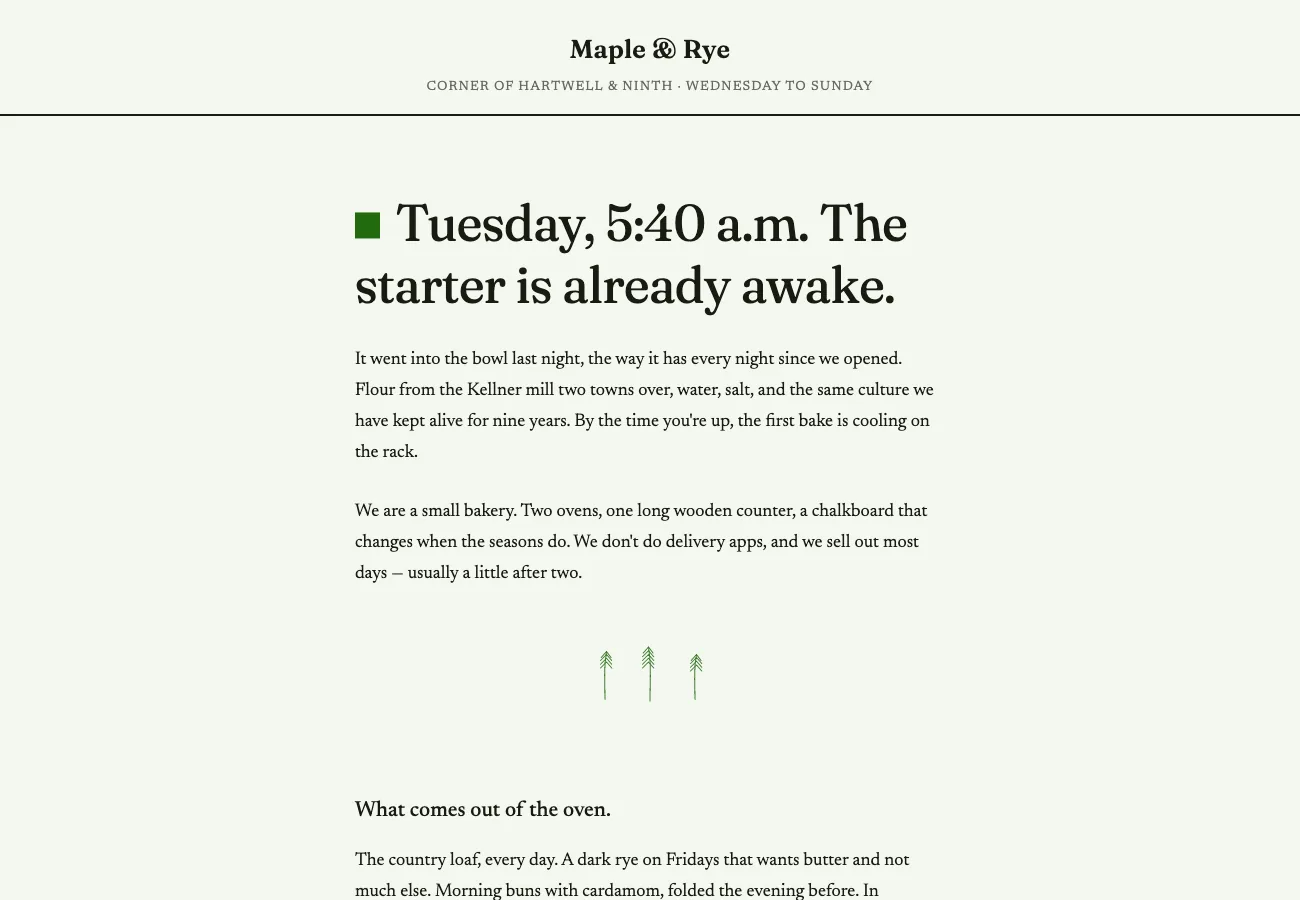
What you're looking at: a bakery site that reads like a letter — serif type, warm paper, opening hours as a quiet table. No hero banner, no feature cards. The skill chose a "Long Document" structure because the brief was a story, not a product.
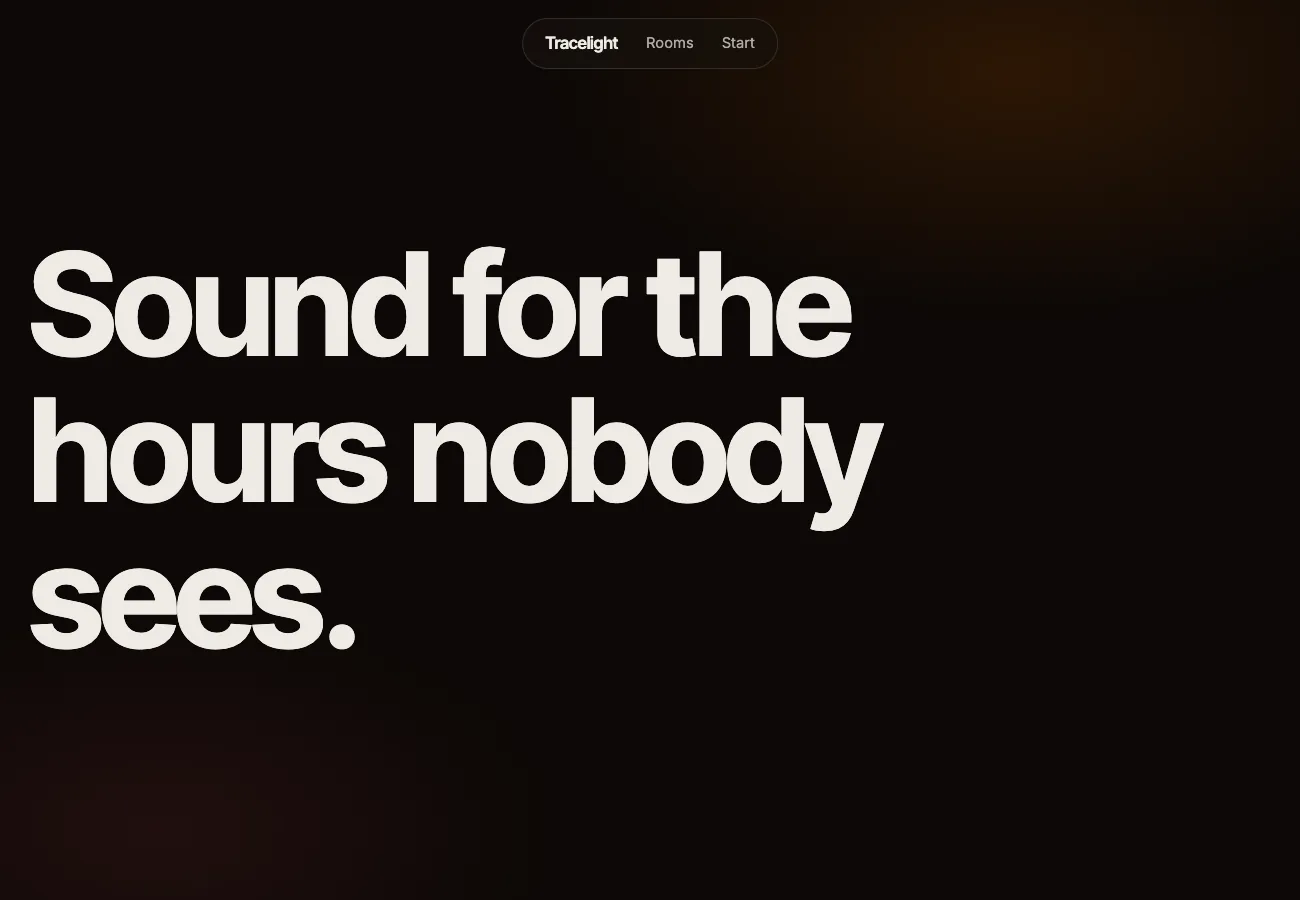
What you're looking at: an AI music tool where one giant statement fills the whole first screen — no subtitle, no button until you scroll. Dark canvas, amber bloom, floating pill nav. A completely different animal to build 1.
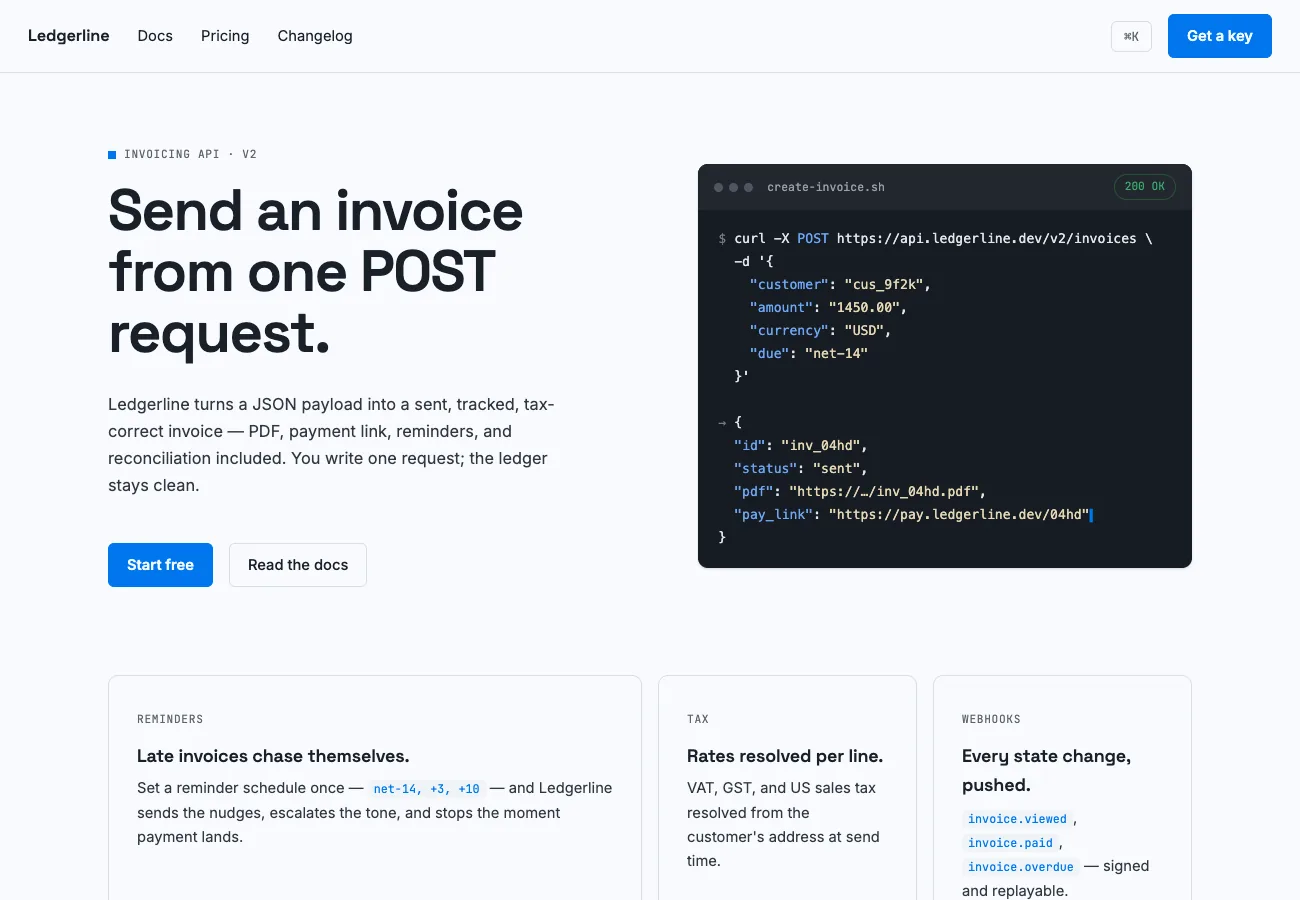
What you're looking at: a developer API page where the code is the hero — a live request and response card, one electric blue accent, and a command palette that actually opens when you press ⌘K on the page.
the rotation rule at work — three of my six real builds, zero shared design decisions
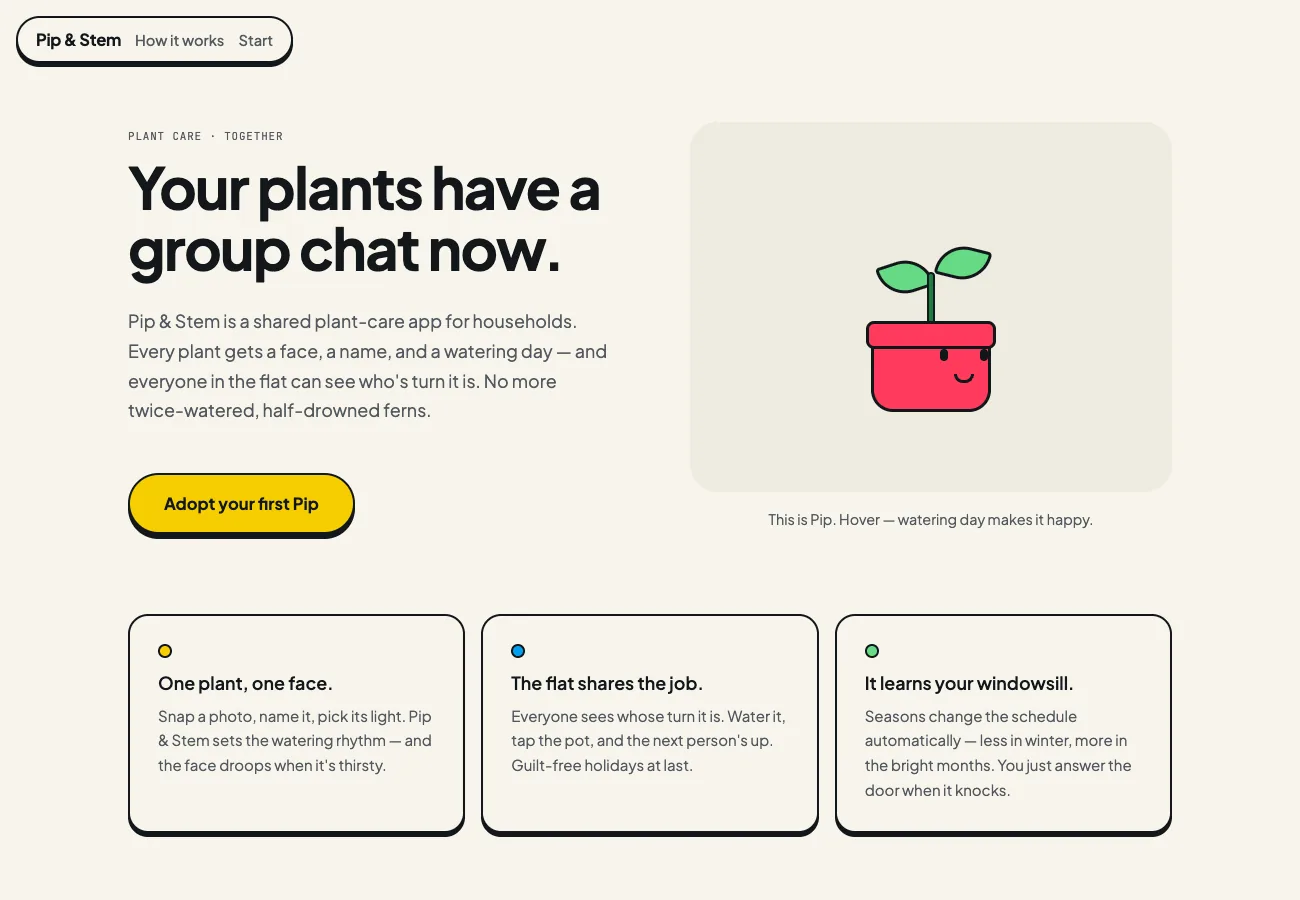
What you're looking at: a household plant-care app in the skill's playful register — cream paper, rounded type, cartoon shadows, and a little plant character built in pure CSS that smiles when you hover it. Try that with a normal AI prompt.
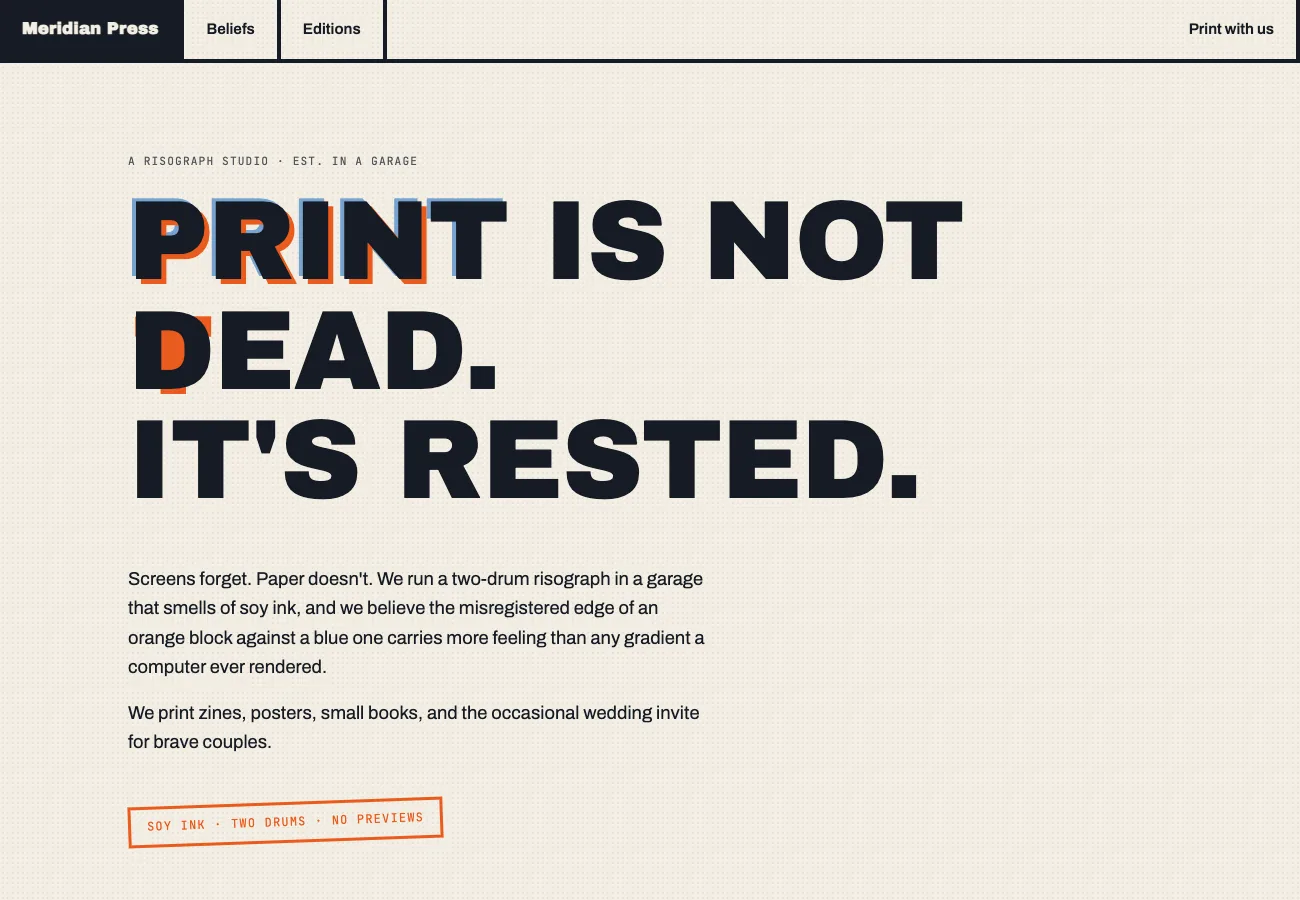
What you're looking at: a print studio manifesto — poster-sized type with deliberately misaligned orange and blue offsets, like a real risograph print. The nav is a row of hard-bordered slabs. Nothing centred, nothing gradient, nothing template.
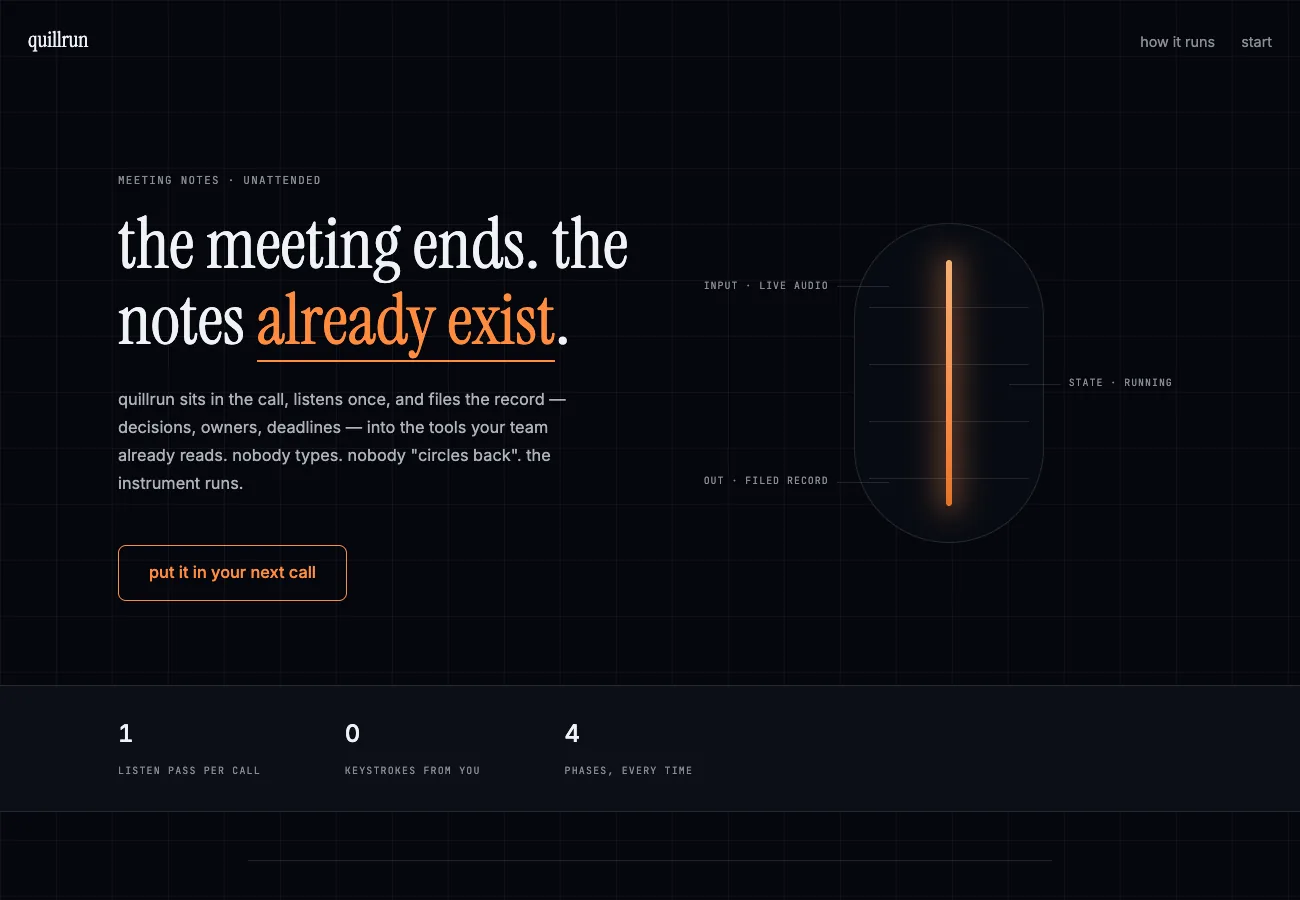
What you're looking at: the premium AI-tool register — lowercase serif headline with one brass-underlined verb, a glowing filament instrument with technical callouts instead of the usual AI orb, and the story told as numbered phases 1.0 to 4.0.
Thinking it?"Will it match MY brand, though?"
Yes — two ways. Name your brand colour and it builds a custom palette around it instead of using the catalog.
Or use the study command: point it at any site you admire and it extracts the design DNA — structure, fonts, colour anchor — then rebuilds YOUR content with it. It never copies pixels; it learns the shape.
✦
VII · the framework
The five desks of the Instant Design Department.
Everything the skill does maps to five desks. Walk a brief past all five and slop has nowhere to hide.
i.
The Brief Desk
Three questions before any code: who's it for, what's the one action, what's the tone? Answer them — or say "go ahead" and it infers and tells you what it picked.
ii.
The Structure Room
21 named page shapes — letter, marquee, bento, manifesto, catalogue and more. Your last shape is banned from the next build, so your sites never blur together.
iii.
The Wardrobe
20 themes with real palettes and font pairings — plus a custom route that builds one around your brand colour when you name it.
iv.
The QA Gate
57 checks every page must pass — no gradient text, no fake stats, no invented testimonials, no template heroes, works at phone width. Fails get fixed before you ever see them.
v.
The Studio
The study command: hand it a screenshot or URL you admire and it extracts the design DNA, then dresses your content in it. Taste, borrowed legally.
✦
VIII · the four commands
Four doors into the department.
1
Just ask (the default). "Build me a landing page for X." The full pipeline runs — questions, shape, theme, gates.
2
hallmark audit. Point it at an existing page and it scores it against the anti-slop list — a ranked punch list of what makes your site look AI-made. It doesn't touch anything; it just tells you the truth.
3
hallmark redesign. Keeps your content, your routes, your brand — replaces the visual layer. New structure, new rhythm, same site underneath.
4
hallmark study. Paste a URL or screenshot of a design you love. It names the structure, the fonts, the colour anchor — then offers to rebuild your content with that DNA.
four commands, one destination — every route ends at the QA gate
Three briefs in. Three sites out. Zero shared design decisions.
IX · old way vs new way
What good design used to cost.
what a design department costs — bought the old way vs installed the free way
Old way
weeks + thousands per site
Hire a designer or agency for every new page
Or prompt raw AI and get the same purple-gradient template
Fight it for hours: "make it less generic" — it can't
Every one of your sites slowly converges to the same look
Fake stats and invented testimonials sneak into the copy
Nobody checks the page at phone width until a visitor does
New way
1 command, $0, ~2 min per brief
Paste one install command, once
Ask for pages the way you always have
An art director asks three questions, then commits to a tone
21 structures + 20 themes rotate so no two sites match
Every page verified at four phone widths before handoff
Thinking it?"I already pay for design tools. Why add another thing?"
This isn't another tool with another tab and another bill. It's a rulebook that upgrades the AI you already use — there's nothing new to open, log into, or pay for.
If you keep your design tools, fine — this just means the first draft that comes out of Claude no longer needs rescuing.
Thinking it?"Doesn't running the Agent OS burn a fortune in tokens?"
No — that's the biggest myth about it. The everyday 90% runs on free local models on your own machine, and free APIs slot in for more — this guide's entire topic is a $0 skill.
For the frontier work, the Agent OS drives the CLIs you already pay for — your Claude subscription already includes the Claude Code CLI, and the OS plugs straight into it. You're not paying twice; it's a layer on top of what you already own.
And inside the AI Profit Boardroom there are full token-optimisation tutorials, so usage drops even further and you never think about it again.
✦
X · three beliefs to drop
What's actually holding you back.
Wrong: "AI just can't do good design. You can always tell."
Right: You can always tell when nobody gave the AI rules. Untrained AI defaults to the same template every time — a rulebook with 57 gates is precisely what removes the tell.
Wrong: "Good design has to cost money — free means cheap-looking."
Right: The rules in this skill are distilled from the best design consensus on the internet, published open-source. The taste is real; the price is $0 because it's a file, not a service.
Wrong: "I'll fix the design later. Function first."
Right: Your visitors judge the design in one second, before reading a word. With the department installed, function-first and good-looking come out of the same prompt — later never has to come.
Don't take my word for it
Members post their wins every day — agency owners, ecom founders, course creators, solo operators across 38 countries. Real businesses, real numbers, in their own words.
The six example sites in this guide came off my machine within a day of installing the skill — every screenshot above is clickable and live. Same stack that runs my agency and channel.
The AI Profit Boardroom is where the actual Agent OS lives — the templates, the prompts, the daily rooms, the weekly walkthroughs. Same builds you read about here, taught hands-on inside.