How I built an Agent Operating System in 24 hours.
I gave myself one day. I opened Claude. I tried to build a basic version of the Agent Operating System from scratch — for free. Nine failed attempts. Five hard lessons. One front end that finally loaded. Then I opened the real one I've been building for six months — and I'll show you every screen. The hard way first. Then the easy way. You decide which one you want.

If you want the full version, join the AI Profit Boardroom. You get the Agent Operating System I've been iterating on for six months. We update it daily — every new tool drops in the day it ships. We've already added the newest ones.
I gave myself 24 hours to build an Agent Operating System.
Here was the question: can a normal person build a basic Agent Operating System in 24 hours, for free, with Claude doing most of the typing?
I had to know. Because people kept asking me if they could just build it themselves. And I wanted to give them an honest answer, not a sales pitch.
So I cleared my calendar. I opened Claude. I started from a blank folder.
What you're about to read is the real story. The fails. The lessons. The front end that finally appeared in the browser. And then — at the end — what six months of iteration actually looks like when you open it next to the 24-hour build.
I'm going to be honest about every part of it. Because the contrast is the whole point.
I was you. Then I built the Agent Operating System.
Before
I had a dozen AI tools open in a dozen tabs.
Claude in one. ChatGPT in another. A prompt library in a third.
I'd lose track of what I asked, where, and what came back.
Every new session started from zero — re-explaining my business, my customers, my voice.
The breaking point was a Tuesday when I lost three hours of work because a tab closed.
Then I built the Agent Operating System.
After
Now every agent I run sits in one dashboard.
They share one memory. They know my business. They never start from zero.
I open one screen and my whole AI team is right there — Claude, OpenClaw, Hermes — all wired in.
I sleep through builds. I wake up to finished work.
You can have this too. Same system. Same path.
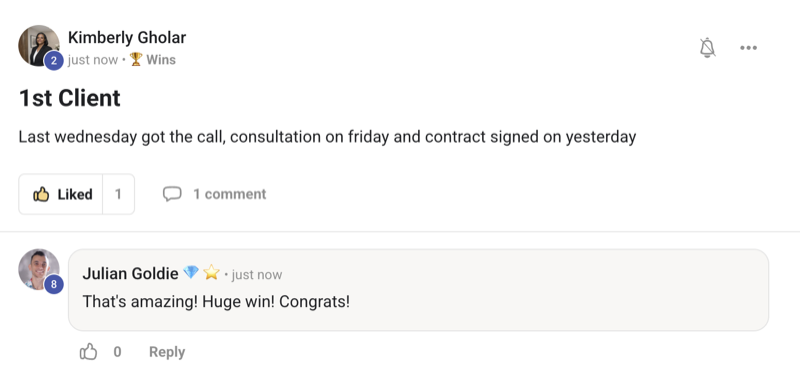
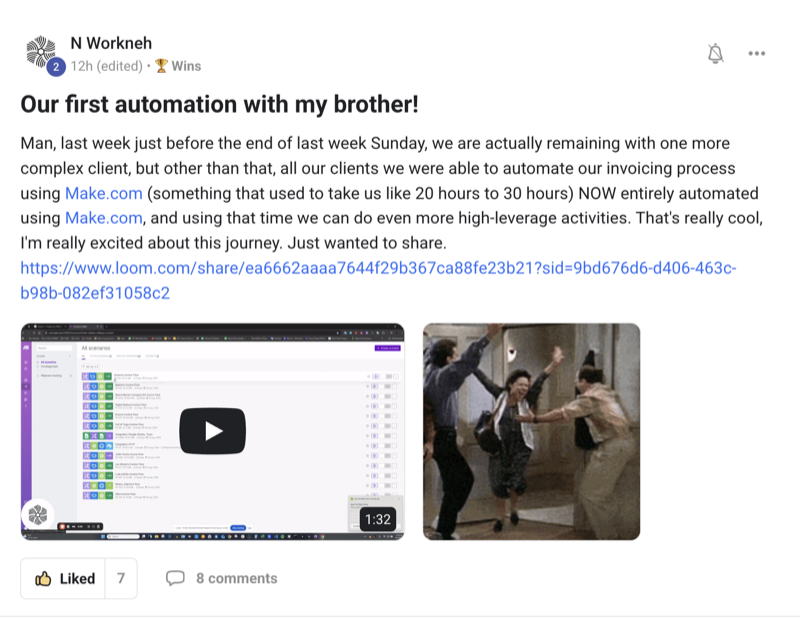
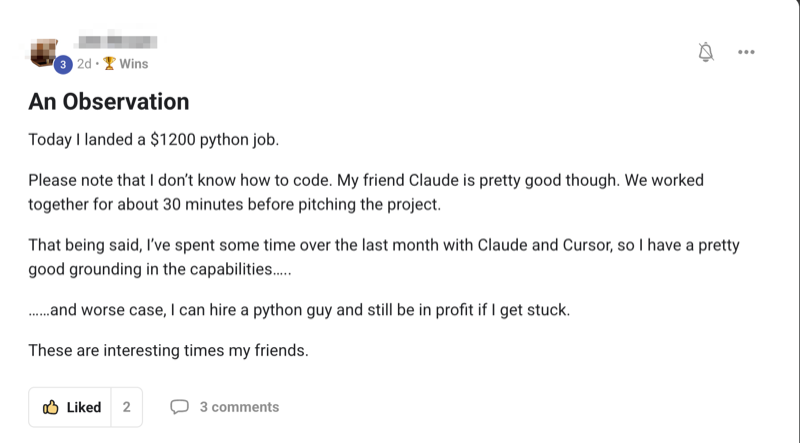
Real people. Real wins. Inside the Boardroom right now.
Here's what's already happened for members running the Agent Operating System — agency owners, ecom founders, course creators, solo operators. Different businesses. Same result: they stopped fighting their tools and started running them.
Commit to transitioning today. Not tomorrow.
You've seen the proof above. Real people. Real results.
What comes next is the honest build journey — nine fails, the lessons, the working version, and then the full Agent Operating System I run every day.
So here's the deal.
Promise yourself one thing right now: you'll finish this guide AND you'll choose your path before you sleep tonight. Either you build your own version this week with the lessons I'm about to share, or you grab the full Agent Operating System and skip the 90 days of iteration. Either way — you act today.
The people sitting still are getting passed. The people who pick a path today are the ones who'll look back in six months and say "that was the moment everything changed."
Be one of those people.
Commit to the transition. Commit to acting today. This is the moment your whole workflow changes.
Building it from scratch vs opening the finished one
- Open a blank folder and start typing prompts — ~3 hrs to get a screen
- Wire memory by hand and watch it forget every session — ~8 hrs lost
- Spawn agents that crash because you don't know the right pattern — many fails
- Build a UI that looks broken on phones — ~6 hrs of fixing
- Add Claude, then OpenClaw, then Hermes, breaking it three times each — ~20 hrs
- Wait weeks to learn the safe patterns the hard way — months
- Result: an OK build that breaks the day a new tool ships — 6 months
- Open the finished Agent Operating System — ~2 min
- Memory already wired across every agent — built in, no setup
- Claude, OpenClaw, Hermes already connected and tested — done
- UI already working on desktop and phone — done
- Every new tool added to your dashboard the day it ships — automatic
- Coaching calls where we set it up together step by step — weekly
- Result: a six-month head start, today — same hour
Great — and this guide is going to help you. I'm going to share the five lessons I paid for the hard way. Use them, save the months. Then if you ever decide the shortcut is worth it, the full Agent Operating System is right there waiting. Either path. Same destination.
Every new tool — every Claude update, every Ultracode, every Hermes drop — goes straight into the Agent Operating System inside the AI Profit Boardroom the day it ships. You never fall behind. You just open your dashboard and it's already there.
The Goldie 24-Hour Build™
If you want to attempt your own 24-hour Agent Operating System build, do it in these five layers — in this order. I learned every one of them the hard way. Skip a layer and you spend three days fixing something that should have taken twenty minutes.

The Foundation — folder, files, and a front end that loads
You get a screen in the browser that actually opens. Nothing fancy. Just a working shell you can build on without it falling over every hour.
The Memory — one shared brain
You get a single store where every agent reads from and writes to. Now your AI stops starting from zero every session and finally remembers your business.
The Agents — Claude on a panel
You get your first agent wired in and visible. You type, it answers, the answer lands somewhere safe. That's the moment it starts feeling real.
The Dashboard — one screen, every agent
You get one place to control everything. No more flipping tabs. No more lost work. One screen — that's the unlock.
The Workspace — keep everything they build
You get a tidy place where every output is saved and clickable. The thing the AI built you yesterday is still right where you left it today.
Five layers. One day. That's the framework. Now let me walk you through how the build actually went — the fails, the wins, and the reveal.
The honest build journey — nine fails and five lessons
Let me walk you through what actually happened. No filter. No tidy ending. Just the real 24 hours.
Hour 1. I opened a blank folder. I asked Claude for a simple Agent Operating System shell. It gave me a working front end in the browser inside an hour. I cheered. I thought the whole day was going to be this easy.
Hours 2–6. I tried to add memory. That's where the fails started. The first try forgot everything between sessions. The second wrote to the wrong file. The third corrupted the file. The fourth crashed the whole screen. I had four fails before lunch.
Lesson 1 — memory comes first, not last. If you don't get memory right early, every agent you add later breaks it again. Build the brain before the body.
Hours 7–12. I wired in Claude as the first agent. Got it talking. Felt amazing. Then I tried to add a second agent and it broke the first one. Fail number five. Tried again — broke it differently. Fail number six.
Lesson 2 — agents need a shared pattern, not their own pattern. Each new agent has to follow the same wiring or they collide. This took me three fails to learn.
Hours 13–17. I tried to make the dashboard pretty. The UI looked broken on phones. Fixed it. Looked broken on desktop. Fixed that. Fail seven was a CSS reset that wiped my whole layout at 2 in the morning.
Lesson 3 — boring beats pretty. Get a plain dashboard working first. Style it last. The number of hours you can lose to "almost there" CSS is unreal.
Hours 18–22. I added the workspace. Click an output, see the file. Sounds easy. It wasn't. Fail eight was outputs that disappeared after refresh. Fail nine was a file path that worked on my machine and nowhere else.
Lesson 4 — save everything the moment it lands. If an output isn't on disk the second the agent finishes, you will lose it. I have lost it. Many times.
Hours 23–24. I had a basic working Agent Operating System. Front end loaded. Memory held. One agent answered. Outputs saved. It was ugly. It was simple. But it worked.
Lesson 5 — "working" is enough on day one. Don't try to ship a polished product in 24 hours. Ship a working shell. The polish comes in week two, month two, and month six.
You probably wouldn't on the first try. I didn't really either — I had nine fails. What you'd actually finish in 24 hours is a basic shell, not a polished system. That's why most people who try this give up. The shortcut exists for a reason.
Now let me open the real one — six months in.
Here's where it gets fun. I'm going to close the 24-hour build and open the real Agent Operating System I've been iterating on for six months. The one inside the AI Profit Boardroom.
The 24-hour one had one agent, a basic memory store, and a plain shell. It worked, but it was a toy.
The six-month one has Claude, OpenClaw, and Hermes already wired in. Shared memory across every agent. A live Swarm Map. A workspace that holds every output. A Mission Control panel. A Studio. A Kanban. A free Claude Code panel. SEO swarms. Video pipelines. Voice control.
Same idea. Different scale. That's what six months of daily iteration does.
Watch the difference. The 24-hour build is the seed. The full Agent Operating System is the tree.
The opposite — it's easier than the 24-hour build, because you don't have to build it. You open it, you see one dashboard, you click things. There's nothing to "figure out" because we already figured it out. That's the whole point of skipping the 90 days.

Skip the 90 days. Get the Agent Operating System.
You just saw what 24 hours buys you. You just saw what six months buys you. Inside the AI Profit Boardroom, you skip straight to the six-month version. It's the Agent Operating System I run every day — Claude, OpenClaw, and Hermes in one dashboard, shared memory, every screen ready to go. We update it daily. New tools shipped today are already added. New ones shipping next month will be there the day they drop.
- The full Agent Operating System zip file + every prompt
- The memory setup already wired across every agent
- Daily updates — new tools added the day they ship
- Four live coaching calls every week
- A 30-day Agent Operating System roadmap + a member map
- 3,200+ members across 38 countries, someone online 24/7
Or read the 158-page testimonials doc first →
The full dashboard — every screen, walked through
Let me walk you through what's actually inside the full Agent Operating System. Every screen. Every panel. The stuff that took me six months to get right — sitting there ready when you open it.
The Home dashboard. One screen. Every agent visible. Every recent run. One place where your AI team lives. You open it once and you can see what Claude did, what OpenClaw built, what Hermes shipped — all at once.
The Mission Control. Big missions in one click. "Build my SEO." "Make a video." "Write a sales page." You pick a button, give it a sentence about your business, and the right agents take over. No prompt engineering required.
The Studio. A whole video pipeline. You write a script, agents narrate it, Hermes assembles the video, and it lands in your workspace ready to upload. The work that used to take a week happens in an evening.
The Kanban. Every job your agents are running shows on a board. To do. Doing. Done. You finally see what your AI team is up to instead of guessing.
The Free Claude Code panel. The agent builder. You wire up new agents without writing code. Drop in a prompt. Pick which memory they read from. Done.
The Workspace. Every output ever made by every agent. Pages, videos, plans, drafts. Clickable. Saved. Replayable. Nothing is ever lost.
It's actually simpler than the 14 tabs you currently have open. One dashboard replaces all of them. You don't have to learn every panel on day one. Members start with the Home dashboard and the Mission Control. Everything else they discover when they need it.
The part you can't build in 24 hours — staying current
Here's the thing nobody talks about when they tell you to build it yourself. You don't just have to build it once. You have to keep building it.
Every week, a new tool ships. Every week, an old wiring pattern breaks. Every week, there's a better way to do something you already did.
The 24-hour build is frozen in time. The version I built last Tuesday is already missing the thing that came out yesterday.
That's the part that's exhausting. That's the part that makes most people quit by month three.
Inside the AI Profit Boardroom, we add new tools to the Agent Operating System the day they ship. Ultracode came out — we added it. Hermes Velocity dropped — added. Claude Opus 4.8 — added. Just came out today. Already inside.
You don't have to chase the news. You don't have to re-wire your dashboard every week. You just open it and the newest version is sitting there.
You can — and most people try. The trouble is wiring a new tool into your build takes hours each time. Inside the Agent Operating System, it's already done. Members open their dashboard on a Monday and last week's three big tool drops are already wired in.
New AI tools drop every few days now. Inside the AI Profit Boardroom, we add them to the Agent Operating System for you — so you're always running the newest setup, not last month's version. Just shipped today, already inside.
Why every tool gets stronger inside the Agent Operating System
You could keep using Claude on its own. You could keep using OpenClaw on its own. But here's why every tool gets stronger inside the Agent Operating System — in plain words:
- Shared memory. Every agent already knows your business, your customers, your voice — because the whole system reads from one shared brain. Outputs sound like you, not generic AI.
- One dashboard. Claude, OpenClaw, Hermes, and more sit in one place. No more flipping tabs. No more forgetting what you asked where.
- Every output is saved. The workspace holds every page, every video, every plan. Nothing ever gets lost.
- It's always current. We update the system daily — the day a new tool ships, it's already in your dashboard. We've already added the ones from this week.
- It's seen and tested. Mission Control, Studio, Kanban, Workspace — every screen has been hammered on by 3,200+ members. The bugs are gone.
"24 hours buys you a shell. Six months buys you a system. Inside the AI Profit Boardroom, you skip the six months — for the price of one good lunch."
My honest take
If you love building, and you want to learn the patterns the hard way — build your own. Use the five lessons. Save yourself a couple of months. You'll come out with a working shell and a head full of useful pain.
If you'd rather skip the pain and start using a finished Agent Operating System today — grab the one in the AI Profit Boardroom. Six months of iteration is sitting there, with all the fails already eaten.
And here's the thing worth sitting with: the people who get a working Agent Operating System running now, while everyone else is still in tabs, are going to be miles ahead in six months. Every new tool you wire in compounds. Every workflow you build saves more time tomorrow than it did today. It all stacks.
Most people will read this, think "neat," and go back to fifteen tabs. Don't be most people.
What you gained today
You saw the honest build. 24 hours, nine fails, five lessons — no filter.
You got the five-layer framework. Foundation, memory, agents, dashboard, workspace — in that order.
You learned the lessons I paid for. Memory first. Shared patterns. Boring beats pretty. Save on landing. Working is enough.
You saw what six months looks like. Home, Mission Control, Studio, Kanban, Workspace — all walked through.
You got the shortcut. Skip the 90 days — open the full Agent Operating System ready-made.
You stay current. Updated daily. New tools added the day they ship. Already inside.
24 hours buys a shell. Six months buys a system.
Skip the six months — open the Agent Operating System today.
Skip the build. Run the full Agent Operating System this week.
Want the finished version — Claude, OpenClaw, and Hermes already wired into one dashboard with shared memory and every screen ready to go? Grab the Agent Operating System inside the AI Profit Boardroom. We update it daily — the moment a new tool ships, it's already in. New ones shipped today, already added. You skip the 90 days of iteration and start from where I am now.
- I built it in my own sessions — you get the zip file
- Every prompt + the memory setup already wired
- Daily updates — newest version, never last month's setup
- Coaching calls where we set up your Agent Operating System together
- A 30-day Agent Operating System roadmap + a member map to find builders near you








