OpenCode is an open-source coding agent that lives in your terminal — same idea as Claude Code. OmniRoute is a free router that runs on your own machine. Ten lines of JSON connect them, and you get an agent that writes real code through free models. Here's the exact setup, plus three builds it made to prove it.

Two open-source tools. One does the coding. One kills the bill.
OpenCode is a terminal coding agent.
You type what you want. It writes the files, runs the commands, fixes its own errors. A real agent loop.
Normally you point it at a paid provider and every build costs tokens.
OmniRoute is a router that runs on your computer at localhost:20128.
It speaks the same API language as the paid providers — but behind it sit 237 providers, 90+ of them free.
OpenCode lets you add any compatible provider with a JSON block.
So you add OmniRoute. That's the whole trick.
Keep using it — I do. This isn't a replacement, it's the overflow lane.
Bulk work, throwaway prototypes, background builds — anything you'd hesitate to spend tokens on, send here instead. Your paid tools stay for the work that earns money.
Before
Every coding agent I ran had a meter on it.
Prototype an idea — tokens. Test a dumb theory — tokens. Let an agent loop on a bug overnight — a bill in the morning.
I tried free models one at a time. Sign up here, grab a key there, hit a 404 on half of them.
I had five tabs of provider dashboards and no idea which key was burning.
Then I wired OmniRoute into OpenCode.
After
Now there's a second coding agent on my machine with no meter at all.
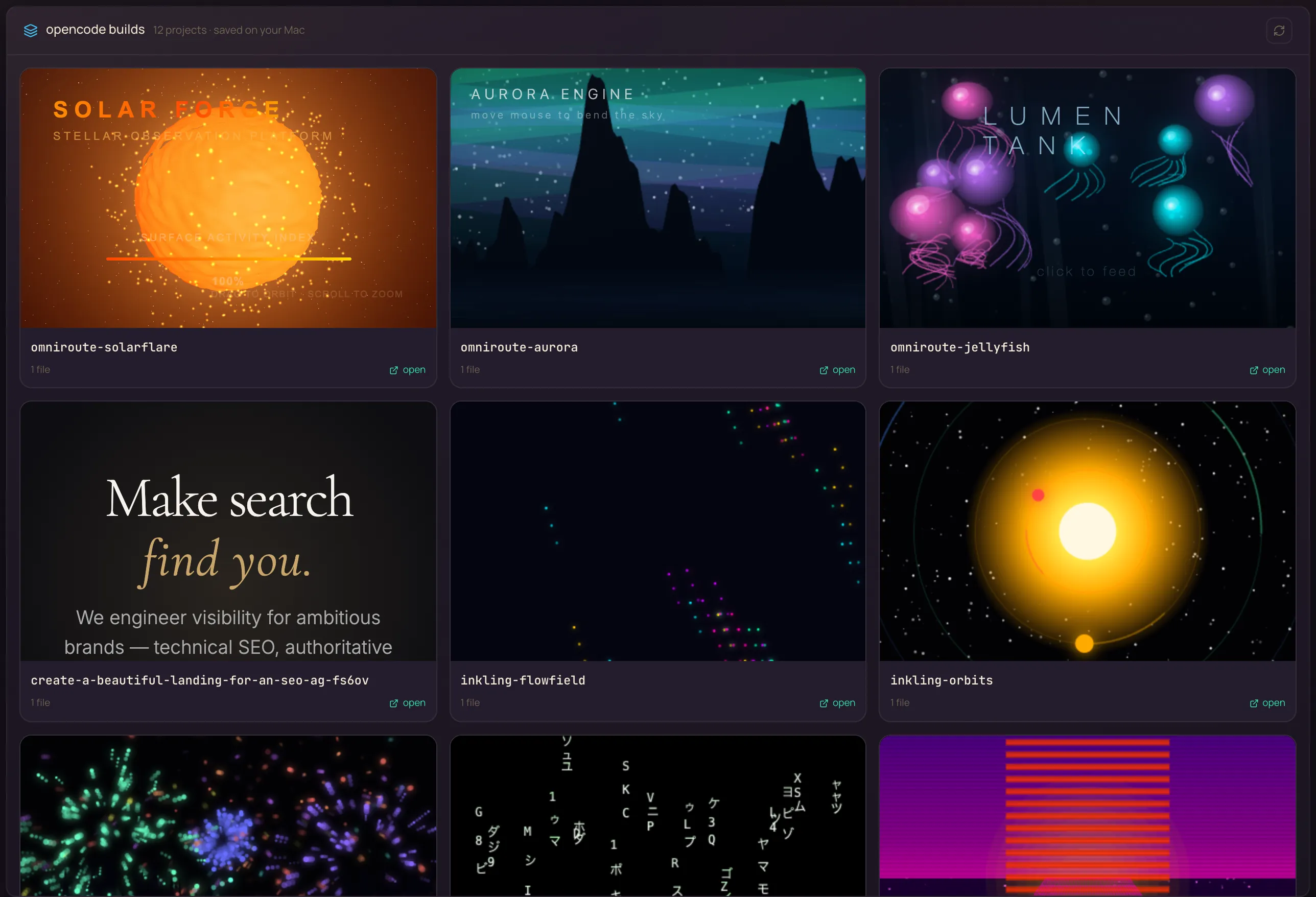
I threw three real builds at it — an aurora simulator, a 3D sun, a jellyfish tank. Every one came back at $0.00.
When a build had a bug, I sent the error back and it fixed its own file.
And it sits inside my Agent OS as a dropdown — my whole team can use it without touching a terminal.
You can have this too. Same tools. Ten minutes.
Here's what's happening for the members already building with free-first engines like this one — agency owners, ecom founders, course creators, solo operators. Different businesses. Same result.
Members post wins as they happen — token bills cut, first agents shipped, client work automated. All collected in one doc you can read right now.
Read the member wins doc (158 pages) →You've seen the proof above. Real people, real results.
The next ten minutes show the exact setup — every command, every config line.
So here's the deal.
Promise yourself one thing right now: you'll finish this guide AND run the install before you close the laptop tonight. Just the install.
Because the moment a free coding agent exists on your machine, the way you treat ideas changes. You stop rationing prompts. You start throwing every idea at it — because failing costs nothing.
The people sitting still are getting passed. The people who install today are the ones who look back in six months and say "that was the moment."
Be one of them.
Commit to the transition. Take action today. This changes how you build.
Everything in this guide builds one machine with three layers.
OmniRoute on localhost:20128. Talks to 237 providers, 90+ free. Compresses every request before it leaves your machine.
OpenCode in your terminal. Writes files, runs commands, fixes its own errors. Pointed at the router with one JSON block.
The Agent OS. OmniRoute models in the OpenCode dropdown, every build in a workspace gallery with live previews.
Two installs. Both free, both open source.
curl -fsSL https://opencode.ai/install | bashOr npm i -g opencode-ai@latest if you prefer npm. Check it with opencode --version.
npm install -g omniroute
omniroute serve --no-openThe dashboard comes up at localhost:20128. Connect a couple of free providers in the Providers tab — OpenCode Zen and Pollinations need no signup at all.
Already running OmniRoute for Hermes from the Free Hermes Engine™ guide? Skip this step — same gateway serves both.
It's one small process, and it only works when you send it something. Set it up once with your system's autostart and forget it exists. Mine has been running for weeks untouched.
OpenCode reads custom providers from one file. Add this and you're done.
Open ~/.config/opencode/opencode.json (create it if it's missing) and add OmniRoute to the provider block:
{
"$schema": "https://opencode.ai/config.json",
"provider": {
"omniroute": {
"npm": "@ai-sdk/openai-compatible",
"name": "OmniRoute (free router)",
"options": {
"baseURL": "http://localhost:20128/v1",
"apiKey": "omniroute-local"
},
"models": {
"auto/coding": { "name": "Auto coding (free)" },
"auto/best-coding": { "name": "Best coding (free)" },
"auto/best-fast": { "name": "Fast answers (free)" }
}
}
}
}That's the entire integration.
The auto/coding model is the one I verified end to end — the router picks the best free coding model available and falls back automatically when one hits a limit.
The key authenticates you to your own router on your own machine — it never goes to a paid provider. Any string works; the router is local.
One command, then check the meter.
opencode run -m "omniroute/auto/coding" "Say OK if you can hear me"You'll get an answer in the terminal.
Now open the OmniRoute dashboard at localhost:20128 — the request is logged there with its cost: $0.00.
From here, real work is the same command with a real prompt. Ask for a landing page. A script. A game. It writes the files right into your folder.
Known quirk — OpenCode sometimes lingers after finishing. The answer is already printed and the files are already written. Ctrl+C is safe. Judge the run by its output, not its exit.
The terminal is fine. A dashboard is better.
My Agent OS has an OpenCode page — prompt in, build streams out, every project lands in a workspace gallery with a live preview.
The OmniRoute models sit in its model dropdown, next to the other free engines.
Same build button. Zero dollars. And the gallery keeps every build, so nothing you make ever gets lost.
Yes — steps 1–3 give you the full free coding agent in any terminal. The OS just adds the cockpit: dropdown, gallery, previews, history. That part ships pre-wired inside the Boardroom if you want it.
I didn't want "hello world" proof. So I asked for three animated, interactive pages.
Every build ran through the Agent OS build route — the exact same button you'd click.
Every build was render-tested in a headless browser. Console errors and visual bugs went back to the model, and it repaired its own files. I never touched the code.
Northern lights over mountains. Move your mouse — the wind bends the sky.
Play the live demo →
A living 3D sun — plasma surface, glowing prominences, drag to orbit.
Play the live demo →
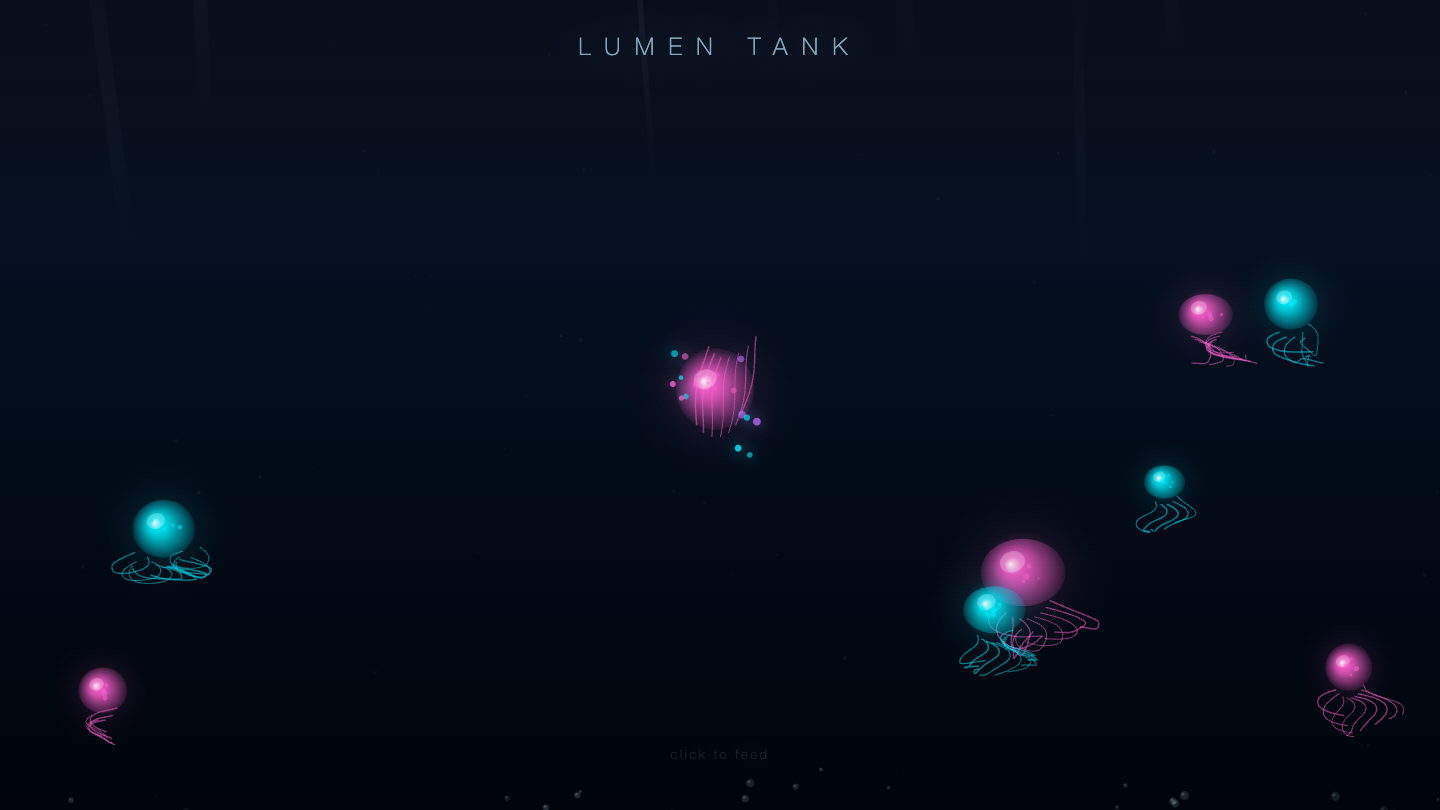
Glowing jellyfish with tentacle physics. Click to feed them.
Play the live demo →The three demos above are untouched model output — verified for console errors, blank screens and visual bugs before shipping.
That's the standard: it works on your screen, or it doesn't ship.
Not your main coding tool. The part of the bill that never needed to exist.
Free models are slower and dumber than frontier ones — that's the honest trade.
For prototypes, bulk pages, demos and background jobs it doesn't matter. For the code your business runs on, keep the paid tools. The win is knowing which work goes in which lane.
Everything in this guide is part of the Agent OS — the system I run my business on. Inside the AI Profit Boardroom you get it pre-wired, plus the people to help when something doesn't work first try.
OpenCode in your terminal, writing real files through a real agent loop.
Every request routed through OmniRoute's 90+ free models. Verified $0.00 per build.
Send errors back and the model repairs its own files. Three live demos prove it.
A dropdown and a gallery in the Agent OS. Your paid tools untouched, for the work that earns.
Two installs, ten lines of JSON, one test command. That's the whole thing.
If you'd rather build it with help than figure it out alone, that's what the Boardroom is for. 4,000+ people are already inside, and with five live calls a week you're never stuck for long.
Join the AI Profit Boardroom → The Free OpenCode Engine™ is waiting inside