OpenClaw is no longer a chat box. It's the operating system.
Four tabs. Thirteen buckets. Every image, video, voice clip, HTML app, saved X-search, and skill any agent has ever built — surfaced, previewed, and auto-logged to your vault. Local-first. Free. Wired into the wider Agent OS sidebar alongside Claude, Hermes, Codex, Antigravity, Gemini, and Free Claude Code. This is the read-along.

"OpenClaw was always the always-on agent. Now it's the room you keep your work in. Every output from every agent, surfaced and previewed — without ever leaving the dashboard."
— Julian, on OpenClaw Agent OSWhat OpenClaw Agent OS actually is
OpenClaw started as the free local-first AI assistant — the one that lives across WhatsApp, Slack, Discord and stays running while everything else sleeps. That's still true. What's new is the dashboard.
OpenClaw Agent OS gives you four tabs inside Mission Control: Chat (one-shot or open the control room), Studio (Grok 4.3 creative cockpit for images, video, voice, X-search), Workspace (13 buckets across everything ever built — Apps, Studio outputs, agent scratchpads, skills), and Control Room (gateway health, agent sessions, doctor, logs, cron, memory). All four sit in the same Mission Control as Claude, Hermes, Codex, Antigravity, Gemini, and Free Claude Code.
It's not a product you buy. It's the room your other agents work in — and OpenClaw is the keeper of everything they've ever produced.
The old way vs the new way
Same set of agents. Same set of outputs. Two completely different daily workflows.
- OpenClaw chat in one window, Hermes in another terminal, Claude in a third tab
- Every image Hermes generates lands in a random Downloads folder
- Every video render goes somewhere you forget within a week
- Every HTML app you build (pomodoro, pong, landing page, snake game) gets lost in HOME
- Saved searches and skills live in scattered config files you only find via grep
- Control Room state is "what does
ps auxsay right now?" - You have 23 HTML apps you forgot you ever made
- One dashboard at localhost:3737 — OpenClaw lives in the sidebar with every other agent
- Studio · Images bucket auto-collects every Grok-imagined image with full prompt history
- Studio · Videos bucket holds every generated mp4 with inline scrub preview
- Apps bucket surfaces every HTML page any agent built — click → renders live in iframe
- Saved X-Searches persist with their answers + citations — Bloomberg terminal for AI
- Control Room shows Gateway, Agent sessions, Doctor, Logs, Cron, Memory — one screen
- Auto-saved to Obsidian vault — every output indexed, queryable, yours forever
"Stop losing the things your agents built. Start curating them."
The four tabs of OpenClaw Agent OS
Chat — one-shot or open the control room
Drop a quick prompt and get an answer. Or open the deeper control surface. Multi-turn memory. Auto-saved to Obsidian. Same OpenClaw, now framed inside a workspace.
Studio — Grok 4.3 creative cockpit
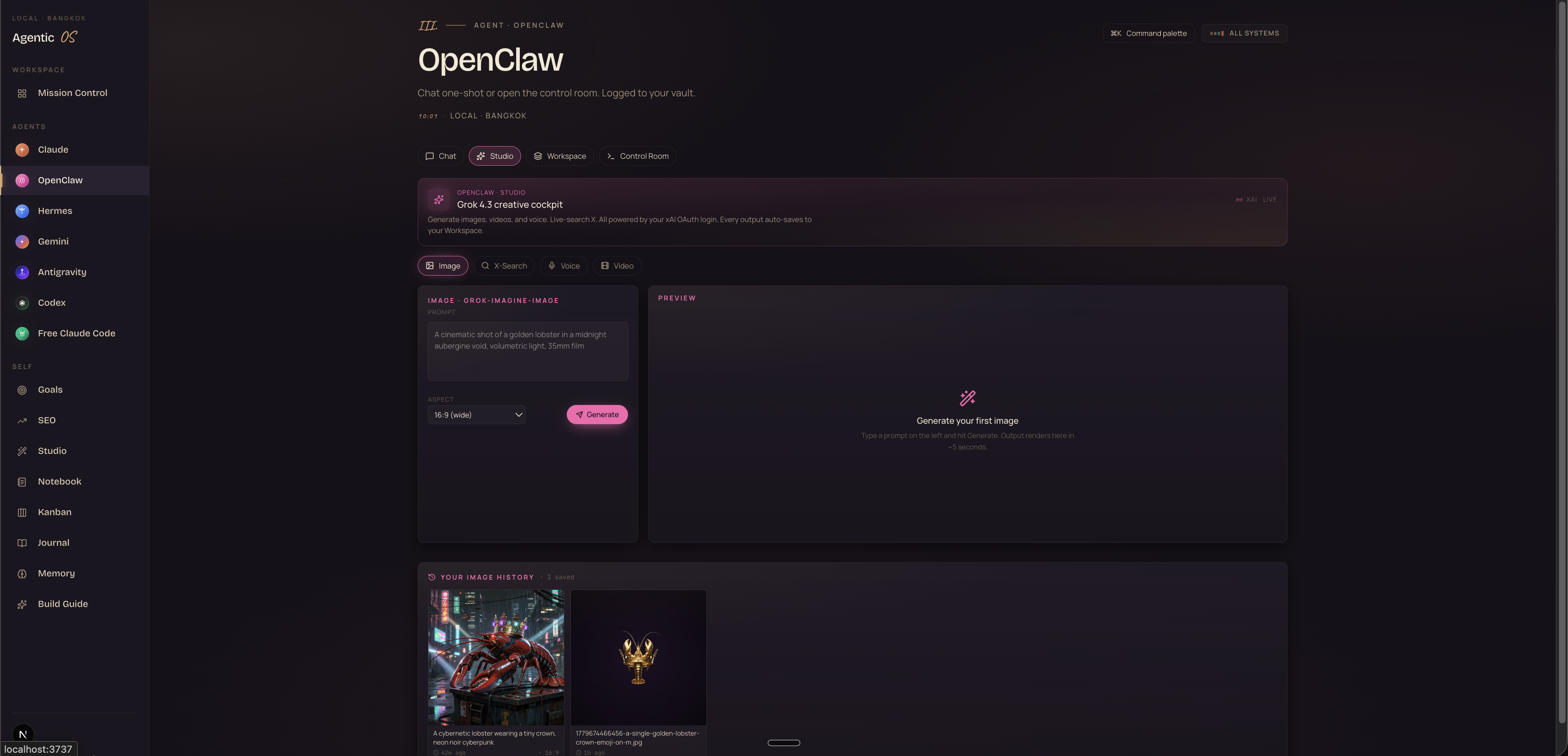
Generate images, videos, voice clips. Live X-Search (Bloomberg-style real-time queries with citations). All powered by your xAI OAuth login. Every output auto-saves to the Workspace.
Workspace — 13 buckets, every creation
Studio Images, Studio Videos, Studio Voice, Apps (HTML pages every agent built), Main Workspace, Julian Workspace, Marketing Workspace, Skills, and more. Click any bucket → see files → click any file → renders live in the third column.
Control Room — gateway, sessions, doctor
Gateway health (Up/Down). Agent sessions (main, julian, marketing). Actions panel: Health, Agents, Doctor, Logs, Cron, Memory. The operator's view — when something's degraded, this is where you find out first.
Four tabs. Every creation surfaced.
— this is the operating systemChat + Control Room — the operator's view
The Chat tab handles the daily one-shot work. The Control Room handles the system behind it — and that's where the operator instinct kicks in.
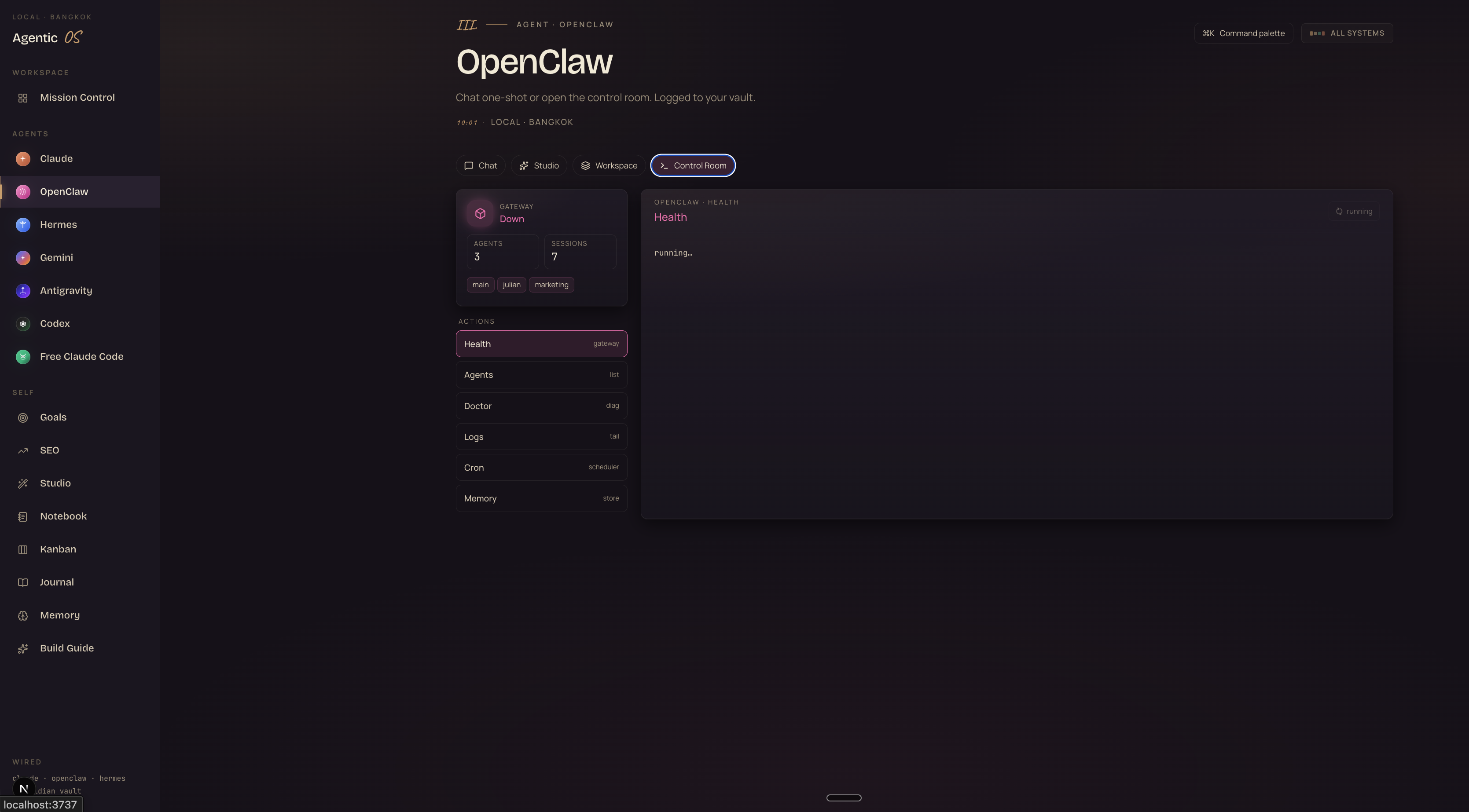
Click Health to ping the gateway. Click Doctor to run diagnostics. Click Logs to tail what's happening live. Click Cron to inspect scheduled jobs. Click Memory to browse the OpenClaw memory store. Six clicks cover what used to take six terminal windows.
Studio — Grok 4.3 creative cockpit
The Studio tab is where you generate. Four creation modes: Image, X-Search, Voice, Video. Each one is powered by xAI's Grok 4.3 via your OAuth login. Every output auto-saves to the Workspace so you never lose it.
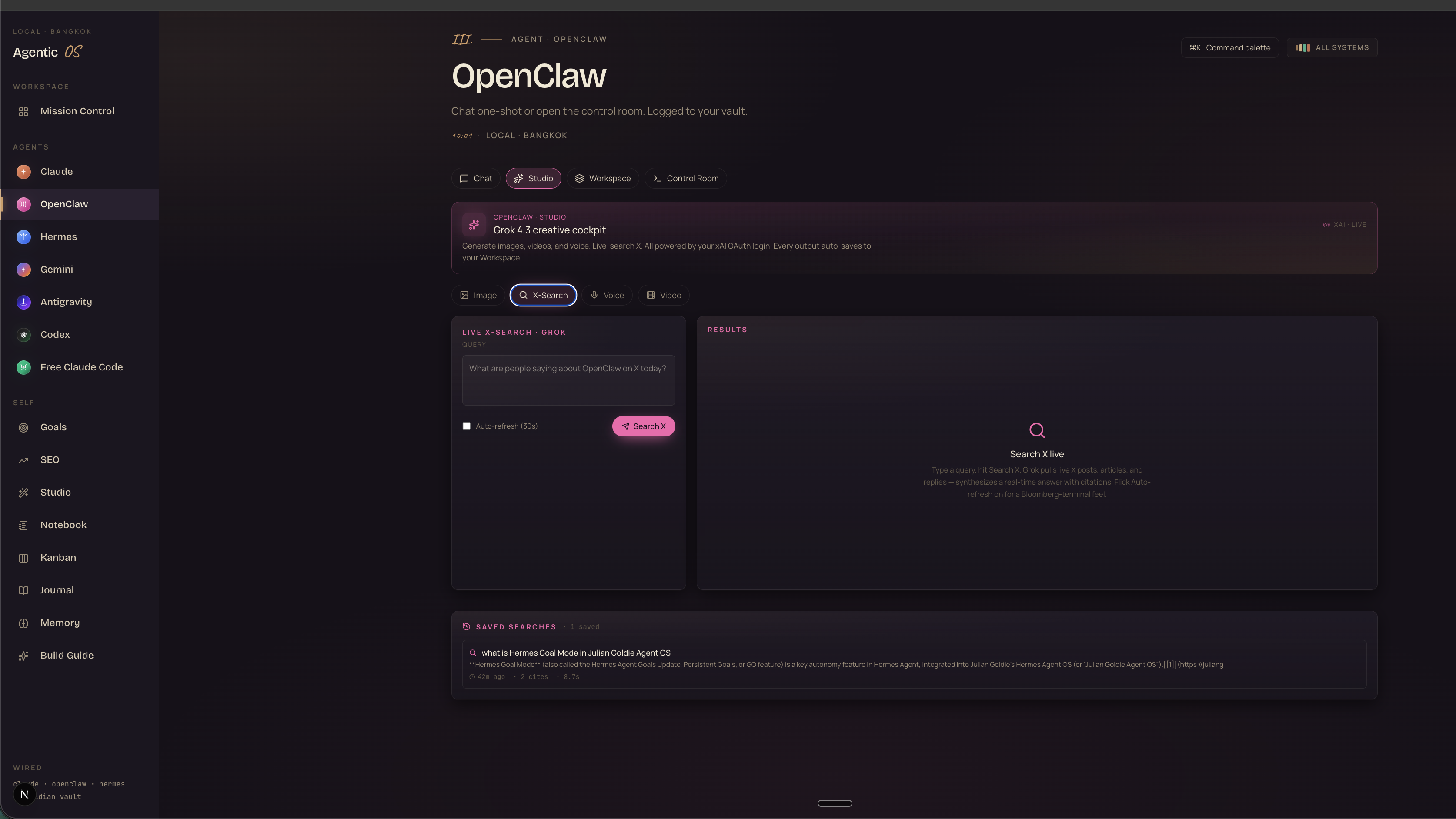
The killer Studio feature: Live X-Search. Type a query, hit Search X, and Grok pulls live X posts, articles, and replies — synthesizes a real-time answer with citations. Flick Auto-refresh on and you've got a Bloomberg terminal for AI conversations.
The full HyperFrames + Studio video pipeline lives here too — see The Goldie Hermes Five → for the broader video workflow.
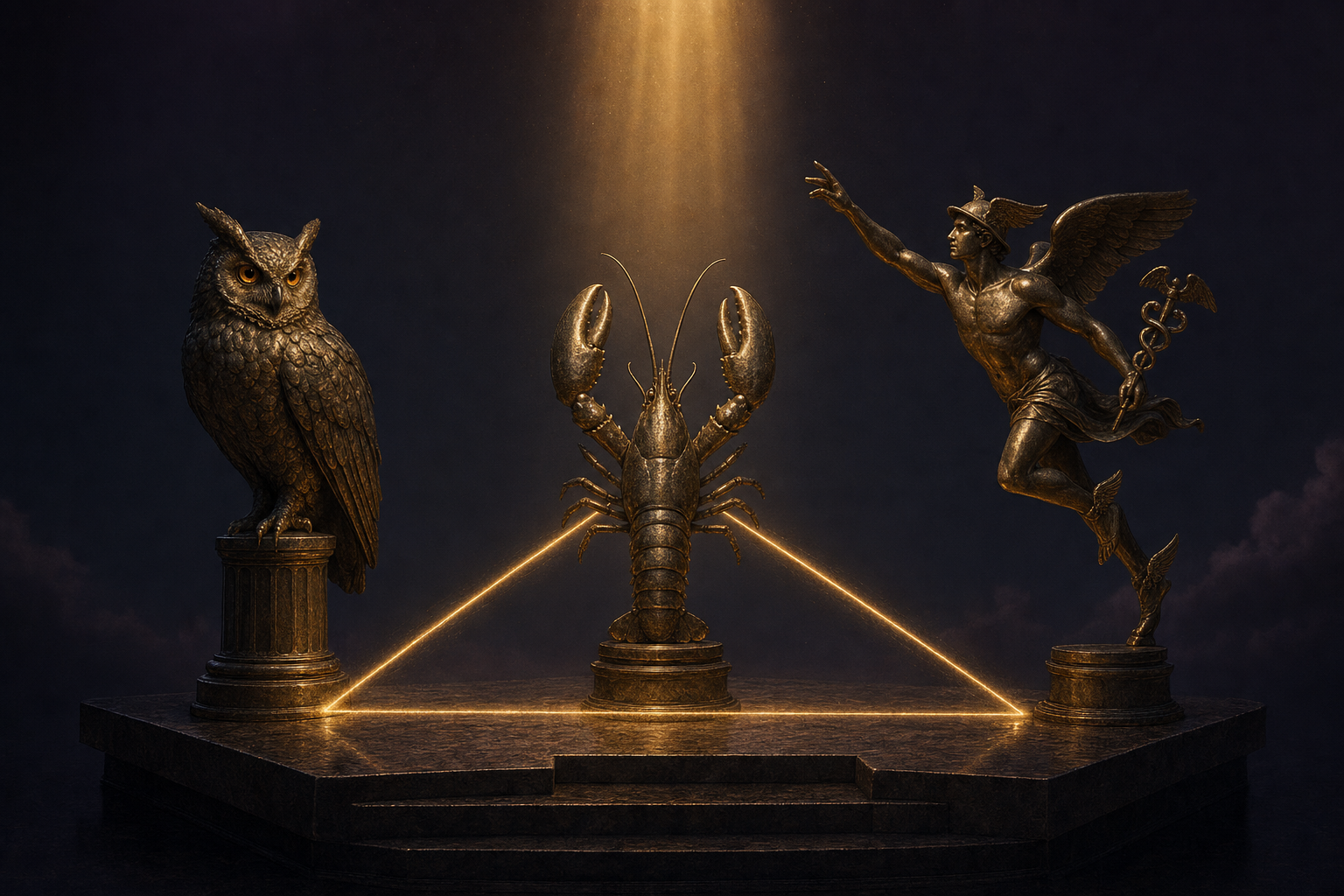
The full OpenClaw Agent OS setup
OpenClaw wired in with all four tabs. Studio configured with xAI OAuth. Workspace surfacing every bucket. Control Room operational. Plus the wider Agent OS sidebar — Claude, Hermes, Codex, Antigravity, Gemini, Free Claude Code. The full prompts library, SOPs, templates, weekly coaching calls.
Get OpenClaw Agent OS in AIPB →Workspace — the bucket system that surfaces everything
This is the centerpiece. The Workspace tab is where OpenClaw stops being a chat box and starts being an operating system. "Everything OpenClaw has ever built" — that's the headline, and it's literal. Thirteen buckets covering every output across every agent.
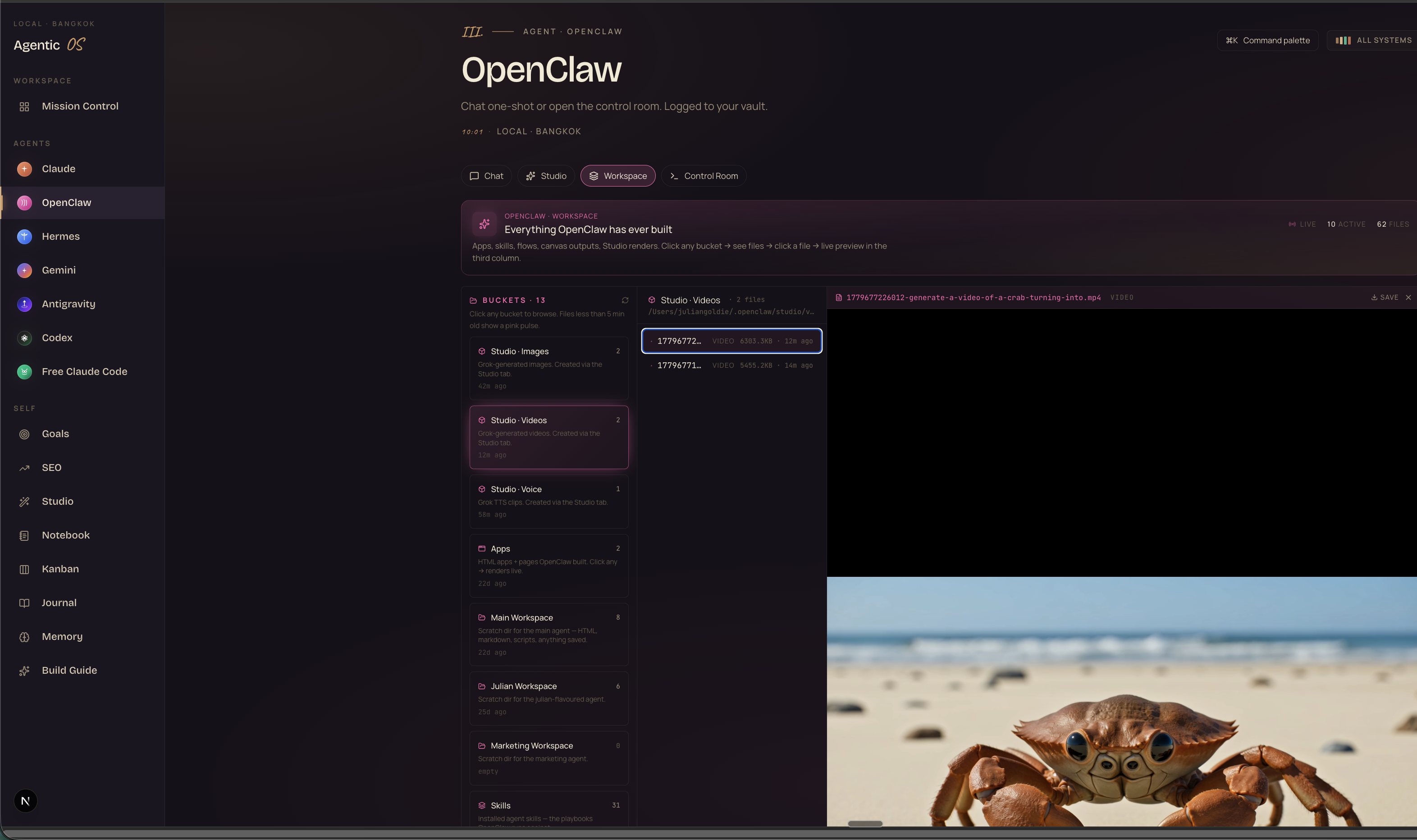
The buckets, in display order:
- Studio · Images — Grok-generated images with full prompt history
- Studio · Videos — generated mp4s with inline scrub preview
- Studio · Voice — TTS clips with playback controls
- Apps — every HTML page any agent built (pomodoro, pong, snake, landing pages, dashboards) — click → renders live in iframe
- Main Workspace — scratch dir for the main agent (HTML, markdown, scripts)
- Julian Workspace — scratch dir for the julian-flavoured agent
- Marketing Workspace — scratch dir for the marketing agent
- Skills — installed agent skills (the playbooks OpenClaw can run)
- ...plus four more for sandboxes, pastes, downloads, and the bridge to Hermes' workspace
The display order is fixed — visual stuff (images, videos, voice) at the top. Apps bucket right under Studio. Scratchpads below. This isn't sorted by modification time — it's sorted by what you want to look at first.
"Apps you forgot you built. Searches you forgot you ran. Voiceovers you forgot you generated. All here. All previewable. All yours."
Where OpenClaw sits in the wider Agent OS
OpenClaw isn't alone in the sidebar. Inside Agent OS, it sits next to every other agent — each with its own role:
- Claude — reasoning, long-form planning, anything that needs depth
- OpenClaw — the local-first always-on assistant + the keeper of every creation (this guide)
- Hermes — Nous Research agent harness, tool calls, kanban, skills — see Hermes Agent OS →
- Gemini — long context, multi-million-token jobs, fast multimodal
- Antigravity — Google's agent platform — see The Goldie Gravity Grid →
- Codex — autonomous Goal Mode, locked-Mac control — see The Goldie Goal Engine →
- Free Claude Code — OSS sovereign-stack route — see The Goldie Sovereign Stack →
Each agent pulls from the same Obsidian memory layer (see The Goldie Second Brain →). Each writes to a workspace OpenClaw can read. You stop juggling tools. You start orchestrating fleets — and OpenClaw is the one that remembers everything.
Three beliefs holding you back
The setup is free. The OS is open. The blockers are mental.
Still not sure operators are running this in production? Read 258 unfiltered member wins from the AI Profit Boardroom →
"OpenClaw is just a chat box that lives in WhatsApp / Slack. I don't need a dashboard."
OpenClaw was that. Now it's the room your other agents work in. Every image Hermes generates, every video Studio renders, every HTML app any agent builds — surfaced in the Workspace tab. Without it, you keep losing the things you made.
"I'll just run agents in separate terminals. Why do I need an OS?"
You can. And the moment you have 23 HTML apps, 12 generated videos, 40 saved X-searches, and three agent sessions running — finding any one of them becomes a manual grep through your file system. OpenClaw Agent OS surfaces all of it in one place. That's the moat.
"This sounds complicated to set up."
Four tabs that all exist out of the box. The buckets auto-populate as you use the system. The Control Room shows you exactly what's running and what's broken. Most operators in AIPB are running it inside the first week. The complexity is in the depth — not the install.
30-day roadmap
The order matters. Each phase makes the next easier.
OpenClaw Agent OS — recap
OpenClaw became the operating system the moment the Workspace tab arrived. The local-first always-on assistant is now also the keeper of every creation — Studio renders, generated images, HTML apps, voice clips, saved searches, agent scratchpads, installed skills. Thirteen buckets. Four tabs. One Mission Control alongside every other agent.
The Old Way was scattered. Every output landing somewhere you'd never find it again. The New Way is one dashboard where every creation gets surfaced, previewed, and auto-logged to your vault. Free. Local. Yours forever.
Stop losing your work. Start curating it.
Inside AIPB: the full OpenClaw Agent OS install, xAI OAuth wiring, the Studio + Workspace + Control Room setup, the 100 prompts, the 30-day roadmap, the weekly coaching calls, and the rest of the Agent OS stack — Claude, Hermes, Codex, Antigravity, Gemini, Free Claude Code — wired together in one Mission Control.
Join the AI Profit Boardroom →