An agent that orders your stock, two desks, seven models and a prompt file worth deleting.
Seven questions landed in the room this week. Every one of them has a straight answer.
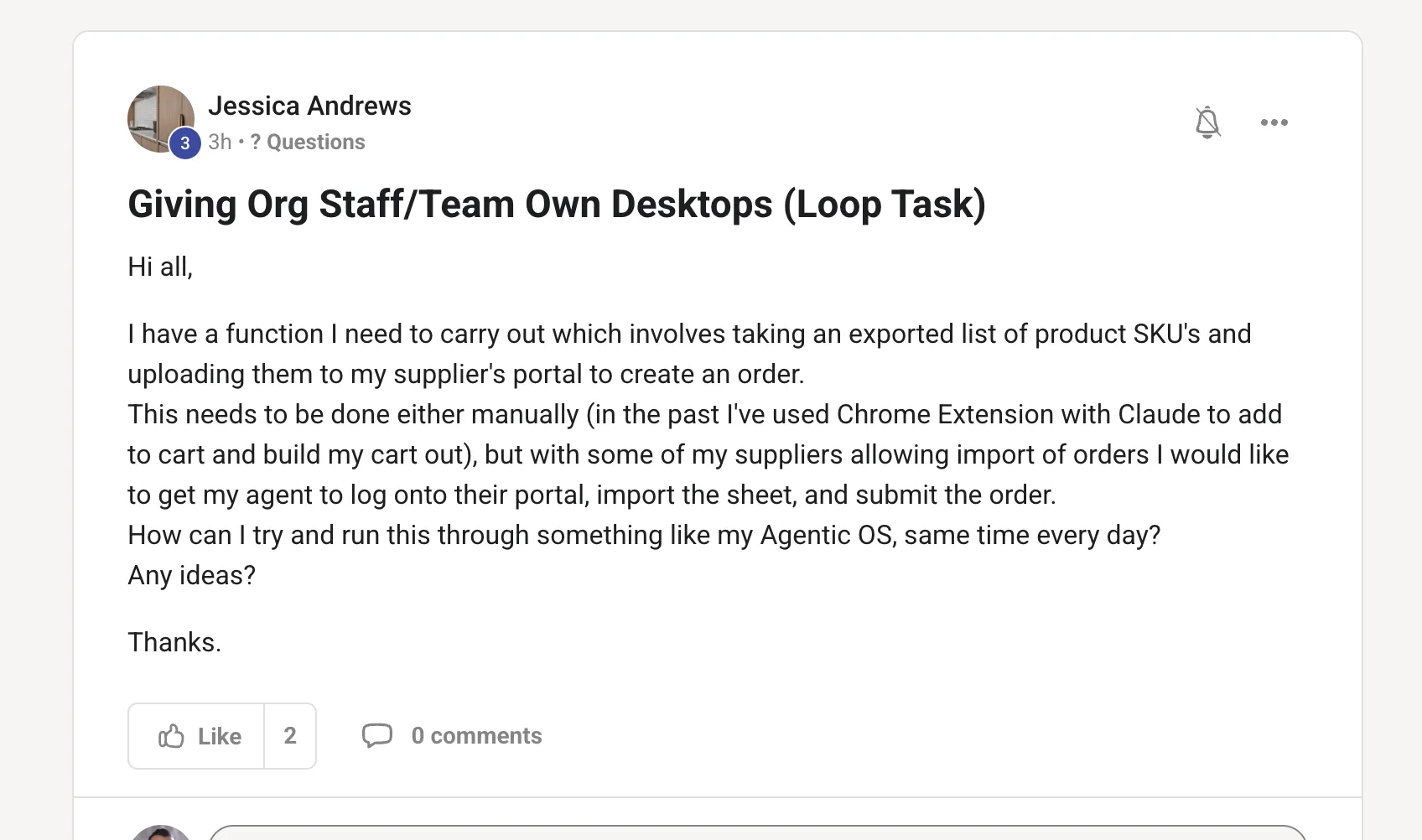
How to get an agent to log into a supplier portal and place the same order every morning.
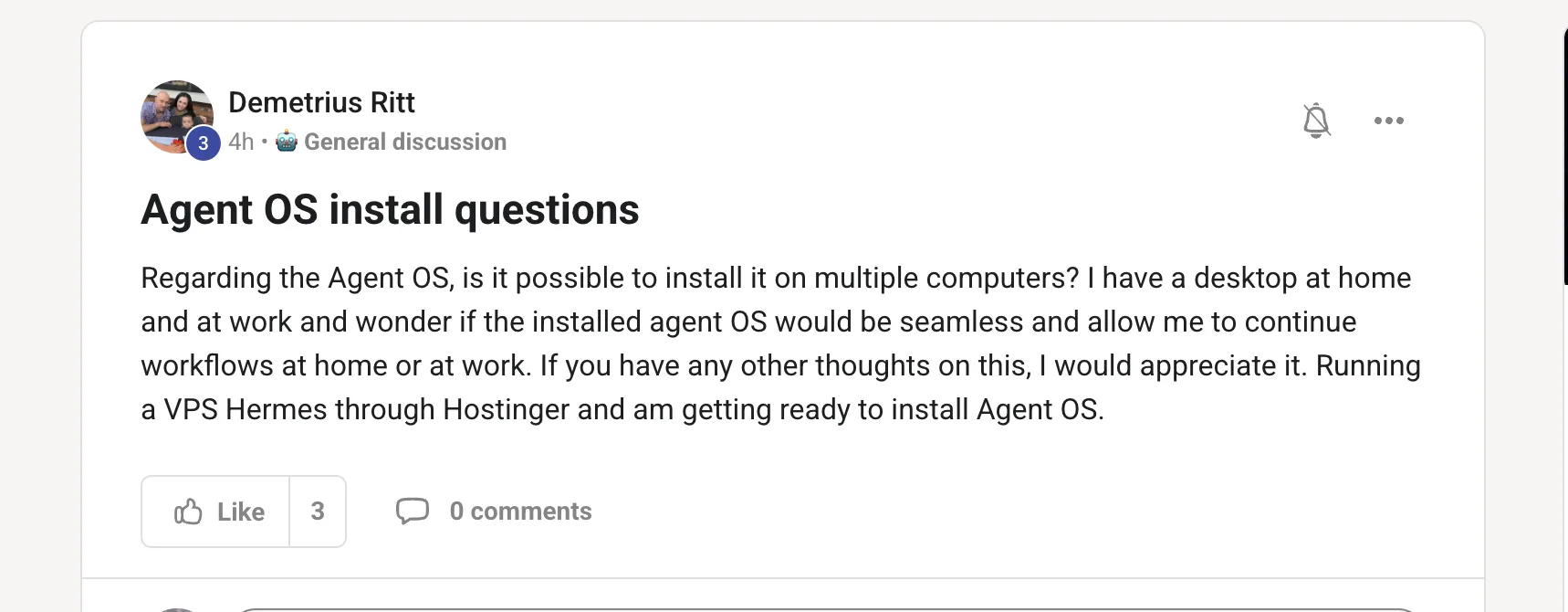
Whether the Agent OS can live on your home machine and your work machine at once.
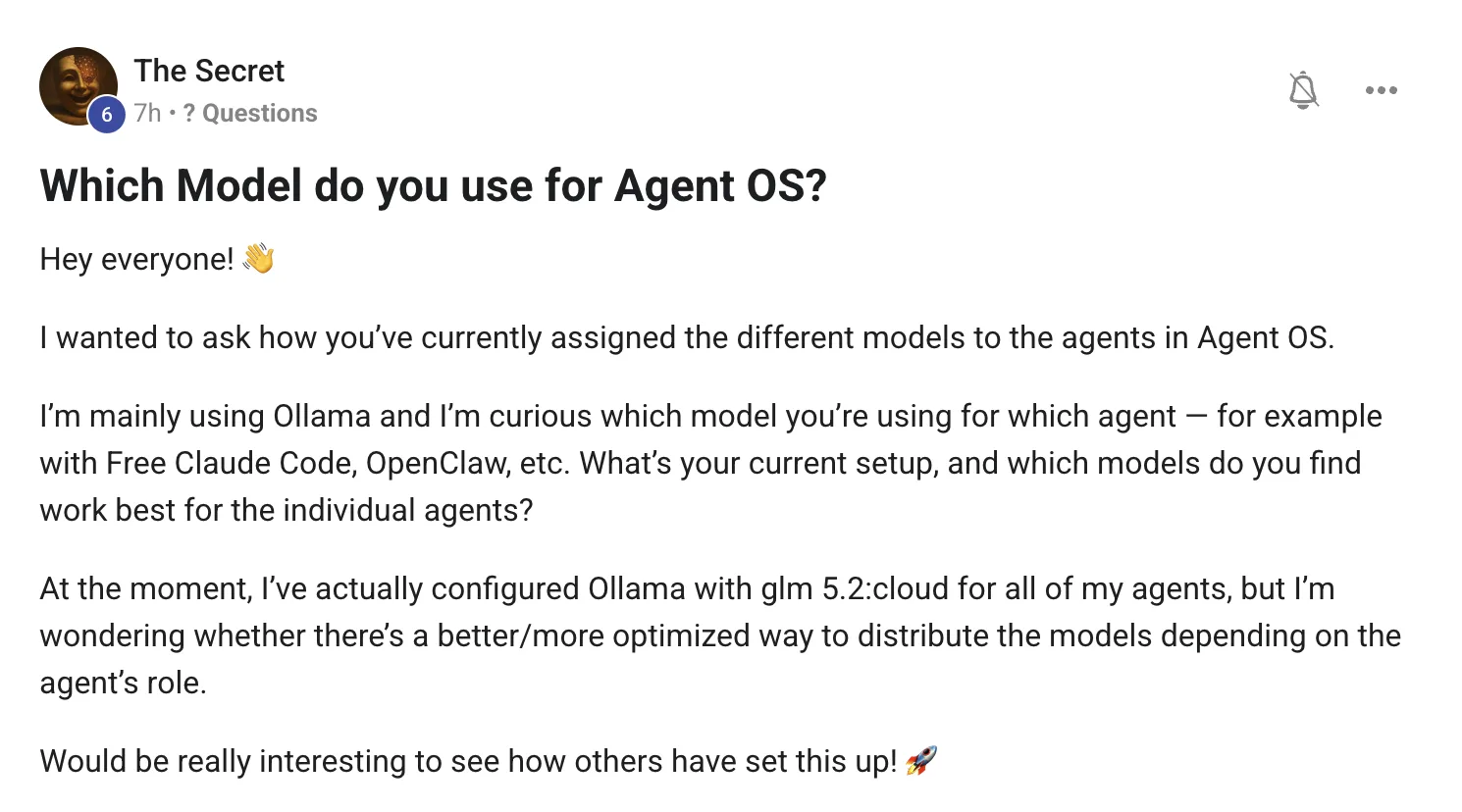
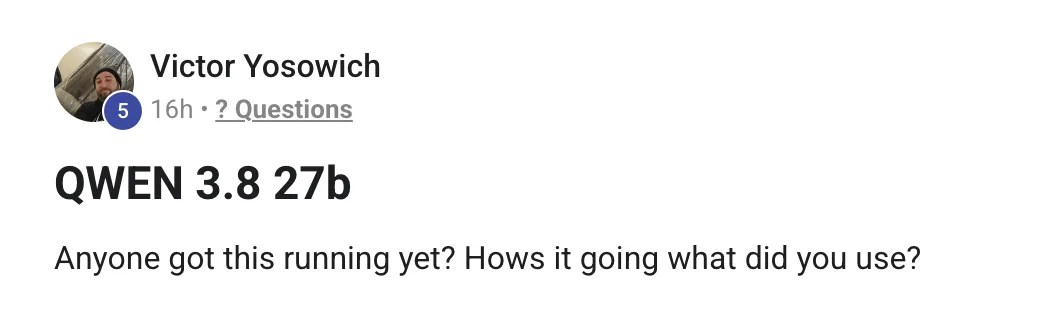
Which model to hand to which agent, and whether a 27B model will even load on your Mac.
Where to start with an AI video avatar, what the OpenAI price cut actually changes, and whether you should really delete every skill and your CLAUDE.md file.
Here is each question exactly as it was posted, with my answer underneath it.
before we start · the receipts
Everything here is checkable.
Tools, prices and model support change every month, so here is where each answer comes from.
This is two jobs. Make the file, then drive the portal.
Right now you are treating it as one task, so it feels impossible. Split it and it becomes two ordinary ones.
Job one is producing a clean file of SKUs and quantities. That is data work — no browser, no login, no risk.
Job two is getting that file into the supplier. That is where everything that can go wrong lives, so it gets a gate on it.
Before you automate any clicking, ask the supplier one question
Ask them: "do you have an order import endpoint, an EDI feed, or an email-to-order address?"
Half the suppliers who let you import a sheet in the browser will also accept the same sheet another way, and that path never breaks when they redesign their site.
Clicking through a portal is the last resort, not the first idea.
The gate is the whole design. An agent that can buy things unsupervised on day one is not automation, it is an open cheque book.
Three rules that keep this safe
Never hand over the password. Point the automation at a browser profile you have already logged into, so the session exists and the credentials never enter a prompt, a config file or a log.
Put a ceiling on it. A maximum order value, a list of SKUs it is allowed to order, and a rule that anything outside those stops and messages you. An agent that hits something unexpected should stop, not improvise.
Keep the receipt. Every run saves the confirmation screen and the order number to a dated folder. When a supplier says they never got it, you have the file.
1. Email the supplier and ask for an import endpoint or an email-to-order address. Do this before you build anything.
2. Build the file step on its own. Run it for three days until the sheet comes out right every time with no browser involved.
3. Add the portal step in a real browser session that is already signed in. Have it stop dead at the review screen and screenshot it.
4. For two weeks, you press submit. You are not being slow, you are collecting evidence that the totals are right.
5. Then let it submit only when the total falls inside the range you have seen. Outside the range, it stops and pings you.
6. Schedule the whole thing at a fixed time, and have it message you either way — "ordered, £412, order #88213" or "stopped, could not find the import button".
The silent version is the dangerous one. A run that only speaks up when it fails will eventually fail silently.
Thinking it?"That sounds like a lot of steps for one order."
It is one afternoon, once. Then it is a task that runs every morning while you are asleep, forever.
And the steps are not busywork — every one of them exists because somebody skipped it and sent a supplier an order for 4,000 units instead of 40.
"An agent that can spend money unsupervised on day one is not automation."
Yes — install it on as many machines as you like. There is no seat limit and nothing phones home.
But installing it twice is not the question you are actually asking. You want to start something at work and pick it up at home, and that is about state, not installs.
The install is just files. The part that matters is the memory, the keys, the project folders and the half-finished runs. Copy those onto two machines and they immediately start drifting apart.
You already own the answer. The Hostinger VPS is the brain. The desktop at home and the desktop at work are just windows onto it.
Why the VPS wins here
It is on when you are not. A run you kick off at work is still going at 6pm — your laptop lid does not end it.
There is one memory, so an answer you got this morning is there tonight without you syncing anything.
And the keys live in exactly one place, which is the security answer as well as the tidiness answer.
Reach it privately with Tailscale — both machines join your own network and you open the OS on a private address. Nothing is exposed to the public internet, no ports are forwarded, and it works the same from a phone.
1. Install the Agent OS on the Hostinger VPS, since Hermes is already there.
2. Put Tailscale on the VPS, the home machine and the work machine. Three installs, one login.
3. Open the OS from the private Tailscale address on both desktops. Same dashboard, same history, same running jobs.
4. Keep the local install on your laptop if you want, but treat it as a scratchpad, not a second home. Anything that matters happens on the VPS.
5. If your work network blocks it, that is the moment to check with whoever runs that network — not the moment to build a second brain.
I run mine the same way. One machine holds the state, everything else — including my phone — is a window onto it.
"The install is just files. The memory is the thing you must not fork."
One model everywhere is a tax you pay on every prompt.
Putting one good model behind every agent is the sensible first move, and you have made it. It works. It is also the most expensive and slowest way to run the OS, because most of what agents do is not hard.
Reading a log file is not hard. Renaming things is not hard. Pulling five fields out of a page is not hard. You are sending all of that to a model built for reasoning.
So stop choosing by favourite and start choosing by one question: if this output is wrong, what does it cost me?
Three lanes, not one. The top lane should be doing most of the volume, and it costs nothing.
What that looks like agent by agent
Research and reading agents — a small local model. They are summarising and extracting, and if a summary is off you notice immediately and rerun it for free.
Coding agents — the CLI that came with the plan you already bought. Free Claude Code and the Codex CLI are included in subscriptions most people in the room already have, so routing code through a paid API on top of that is paying twice.
The planner and the reviewer — your strongest model, deliberately. These two decide what everything else does, so a bad answer here multiplies.
Anything running unattended overnight — one tier up from what you think it needs. You are not there to catch it going sideways.
1. Take one real task you ran this week. Not a benchmark — a real one.
2. Run it three times: local model, mid model, top model. Same prompt, same inputs.
3. Score only one thing — did the output need fixing, yes or no.
4. Keep the cheapest one that passed. That is now the model for that lane, and you never have to guess about it again.
5. Redo this when you add a new agent, not when a new model trends.
A cloud model behind every agent is a fine starting point. It is a terrible resting point.
Thinking it?"Won't a small local model just make things worse?"
On reasoning, yes. On the boring 70% — reading, sorting, extracting, drafting — the gap barely shows, and it answers in a second instead of eight.
The trick is not trusting a small model with big decisions. It is noticing how few of your prompts are actually big decisions.
"Stop choosing by favourite. Start choosing by what it costs you when it is wrong."
With a brand new 27B, the first fight is loading it, not judging it.
Everyone expects the first problem to be quality. It almost never is. The first problem is that your runner does not recognise the architecture yet.
I hit exactly this a few weeks ago with a 27B coder model. Ollama refused it outright — the architecture was too new for the build I had. Same weights, served through MLX on Apple silicon, loaded first try and ran fine.
So if you see something like unknown model architecture, that is not a broken download and it is not your Mac. It is support that has not landed in that runner yet.
Numbers from my own Mac this month: a 27B-class model lands around 16–21 tokens a second, while a 9B on the same machine runs about 50. Both are usable, for very different jobs.
The two commands worth trying, in order
# 1 — the easy path
ollama run <the-model-tag>

# 2 — when Ollama says the architecture is unknown
pip install mlx-lm
mlx_lm.server --model <the-hf-repo> --port 8123
The MLX server speaks the OpenAI shape, so anything that takes a base URL — including the Agent OS local engine — can point straight at http://localhost:8123.
Two traps at this size
Cold load is not the speed you will quote. A big model takes many seconds to load the first time. That is not the model being slow, and it is why leaving two big models warm at once will thrash your machine. Keep one hot.
Thinking models spend tokens before they answer. If it reasons out loud, a small token budget gets eaten by thinking and you get a truncated reply that looks like a quality problem. Give it room.
1. Try Ollama. If it runs, stop reading and go test it.
2. If the architecture is rejected, serve the same weights with MLX instead of hunting for a different quant.
3. Test it on a job you already have a good answer for, so you have something to compare against.
4. Measure two things: tokens a second, and how many attempts until the output is usable. The second number is the one that matters.
5. If it wins, point the Agent OS local engine at it. If it does not, you have lost an hour and learned the shape of your machine's ceiling.
And post what you find. Half the value of a model this fresh is somebody else's loading error saving you an evening.
"Unknown model architecture is not a broken download. It is a runner that has not caught up yet."
Almost everyone builds this backwards. They spend three weeks on the face and then post videos nobody watches.
The face is the easiest part of the pipeline and the least important. What decides whether a reel works is the first line, and no avatar fixes a weak first line.
Build it in the order the viewer experiences it: the hook, then the script, then the voice, then the face, then the cut.
Stage four is the one everyone films first. It is the cheapest stage to redo and the least likely to be the reason a video fails.
The stack I actually use
Voice first: clone your own voice from a few minutes of clean audio. A cloned voice on a decent avatar beats a perfect avatar with a stock voice, every time — the ear catches fake before the eye does.
Then the avatar: record the source footage properly once. Even light, plain background, look down the lens, and give it a good two or three minutes of natural movement. Everything you generate afterwards inherits that recording, so a rushed source clip haunts every video you make for a year.
Then the cut: captions, crop, cut the dead air. This part is fully automatable — it is the same operation on every video, which is exactly what agents are for.
1. Write ten scripts before you touch any avatar tool. If ten is hard, the avatar was never the problem.
2. Clone your voice. Read for five minutes in a quiet room, no music, no echo.
3. Record the avatar source footage once, properly. This is the only step where slowing down pays for a year.
4. Make three videos and post them. Do not build a system before you know whether anyone watches.
5. Then automate the repeated part — script to voice to render to captions — and leave the hook to a human. That is the last thing you should hand over.
The Video section of the Agent OS handles the voice, the render and the caption pass. The training in the Boardroom walks the whole pipeline, and the live calls are where you get told your hook is weak — which is the note that actually helps.
Thinking it?"Won't people be put off when they realise it's an avatar?"
Not if the words are yours and the voice is yours. People forgive a synthetic delivery of a real opinion. They scroll past a perfect face saying nothing.
"A cloned voice on a decent avatar beats a perfect avatar with a stock voice."
Cheaper tokens only matter if you move the right jobs onto them.
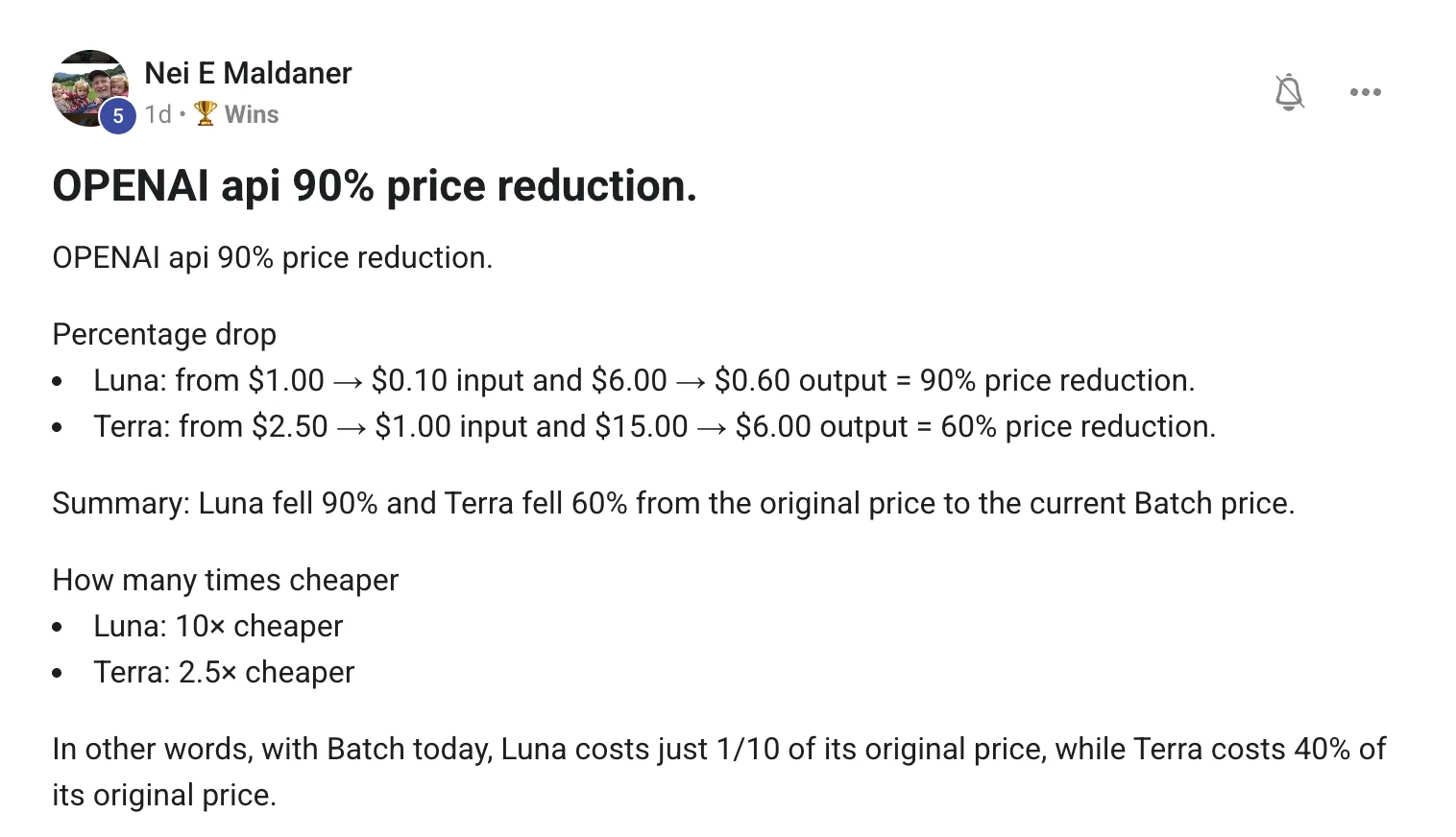
Great breakdown, and the maths is the maths — a tenth of the price on the small model and 40% of the price on the mid one, at batch rates.
The part worth saying out loud is what "batch" means, because it changes who this is for.
Batch work is submitted and collected later. It is not for a chat window and it is not for anything a customer is waiting on. It is for volume you can leave running.
If none of your work looks like the right-hand column, a 90% cut on batch pricing changes almost nothing about your bill. That is worth knowing before you re-plan your stack around it.
Where the real saving usually is
For most people in the room the bill is not big because tokens are expensive. It is big because expensive models are doing cheap work — which is the same point as the routing question above.
I priced this on my own bench recently: the same one-shot build cost $1.18 on the big model and $0.12 on the small one. Ten times cheaper. On the simple builds the cheap one was fine, and on the hard ones it was confidently wrong.
Cheap tokens make bad routing cheaper. They do not make it correct.
1. Open your usage page and find the one job that burns the most tokens. There is almost always a single obvious offender.
2. Ask whether anyone is waiting on it. If not, it is batch work.
3. Move that one job to the cheap model at batch rates and compare the outputs side by side before you trust it.
4. Keep judgement, code and anything customer-facing on the strong model. That is not where you save money.
5. Re-check the prices next quarter. They have moved several times this year, always downward, always with new names.
And keep posting these breakdowns — a price change nobody reads is a price change nobody acts on.
"Cheap tokens make bad routing cheaper. They do not make it correct."
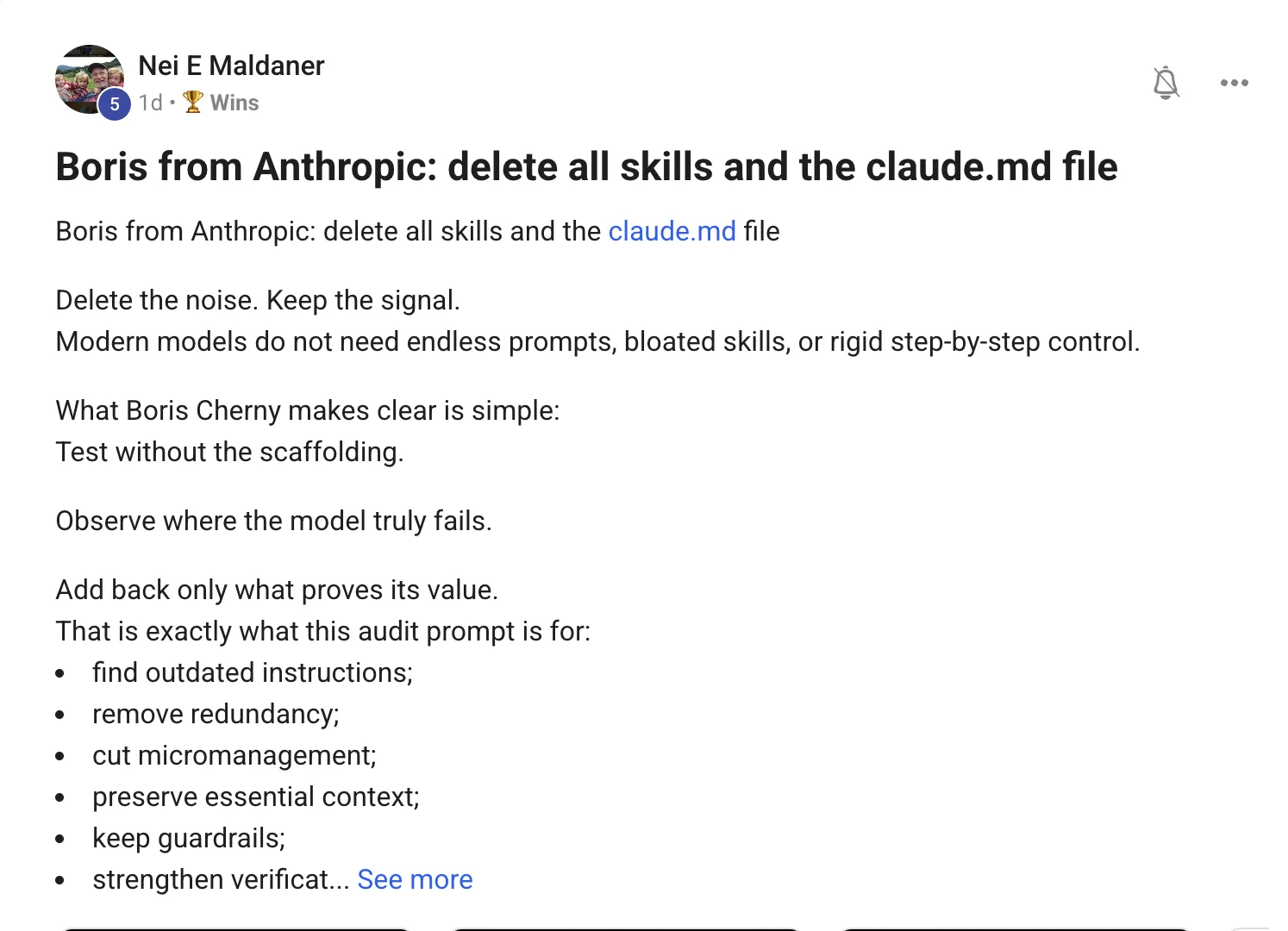
Delete what the model already knows. Keep what it cannot.
The principle is right and worth taking seriously. Most instruction files were written for a weaker model and never revisited. That is not guidance any more, it is noise — and noise costs you accuracy as well as tokens.
But "delete everything" is the demo version of the advice. The useful version is a sorting question you can apply line by line:
Would a sharp new contractor with access to your codebase already do this without being told?
If yes, delete it. "Write clean code." "Use good variable names." "Explain your reasoning." The model does that already. You are spending context to say so.
If no, keep it. Your deploy command. The folder that must never be touched. The trap that cost you a day. The naming convention nobody would guess. No amount of intelligence lets a model discover a fact about your setup that exists nowhere in your setup.
Most instruction files lose three quarters of their lines and get better. The survivors are almost always facts about your machine and rules that stop something expensive.
How to actually run the audit
Do not delete and hope. Delete and measure — that is the part of Boris's point people skip.
Move the file aside rather than deleting it, so you can put lines back. Then run the five tasks you genuinely do every week and write down where it fails. Add back one line per real failure, and nothing else.
What survives that process is worth ten times the file you had, because every line in it was earned by an observed failure instead of a worry.
The audit, as a prompt you can paste
Read my instructions file line by line.

For each line, put it in exactly one bucket:
  1. the model already does this by default
  2. it is already said somewhere else in the file
  3. it is step-by-step handholding for a task you can do unaided
  4. it is a FACT about this project, or a guardrail that stops
     something expensive

Print the file with each line tagged, then print the
"bucket 4 only" version.
Do not add anything I did not write.
The last line matters. Left unchecked, models rewrite the file into a longer, more polished version of the thing you were trying to shrink.
1. Rename the file rather than deleting it. CLAUDE.md.old costs nothing and removes the fear.
2. Run your five real weekly tasks with no instructions file at all. Note every failure in one line each.
3. Add back one line per failure. Date it. In three months you will know why it is there.
4. Keep every fact the model cannot discover — paths, deploy commands, the folder that breaks production.
5. Redo it when you switch models. New model, new baseline, and half the remaining lines usually stop being needed.
Thinking it?"But my file has saved me loads of times."
Some of it has. The audit is how you find out which parts, instead of assuming it is all of them.
My own file is shorter than it was three months ago and the lines that are left are almost entirely traps I have actually hit — the deploy that deletes pages, the flag that silently does nothing. None of that is knowledge a model can arrive at on its own.
"Add back one line per real failure. Nothing else earns a place."
what these seven have in common
Three beliefs worth dropping.
Wrong: more setup means more capability.
Right: four of these seven answers were about removing something — a second brain, a bloated file, an expensive model doing cheap work, a stage of the pipeline nobody needed yet.
Wrong: automation means the human steps out.
Right: the good version keeps a hand on the expensive step until the numbers earn trust. That is not slower — it is the only version you can leave running.
Wrong: I should work this out alone before I ask.
Right: every question on this page got a real answer the same day it was posted. A weekend of guessing costs more than asking does.
Don't take my word for it
Members post their wins every day — agency owners, ecom founders, course creators and solo operators across 38 countries. Real businesses, real numbers, in their own words.
Every question on this page was answered the same day it was asked. The AI Profit Boardroom is where the Agent OS lives — the model line-up, the memory setup, and live calls every week.
 Read the original post on Skool ↗