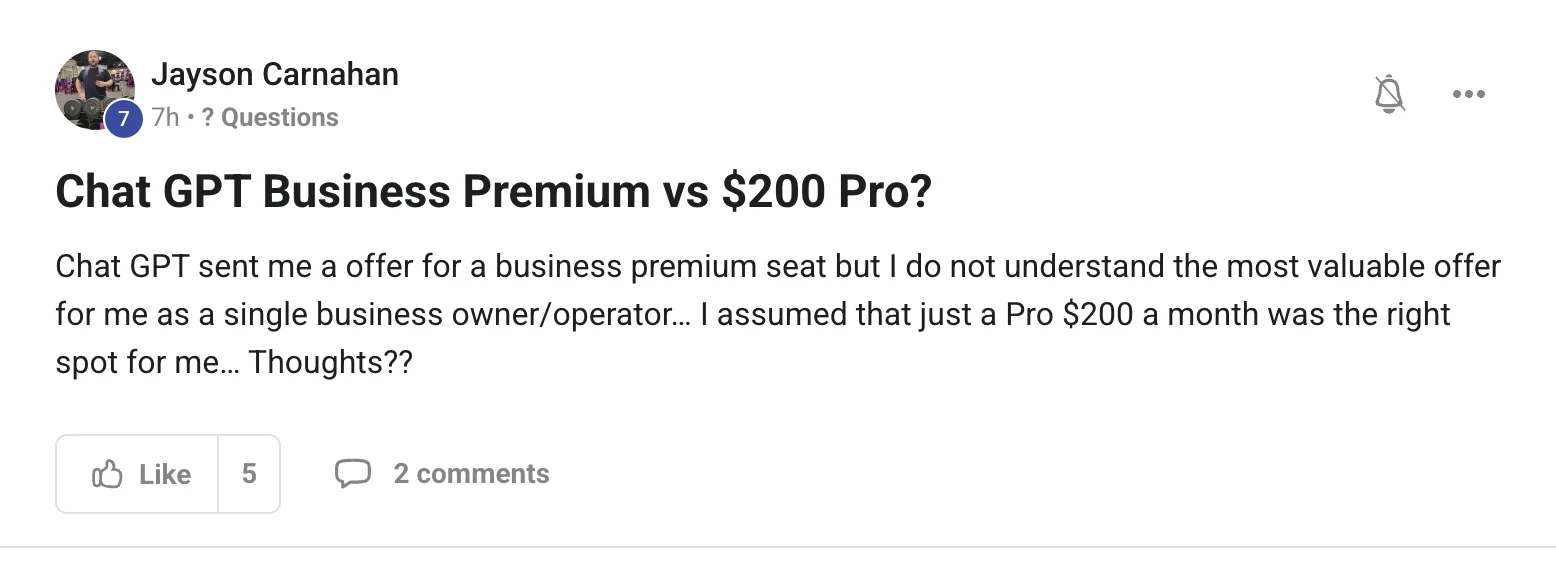
Business is the workspace tier — seats, an admin panel, shared setup, and your work kept out of training.
Pro is the individual tier — it takes the limits off for one person.
The new Premium seat landed on 10 August at $125 a seat a month, or $100 a seat if you pay for the year.
The gap between $25 and $125 is not a better model. It is the usage cap coming off inside a business workspace. The gap between Premium and Pro is who the account is for.
The decision, in one path
Straight answer for a single owner and operator: if nobody else needs an account, the Business tier is selling you a workspace you will not use. Pro was the right shape for you, and it still is.
The one thing that flips it: if you plan to add a VA, a contractor or staff this year.
Then the workspace is worth having, and one Premium seat for you plus $25 seats for them beats everybody buying their own plan.
1. Before you change anything, watch your own usage for a week. Do you actually get told to slow down, or does it just feel slow?
2. If you never see a limit, you are paying $200 for headroom you do not touch. Drop to Plus and put the difference into a tool that makes you money.
3. If you hit the limit most days and you work alone, stay on Pro.
4. If a second person is joining this year, open the Business workspace first and take one Premium seat for yourself.
5. Re-check in three months. These prices moved twice this year already.
Thinking it?"So now I pay for ChatGPT and the Agent OS burns tokens on top?"
No. The Agent OS is not another meter.
It drives the CLIs you already pay for — your ChatGPT plan includes the Codex CLI, your Claude plan includes Claude Code — so you are using what you already bought, not buying it twice.
The everyday work runs on a free local model on your own machine, and free API tiers slot in beside it. There are token-efficiency tutorials inside the Boardroom for the rest.
"Check what you actually use before you buy more of it."
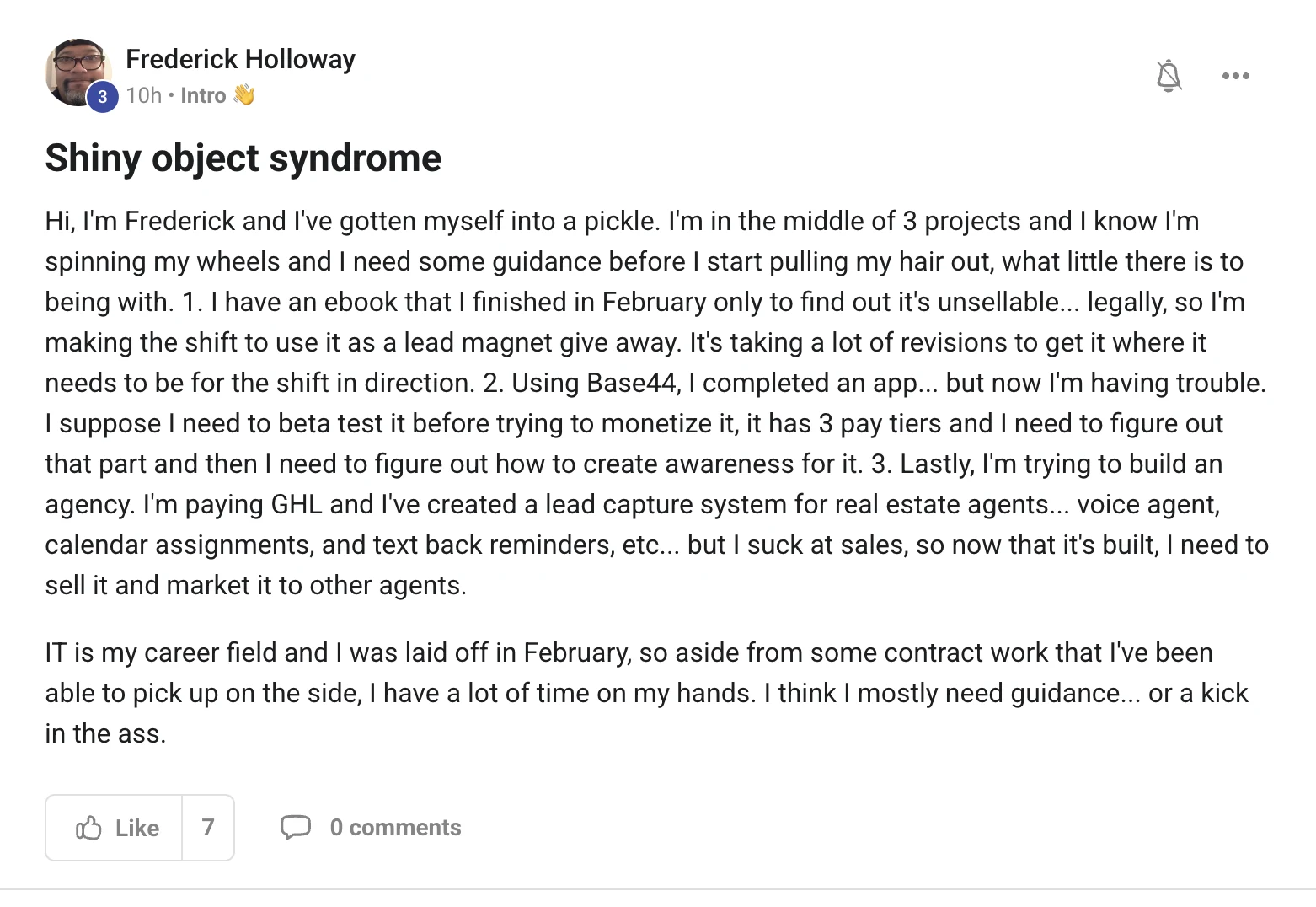
You do not have a focus problem. You have a ranking problem.
Three projects is not the issue. Three projects with no order is.
So rank them by one number: how many steps until a human being pays you.
The agency wins and it is not close. You already built the thing, and real estate agents are a market you can name, list and phone today.
What happens to the other two
The ebook is not a project. It is the front door of the agency offer, so it stops being a job and becomes one asset you give away.
The app parks. Not dies — parks. It needs an audience, and the agency is how you get one.
The old way3 lanes, 0 income
Revise the ebook again this week
Worry about the app's three pricing tiers
Pay for GoHighLevel while nobody uses it
Every day split across three things
Nothing ever reaches a customer
The one you feel worst about wins your attention
The new way1 lane, 14 days
Agency only, out loud, written down
Ebook becomes the free giveaway on that offer
App parked in a folder with a date on it
Record one 60-second demo of the voice agent
Build a list of 100 local agents
Twenty messages a day until someone says yes
Two weeks, one lane. You are between jobs, so time is the one thing you have plenty of — spend all of it on the lane that already has a buyer at the end.
Thinking it?"But I suck at sales."
Then do not sell. Show.
Record your voice agent answering a missed call, booking the viewing and sending the text back. Sixty seconds, no talking over it.
Send that clip to twenty agents a day with one line: "this answered a call for you at 9pm, want me to switch it on for one week free?" Nobody has to be talked into anything they can watch working.
1. Write the sentence "I am building an AI answering service for real estate agents" somewhere you will see it every morning.
2. Move the app folder and the ebook drafts into a folder called parked-until-october. Not deleted. Parked.
3. Turn the ebook into the giveaway on the agency landing page. That is the whole job. One afternoon, then it is done forever.
4. Film the demo before you write any copy. The demo is the offer.
5. Give the first one away free for a week in exchange for a testimonial and a referral. Your first customer is a case study, not a paycheck.
6. Contract IT work stays. It pays the bills while the lane fills up — that is not a distraction, that is runway.
"Park it, don't kill it. Then work the lane with a buyer at the end."
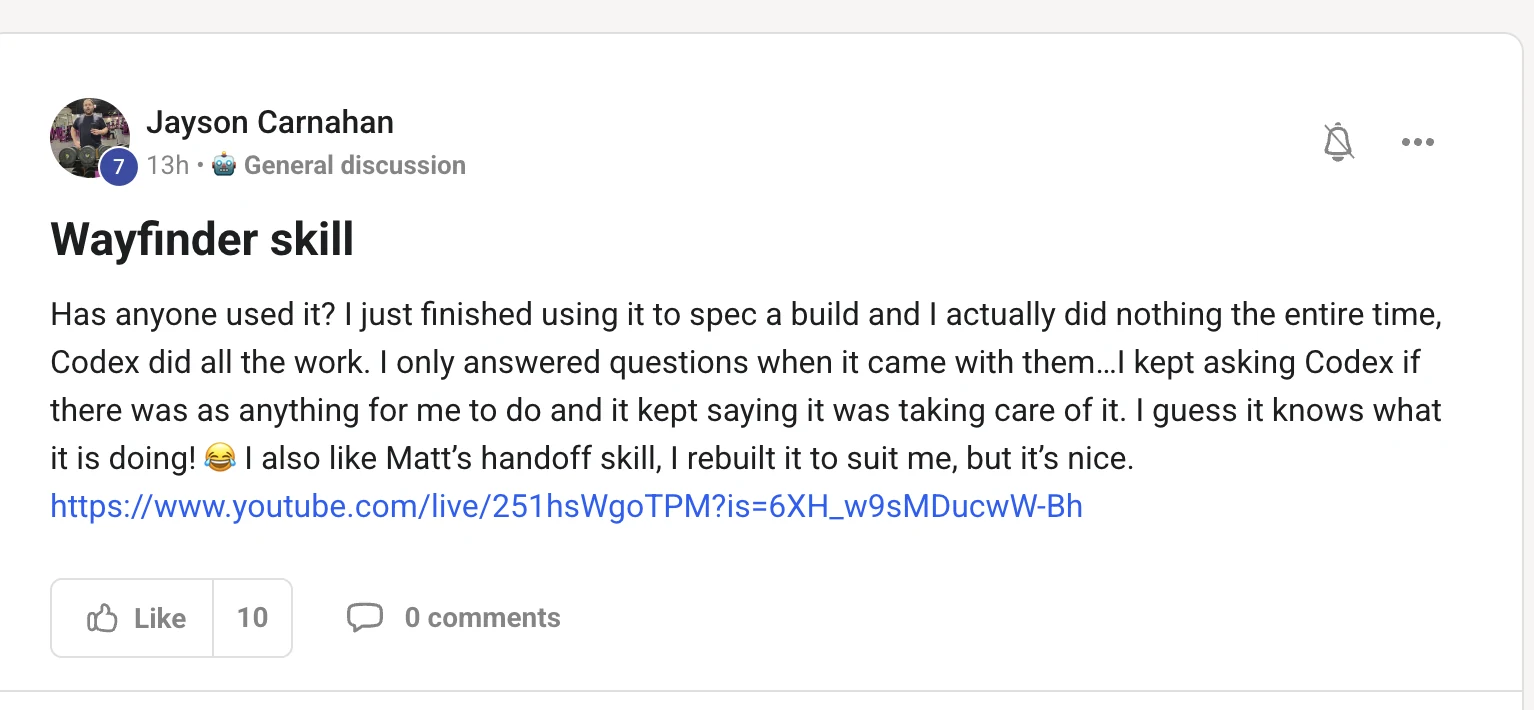
Wayfinder is one of Matt Pocock's skills, and it does one job: it plans work that is too big for a single session.
It turns the build into a map on your issue tracker, then works the map one decision at a time.
It plans, it does not build — so the questions it asked you were the actual product.
Every ticket is a question whose answer is a decision, not a slice of code. When the last one is answered, the fog is gone and the build is boring.
Why it felt like it did all the work
Answering questions felt like doing nothing. It was the only part of the job a machine cannot do for you — the decisions were yours the whole time.
install it in one line
npx skills add mattpocock/skills --skill "wayfinder" -g -a claude-code -y
Then type /wayfinder — it never picks itself, you have to call it. The handoff skill in the same set is the bridge: it moves a chat that has outgrown itself into a map, and moves a finished map back into building.
1. Use it when the job is bigger than one session. If you can plan it in one sitting, you do not need a map.
2. Answer its questions properly. Vague answers become vague tickets and the fog stays.
3. Let it park anything you cannot state clearly yet. That is the honesty that makes it work.
4. Rebuild it to suit you, like Jayson did with the handoff skill. Skills are files — yours can be different.
5. Point the map at the same tracker your Agent OS Kanban reads, and the plan and the doing sit in one place.
"It was not doing nothing. You were making every decision that mattered."
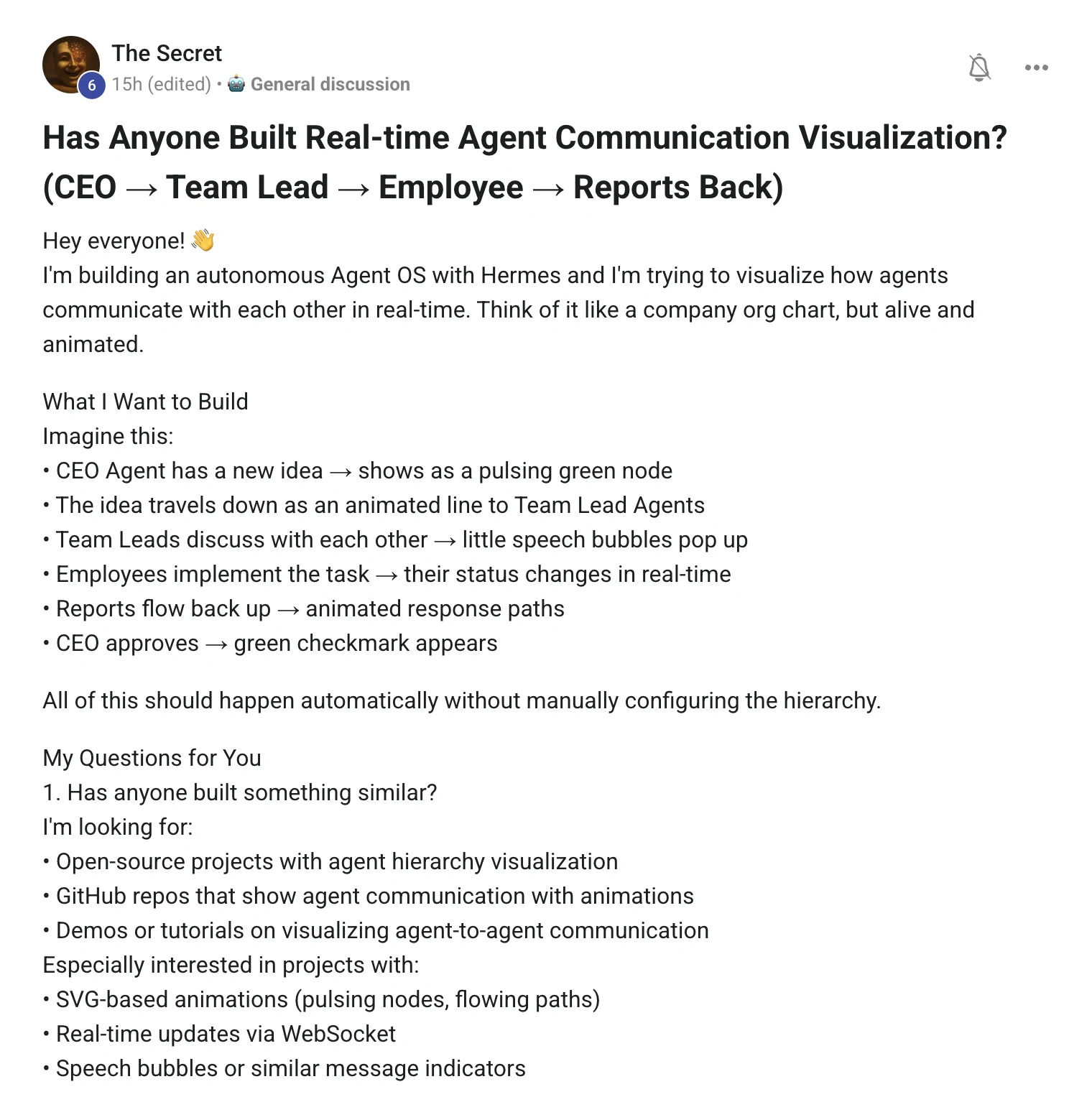
Nothing ships that yet. The event stream is the whole trick.
The pieces exist. LangGraph draws the graph you defined, Google's ADK gives you a real agent tree, AutoGen Studio shows a conversation.
None of them draw a living org chart of agents chatting, and that is the part you actually want.
The good news is the hard requirement — no configuring the hierarchy by hand — is the easiest bit.
Every agent writes one line when something happens. The browser reads those lines and draws the org chart from them, so the hierarchy is discovered, never configured.
One line of JSON is all an agent has to write
the event, and that is the whole schema
{"ts":1723600001,"from":"ceo","to":"lead-marketing",
 "parent":"ceo","type":"delegate","text":"draft the launch plan"}
parent is what builds the tree. from and to are what draw the line. type is what the line does when it gets there.
This is the entire viewer. Four event types, four things that happen on screen. Everything in the diagrams on this page is the same trick — plain SVG with animated dots running along a path.
1. Make the agents emit events before you draw anything. A day of logging beats a week of drawing.
2. Write one JSON object per line to a file. That file is your whole backend, and you can replay a run from it later.
3. Build the tree from parent. New agent appears, new node appears. That is your no-configuration requirement, solved.
4. Push new lines to the browser over a websocket and draw with plain SVG. No graph library needed for a few dozen nodes.
5. Give every node an idle state, a working state and a done state. Motion means something is happening — never animate for decoration.
6. Honest bit: I have not shipped this exact viewer. The Agent OS Kanban already shows the handoffs as cards moving, so start there and steal your own event stream from it.
"Log the conversation first. The picture is the easy half."
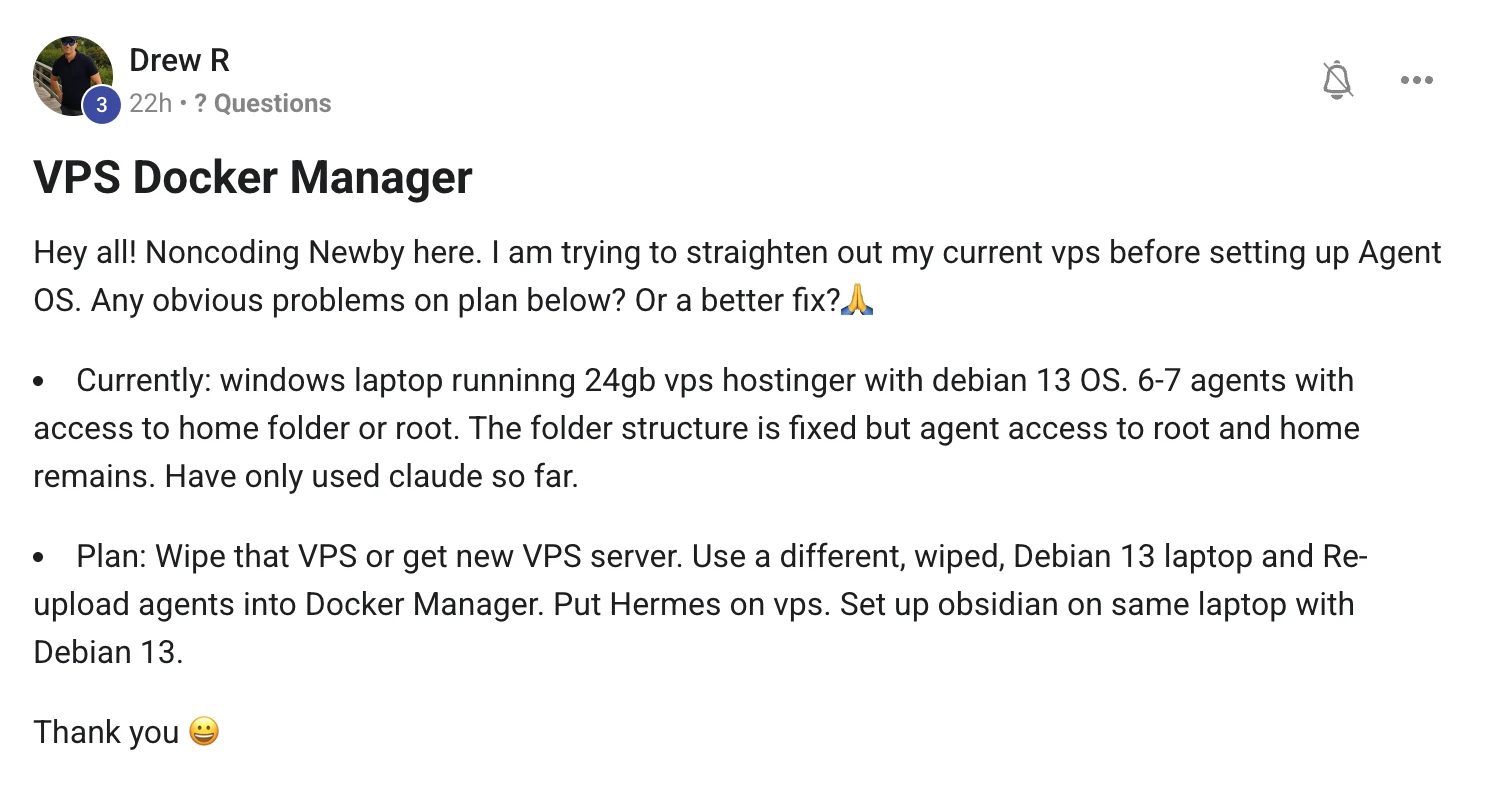
The machine is not the problem. The permissions are.
You wiped nothing yet, so here is the catch before you do.
A fresh VPS with the same setup hands your agents root again on day two.
Fix the shape first, then rebuild once and never think about it again.
This is the only change that matters. Every agent gets its own user and its own container, and the container can see one project folder — nothing else on the machine.
The rebuild, in order
Do it in that order and each step is small. Snapshot first means every later step is undoable, which is what turns a scary rebuild into an afternoon.
1. Take a snapshot of the current VPS before anything. Hostinger does this from the panel and it costs you nothing.
2. Copy off what you actually want to keep — project folders, notes, keys. Nothing else survives, on purpose.
3. Fresh Debian, SSH keys only, root login off. Make one normal user for yourself, then one per agent.
4. One container per agent, and mount only that agent's project folder into it. Cap the memory so a runaway agent cannot take the others down with it.
5. Skip the second wiped laptop unless you have another reason for it. Adding a machine does not fix a permissions problem.
6. Put Tailscale on the VPS and on your Windows laptop. Then nothing needs to be open to the internet and you still reach it from anywhere.
7. Hermes on the VPS: one profile per agent, keys in each profile's own env file, never baked into an image you might copy.
8. Obsidian is a desktop app — keep it on your laptop. The vault lives on the VPS as a git repo, and both ends sync to it.
9. Set the backup job on day one, while you still remember what matters. On day thirty you will not.
Thinking it?"I am a non-coding newbie — this sounds like a lot."
It is nine steps and every one of them is a copy-paste command.
The order is the hard part, and you now have the order.
If a step errors, that exact error message has usually been posted in the room already — and if it has not, post it and you will have an answer the same day.
"Snapshot first. Then every scary step becomes reversible."
what these five have in common
Three beliefs worth dropping.
Wrong: a bigger plan, a fresh server or one more tool will fix it.
Right: four of these five questions were answered by changing the shape of something, not by buying anything.
Wrong: if the AI is doing all the work, I am falling behind.
Right: the decisions are the job now. Answering good questions well is the highest-paid thing you will do all week.
Wrong: I should work this out alone before I ask.
Right: every one of these five got a real answer the same day it was posted. A weekend of guessing costs more than asking.
Don't take my word for it
Members post their wins every day — agency owners, ecom founders, course creators and solo operators across 38 countries. Real businesses, real numbers, in their own words.
Every question on this page was answered the same day it was asked. The AI Profit Boardroom is where the Agent OS lives — the model line-up, the memory setup, and live calls every week.
 Read the original post on Skool ↗