One model. Three speed modes. Here's what it builds in a single shot — and every box below is live, so drag them around.
Three of the nine builds in this guide — a solar system, a game, a galaxy. Each written in one shot. Each running live right now. Below: the same prompts run through all three gears, timed to the second.
Most people run one model at one speed and take whatever they get. I wanted to know what the three gears actually buy you. So I gave all three the exact same three prompts — one shot, single HTML file, no follow-ups — and timed every run to the second.
I am not scoring these for you. The numbers below are measured. The builds are live and embedded — they run right in the page. You look, you decide.
This is the news the whole guide is about. Moonshot just shipped a HighSpeed mode for Kimi K2.7 — they claim up to 6× faster. It's the lane the Fast and No-think gears run on. Watch it, then scroll down and see what it actually builds.
Before the test, the plain-English version. Kimi K2.7 is one coding model. What changes between the modes is two switches — which lane it runs on, and whether it thinks out loud first.
kimi-for-codingkimi-for-coding-highspeedhighspeed · thinking offYour prompt is the same every time. After that, the three modes send it down three different paths. Here is the whole machine on one screen.
See it? Quality and Fast both think first — they just run on different lanes. Fast and No-think both ride the HighSpeed lane — one keeps thinking, one drops it. Same model the whole way through.
Two bits of jargon do all the work here. Here's each one in normal words — no hand-waving.
With thinking on, the model works the problem out on a hidden scratchpad first — plans the layout, the physics, the maths — then writes the code.
With thinking off, there's no scratchpad. It starts writing straight away.
The catch most people get wrong: off does not mean it skips the thinking. The reasoning just moves into the answer itself. For K2.7 that often costs time instead of saving it.
HighSpeed is a faster way to serve the exact same model. Moonshot quotes around 180 tokens a second, up to 260 on short jobs — words landing on the page noticeably quicker.
It's the same brain. Same training. Just pushed through a faster pipe.
The honest part: HighSpeed is new and capacity-limited right now. When the servers are quiet it flies. When they're busy, it crawls. More on that below — it's the single biggest surprise in the data.
Here's the shift. Most people never touch the gear. They run one model at one speed for everything. The new way is to match the gear to the job.
That's the whole idea behind the framework below. Same brain, three gears, and a simple rule for which one to grab.
Median time to write a complete, working single-file build across the three tests — start of prompt to file on disk. Lower is faster. These are real timings from my own runs.
On the median, the fast gears pull ahead — No-think quickest, Fast second, Quality slowest. So far, no surprise. But the median hides the real story. Look what happens when you plot the full range of every run.
Here's the truth the median buries:
Quality was the steadiest gear of the three. Every run landed between 71 and 98 seconds. Tight.
The "fast" gears were the wild ones. Fast swung from 53 seconds all the way to 188. No-think from 39 to 125. Same prompt, same gear, triple the wait — because the HighSpeed lane was busy on the slow runs.
So the real headline isn't "fast is faster." It's: fast is faster when capacity is there, and a coin-flip when it isn't. Quality is slower but you can set your watch by it.
Here is every single run — build time, file size, and whether it ran. No averages, no spin. The raw card for each of the nine.
Two facts worth pulling out of that grid, because they cut against the hype:
Every build ran on the first try. Nine for nine. No mode shipped a broken file. Whatever else changes, K2.7 lands working code in one shot across all three gears.
The fast gears didn't write less code. Quality wrote 38 KB total across its three builds. Fast wrote 34 KB. No-think wrote 35 KB. Nearly the same. So "faster" here isn't "lazier" — it's the same amount of work, served quicker (when the lane's clear).
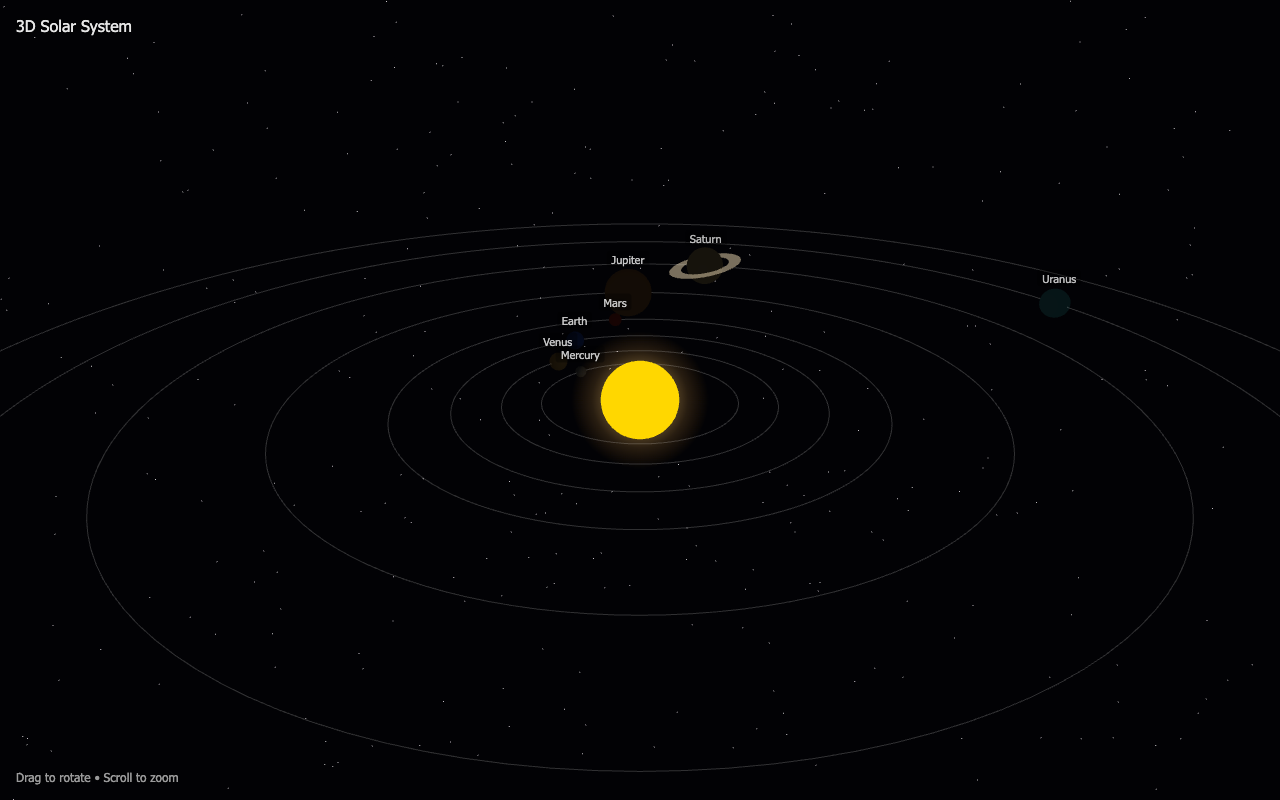
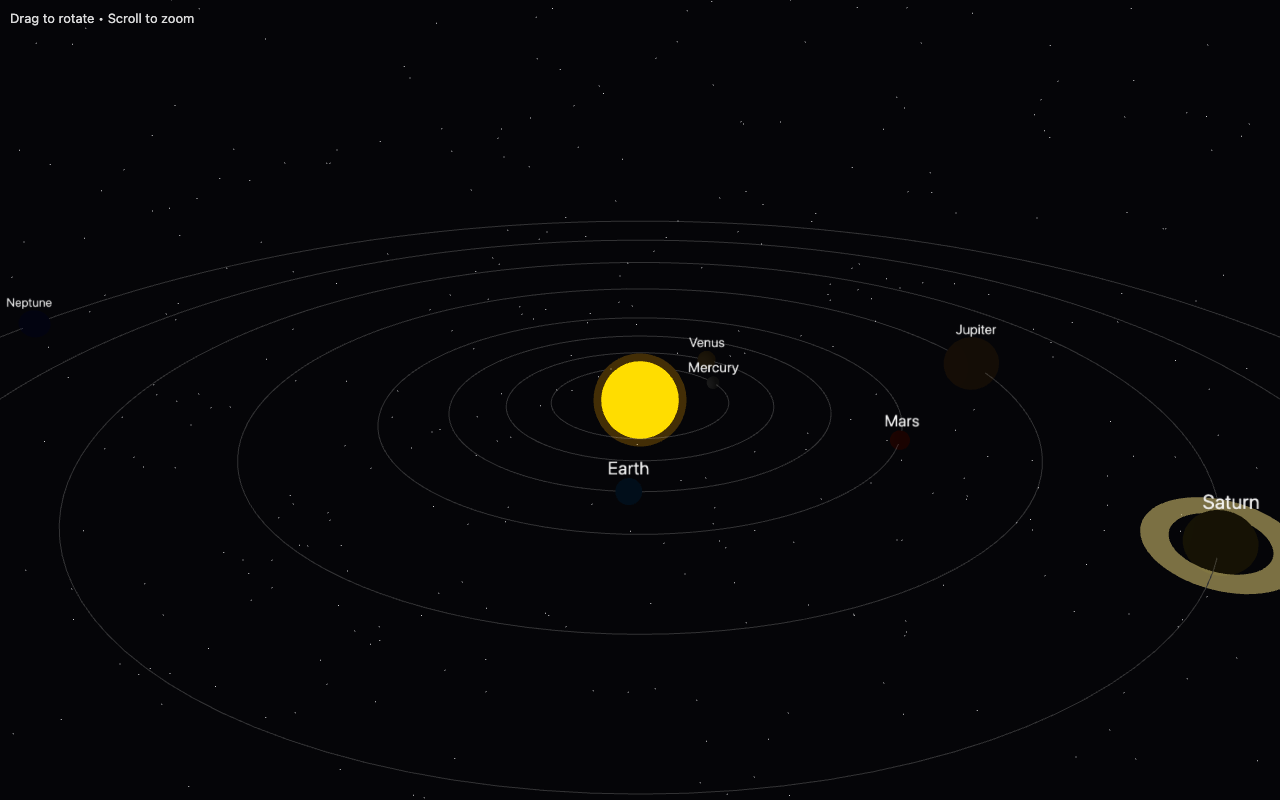
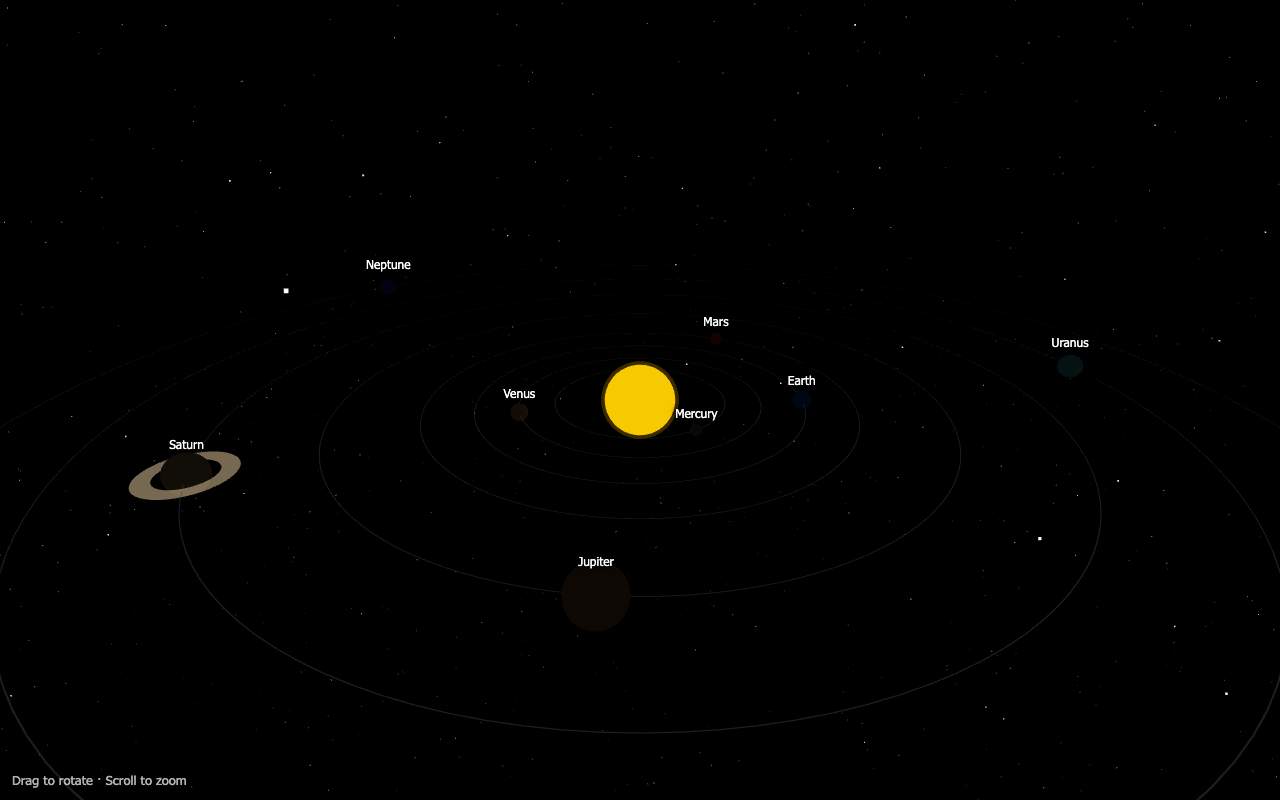
Sun plus all eight planets orbiting at different speeds, an orbit ring each, a starfield, drag to rotate, scroll to zoom. Same prompt to all three gears.
drag to rotate · scroll to zoom · each one is the live build, not a video
What's on screen, plainly: all three built a working solar system — sun, eight planets, orbit rings, labels, a ringed Saturn, drag-to-rotate. Quality spaced the orbits the most evenly. No-think put the most planet labels on screen at once. Fast came out a touch sparser. On this one, you'd struggle to pick which gear built which — and the fastest build (No-think, 47s) is right in the mix.
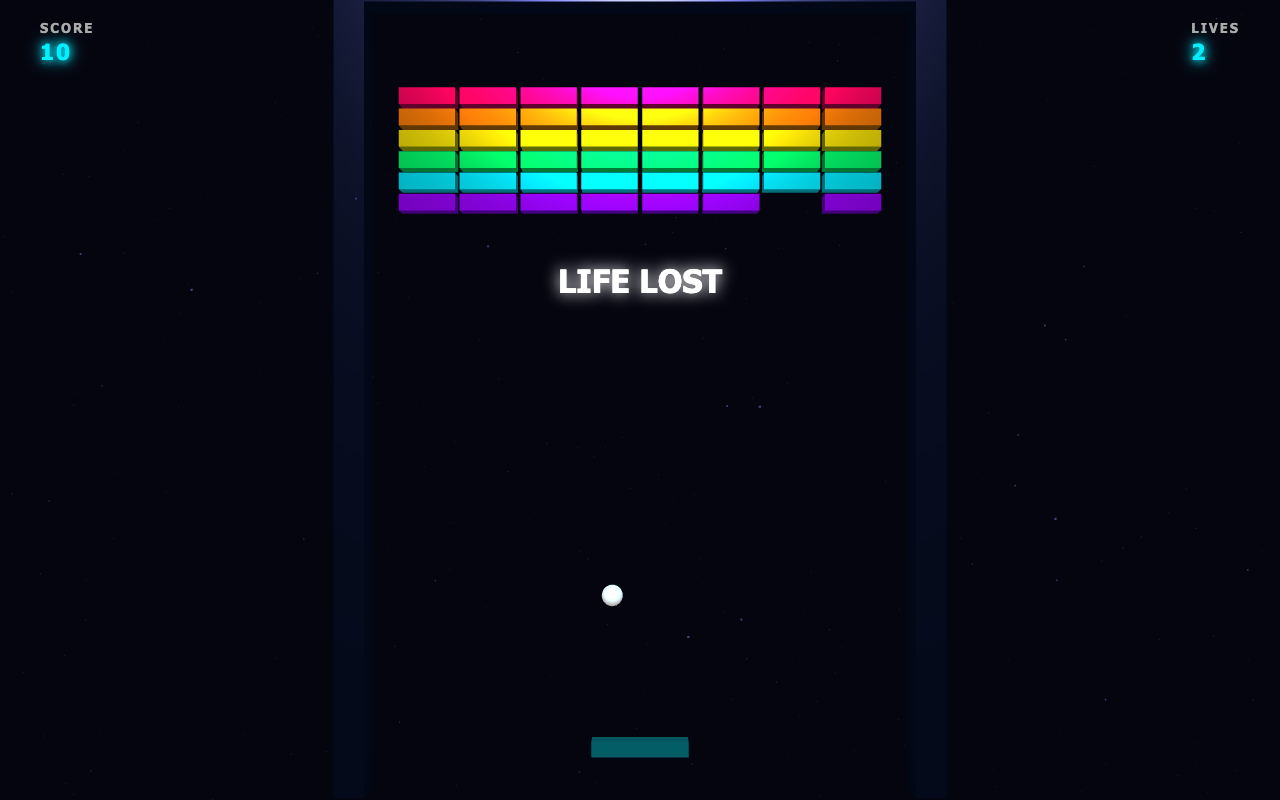
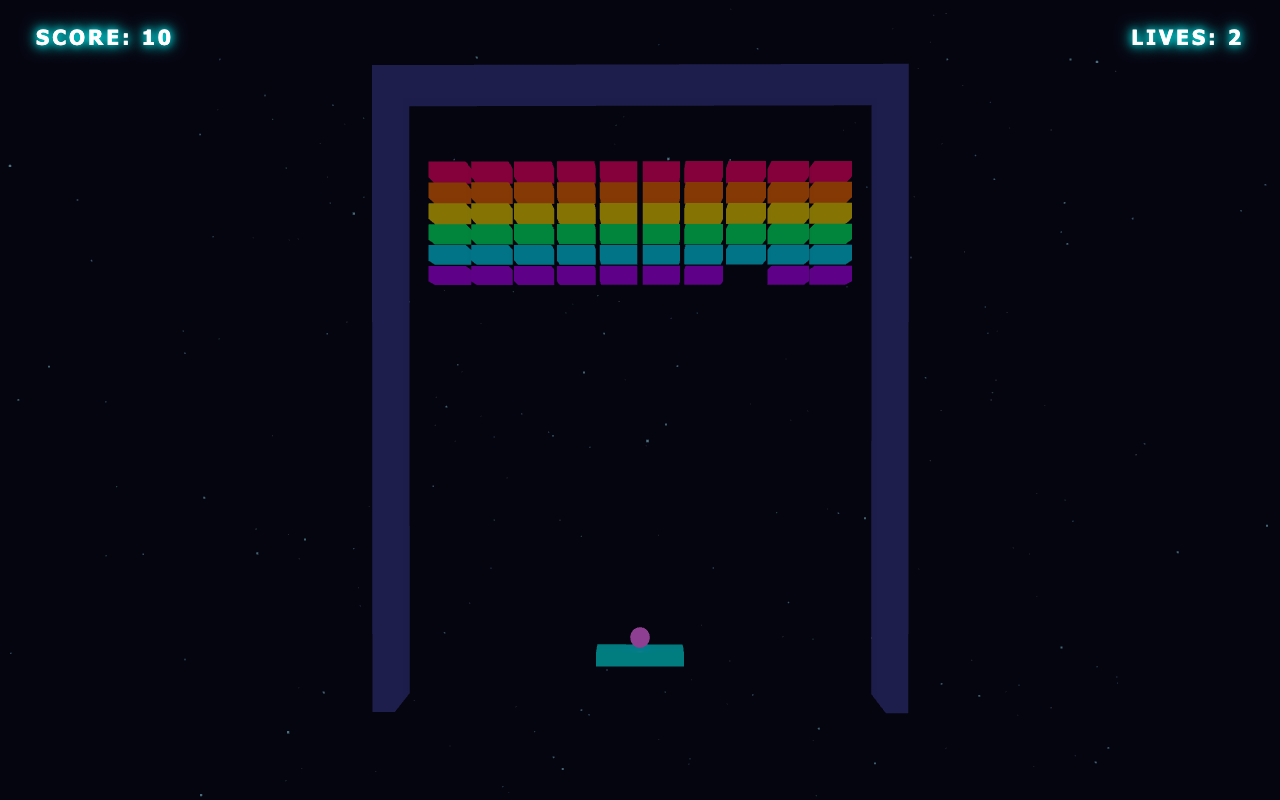
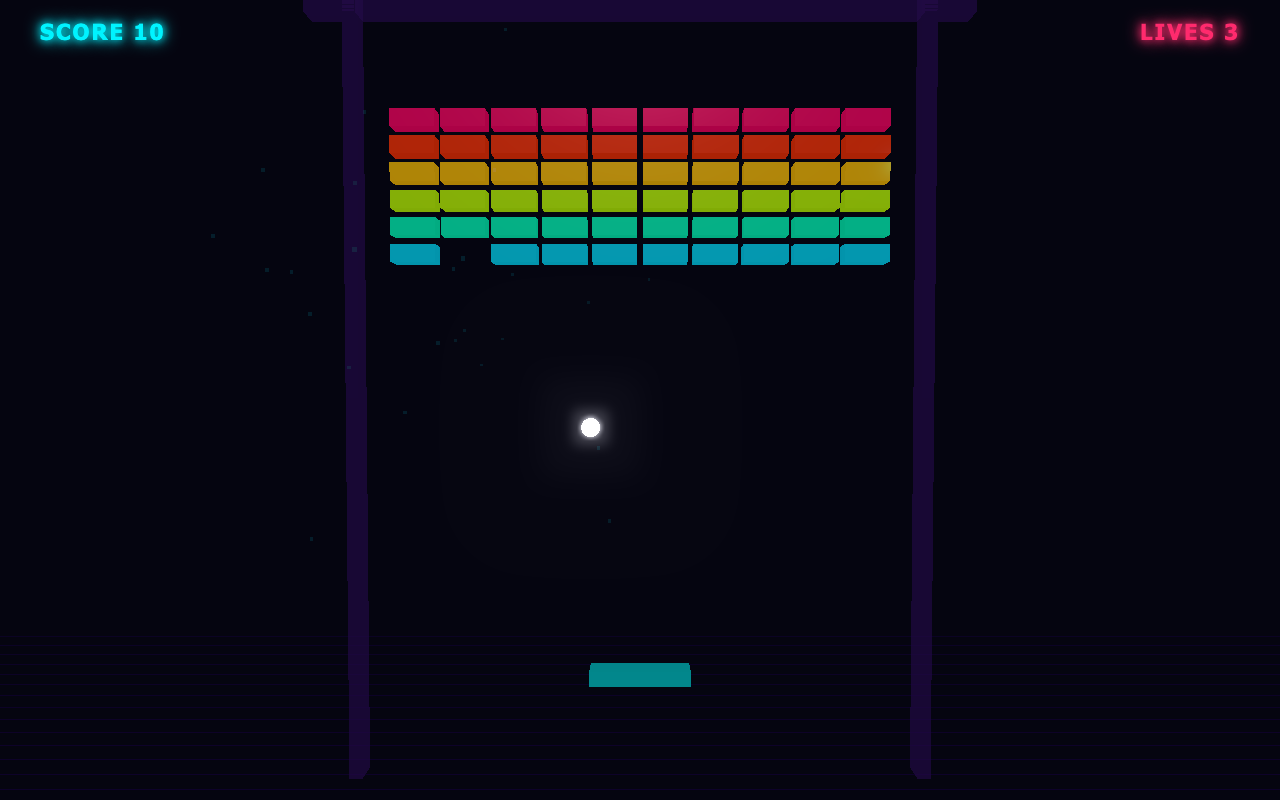
Paddle, real ball physics, a grid of neon bricks, score, lives, a particle burst on every break, a start screen and a game-over screen. The hardest test — it has to actually be fun.
click to start · move the paddle with your mouse · break every brick
What's on screen, plainly: all three are genuinely playable — paddle, ball physics, neon brick grid, score, lives, start and game-over screens. Fast and No-think both wrapped the play-field in a 3D framed border that adds depth. Quality kept it flat and clean. Play all three — they feel the same in your hands.
Now look at the clock. This is the run where Fast took 188 seconds — slower than Quality's 85, on an identical prompt — because the HighSpeed lane was throttled mid-build. Same playable result. More than double the wait. That single number is the whole capacity story, caught in one test.
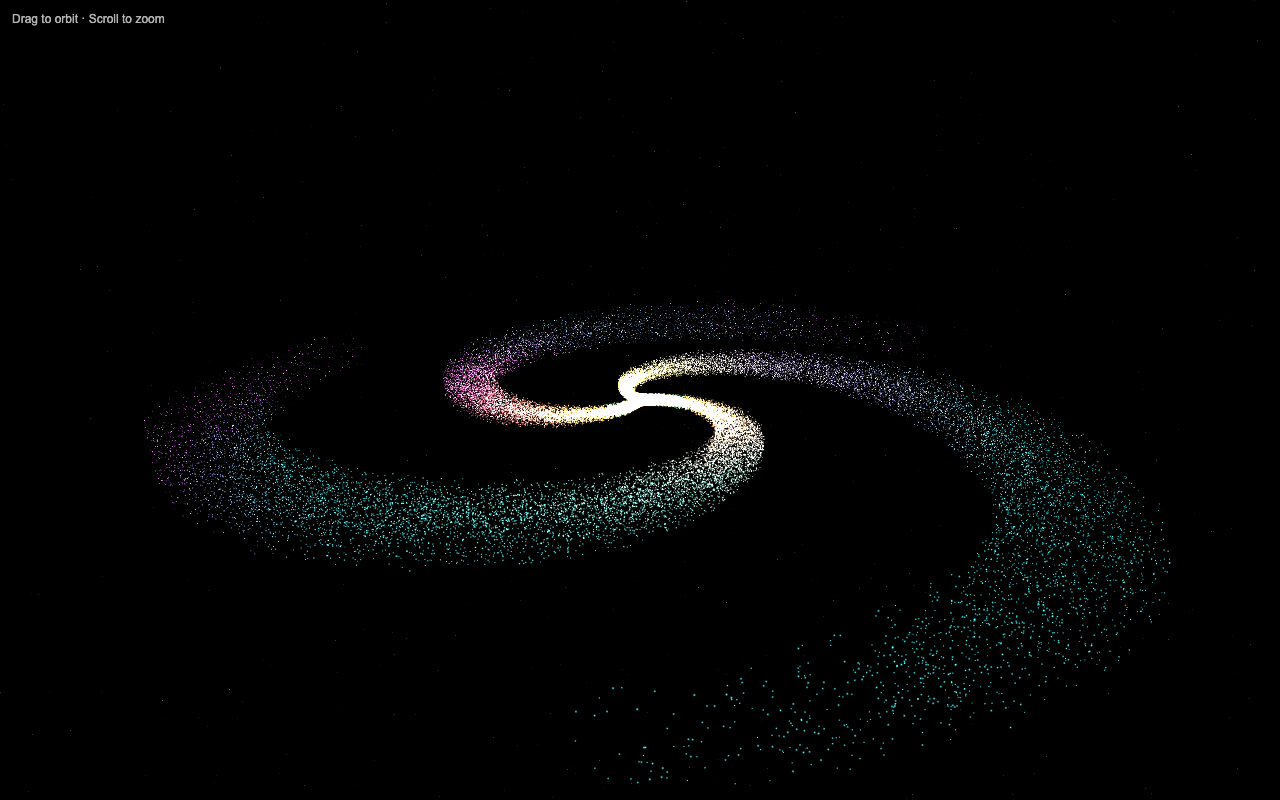
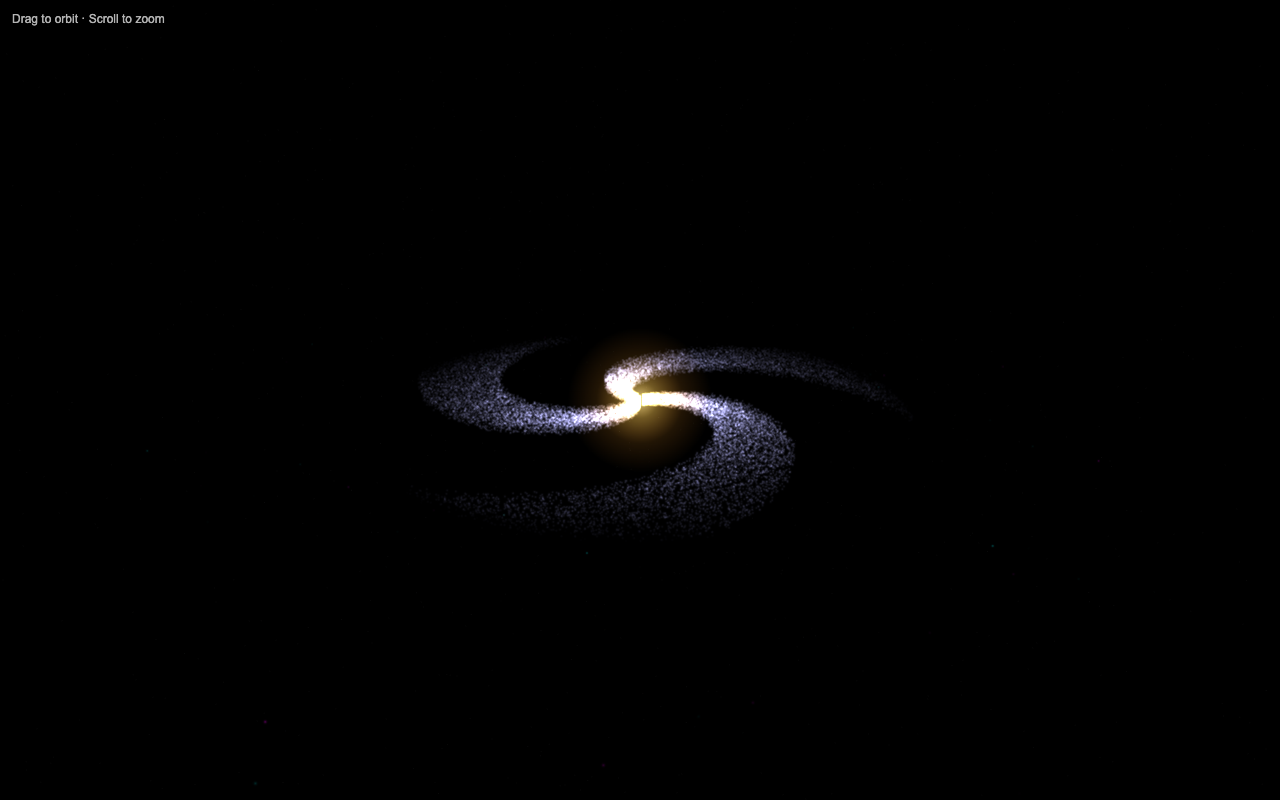
50,000 glowing particles, a warm gold core fading to cyan and magenta arms, a faint starfield, slow auto-rotate, mouse to orbit. The prettiest test — and the one where the gears stop agreeing.
drag to orbit · scroll to zoom · 50,000 live particles each
What's on screen, plainly: this is where the builds diverge. Quality drew a defined multi-arm spiral — you can trace distinct magenta and cyan lanes winding out from the core. Fast and No-think both made a softer, diffuse spiral with a bright centre: pretty, but the arms blur together. Same prompt, visibly different result. Don't take my word for it — they're running side by side right above. Look at the three and judge for yourself.
I'm not handing you a winner out of ten. Here's what the measured data and the live builds actually show — you've seen all of it above.
Speed is real but noisy. The fast gears win the median. They also swing the hardest. Quality is the slowest and the steadiest. If you need a predictable wait, that matters more than a fast average.
No-think is not a turbo button. It came out quickest on the median here — but switching thinking off doesn't reliably speed K2.7 up. It reasons inline instead. The fast number is partly luck of the draw on the lane, not the switch doing magic.
On simple, mechanical builds, the gears tie. The solar system and the Breakout game came out the same across all three. You genuinely cannot tell which gear built which. For that kind of work, grab the fast gear and move on.
On builds that lean on taste, thinking shows. The galaxy is the tell. The thinking gears drew defined spiral arms. The diffuse one came from the fastest run. When detail and look are the whole point, the extra thinking is exactly what you're paying for — and you can see it with your own eyes.
So the truth is simple: there's no best gear. There's a right gear for the job. Which is the whole point of the framework.
One model. Three gears. A dead-simple rule for which one to grab. Stop running everything at one speed — shift to match the job in front of you.
For the hero build. The thing that ships. Anything where the look or the detail is the whole point.
It thinks first, so it lands the polish. Slower — but rock-steady, 71–98s every time.
use for: the build that mattersThe daily driver. Iterating, prototyping, "just get me a working version."
HighSpeed with thinking still on — quicker when the lane's clear, a coin-flip when it's busy. Same code quality.
use for: most of your dayQuick jobs. Throwaway tests. Simple utilities where polish doesn't matter.
HighSpeed, thinking off — fastest on the median. Don't ask it to think hard about a hard problem.
use for: get-it-out-the-door workThat's it. Three gears, one shift rule. You stop taking whatever one setting gives you, and you start driving.
Three things keep people stuck on one gear. All three are wrong. Here's the swap.
Wrong: "Faster mode means worse code. I'll just always run the careful one."
Right: On simple, mechanical builds the fast gears tied the careful one — same working result, less wait. The gap only showed up on the one build that leaned on taste. For most of your day, fast costs you nothing.
Wrong: "No-think is the turbo button. Switch thinking off and everything's faster."
Right: Switching thinking off doesn't reliably speed K2.7 up — it reasons inline instead. It won the median here partly on luck of the lane. Treat it as the terse gear for simple jobs, not a magic speed-up for hard ones.
Wrong: "One model has one speed. There's nothing to tune."
Right: One model, three gears, one toggle. The same brain can run careful-and-steady or fast-and-loose depending on the job. The people who learn to shift get the best of both — and never wait longer than they have to.
2,200+ founders inside the Boardroom are already building with this stack. Their wins — real businesses, real results — are documented here.
Read the member wins doc →Speed says No-think. Steadiness says Quality. Reality says it depends what you're building. Here's the simple call.
The hero shot. The demo, the landing page, the build you'll ship. Anything where the look or the detail is the point. Worth the steady extra 20–40s.
The daily driver. Iterating and prototyping. When HighSpeed has capacity it's genuinely quicker with no quality drop. When it doesn't, you'll feel it — but the code's the same.
The terse one. Quick utilities, transforms, simple builds. Fastest on the median — just don't lean on it for a problem that needs real thought.
Two ways to run this. The command line for tinkerers, or the toggle in the Agent OS for everyone else.
Each gear is a model alias in your Kimi config. One line in the chat box flips the lane:
Inside the Agent OS, the same three gears live as a toggle right in the chat box — Quality, Fast, No-think. Click the gear, type the build, watch it preview live as it writes. No config, no restart, no command to remember. That's the version 2,200+ members run.
All three Kimi gears live inside the Agent OS — a Quality / Fast / No-think toggle right in the chat box, builds previewing live as they write. Run your own head-to-heads, time them yourself, keep the winners.
link in the description ↗