agentos.guide › blog
Hermes Rewind: Four Prompts To Check, Rewrite, Fork And Compare Sessions In Your Agent OS
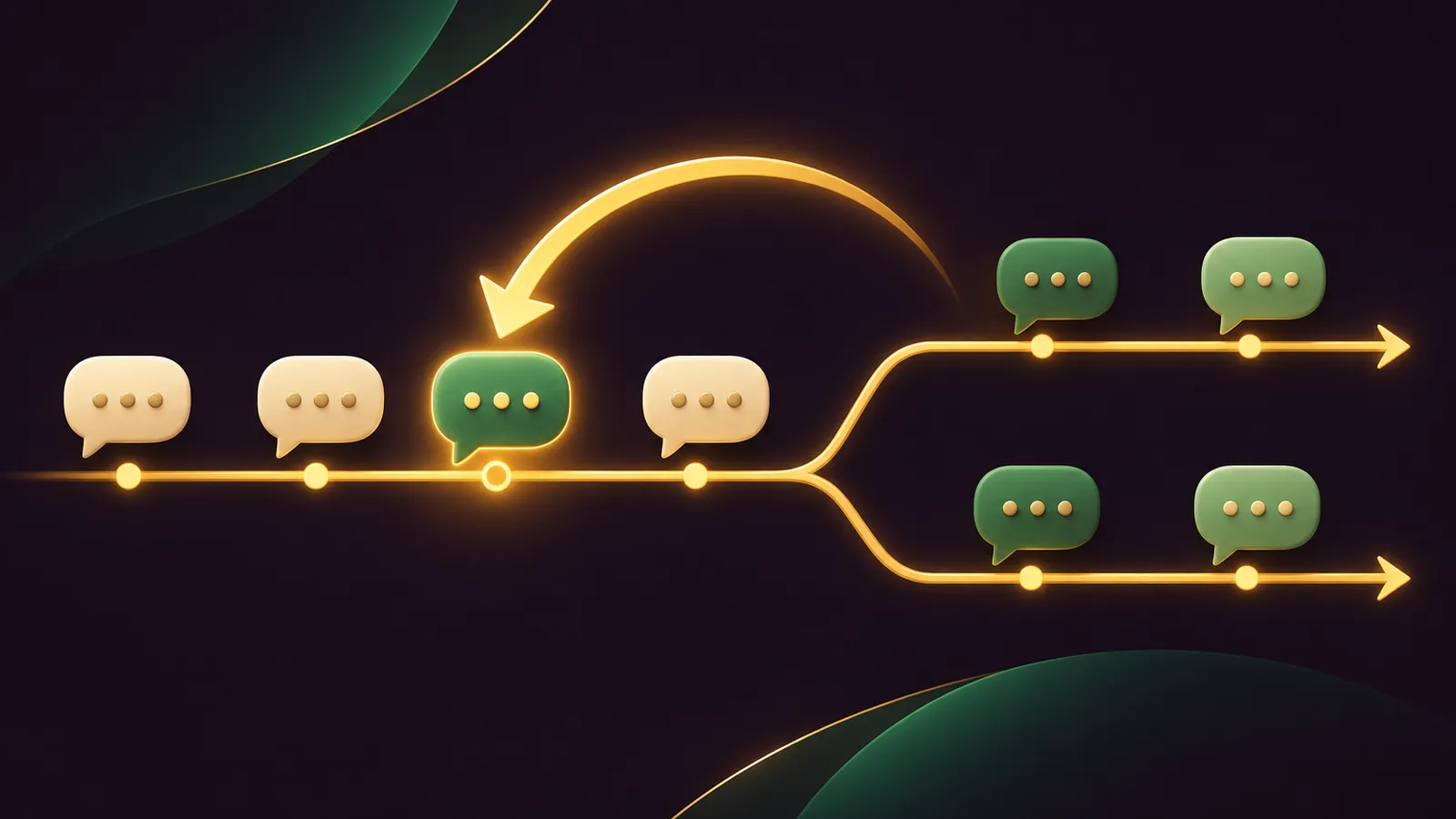
Hermes rewind in your Agent OS works best as a two-person job: you choose the moment to go back, and the agent prepares the ground before you do it and checks the result afterwards.
The picker arrived in Hermes Agent v0.23.0 on 5 November 2026 (release notes), in the TUI and the classic CLI.
This guide gives you a quick start, four prompts to paste, and a short routine for agency and small-business work.
If you would like my team to help plan your setup, get your Backlink Gameplan, or try Polar Rank free for 3 days.
Quick Start: The Keys And Commands
| Action | What happens |
|---|---|
/rewind or Esc Esc on an idle, empty prompt | Opens a list of your earlier prompts, newest first |
Enter, then edit, then Enter | Cuts the session back to before that prompt and sends your new text; later turns are archived |
f | Forks a new session from just before that prompt, with the prompt prefilled and unsent |
/rewind N | Edits prompt N directly |
/rewind fork N | Forks from just before prompt N |
Esc | Steps back out; nothing is removed until you send |
The TUI guide adds that the TUI needs the shared gateway (hermes serve) for this, and that Esc Esc with a draft in the box discards the draft rather than opening the list.
Update first with hermes update, then send a couple of messages in a TUI or classic CLI session so the list has something in it.
The classic CLI calls the same screen the backtrack picker, which is worth knowing when you search the docs.
Why The Agent Should Help Before You Rewind
Rewind only rewinds the chat.
Any file the agent saved or edited after the chosen prompt stays as it is on disk.
Files come back through /rollback, and the checkpoints guide says checkpoints are off unless you start with --checkpoints or switch them on in config.
So the first prompt below asks the agent to tell you what a rewind would leave behind.
The other prompts cover the moments around a rewind where the agent is more useful than the keyboard: writing the better brief, filling in a variant, and judging two results.
Prompt 1: The Pre-Rewind Check
Paste this before you open the picker:
Before I rewind this session, list every file you created, edited or deleted
since my message that starts "[first few words of the prompt]".
For each one give the path and what changed.
Then tell me whether checkpoints are enabled for this session,
and if they are, which /rollback checkpoint matches that point.
Do not change anything.
If the list is empty, rewind freely.
If it is not, decide whether those files should go back too before you cut the chat.
🔥 Want the full Agent OS with Hermes already wired in?
Inside the AI Profit Boardroom you get the installable Agent OS, step-by-step video trainings, four coaching calls a week and 3,400+ members sharing their prompts.
Prompt 2: Rewrite The Brief Before Edit And Resend
When an early brief was weak, let the agent help you write a better one, then paste the improved text into the rewound prompt.
Look back at my message that starts "[first few words]".
Based on everything that went wrong after it, rewrite that message as a
clearer brief: the goal, the audience, the must-include facts and the format.
Give me only the rewritten brief so I can paste it into /rewind.
Then open the picker, highlight that prompt, press Enter, replace the text, and send.
The old turns are archived and the session carries on from the cleaner brief.
Having the agent write the brief works well because it has just seen every place the old one fell short.
Prompt 3: The Client Variant Fork
For agencies, this is the move you will reach for most.
Fork from just before the message that named the first client, then replace the prefilled prompt with this:
Same task as before, but for a different client:
Business: [name]
Town: [town]
Services: [list]
Tone: [tone]
Keep the structure we agreed earlier in this session.
Change every client-specific detail and flag anything you are unsure of.
Then title the fork so you can find it later:
/title [client name] variantPrompt 4: Compare Two Forks
Once both sessions have done their work, open a third chat and let the agent compare them using session search, which the memory docs describe.
Search my sessions titled "[title A]" and "[title B]".
Compare the final output of each in a short table: structure, tone,
facts included, and anything one has that the other is missing.
Recommend one, and say why in two sentences.
Prompt 5: Tidy Up After A Busy Week Of Forks
Forks are cheap to make and easy to forget.
This prompt keeps the session list readable:
List my sessions from the last seven days that share their opening messages
with another session, which usually means one is a fork of the other.
For each pair, show both titles, the last message date and a one-line
summary of where they differ. Suggest a clear /title for any that are untitled.
Do not delete or change anything.
You stay in charge of what gets closed; the agent only reports.
Gotchas For Agent OS Users
- Esc Esc with a draft in the box wipes the draft, so type
/rewindwhen you have text waiting. - Esc while the agent is working interrupts the turn instead of opening the picker.
- Prompts that carried an image show up by number only and cannot be chosen.
- The TUI refuses the command without the shared gateway, so start
hermes servefirst if you run your own. - Rewound turns stay in exports, so a rewind is not a way to remove something you pasted by mistake.
In the TUI, approval prompts also gain "No, and tell Hermes what to do instead", which denies a command and steers your correction into the live turn.
Reach for that first when a single command is wrong; rewind is for when the whole direction is.
A Short Routine For Daily Work
- Start any client job with checkpoints on if the agent will touch files.
- Title the session as soon as it starts.
- When a turn goes wrong, run Prompt 1, then rewind.
- When you want an option, fork instead of editing, and title the fork.
- At the end of the week, run Prompt 4 on any forks still open and close the losers.
🔥 Need a hand fitting this into your client work?
Get your Backlink Gameplan and my team will look at your agents, your content and how the two connect.
Three Small-Business Examples
- Beauty salon: the agent drafts a booking-reminder sequence; the owner runs Prompt 2 to add the cancellation wording to the brief, rewinds to that brief and resends it.
- Café: the agent writes a weekend specials post; the owner forks from the request and asks for a version aimed at families, then compares the pair with Prompt 4.
- Accountant: the agent drafts a document-request email for clients; the partner forks to keep a formal version and a friendlier one, with no advice in either draft.
- Plumber: the agent writes a service-area page with the wrong town; the office manager types
/rewind 1, fixes the town in the first prompt and sends, and the agent rebuilds the page from the corrected brief.
How Rewind Sits Next To Compaction And New Sessions
Rewind fixes a wrong turn or splits a timeline.
Compaction shrinks a long session that is fine apart from its length; my guide to Hermes compaction covers how to tune it.
A new session with /new is for unrelated work.
And the sessions guide is clear that rewound turns stay in exports, so none of these is a privacy delete.
What Is Not There Yet
The pull request keeps the picker in the TUI and classic CLI.
Desktop already had edit-and-resend of its own.
Rewinding from Telegram, Slack and other messaging platforms is still listed as later work.
Image prompts are listed by number only and cannot be picked.
If your team works mainly through a chat app, keep using /undo and /branch there for now; on Discord, Telegram, Slack and Matrix the docs say a branch opens in a new sibling thread.
🔥 Learn the rest of the Hermes toolkit with us.
The AI Profit Boardroom has step-by-step video trainings on sessions, skills and cron, plus four live coaching calls every week.
Prefer a call first? Get your Backlink Gameplan and bring your current Agent OS setup, or try Polar Rank free for 3 days.
FAQ
Can the agent rewind the session for me?
You open the picker yourself with /rewind or Esc Esc in the TUI or classic CLI. The agent can prepare the rewritten prompt and check for file changes first.
Why check files before rewinding?
Rewind changes the conversation only. Files the agent edited stay changed unless you restore them with /rollback, which needs checkpoints switched on.
How do I keep track of several forks?
Give each one a title with /title straight after forking, then use session search or the /sessions picker to find them.
Does a fork change my original session?
No. A fork is a new session holding everything before the chosen prompt, and the original is left untouched.
Final word on Hermes Rewind
Paste Prompt 1 the next time a chat goes sideways, and get your Backlink Gameplan, try Polar Rank free for 3 days, or join the AI Profit Boardroom when you want help building your routine around Hermes rewind.
About Julian
I'm Julian Goldie, an AI entrepreneur, SEO expert and the founder of the AI Profit Boardroom, which has 3,400+ members.
I help business owners scale with AI agents, automation and SEO.
My YouTube channel has 400,000+ subscribers, and I run Goldie Agency, a seven-figure SEO agency.
Related guides on agentos.guide
→ Hermes Delegation: Run Parallel Subagents In Your Agent OS With 5 Copy-Paste Prompts
→ Hermes Agent Cron Job: Schedule, Stop And Recover Jobs In Your Agent OS With 5 Copy-Paste Prompts
→ Grok Bot AI Full Course (Step By Step)
Get the whole Agent OS
The installable system behind every guide on this site — dashboard, agents, memory and pipelines — updated as new tools land, with 3,400+ members and four coaching calls a week.
Join the AI Profit Boardroom →📺 Video notes + links to the tools 👉
🎥 Learn how I make these videos 👉