agentos.guide › blog
Hermes Delegation: Run Parallel Subagents In Your Agent OS With 5 Copy-Paste Prompts
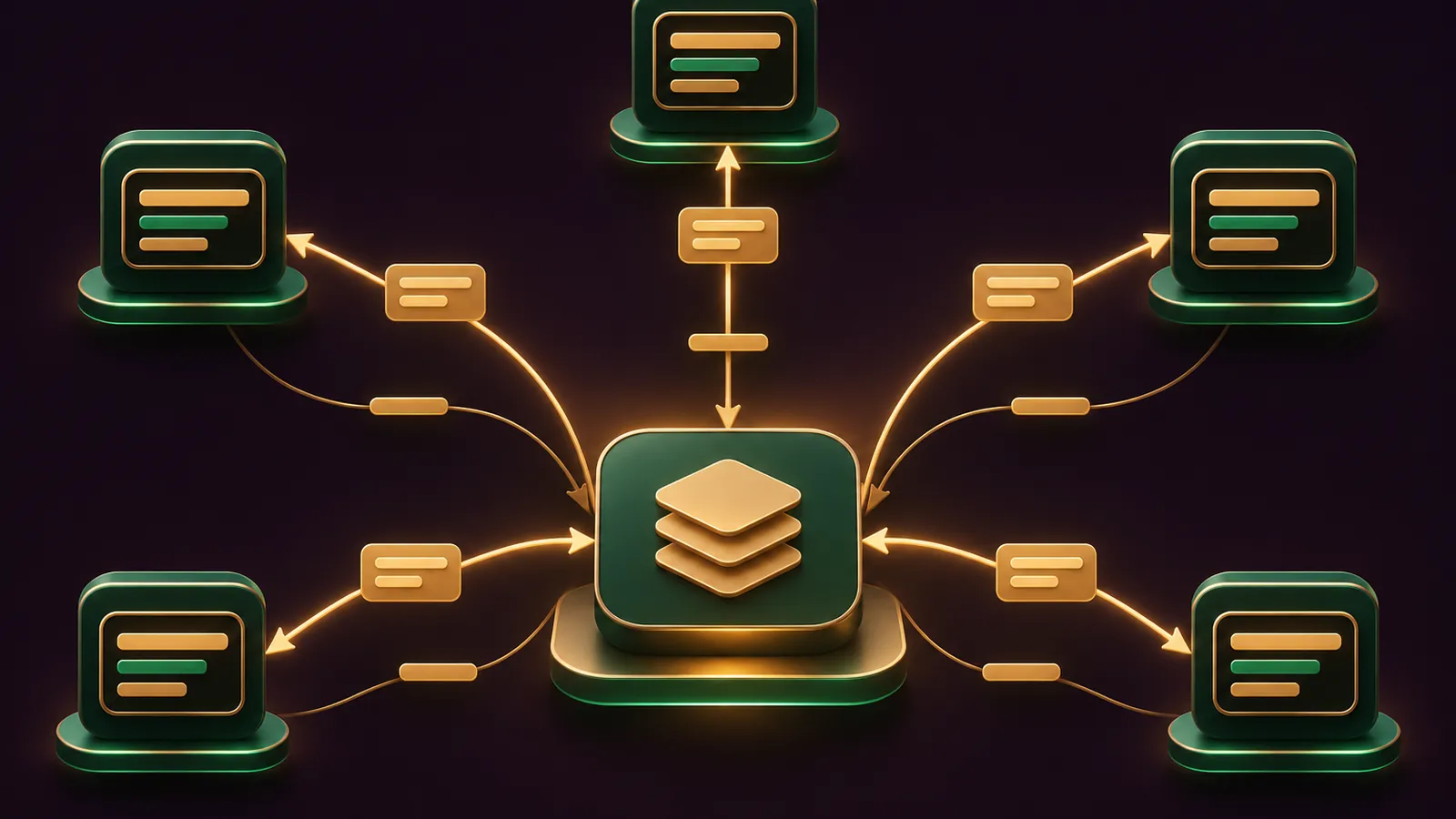
Hermes delegation turns your Agent OS from one agent working in a line into a planner with a team of workers running in parallel.
You don't have to hand-write any of it: paste the prompts below into your agent and it sets up delegate_task, the worker model and the routes for you.
Everything here follows the official Subagent Delegation docs and the v0.22.6 release from 2 November 2026.
If you'd like a hand fitting agents into your business, book a free strategy session with my team, or get the full build inside the AI Profit Boardroom.
Quick Start: Three Things To Check First
First, the version.
v0.22.6 is the release where /delegation choices are saved for the next session, so update the CLI before anything else:
hermes updateDocker users pull nousresearch/hermes-agent:stable; Desktop installs from the .exe or .dmg get this with the next bundled release, per the release notes.
Second, the briefing rule.
A subagent starts with a fresh conversation and knows only the goal and context it's given, plus your workspace's AGENTS.md or CLAUDE.md.
Third, the limits.
The delegation page and the configuration reference disagree on default concurrency (10 versus 3), so you'll set it explicitly in Prompt 1.
Why Delegation Belongs In Your Agent OS
An Agent OS runs lots of jobs through one main agent, and that agent's context window is the bottleneck.
Every web search, file read and test log it handles itself stays in the conversation and costs tokens on every later turn.
Delegation moves that noise into child agents and brings back only the conclusion.
Each child gets its own terminal session and the parent's enabled toolsets, but it can't widen them, so a worker never gets more access than the planner has.
Workers are also fenced in a sensible way: they can't ask you questions, write shared memory, send messages or schedule cron jobs.
So the planner stays in charge of anything that reaches you or the outside world.
The docs add that the agent delegates on its own when a task is complex enough, so these prompts mostly set the rules it works within.
Prompt 1: Audit And Set Sensible Limits
Paste this first, so the agent reads your real config before changing anything.
Read the Hermes Subagent Delegation docs at
https://hermes-agent.nousresearch.com/docs/user-guide/features/delegation
and the Delegation section of
https://hermes-agent.nousresearch.com/docs/user-guide/configuration

Then show me the current delegation: block in ~/.hermes/config.yaml.
Set these explicitly and show me the diff before saving:
- delegation.max_concurrent_children: 4
- delegation.max_iterations: 120
- delegation.max_spawn_depth: 1
Do not change delegation.backend.
Four workers is a calm starting point; raise it once you've watched a few batches finish.
The iteration cap of 120 is below the default 250, which is handy for fleets of short jobs.
Prompt 2: Put Workers On A Cheaper Model
The docs' cost advice is a frontier planner with inexpensive workers, because the children burn most of the tokens.
Keep my main model as it is.
Set delegation.model and delegation.provider in ~/.hermes/config.yaml
to a fast, inexpensive model I already have credentials for.
List the providers I have keys for, recommend one model, and wait
for my yes before saving. Then explain the resolution order:
delegation.base_url, then delegation.provider, then the parent.
In Desktop, the same setting lives at Settings → Model → Subagents, and nothing applies until you click Apply.
🔥 Want the Agent OS with delegation already tuned?
Inside the AI Profit Boardroom you get step-by-step video trainings, the installable Agent OS with Hermes inside, four coaching calls a week and 3,400+ members sharing the worker setups they run.
Prompt 3: A Parallel Research Batch With A Fixed Answer Shape
This is the everyday pattern: several independent questions, one consolidated answer, structured so you can reuse it.
Use delegate_task with a tasks batch, one task per competitor:
competitor-a.com, competitor-b.com, competitor-c.com.
For each task, write a full goal and context (the subagent knows
nothing about this chat). Give each an output_schema requiring
only: name (string), main_offer (string), sources (array of URLs).
When the batch returns, check schema_valid on every result and
summarise the three in one table.
If a child's JSON fails validation, Hermes sends one correction turn; if that fails too, you still get the raw text with schema_valid: false.
That's why the prompt asks the agent to check the flag rather than trust every row.
By default the whole batch comes back as one message; if you'd prefer each competitor to land as it finishes, set delegation.independent_completions: true and start a new session.
Prompt 4: Named Routes With The advanced-delegation Plugin
The default backend runs every child on one model.
The official advanced-delegation plugin adds model_map and profile_routes, plus hermes delegation config and the /delegation command; its README says it needs Hermes 0.22.5 or newer.
Install the official plugin with:
hermes plugins install advanced-delegation
Then set up model routes in ~/.hermes/config.yaml under
delegation.backends.model_map with two options:
- fast: "Cheap and quick; lookups, summaries, simple edits."
- deep: "Slow and careful; hard debugging and design work."
Use models I have credentials for, set default: fast,
and run hermes delegation config --show to confirm.
The agent only ever sees fast and deep with their descriptions, never the provider, model or key.
I go through the plugin's own editor in more depth on the Hermes advanced delegation guide.
Prompt 5: Switch Backends Without Breaking A Chat
This is the v0.22.6 behaviour, and it's worth knowing before you flip modes mid-project.
/delegation
/delegation model_map
/new
/delegation model_map saves delegation.backend to config.yaml and applies from the next session, so /new finishes the switch.
The running chat keeps its old backend, because the option names the model sees live in the cached tool list.
Need it right now? Add --now:
/delegation default --nowHermes swaps the tool list on your next message, and you pay for it with a single cache miss.
Without the plugin, the fallback is hermes config set delegation.backend default.
A Daily Workflow That Uses All Of It
Morning: ask your planner for the day's research or review jobs, written as one batch with full context per task.
Let it run in the background while you carry on; the result arrives as a new message.
Midday: open the roster with Ctrl+T (or F6) in the CLI, or the Subagents panel in Desktop, and steer any worker drifting off brief.
Afternoon: for code, turn on delegation.worktree_isolation: true so each worker commits on its own hermes-subagent/subagent-<id> branch, then review the branches.
End of day: type /review to send a fresh reviewer over the work your chat produced.
What To Check In Every Result
Read status first: completed, failed, timeout or interrupted each mean something different.
On routed tasks, open the route object: it confirms the route name plus the exact model and effort level that served the work.
If you see fallback_activated: true, a fallback provider took over.
A worker that ran out of turns reports exit_reason: max_iterations and truncated: true, which tells you to raise the cap or split the job.
There's no wall-clock timeout by default; a heartbeat monitor only stops a worker that has gone quiet for 450 seconds between turns, or 1,200 seconds inside a tool.
A task the backend couldn't route comes back alone with route.refused: true, while the rest of the batch runs.
And if a worker says the tests pass, run them yourself; the patterns guide is clear that a summary is just a summary.
🔥 Want my team to plan your agent workflows?
Book a free strategy session and we'll show you where AI agents and SEO save your team the most time.
Nesting: Only Raise Depth When You Need It
By default delegation is flat: the planner spawns workers, and workers can't spawn their own.
For a multi-stage job, say research then synthesis, set delegation.max_spawn_depth: 2 and have the planner use role="orchestrator" for the child that coordinates.
That child then waits for its own workers inside its turn, so it can combine their results before reporting back.
Watch the multiplication, though.
The docs warn that a depth of 3 with 3 children per level can reach 27 concurrent leaf agents, and each one is a full model loop.
One-shot runs are capped separately at 2 subagents in total by default, through delegation.oneshot_max_children.
When To Use A Cron Job Instead
Delegation is asynchronous but not durable.
A restart doesn't resume a running child, and /stop or closing the session ends background workers.
For anything that must run on a schedule or survive a restart, use a cron job; the Hermes cron job guide walks through that inside an Agent OS.
Want the full system with trainings and weekly coaching? Join the AI Profit Boardroom.
Also On Our Network
- 🌐 The seven-step operator setup for delegate_task, worker models and saved backends
- 🌐 The business case for subagents, with three use cases and the credential risk
- 🌐 A nine-criterion scorecard for subagents, including where the docs disagree
- 🌐 Which models to put in the planner and worker seats, with GoldieBench scores
- 🌐 The complete Hermes delegation guide on the AI Profit Boardroom blog
FAQ
Can my agent set up Hermes delegation by itself?
Yes. Paste the prompts and it can edit config.yaml, install the plugin and set routes. Ask it to show the diff and wait for your yes before saving.
Why does /delegation not change my current chat?
Since v0.22.6 the choice is saved and applies from the next session, because the route names are part of the cached tool list. Run /new, or add --now to rebuild this chat's tools at its next turn.
How do I stop a background worker?
Use /stop, or the Stop control for that worker in the roster or Desktop panel. Ctrl+C and Esc end only your current turn.
Where can I read what a worker did?
Each task writes a log under ~/.hermes/cache/delegation/live/ with a manifest.json alongside. The folders are pruned after 7 days.
Final word on Hermes Delegation
Paste Prompt 1 into your agent now, run one small batch today, and if you want help shaping the rest, book a free strategy session and bring your Hermes delegation config.
About Julian
I'm Julian Goldie, an AI entrepreneur, SEO expert and the founder of the AI Profit Boardroom, which has 3,400+ members.
I help business owners scale with AI agents, automation and SEO.
My YouTube channel has 400,000+ subscribers, and I run Goldie Agency, a seven-figure SEO agency.
Related guides on agentos.guide
→ Hermes Group Chat: Run A Bot Council In Your Agent OS
→ Hermes Compaction: Set Up prepare_ahead In Your Agent OS
→ The Best Hermes Agent Model, And The Five Model Lanes I Route Inside My Agent OS
Get the whole Agent OS
The installable system behind every guide on this site — dashboard, agents, memory and pipelines — updated as new tools land, with 3,400+ members and four coaching calls a week.
Join the AI Profit Boardroom →📺 Video notes + links to the tools 👉
🎥 Learn how I make these videos 👉