The new Hermes OS is INSANE.
That reel above? Every clip is something my AI built — a game, a galaxy, a neon city — from one sentence each. The new Hermes Operating System builds games, animations, AI videos, and thumbnails right on my screen — and I talk to it out loud like Jarvis. Below you can click into every one of these live, then I'll run you through every single feature with real proof. Let's go.
Every single thing below — built inside the OS. Most from one sentence.
I didn't design any of these in a tool. I said one line to my AI and watched it build, live, on my screen. Here's a taste before we get into how it all works.
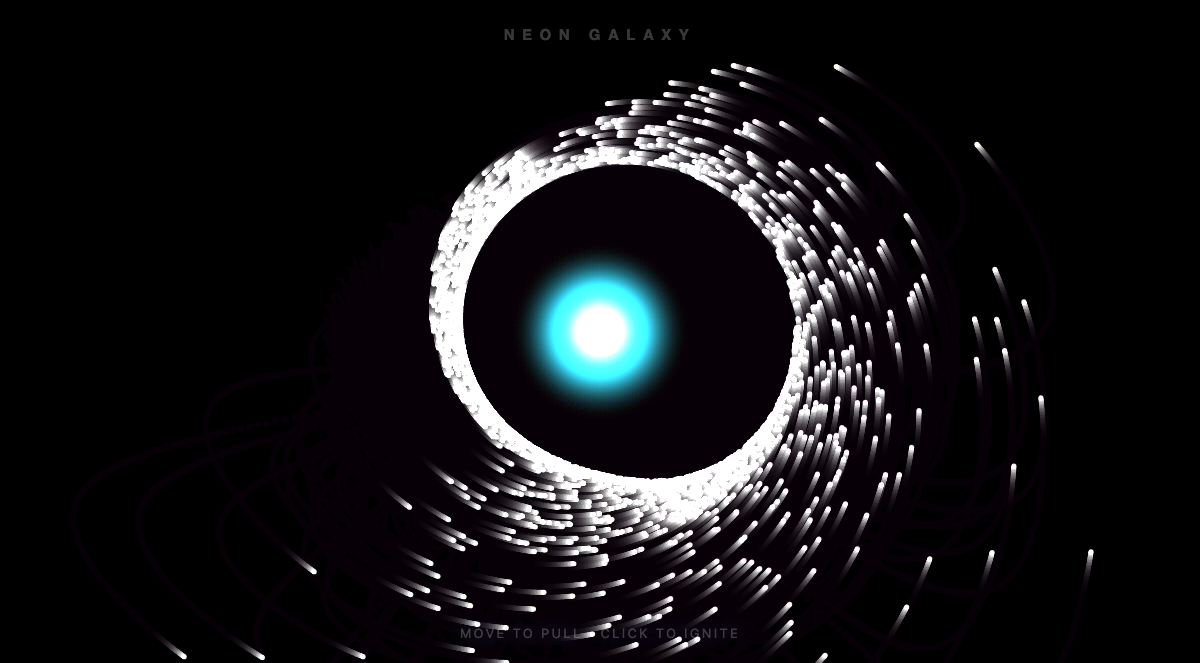
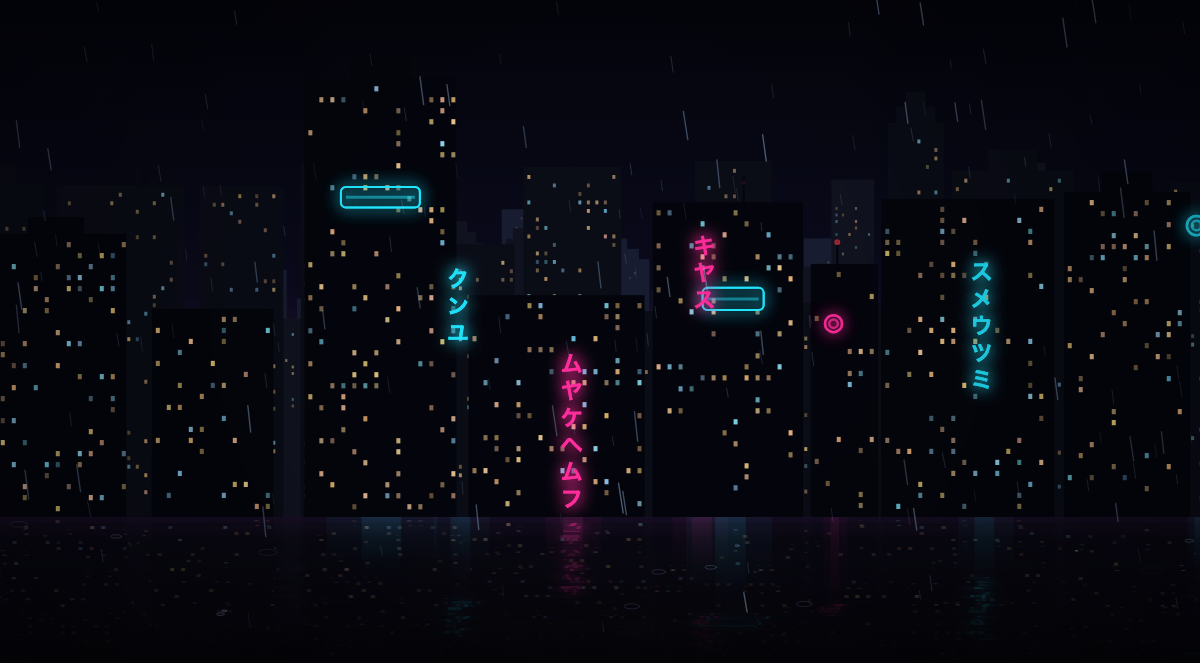
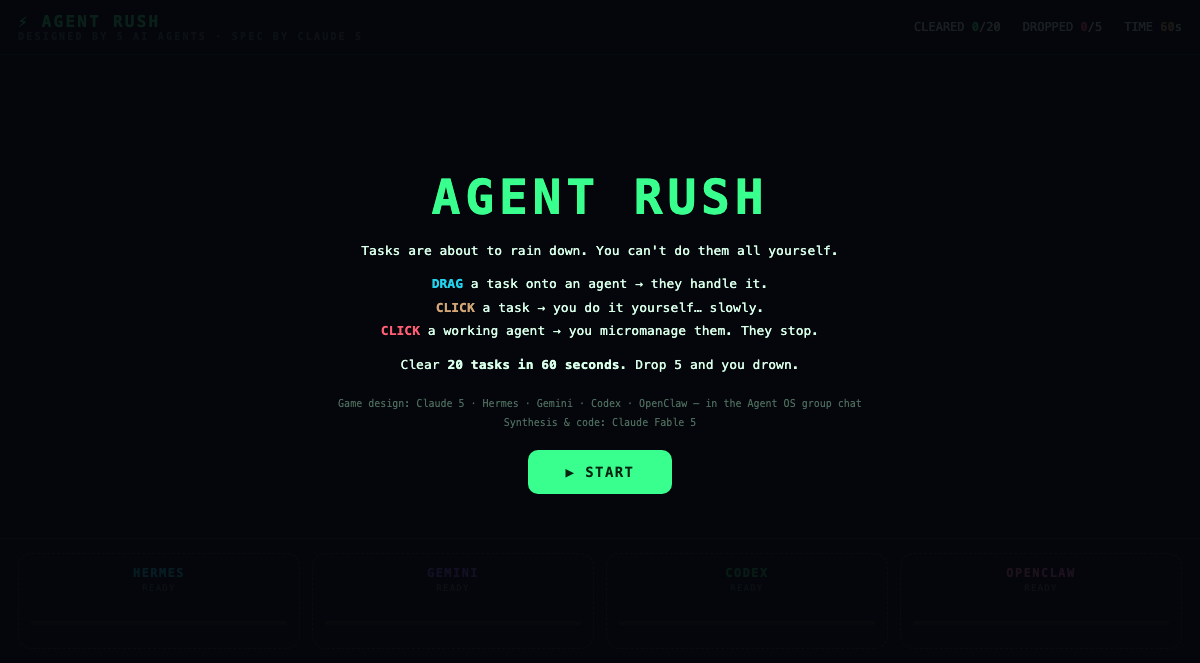
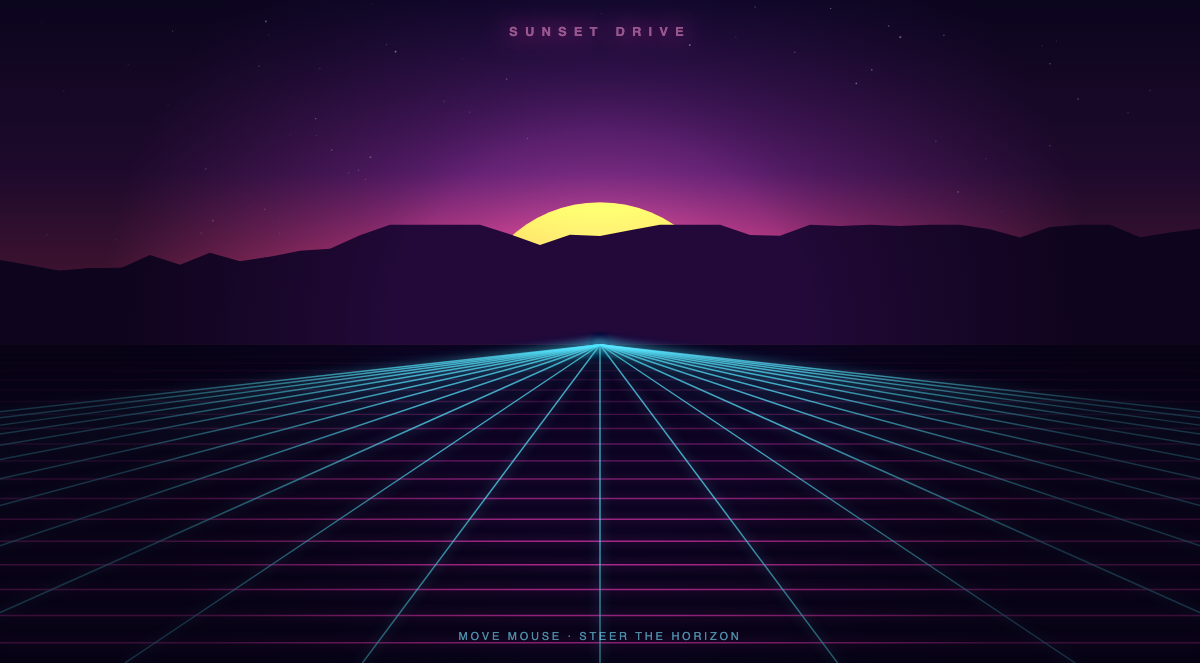
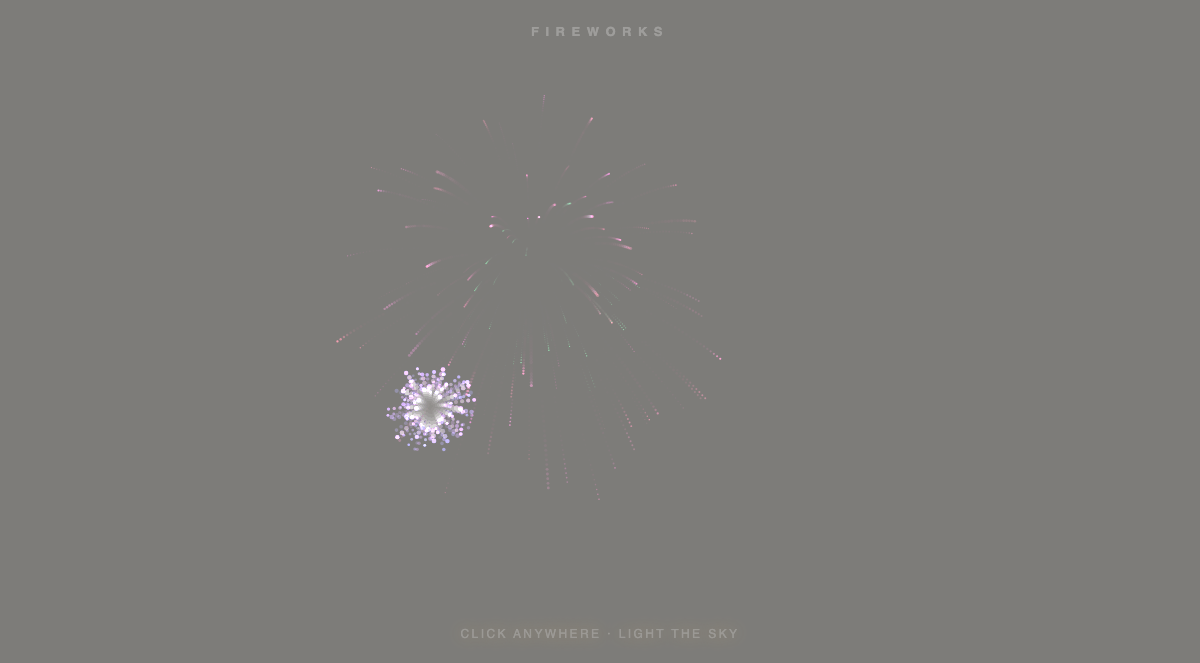
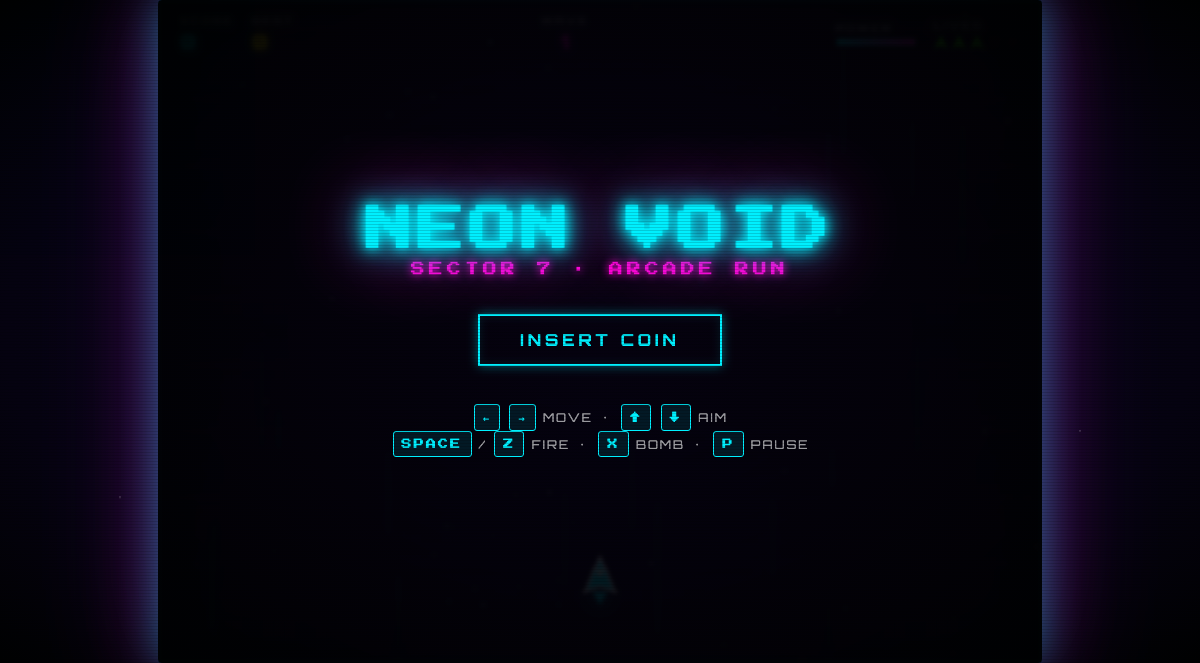
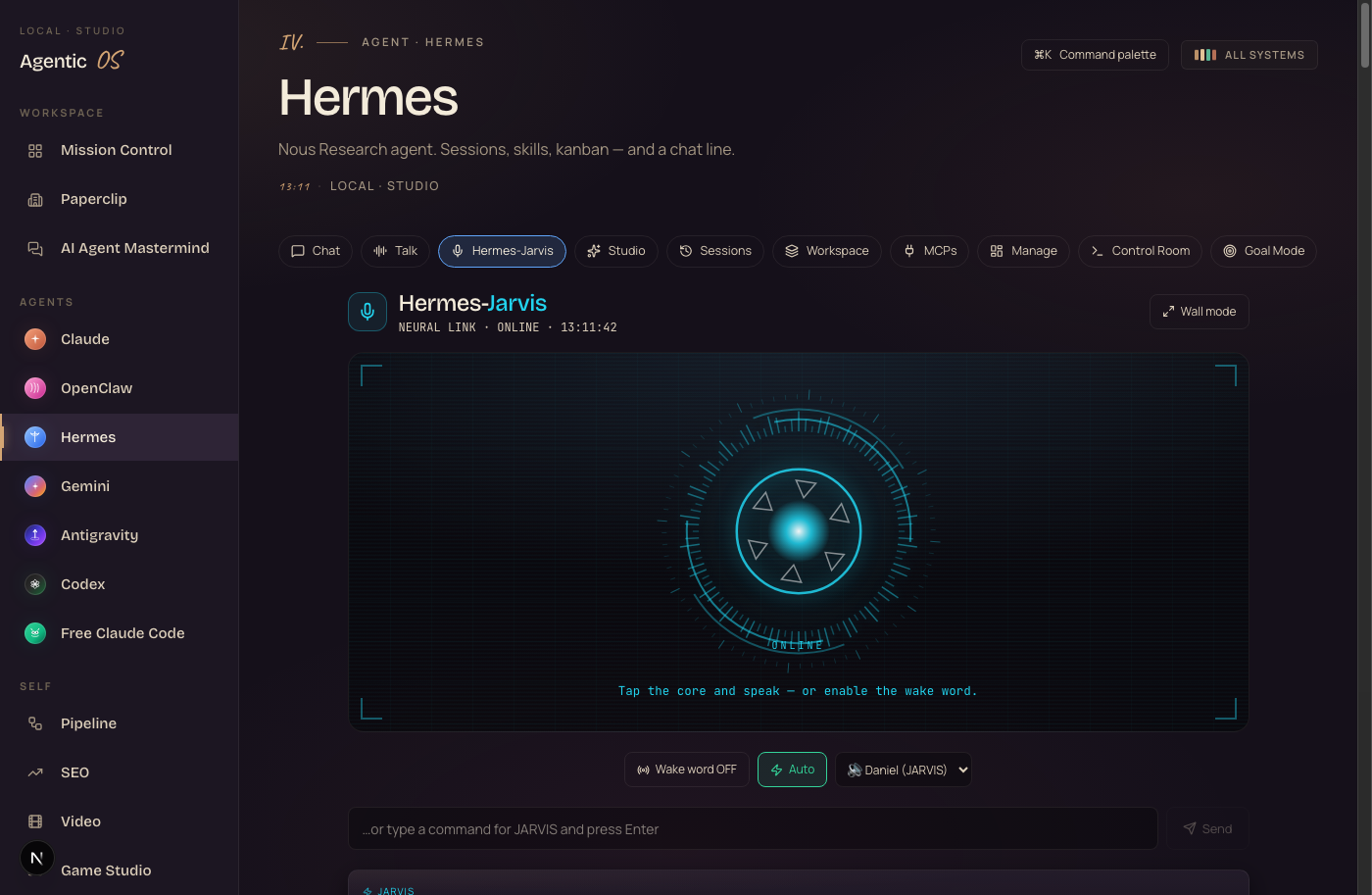
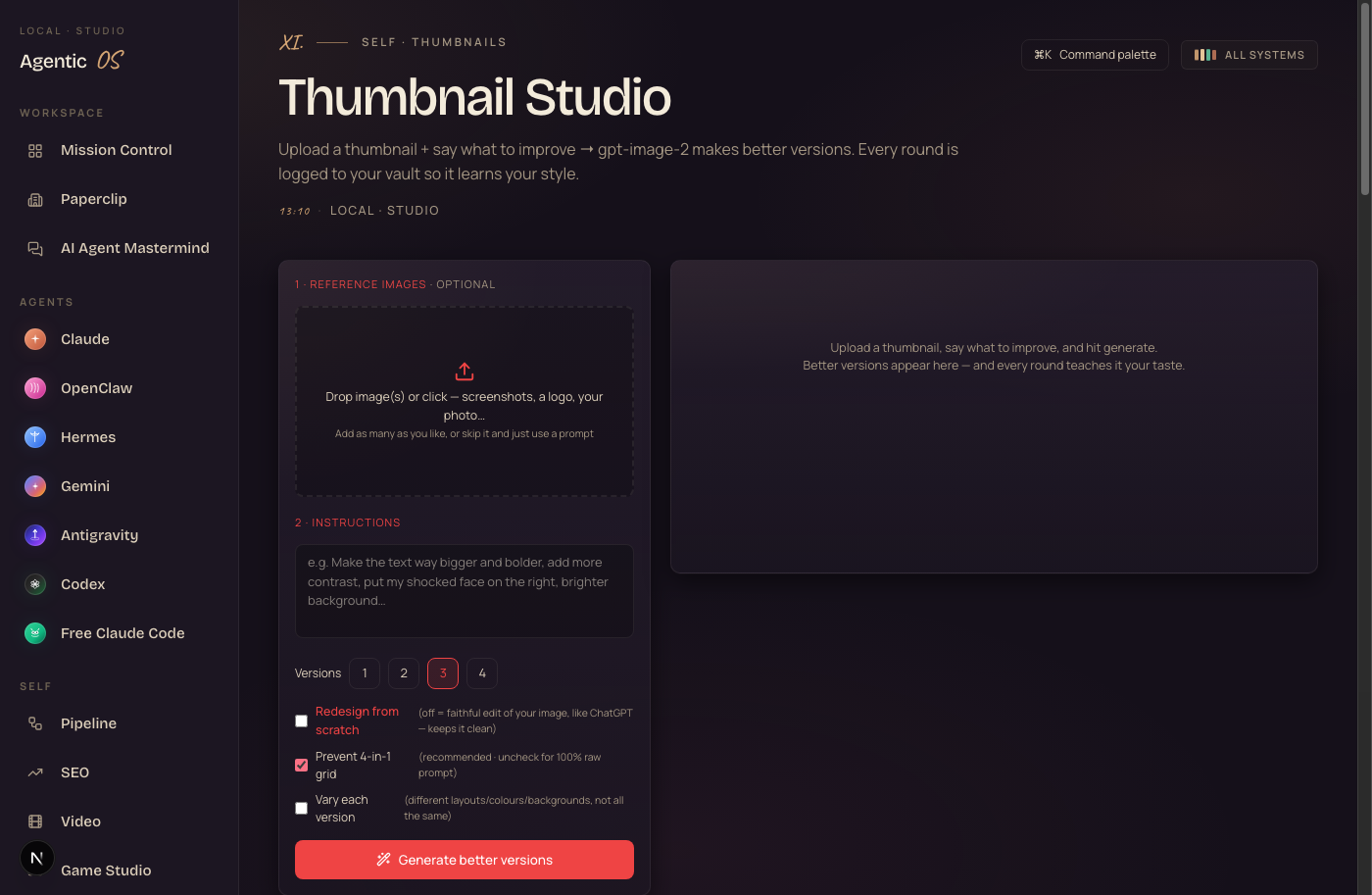
Games. Animations. A voice assistant. Thumbnails. Even full AI videos. All made inside one dashboard, on my own computer. Click any card above to open the real, live thing.
That's the part nobody is doing yet. Most people use AI to type answers. This thing builds you real, finished, visual stuff — and you watch it happen.
I was you. Then I built the Hermes OS.
Before
I was running five AI tools in fourteen browser tabs.
One for chat. One for code. A separate paid app for video. Another for thumbnails.
Every one forgot who I was. Every session I re-explained my whole business.
I couldn't make anything visual. I couldn't preview anything. I lost files constantly.
The breaking point — I wanted to build a quick demo and it would've taken a developer a day.
So I built one operating system that does all of it.
After
Now I say one sentence and it builds a game, an animation, or a video on my screen.
Every agent lives on one dashboard. They share one memory. They know my business.
I talk to it out loud like Jarvis. It builds while I do other work.
Nothing gets lost. Everything saves itself. And it gets smarter every single day.
You can have this too. Same system. Same screen.
Commit to transitioning today. Not tomorrow.
You've seen what this thing makes. Real games. Real videos. A voice that knows your business.
The next ten minutes show you every feature — and how it all connects.
So here's the deal.
Promise yourself one thing right now. You're going to finish this guide AND set up one piece of this before you sleep tonight. Just one piece. Because the moment you stop running scattered tools and start running a system, everything about how you work with AI changes.
The people sitting still are getting passed. The people building today are the ones who look back in six months and say "that was the moment."
Be one of those people.
Commit to the transition. Commit to taking action today. This changes everything about how you work.
The Goldie Hermes Loom™
Here's the idea. You hand Hermes a sentence. It weaves you back a finished app, animation, or video — like a loom turning thread into cloth. Everything you saw up top came off this loom. Six threads make it work.
You just talk to it.
Hermes-Jarvis is a voice you speak to out loud. Ask anything, tell it to build, ask what you did yesterday. Hands free.
You make real things from one sentence.
Games, animations, AI videos, thumbnails — woven from one sentence and previewed right on your screen. The galaxy and the city up top came off this thread.
Ideas turn into finished work on their own.
Drop a thought into the Pipeline. Your agents classify it, plan it, and build it across a Kanban board while you do other things.
You command seven agents, not one.
Claude, OpenClaw, Hermes, Gemini, Antigravity, Codex, Free Claude Code — one roster. They even group-chat and riff off each other.
You see everything at once.
One Mission Control screen shows every agent and signal, live. Your whole AI team standing by, one glance.
Your agents never forget you.
One shared Obsidian memory holds your business and your past work. Every agent reads it every time. No more re-explaining yourself.
Hand it a sentence. The loom weaves you a real app. — The Goldie Hermes Loom™
The old way of using AI doesn't scale.
Here's how most people work with AI today versus how it works once it's one system.
A pile of disconnected tools.
- ChatGPT in one tab, Claude in another, a coding agent in a third.
- A separate paid app for video. Another for thumbnails. Another for games.
- Re-explain your business to every tool, every session.
- Type a prompt, get text — never anything you can actually see or play.
- Lose the file your last tool made. Start the next one from zero.
- Pay five subscriptions for five things that never talk to each other.
One operating system.
- Say one sentence — get a real game, animation, or video on your screen.
- Every agent on one dashboard, sharing one memory that knows your business.
- Talk to it out loud. It builds while you do other work.
- Video, thumbnails, apps, SEO — all panels in the same screen.
- Nothing gets lost. Everything saves itself to your vault.
- Runs on your own machine, so a lot of it costs nothing.
Same agents. The difference is whether they're scattered across fourteen tabs typing answers — or commanded from one deck, building real things. One of those scales.
The galaxy at the top was built by typing one sentence. No code.
Every feature you're about to see is a panel you click or a thing you say. Members who'd never opened a terminal are running the whole thing.
Hermes-Jarvis — talk to your whole system.
Let me start with the one that feels like the future. A voice you speak to out loud.
Before this, talking to AI meant typing. Now you just say "Jarvis" and ask.
It reads your real memory, so it answers from your actual business — not a generic guess. Ask "what did I do yesterday?" and it tells you, pulled from your vault.
Say "build me a galaxy" and it builds a real app on your Mac, live. That's literally how the galaxy at the top got made.
Here's the picture. You're making coffee. You say, "Jarvis, what's on my pipeline, and remind me to film the SEO video." Hands free. It answers and remembers — and logs every word to your vault.
The Weave — your words become real apps.
This is where all that showcase stuff comes from. Games, animations, videos, thumbnails — all panels in the same screen.
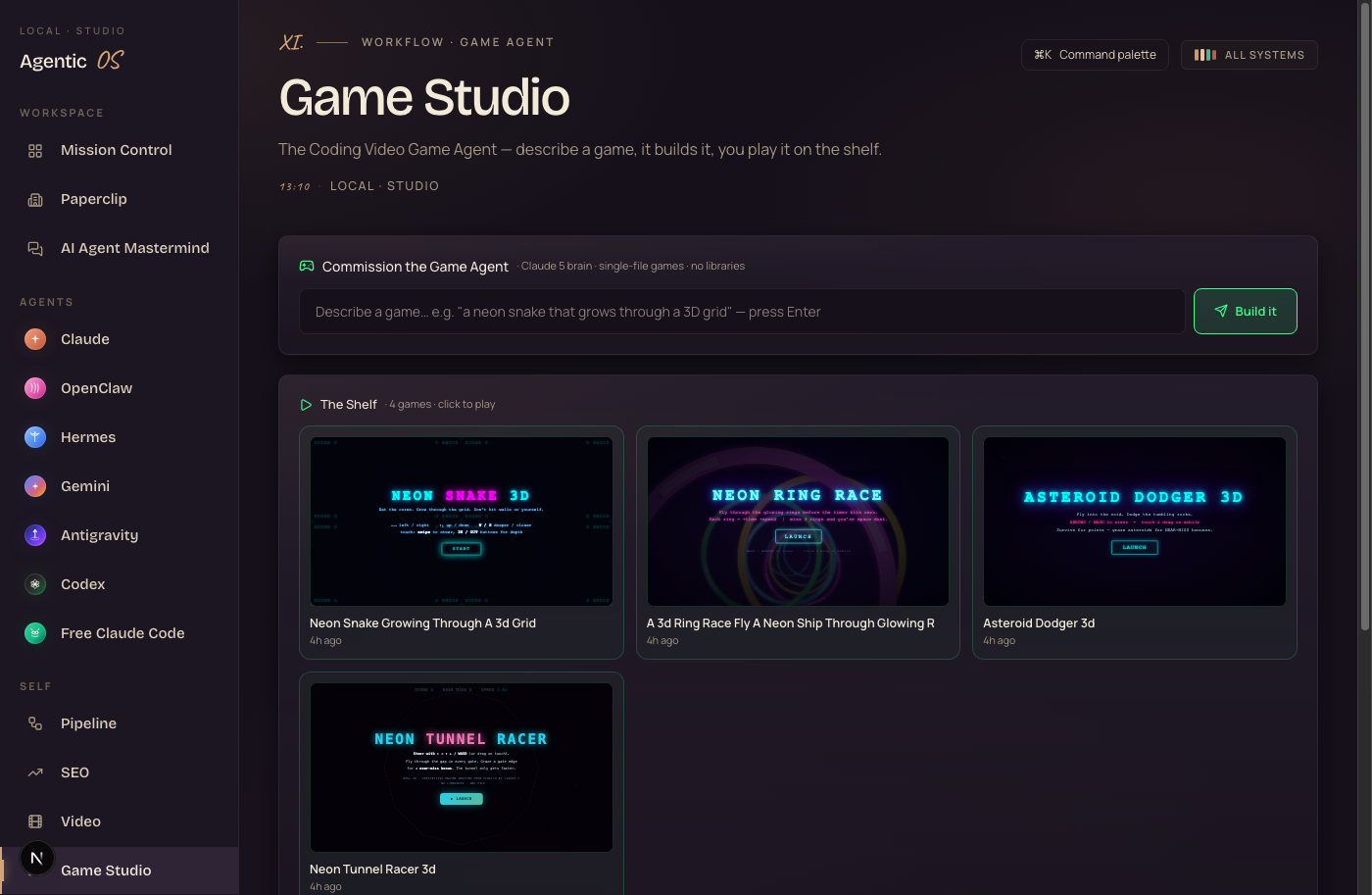
The Game Studio and Agent Factory build real, playable apps on your Mac from a single sentence — and preview them live, in the same window. That neon city, the space shooter, the fireworks — all made here.
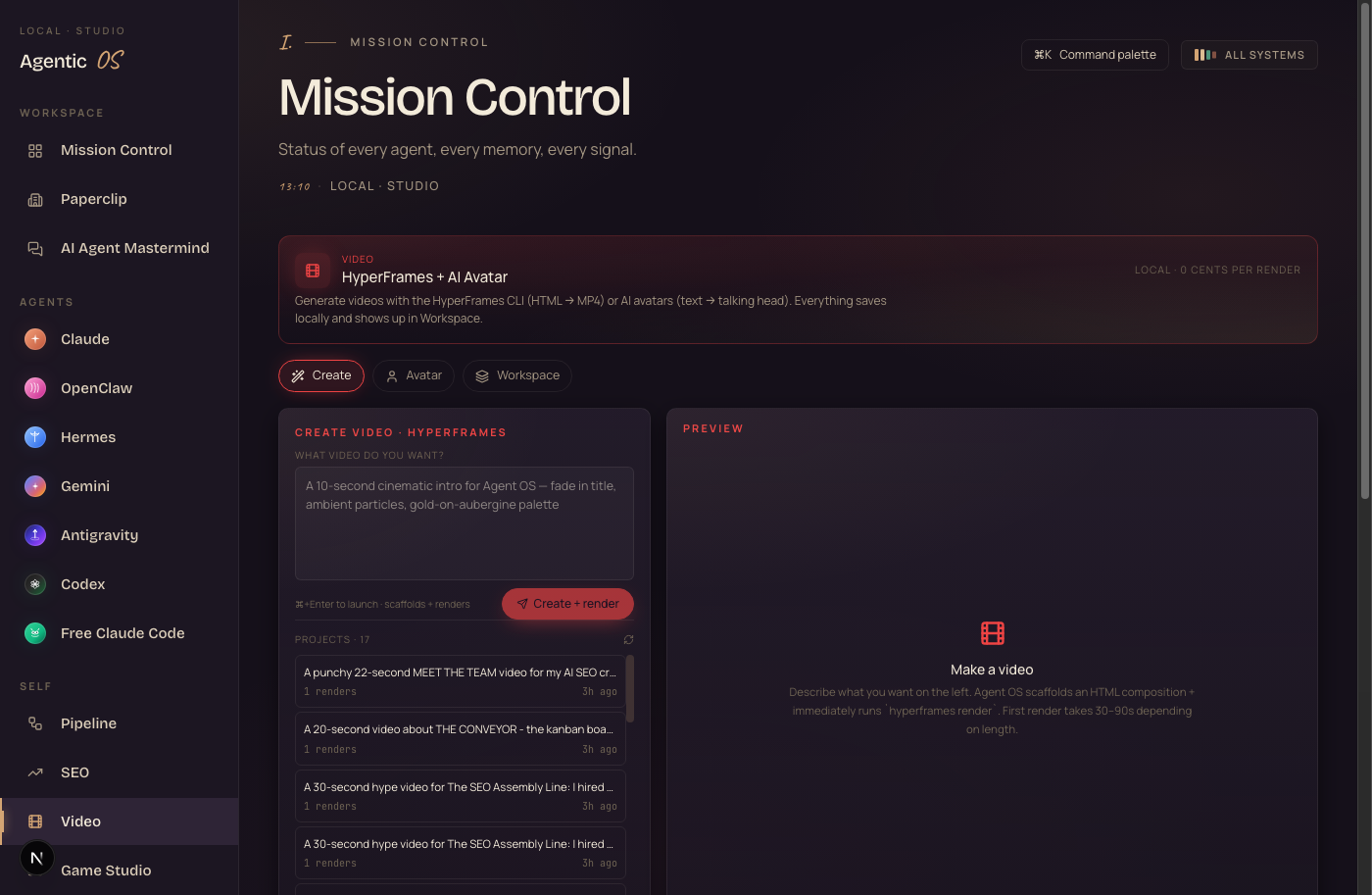
The Video panel makes full AI videos using Remotion and your agents — the kind of clips you'd normally pay an editor for. And Studio handles images and voice generation too.
And the Thumbnail Studio takes a thumbnail and your instruction, then makes better high-res versions — faithful to your design, every round saved to your memory.
Here's the picture. You need a thumbnail, a quick demo app, and a short clip. You used to open three paid tools. Now it's three panels in one screen, and every output saves itself.
A lot of it runs free, on your own machine — including the Agent Factory that builds the games and animations.
One screen replaces the video app, the thumbnail app, and the game tool you'd pay separately for.
Pipeline + Kanban — a thought becomes finished work.
An idea is worthless until it ships. These two panels turn a thought into a done thing while you do something else.
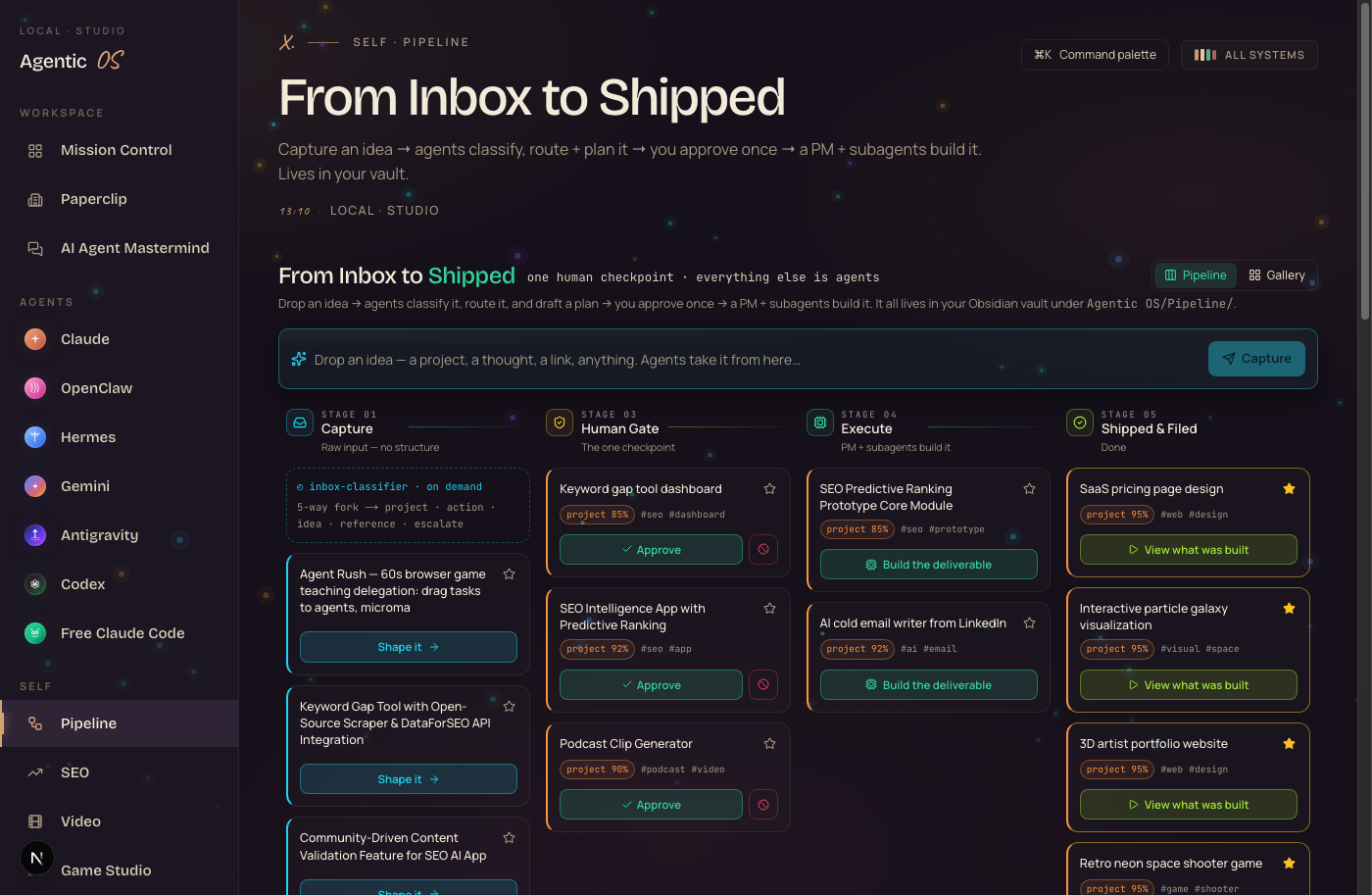
You capture an idea in one line. The agents classify it, route it, and plan it. You approve once. Then a project-manager agent and its sub-agents build it.
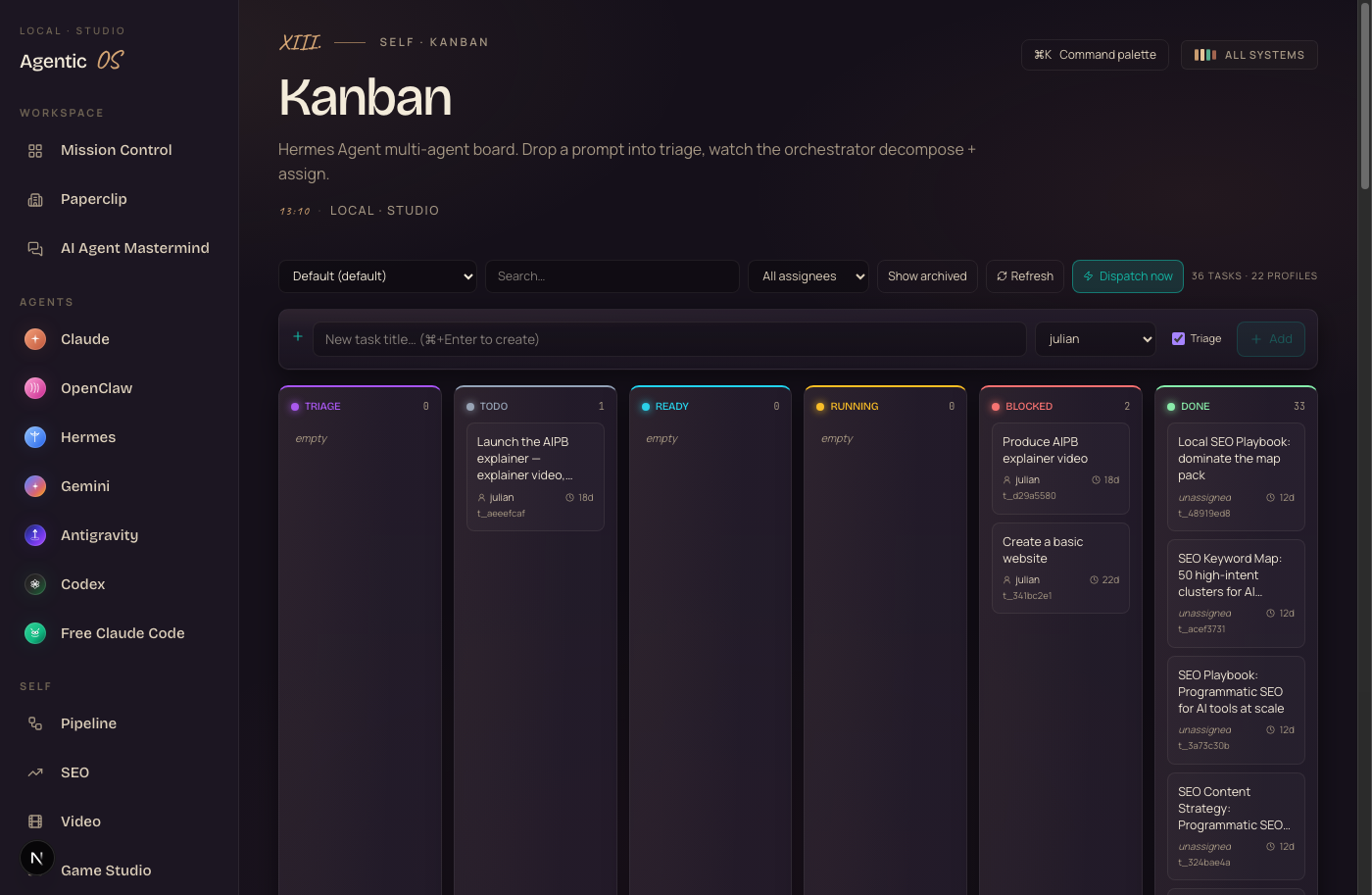
And the Kanban board shows the whole thing moving — triage, in progress, done — as your agents work it.
Here's the day-to-day. You think of something at 9am — "build me a lead magnet page." You drop it in. You go do client work. By the time you check back, it's moved across the board and the page is built. You stop being the bottleneck.
The AI Agent Mastermind — all your agents in one room.
This one's wild. A live group chat with every agent at once — and each one is a different real AI model.
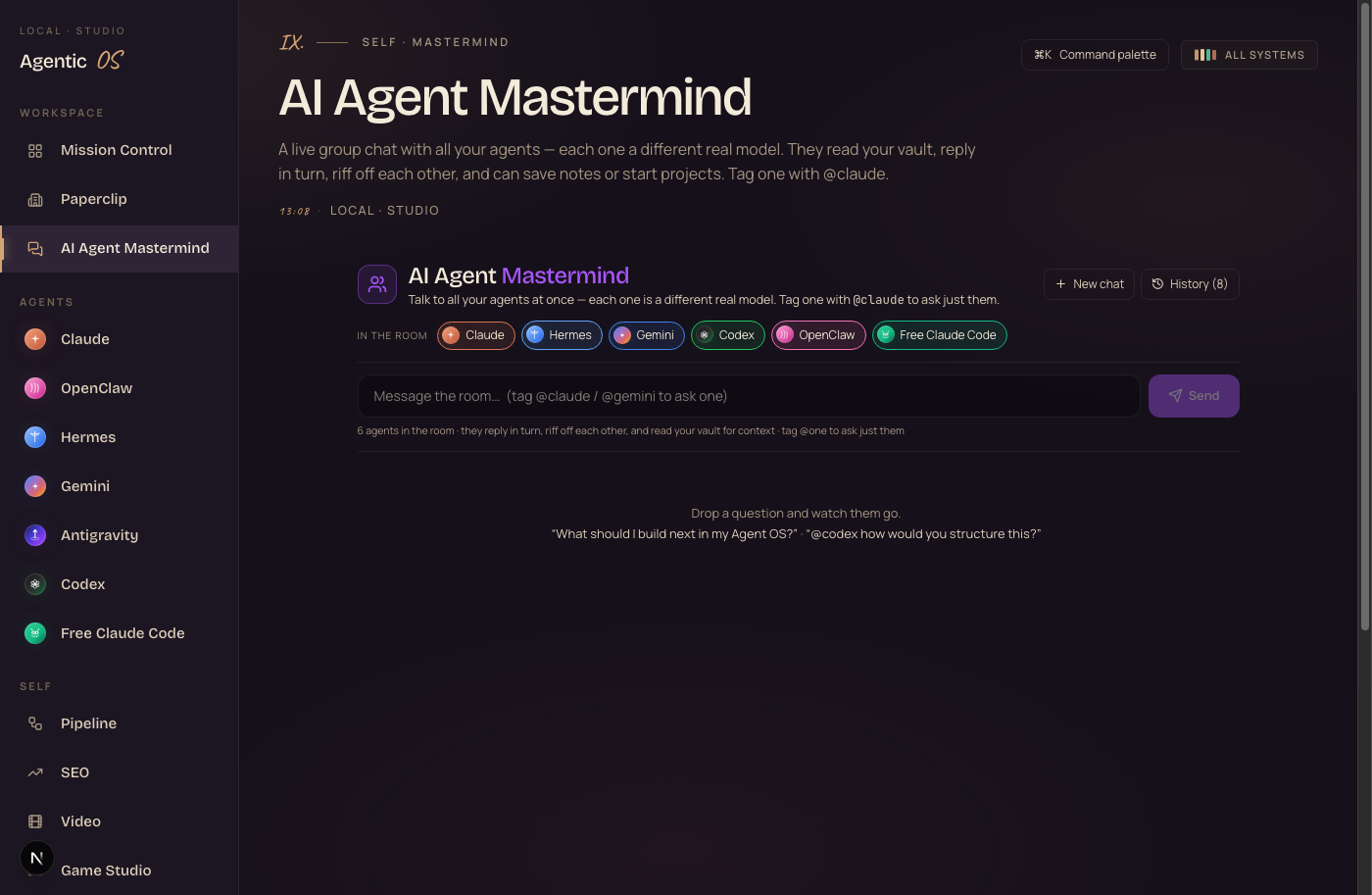
You drop a problem in. Claude weighs in. Hermes adds something. OpenClaw catches what they missed. They read your vault, reply in turn, and bounce off each other.
And there's Paperclip too — a whole AI company with roles and an org chart, where agents pick up issues and finish work like a real team you never pay salaries for.
Here's the picture. Instead of asking one AI and getting one answer, you get a room full of perspectives. You're the one in charge of the room.
Want the whole Hermes OS, set up with you?
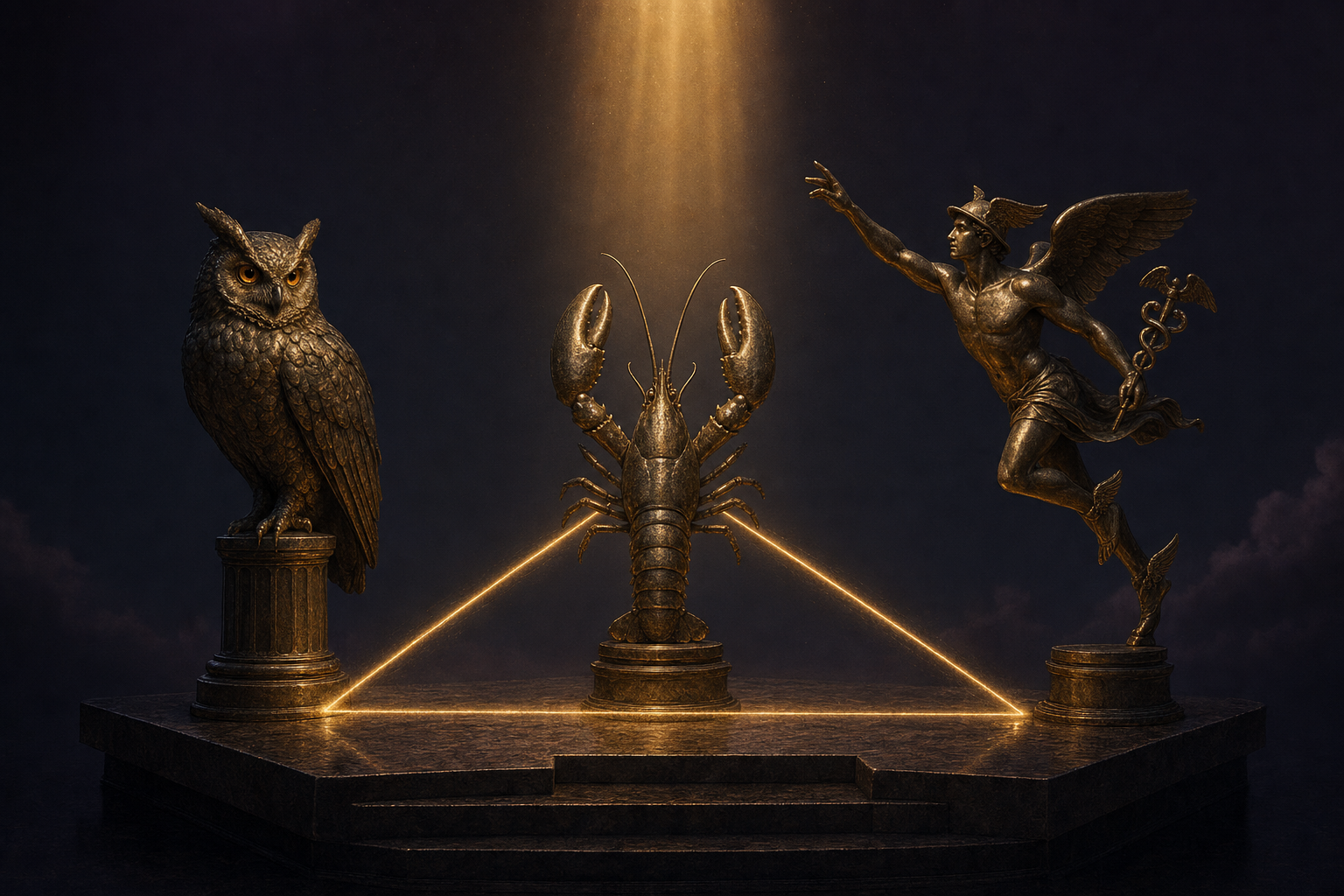
The voice, the Weave, the group chat — one operating system.
If you want the full Hermes OS — Hermes-Jarvis, the Weave that builds games and videos, the Pipeline, the Mastermind, every agent, all wired together with shared memory — that's exactly what we set up inside the AI Profit Boardroom.
It's a full operating system I built in my own sessions. You get the zip file and we set it up together, step by step, so your agents share one brain and already know your business.
- The full Agent OS zip file — the voice, the Weave, Pipeline, the group chat, every agent, the Obsidian memory, ready to run.
- Every prompt and config — the exact setup behind every panel you just saw.
- A 30-day roadmap — install it, wire your memory, build your first game and video.
- Coaching calls every week where I set this up live with you.
- Daily tutorials + a prompt library built around the OS.
- 2,200+ business owners already running this stack. A member map to find operators near you.
- 158 pages of real testimonials — read what members are getting first.
And it all lives on one screen.
Everything you've seen — the voice, the games, the videos, the agents — runs from one home screen. Mission Control.
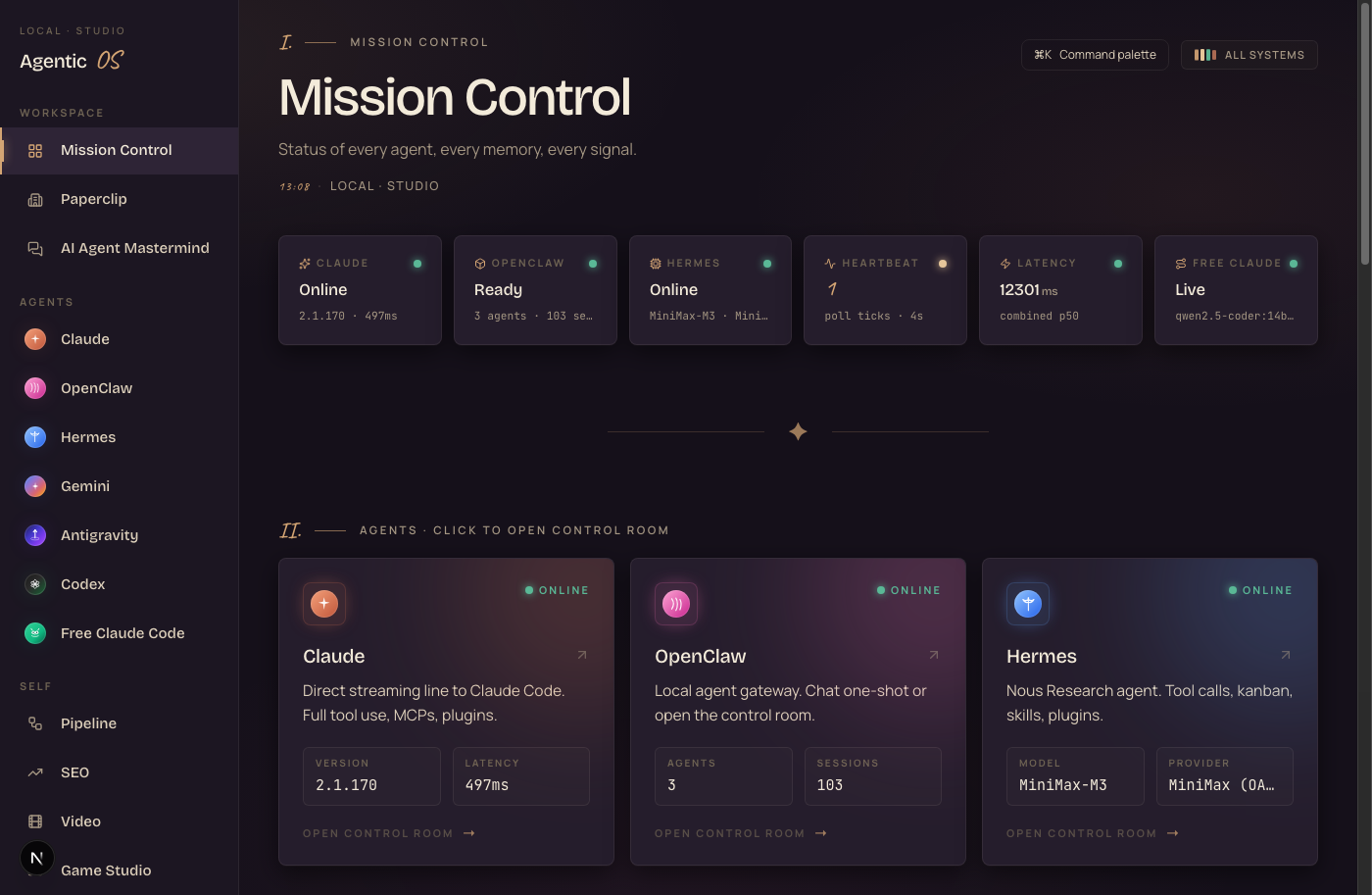
Across the top, the live status of every agent. Below, every agent as its own card with a one-click door into its control room.
You sit down in the morning, open one screen, and your whole AI team is standing by. No more guessing which tab had which tool. That's the calm under all the chaos.
Seven AI agents. One roster.
Most people pick one AI and marry it. The Hermes OS runs a whole crew, and you use the right one for each job.
Quick question — tap Claude. Long autonomous build — hand it to Codex or Hermes. Don't want to pay per token — run Free Claude Code. Same dashboard, seven engines, you decide who does what.
Good — the Hermes OS runs the ones you already pay for, plus free ones, all at once.
It doesn't replace your AI. It orchestrates all of them from one screen.
Memory — one brain every agent reads.
This is the part that makes everything else work. The shared memory.
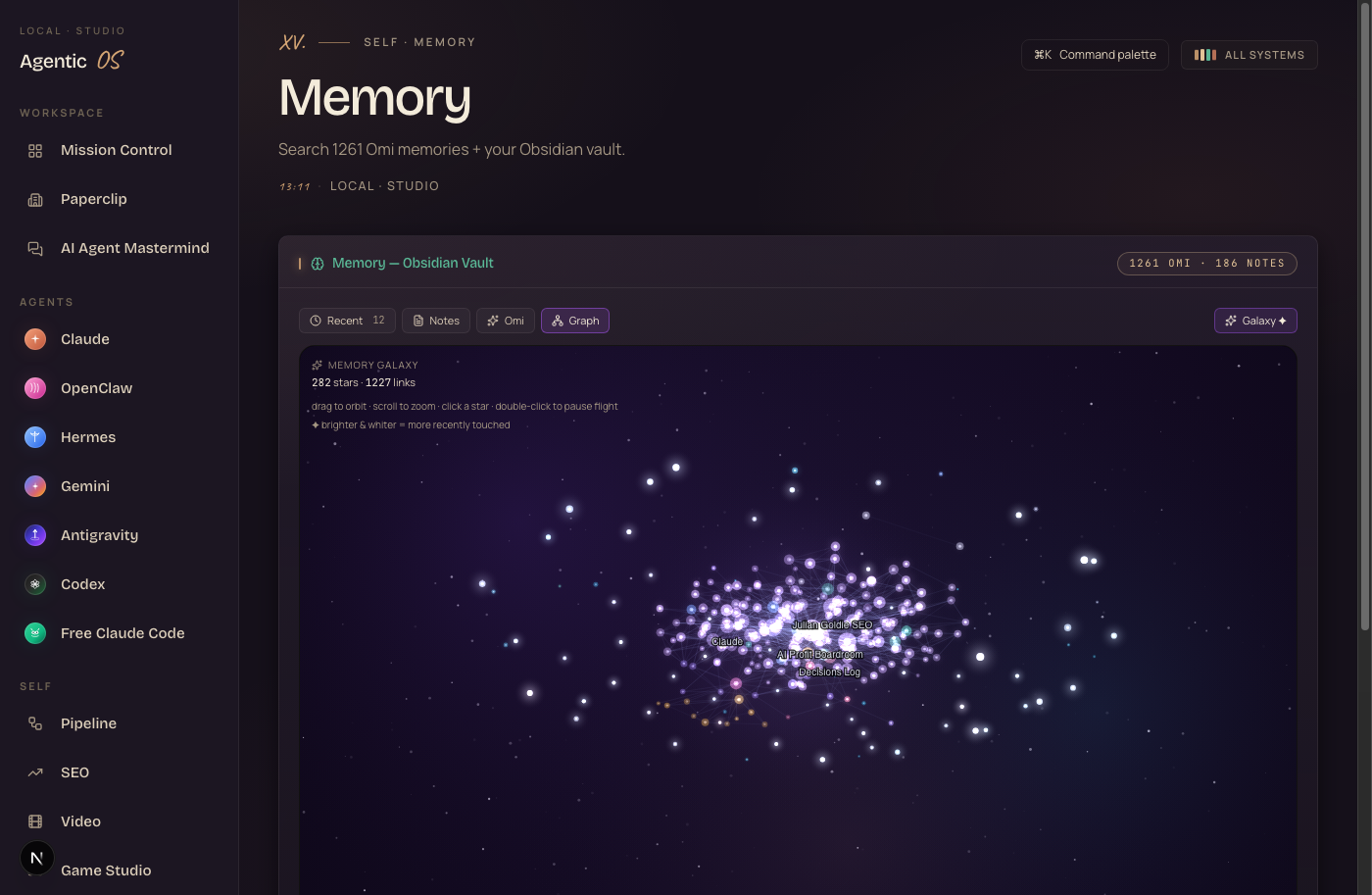
Every agent reads from your Obsidian vault. Your notes. Your business. Your past work. So when you ask any agent for help, it already knows your context. It starts from everything you've ever told it — not from zero.
You ask Claude to write a client email. It already knows the client, your tone, your offer. Because it read your vault first. This is the difference between AI that feels generic and AI that feels like it works for you.
And there's a whole engine room behind every agent too — a Control Room with sessions, skills, and a plugin marketplace; a Workspace holding every file your agents ever made; MCPs to plug in new tools; and Goal Mode for long autonomous tasks. You don't need it on day one. But it's all there when you want to go deep.
The three beliefs holding you back right now.
If you've read this far and still haven't committed, three beliefs are in the way. Let me handle each one.
This is way too technical. It's only for developers.
The galaxy, the game, the city — all built by typing one sentence. Every feature is a panel you click or a thing you say. You don't need to know what MCP or a CLI is. The members running this are business owners, not coders. If you can open a browser, you can run the Hermes OS.
I already have my AI tools. I don't need another thing to learn.
This isn't another tool. It's the screen that holds the tools you already have. It runs your ChatGPT, your Claude, your coding agents — all at once, sharing one memory. You're not adding a tool. You're connecting the ones you've got so they finally build real things together.
I'll wait until this stuff settles down before I learn it.
It won't settle. The people who figure out agent systems now, while it's moving fast, are the ones way ahead when everyone else catches up. Every workflow you build today compounds. Waiting just widens the gap between you and the operators already building games and videos from one sentence.
158 pages of members who already broke through these exact beliefs. Real businesses, real wins, documented.
Read the 158-page testimonials doc →Everything you just gained, in one glance.
You build real things
Games, animations, AI videos, thumbnails — from one sentence, on your screen.
You just talk to it
Hermes-Jarvis answers, builds, and remembers — hands free.
Ideas ship themselves
Pipeline + Kanban carry a thought to finished work while you do other things.
Your agents team up
The Mastermind + Paperclip turn solo agents into a working room.
You see everything
Mission Control shows every agent, live, on one screen.
You command a crew
Seven agents on one roster. The right engine for every job.
You're never forgotten
One shared memory. Every agent knows your business, every time.
Or take the shortcut
The full OS, every prompt, and a 30-day roadmap inside the Boardroom.
Most people type answers into AI. With the Hermes OS, you build real things and watch it happen.
Say one sentence. Watch it build.
The Goldie Hermes Loom™ · Hermes OS
Type answers into AI. Or build things with it.
You've now seen what the Hermes OS makes — games, videos, a voice that knows your business, agents that team up — and every feature behind it.
You can build all of it yourself. The pieces are out there. It just takes time and a lot of broken builds to wire it together.
Or take the shortcut.
The whole Hermes OS — set up with you, step by step.
Grab the Agent OS inside the AI Profit Boardroom. It turns Claude, OpenClaw, Hermes, and the rest into one system with shared memory and one dashboard you control — exactly what you just walked through.
Your agents understand your business. They build real things. And every new feature I add to the OS makes your whole system more powerful automatically.
- The full Agent OS zip file — every panel in this guide, ready to run on your machine.
- Every prompt + the Obsidian memory setup — the shared brain, done for you.
- A 30-day roadmap for installing and running the whole system.
- Coaching calls every week — we set it up live, together.
- Daily tutorials + a prompt library built around the OS.
- 2,200+ members building with this right now. A member map to find operators near you.
- 158 pages of real testimonials — see the wins before you decide.
Stop typing answers. Start building things. I'll see you in the next one.
Built for operators · used in 38 countries








