Hermes Browser Agents
+ Agent OS
A simple system that lets one person command an army of AI browser agents from a single command line.

No code.
No tech background needed.
Just one screen, one method, and agents that go and DO things on the internet for you.
📖 What this guide is — read this first
Imagine you had a tiny robot that could open a web browser and do work for you.
It could check flights, track packages, scrape leads, fill forms, post content, hunt deals, and pull data — all by itself.
That tiny robot is called a browser agent.
Now imagine you had fifty tiny robots, all doing different jobs at the same time.
That sounds great — but it would also be chaos.
You would lose track of who was doing what.
You would forget which agent was already running.
You would have fifty browser tabs open and no idea what was happening.
That is where Agent OS comes in.
Agent OS is like a control tower for all your robots.
One screen.
One command line.
Every agent reports to you in one place.
🤖 Plain-English Translation
Hermes = a chat window that controls AI agents.
browse.sh = a free library of 250+ pre-built browser skills (Amazon, Airbnb, LinkedIn, USPS, Zillow, IRS, Google Flights, and more).
Agent OS = the system that ties them all together so you manage everything from one home base.
Most people use AI like a calculator. A small group has learned to use AI like a workforce. The Conductor Stack is how you cross that gap. — The Goldie Conductor Stack™ Principle
🎩 The Goldie Conductor Stack™
Here is the simple model behind everything you are about to learn.
Think of yourself as the conductor of an orchestra.
You do not play the violin.
You do not play the drums.
You raise your baton, and the musicians play.
That is what you are about to become — but with AI agents instead of musicians.
The Conductor Stack has five layers.
Each layer feeds into the next.
Skip a layer and the music falls apart.
Layer 1 — The Conductor (You)
You set the vision and the rules. You decide what gets done. You never touch a violin — you just point and approve.
Layer 2 — The Baton (Hermes Agent)
Hermes is your single command window. You type in plain English. Hermes turns your words into agent instructions and calls the right skill.
Layer 3 — The Orchestra (Browser Skills)
The browse.sh catalog gives you 250+ pre-built skills. Amazon, Airbnb, LinkedIn, Zillow, Google Flights, USPS, weather, real estate, jobs, e-commerce. Each skill is one violin in your orchestra.
Layer 4 — The Score (Agent OS)
The Agent OS is your sheet music. SOPs, memory, routing, and workflows. It tells every agent what order to play in, what to remember, and where to send the result.
Layer 5 — The Encore (Compound Output)
The output keeps playing while you sleep. Reports get written. Leads get researched. Listings get pulled. Content goes out. You wake up and the orchestra has performed all night.
🧠 Why this framework matters
Most people stop at Layer 2.
They use one chat window, one tool, one tab at a time.
The Conductor Stack adds Layers 3, 4, and 5 — that is where the compounding lives.
One agent is a toy.
A conducted orchestra of agents is a business.
🧨 The Wrong Belief vs. The Right Belief
Most people never start because they believe the wrong thing.
Let me break the six biggest myths right now.
"I have to be a coder to set up AI agents."
Hermes installs in 60 seconds. You type in plain English. If you can text a friend, you can run an agent.
"I will end up with 10 different apps and 50 browser tabs."
Agent OS gives you ONE command tower. Every agent reports to one screen. One inbox. One log.
"Web automation is fragile — it always breaks when a site updates."
browse.sh is a public catalog — when a site changes, the skill is updated by the community and your agent just keeps working.
"Only big tech teams can run agents 24/7."
A solo operator with a laptop now runs more agents in a day than a 50-person team did in 2020.
"AI tools just write text — they cannot actually DO things."
Browser agents book flights, track packages, scrape competitors, post content, audit websites, pull data, and fill forms. They ACT, not just talk.
"If I learn this now, it will be outdated in a month."
The orchestra changes — the conductor skill compounds. Learning to conduct agents is the leverage skill of this decade.
The people who win the next ten years are not the ones who write the best prompts. They are the ones who build the best systems for their agents to run inside. — Julian Goldie, on the Conductor Stack
⚙️ How the Three Pieces Fit Together
Here is the simple picture.
You sit at the top.
You talk to Hermes (your baton).
Hermes pulls the right browser skill from browse.sh (your orchestra).
Agent OS handles routing, memory, and SOPs (your score).
The agent goes off and does the job.
The result comes back to your one screen.
🎯 What you actually type to use it
Here is what a real session looks like.
You open your terminal.
You type one line.
The agent does the rest.
# Install the browser skill catalog (once)
$ npm install -g browse

# Add the skills you want into your orchestra
$ browse skills add alltrails.com
$ browse skills add recreation.gov
$ browse skills add plugshare.com
$ browse skills add airbnb.com
$ browse skills add linkedin.com

# Now you can talk to your agent in plain English
$ hermes "Plan a Utah road trip with EV charging stops and Airbnb stays under $200/night."
That is the whole experience.
One line in.
A full plan out.
No tabs.
No copy-paste.
No prompt engineering tricks.
📋 The Standard Operating Procedure
This is the exact 8-step process to install, wire up, and start running browser agents through your Agent OS.
Follow it once and you have a working system for life.
Install Hermes (your baton)
Open your terminal. Run the Hermes install command. Hermes is the single chat window that listens to your plain-English instructions.
Install the browse.sh catalog (your orchestra)
Run npm install -g browse. You now have access to 250+ pre-built browser skills covering Amazon, Zillow, LinkedIn, USPS, Airbnb, Google Flights, and hundreds more.
Pick your first three skills
Do not install 50 at once. Pick three that match your real business. For most people: one research skill, one e-commerce or lead skill, one logistics or productivity skill. browse skills add [domain].
Set up Agent OS (your score)
This is your central nervous system. It stores your SOPs, agent memory, and routing rules. Every agent reports here. You manage everything from one screen.
Write your first SOP in plain English
Something simple. Example: "Every Monday at 9 AM, check the top 5 competitors on LinkedIn and summarise their new posts." Save it in Agent OS. The system handles the schedule.
Run a test job
Trigger one of your SOPs manually. Watch what the agent does. Read the result. Tweak the instructions if needed. This is the rehearsal before the live show.
Schedule and connect
Now set the SOP to run on a schedule. Connect the output to where it needs to go — your inbox, a Google Doc, a Slack channel, a database. The orchestra now plays without you.
Document and expand
Keep a running skills inventory. Every new skill you add gets a row. Every new SOP gets a folder. After 30 days, you have a private agent stack no one can copy.
🗓️ The 30-Day Implementation Roadmap
Here is what your first 30 days look like, step by step.
Do not skip ahead.
Each week builds on the last.
🏗️ Week 1 — Foundation
Install Hermes on your machine.
Install the browse.sh CLI with npm install -g browse.
Set up your Agent OS workspace (the home base for everything).
Add your first 3 skills.
Run one simple test command and verify it works end-to-end.
Goal: by Day 7, you can type one sentence and get one result back from an agent.
📜 Week 2 — Your First SOPs
Write three plain-English SOPs for tasks you do every week.
Examples — competitor research, lead scraping, content idea hunting, market price checks, weekly reports.
Save each SOP inside Agent OS.
Run each one manually at least twice.
Refine the instructions based on what came back.
Goal: by Day 14, three of your weekly tasks now have an agent assigned to them.
🎻 Week 3 — Orchestration
Expand your skill catalog from 3 to 10.
Connect agents that talk to each other — one finds the lead, another enriches it, another writes the outreach.
Set up scheduling so SOPs run automatically (daily, weekly, hourly).
Add memory rules so agents remember context across sessions.
Goal: by Day 21, your agents work without you triggering them.
🚀 Week 4 — Compound and Scale
Audit every SOP — kill the ones that did not work.
Double down on the ones that produced results.
Add 10 more skills based on the wins.
Document your entire stack in one place — skills inventory, SOP library, agent map.
Hand off the documentation to a virtual assistant or a teammate so the system scales beyond you.
Goal: by Day 30, your agent system runs on its own and gives back at least 10 hours of your week.
The first agent saves you an hour. The tenth agent saves you a week. The fiftieth agent gives you a life. — The Conductor Compounding Effect
🔥 Real People. Real Results.
If you still doubt this works, do not take my word for it.
Hear it from the operators already inside the AI Profit Boardroom.
They have already built their conductor stacks.
They have already gone through the 30-day roadmap.
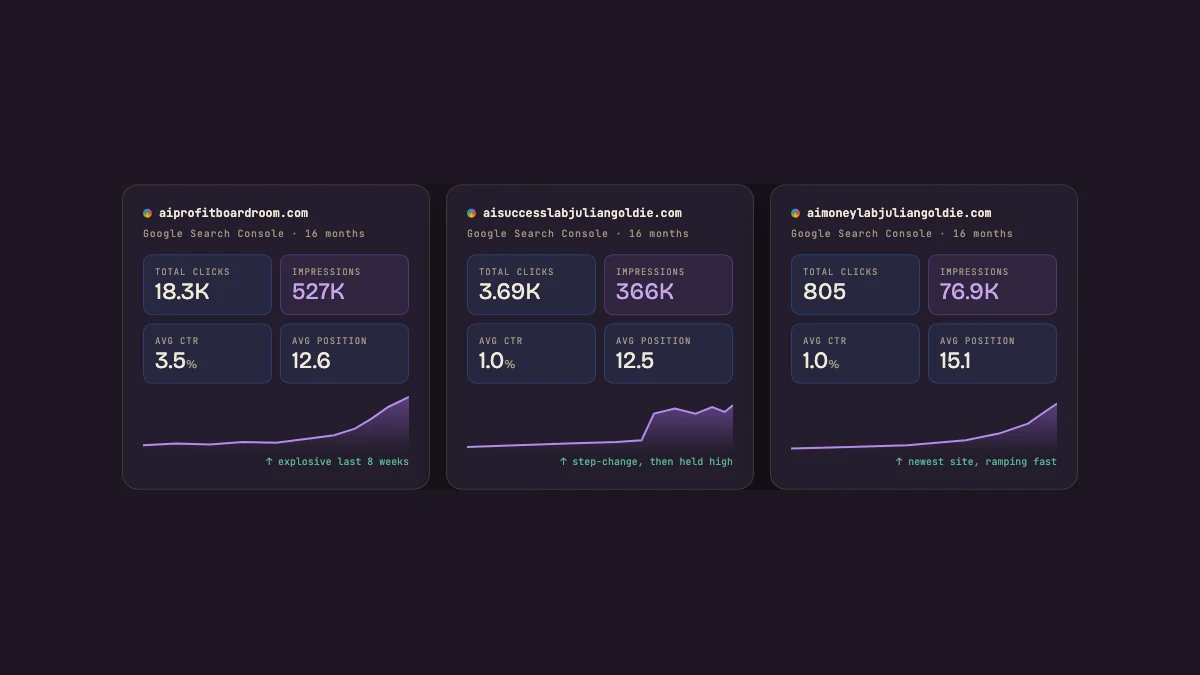
Their wins are documented — over 155 pages of them.
Stories of business owners, freelancers, creators, and founders who built their agent stack using this exact system.
📖 Read the 155+ TestimonialsThe fastest way to believe a system works is to read about people who already used it. The second fastest way is to join them.
🎯 The Recap — In One Glance
Here is everything you just learned, compressed.
You are the Conductor
You set the vision. Agents do the playing.
Hermes is the Baton
One chat window. Plain English. Calls the right skill.
browse.sh is the Orchestra
250+ ready-made browser skills. One CLI command to install.
Agent OS is the Score
SOPs, memory, schedules, routing — all in one home base.
Compound Output
Agents work while you sleep. Results keep arriving.
Beliefs Broken
No code. No chaos. No fragility. The orchestra is real.
8-Step SOP
Install → Pick skills → Wire OS → Write SOP → Test → Schedule → Connect → Document.
30-Day Plan
Week 1 foundation → Week 2 SOPs → Week 3 orchestration → Week 4 scale.
That is the whole system.
Simple on the surface.
Compounding underneath.
🚀 Ready to Build Your Conductor Stack?
This guide gives you the map.
The AI Profit Boardroom gives you the full system, every template, every SOP, every workflow already built — plus the community of operators conducting their own stacks right now.
Inside the Boardroom you unlock:
- 📖 The full Hermes + Agent OS setup guide (the page version of this — yours to keep)
- 🎻 Pre-built skill stacks for content, leads, research, and operations
- 📜 Ready-to-paste SOP templates for the most common agent workflows
- 🗓️ Implementation calls walking you through the 30-day roadmap
- 🧠 The full library of Goldie Conductor Stack training
- 👥 Direct access to operators already running their orchestras
155+ pages of testimonials. Real operators. Real stacks. See for yourself →





Join 3,900+ founders building with this stack.
The AI Profit Boardroom is where the actual Agent OS lives — the templates, the prompts, the daily rooms, the weekly walkthroughs. Same builds you read about here, taught hands-on inside.