agentos.guide › blog
Grok Bot vs Perplexity Computer: How To Split Jobs Between Them In Your Agent OS, With 5 Copy-Paste Prompts
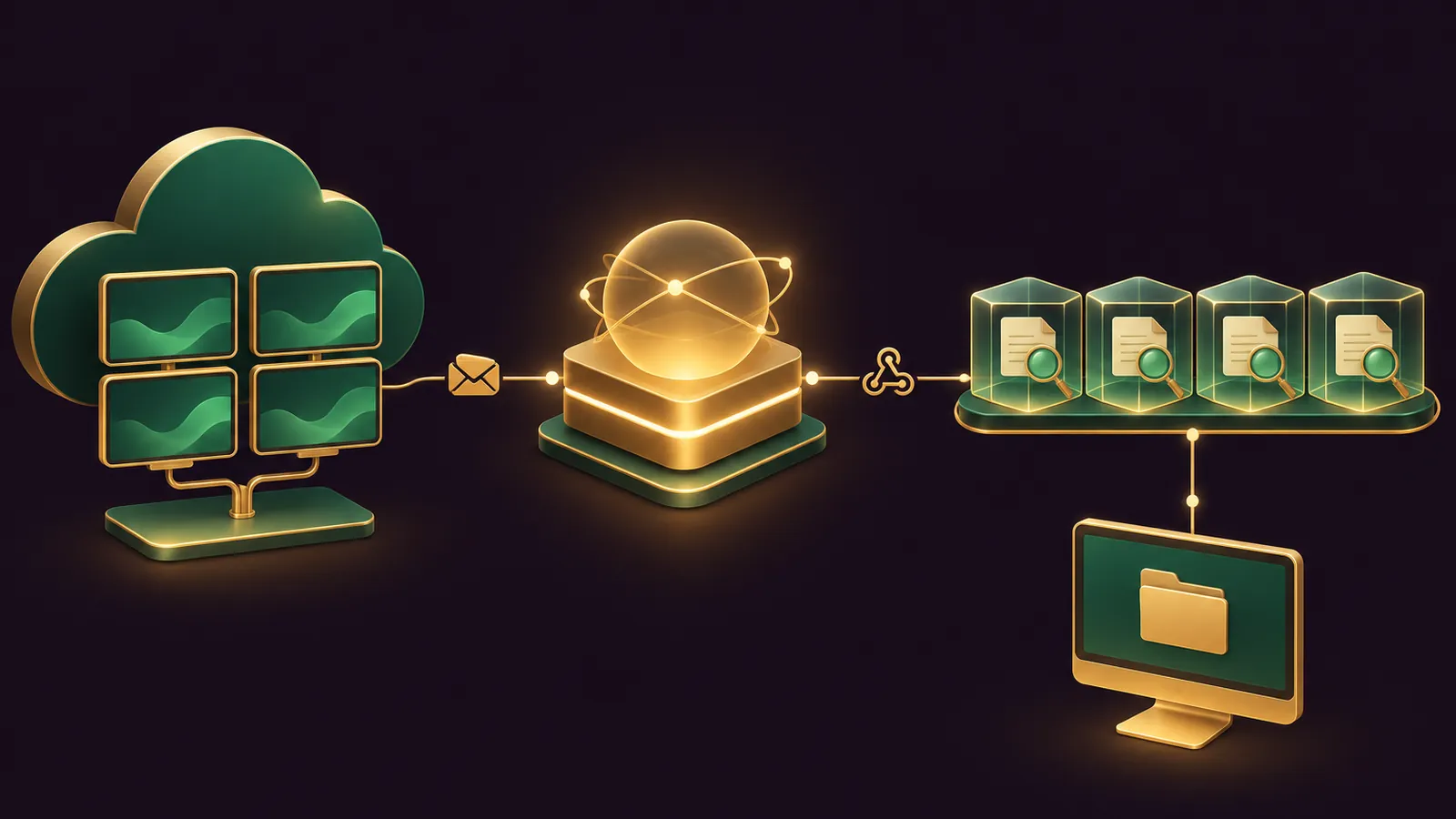
Grok Bot vs Perplexity Computer stops being an either-or question once your Agent OS sits in front of both: your own agent can send standing roles to Grok Bot and research briefs to Perplexity Computer, then check what each one did.
Grok Bot keeps named Bots on a single cloud computer that all of them share.
Perplexity Computer gives every task its own sandbox and splits the work between sub-agents.
Below is a quick start, five copy-paste prompts for your agent and a weekly rhythm.
The comparison is my reading of each vendor's docs, as neither publishes one.
Rather have my team design it with you? Get your Backlink Gameplan, or try Polar Rank free for 3 days.
The split in one table
| Area | Grok Bot | Perplexity Computer |
|---|---|---|
| Shape of the work | Named Bots that own a job | Tasks broken into sub-agents |
| Where it runs | One shared cloud computer, a screen for each Bot | A fresh cloud sandbox per task |
| Recurring jobs | Routines: schedule, Slack, GitHub, Linear, Sentry, PagerDuty, email, webhook | Automations: every 15 minutes or slower, or Gmail, Outlook, Slack, Calendar, Drive and Linear triggers |
| Handover your agent can use | A webhook routine with a bearer key | An email to computer@perplexity.com from your account address |
| Local work | Local commands only, Ask every time by default | Personal Computer, Hybrid compute, Portable Computer |
| Models | Chosen for you, no picker | Effort settings or a picker |
How each one takes work from your agent
A Grok Bot routine can start from a webhook call, according to the skills and routines docs.
The routine shows a POST URL and a key, the sender adds an Authorization header with that key, and any JSON body reaches the Bot with the routine's instruction.
A 200 reply only means the run has started, so your agent should read the result in the Bot's chat, not assume it is done.
Perplexity takes tasks by email at computer@perplexity.com, but only from the address tied to your Perplexity account, per the Computer in Email page.
So the safe pattern is for your agent to draft that email and for you to send it, or to forward a thread yourself.
You can also CC that address on an existing thread, and Computer picks up the whole conversation as context.
Computer replies once to confirm and again with the result, attachments included.
Quick start: twenty minutes to a working split
- List the ten jobs you repeat most in your Agent OS notes.
- Tag each one as a standing role, a research brief, or work that must stay on your own machine.
- Create one Grok Bot for the most common standing role and connect only the apps it needs.
- Connect the same mailbox and calendar to Perplexity through Plugins.
- Write approval rules on both before anything runs unattended.
Prompt 1 does steps 1 and 2 for you.
🔥 Get the Agent OS these prompts run in
The AI Profit Boardroom gives you step-by-step video trainings, the installable Agent OS, four coaching calls a week and 3,400+ members sharing their agent routing.
Five copy-paste prompts for your agent
Paste each one into your Agent OS as written, then fill in the brackets.
Prompt 1: sort your jobs between the two agents
Read my task log and calendar for the last 30 days.
List the 10 jobs I repeat most.
For each job, label it:
- STANDING ROLE (same job every week, needs my logins and memory) -> Grok Bot
- RESEARCH BRIEF (find, compare, cite, then deliver a file or email) -> Perplexity Computer
- LOCAL ONLY (files that must stay on my computer) -> Perplexity Personal Computer
Give one line of reasoning per job and flag anything that sends, buys or deletes.
Prompt 2: write the brief for a new Grok Bot
Write a creation message for a new Grok Bot called [NAME].
Job: [ONE SENTENCE].
Apps it needs: [LIST]. Nothing else.
Rules: every outgoing message waits for my approval; never buy anything;
never delete files; report a missing source instead of using old data.
Then write a separate routine request with the schedule, time zone,
input source, expected output and what to do if a source is missing.
Paste the result into a one-to-one chat with the new Bot, then open the routine and press Test before relying on it.
Prompt 3: brief Perplexity Computer by email
Draft an email to computer@perplexity.com for me to send from my account address.
Subject: [TASK NAME]
Body: the full brief in one message, including sources to check,
the output format (PDF, spreadsheet or slides), who it is for,
and the line "Do not send anything to anyone else. Reply to me only."
Attach: [FILES].
Put everything in the first message, because each follow-up becomes another turn in the session.
Prompt 4: call a Grok Bot routine from your Agent OS
When a new item appears in my [SOURCE], send an HTTP POST to the
Grok Bot webhook URL stored as GROKBOT_WEBHOOK_URL with the header
"Authorization: Bearer" plus the key stored as GROKBOT_WEBHOOK_KEY.
Body: a JSON object with the item title, link and the action I want.
Log the response code. A 200 means the run started; check the Bot's
chat for the result before marking the item done.
Keep the key in your Agent OS secrets, never in a prompt or a note.
Prompt 5: the weekly audit
Every Friday, list what each agent did this week:
- Grok Bot: approval cards I allowed or denied, routines that ran,
  routines that failed, any new app or MCP server a Bot added.
- Perplexity Computer: automations that ran, ones now marked Paused,
  any connector that asked to reconnect.
Suggest one job to move between the agents and one rule to tighten.
Approval rules to set on both sides
On Grok Bot, open the approvals settings and add Ask first rules for sending, publishing, purchases, deletion and permission changes.
Two official pages pull in different directions on shopping: the changelog has you approve each Buy now order, while the Vault page lets a stored card pay with no prompt, so keep cards out of Vault.
Remember that every Bot shares the same files and logins on the cloud computer, so one Bot is not a private space.
On Perplexity, put "draft only" in every brief, and ask for a plan before any edit in a live store or CRM, because it won't undo changes already made in a connected app.
What to keep out of both agents
Keep passwords and one-time codes out of ordinary chat on both tools.
On Grok Bot, logins belong in Vault, a connected 1Password account or a Secure Form, and API keys go in the masked secret card the Bot shows you.
On Perplexity, a custom remote connector needs an API key or OAuth secret, and Perplexity's own advice is to treat those as secrets and revoke them when you stop using the connector.
Your Agent OS should store the Grok Bot webhook key the same way, never in a plain note.
When to move a job from one agent to the other
Move a job to Grok Bot when the same Perplexity brief keeps coming back every week with the same logins and the same output, because a standing Bot with a routine will remember the context.
Move a job to Perplexity when a Grok Bot keeps asking you to research or compare before it can act, because Computer's sub-agents and cited search are built for that step.
Move a job to Personal Computer when the files can't leave your desk.
Prompt 5 asks your agent to suggest one of these moves each Friday, so the split improves over time.
The weekly rhythm
- Monday: your agent sends this week's research briefs to Perplexity.
- Daily: Grok Bot routines handle the standing roles and leave drafts.
- Thursday: you clear approval cards and draft emails in one sitting.
- Friday: Prompt 5 runs and suggests one change.
Three businesses, routed by the agent
A dog-walking company.
Your agent hands the weekly rota to a Grok Bot named Rota, which reads the bookings sheet every Sunday evening and drafts a message to each walker for you to approve.
A candle shop online.
Your agent drafts a monthly brief to computer@perplexity.com asking for a cited report on scent trends and competitor launches, returned as a PDF.
After you send it, Computer researches, builds the PDF and replies in the same thread.
A small architecture practice.
Drawings stay on the office Mac, so your agent tells you to run that job in Perplexity's Personal Computer app, where Computer reads the connected project folder and writes a summary file next to it.
I route a different pair of agents in my Grok Bot vs Manus Agent OS guide.
📞 Want my team to plan your routing?
Get your Backlink Gameplan and we will sort your recurring jobs between both agents and write the approval rules with you.
Verdict by job type
Route standing roles, saved logins, X requests and webhook-driven work to Grok Bot.
Route research, cited reports, slide decks, email-first requests and anything that must stay on your own computer to Perplexity Computer.
For the full Agent OS and weekly help wiring it up, join the AI Profit Boardroom.
FAQ
Can my Agent OS start a Grok Bot routine by itself?
Yes, if the routine has a webhook trigger. Your agent sends a POST with the routine's bearer key, and a 200 reply means the run started.
Can my agent email Perplexity Computer for me?
Perplexity only accepts tasks from the email address tied to your Perplexity account. The simplest pattern is for your agent to draft the email and for you to send it from that address.
Which agent should handle files that must stay on my computer?
Perplexity's Personal Computer app for Mac and Windows, which reads folders you connect. Grok Bot works on its cloud computer and only runs local commands you allow.
Why should I treat Grok Bots as one shared space?
All your Bots use the same cloud computer, with shared files, browser sessions and command-line credentials. Each Bot has its own screen, but that screen is not a security boundary.
Final word on Grok Bot vs Perplexity Computer
Run Prompt 1 today, set up one webhook routine this week, and join the AI Profit Boardroom or get your Backlink Gameplan to get your agent routing grok bot vs perplexity computer jobs properly, or try Polar Rank free for 3 days.
About Julian
I'm Julian Goldie, an AI entrepreneur, SEO expert and the founder of the AI Profit Boardroom, which has 3,400+ members.
I help business owners scale with AI agents, automation and SEO.
My YouTube channel has 400,000+ subscribers, and I run Goldie Agency, a seven-figure SEO agency.
Related guides on agentos.guide
→ Grok Bot Browser In Your Agent OS: A Quick Start, 5 Copy-Paste Prompts And A Weekly Web Workflow
→ Grok Bot Computer Use: A Quick Start, Five Copy-Paste Prompts And A Daily Workflow In Your Agent OS
→ Grok Bot AI Full Course (Step By Step)
Get the whole Agent OS
The installable system behind every guide on this site — dashboard, agents, memory and pipelines — updated as new tools land, with 3,400+ members and four coaching calls a week.
Join the AI Profit Boardroom →📺 Video notes + links to the tools 👉
🎥 Learn how I make these videos 👉