agentos.guide › blog
Grok Bot Computer Use: A Quick Start, Five Copy-Paste Prompts And A Daily Workflow In Your Agent OS
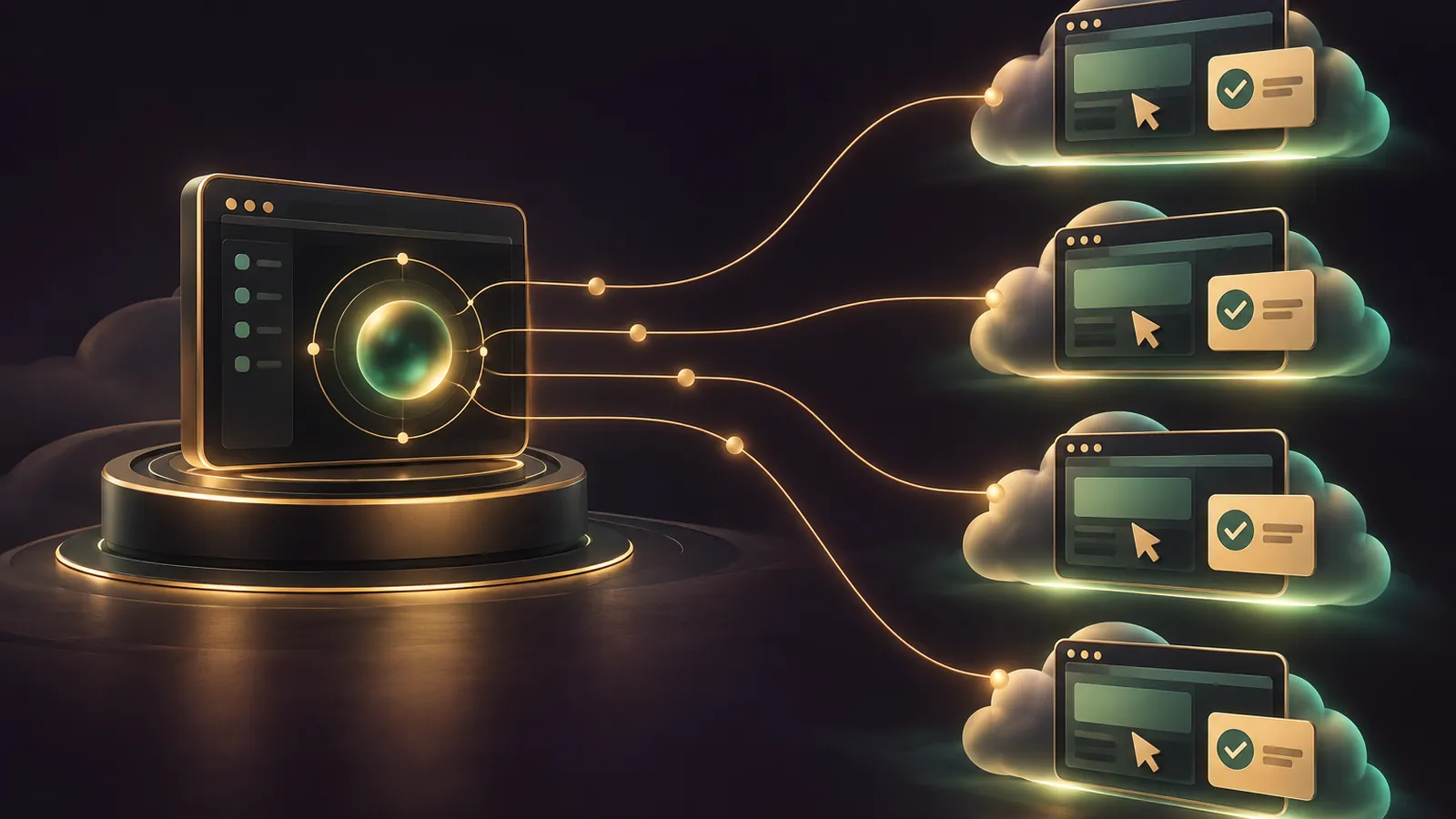
Grok Bot computer use gives each Bot its own screen on a shared cloud computer, and your Agent OS is the place to plan, brief and audit that work.
Think of it this way: Grok Bot does the clicking in the cloud, and your Agent OS keeps the rules, the prompts and the log (xAI computer docs).
If you'd like my team to pick the first jobs worth automating on your site, book a free SEO strategy session.
Quick start in four moves
- Confirm you're on Premium, Super or Ultra, since the Plus plan doesn't include Grok Bot.
- Set Execution on this computer to Never allow under Settings → Computer → Your computer.
- Leave Auto-review on and add Ask first rules for sending, ordering and deleting.
- Save the logins you'll need in Settings → Vault, and leave cards out for now.
Plan details are on docs.x.ai/x-subscription/grok-bot.
Everything else below is a prompt you paste into your Agent OS, which then briefs the Bot or checks its work.
Prompt 1: set standing boundaries the Bot remembers
xAI's FAQ recommends telling each Bot its standing boundaries and asking it to remember them.
Have your Agent OS draft that message so it's consistent across every Bot you run.
Write a standing-boundaries message for a Grok Bot that uses its cloud computer.
Rules to include:
- Never send email, post, buy, delete or change account settings without asking me first.
- Never ask me to paste a password, one-time code or API key into chat.
  Use Vault, 1Password or a Secure Form instead.
- If a site asks for a passkey, CAPTCHA, QR code or a code on another device,
  stop and hand me the computer.
- If a site keeps expiring the session, pause and notify me. Do not work around it.
End with: "Remember these boundaries for every future task." Keep it under 120 words.
Prompt 2: turn your boundaries into Ask first rules
You get 20 Ask first slots of up to 1,000 characters each, and any match always stops the action (approvals docs).
Narrow rules work best, so let the agent split them for you.
Turn these boundaries into separate Grok Bot Auto-review rules.
Format each as: When Grok Bot wants to: [one action, one scope] / It should: Ask first
One action per rule. No rule broader than one website or one type of action.
Boundaries: sending external email, submitting orders or payments,
deleting files in /workspace, changing settings on any website I'm signed in to.
Return a numbered list I can paste into Settings → General → Custom Rules.
Prompt 3: brief a watched browser job
Run the first job with the computer view open, from the preview in the right-hand panel of the chat.
Watching a first run tells you more about a site than any brief can, especially where pages load slowly or move buttons around.
Since v0.70.2, the full-screen view opens in Watching until you press Take control, so you can watch without nudging anything.
Your Agent OS writes the brief, and you paste it into the Bot's chat.
Write a Grok Bot brief for this browser job: [describe the job and the website].
Include:
1. The exact result I want and where to save it (a folder in /workspace).
2. Which saved Vault login to use, by website name only.
3. The point where it must stop and show me a draft before acting.
4. What to do if the page blocks cloud traffic: tell me, don't retry in a loop.
Keep it to 8 short lines.
🔥 Want the full Agent OS with these prompts already loaded?
Inside the AI Profit Boardroom you get step-by-step video trainings, the installable Agent OS, four coaching calls a week and 3,400+ members running agent workflows like this.
Prompt 4: turn one demo into a reusable skill
When Teach a task is available, you can record one browser workflow from the computer view for up to ten minutes (skills and routines docs).
The result is a draft skill, and the docs say to add decision rules, failure handling and approval points before you trust it.
Your Agent OS is good at exactly that part.
Here is the draft skill Grok Bot created from my Teach a task recording:
[paste the skill]
Improve it by adding:
- Decision rules for the 3 most likely variations of this task.
- What to do when a page fails to load or a login has expired.
- An explicit approval stop before any irreversible step.
Then write one safe test case I can run before scheduling it.
Prompt 5: weekly clean-up of the shared computer
All your Bots share one computer, with shared cookies, files and command-line credentials.
The docs say to sign out of services you no longer need, remove sensitive temporary files and revoke unused apps.
Run this every Friday.
Remember that deleting a Bot won't clear those files or sessions for you, so the clean-up has to be deliberate.
Write a message I can send to my Grok Bot every Friday that asks it to:
1. List every website it's still signed in to on its computer.
2. List files in /workspace changed this week, biggest first.
3. Flag any file that looks like it holds personal or payment data.
4. Suggest which sessions and files to remove, and wait for my yes before removing anything.
A simple daily workflow
- Morning: your Agent OS writes the day's briefs from your task list.
- Paste each brief into a separate Bot; every Bot has a screen of its own and handles a single screen task at once.
- Answer approval cards as they arrive, because cards from routines expire after 30 minutes.
- Take over only when the Bot asks for a passkey, CAPTCHA or code.
- Evening: paste the Bot's summary back into your Agent OS and log what worked.
If you'd rather have my team design that daily loop around your own site, grab a free strategy session and we'll sketch it with you.
What to do when the Bot hands you the screen
Sooner or later a site will ask for something only you can give.
The docs list the usual suspects: single sign-on, a passkey, a CAPTCHA the Bot couldn't clear, a QR code, an approval on another device, or a bank card check.
When that happens, choose Take over on the request in the chat, or open the computer and choose Take control.
Do that one step and nothing else.
Then choose I'm done and tell the Bot to carry on.
Log each handoff in your Agent OS with the site and the reason, because a site that needs you every single time is a poor candidate for a routine.
If the same site blocks cloud traffic outright, switch on Route traffic through this computer for that job, so the site sees your desktop's connection instead.
Why separate Bots are not separate vaults
Each Bot's screen is a separate work surface, not a separate security boundary.
Sign in on one Bot's screen and that session is available to every Bot on the account.
Vault items are account-wide too; you can't limit one to a single Bot.
So organise Bots by job, not by secrecy, and keep anything a Bot shouldn't reach off the computer altogether.
The October changes your briefs should account for
| Version | Date | What it means for your briefs |
|---|---|---|
| v0.62.0 | 28 Sep 2026 | Deleted Bots free their screens, so tidy up unused Bots |
| v0.68.1 | 7 Oct 2026 | 1920 × 1200 screen, up from 1280 × 800 |
| v0.70.2 | 11 Oct 2026 | Watching is the default full-screen mode; Take control hands you the mouse |
| v0.78.1 | 27 Oct 2026 | Typing now happens one keystroke at a time, with the cursor moving the way a person moves it |
All four entries are on the official Grok Bot changelog.
The v0.78.1 change means form-filling jobs look like a person typing, so allow a bit more time in your briefs.
Keep cards out until the docs agree
xAI's Vault page states that a stored card goes through at checkout with no prompt.
The v0.77.0 changelog says you still approve every purchase.
Until those match, don't save cards to Vault, and keep an Ask first rule on every order.
🔥 Want my team to choose the first jobs for your Bots?
Book a free SEO strategy session and we'll go through your site, your rankings and the repetitive web tasks worth handing off.
Where a local agent fits beside it
Grok Bot's computer lives in the cloud, while Hermes Agent launches its own browser locally by default.
Use Grok Bot for jobs that should run with your laptop shut.
Use your local Hermes setup for jobs that need files or networks only your machine can reach.
Keep the split clean: cloud Bots for public websites and portals, local agents for anything on your own drive or office network.
Your Agent OS sits above both, writing the briefs, holding the rules and keeping one log of what each side did, so you always know which agent touched which site.
Both sit comfortably under one Agent OS, and the AI Profit Boardroom shows you how to wire it up.
Also On Our Network
- 🌐 The eight-step operator setup for Grok Bot's shared cloud screen
- 🌐 Whether grok bot's cloud computer pays off for shops, service firms and agencies
- 🌐 A ten-criteria scorecard rating grok bot's cloud computer from the docs
- 🌐 Which ai models to pair with grok bot's screen, with real goldiebench scores
- 🌐 The complete Grok Bot Computer Use guide on the AI Profit Boardroom blog
FAQ
Can my Agent OS control Grok Bot's computer directly?
This guide uses your Agent OS to write briefs, rules and skills that you paste into Grok Bot. The clicking happens on Grok Bot's own cloud computer.
How many Bots can use the computer at once?
Each Bot gets its own screen on the shared computer, so several can work in parallel. Each Bot runs one computer-use task on its screen at a time.
How long can a Teach a task recording be?
Up to ten minutes. It records visible computer interaction, not microphone audio, and produces a draft skill you should review and test.
Do approval cards wait for me?
Cards from your own chat message wait for an answer. Cards raised by a routine or other background work expire after 30 minutes.
Final word on Grok Bot Computer Use
Paste Prompt 1 into your Agent OS today and brief your first Bot from it, because that's the fastest safe start with grok bot computer use; for the full Agent OS, join the AI Profit Boardroom.
About Julian
I'm Julian Goldie, an AI entrepreneur, SEO expert and the founder of the AI Profit Boardroom, which has 3,400+ members.
I help business owners scale with AI agents, automation and SEO.
My YouTube channel has 400,000+ subscribers, and I run Goldie Agency, a seven-figure SEO agency.
Related guides on agentos.guide
→ Hermes Computer Use Skill: The Agent OS Quick Start
→ Grok Bot Shopping: Safe Buying Prompts In Your Agent OS
→ Grok Bot Plugins: 5 Prompts To Run Them In Your Agent OS
→ The Goldie Shadow Worker — Free Hermes Computer Use Agents
Get the whole Agent OS
The installable system behind every guide on this site — dashboard, agents, memory and pipelines — updated as new tools land, with 3,400+ members and four coaching calls a week.
Join the AI Profit Boardroom →📺 Video notes + links to the tools 👉
🎥 Learn how I make these videos 👉