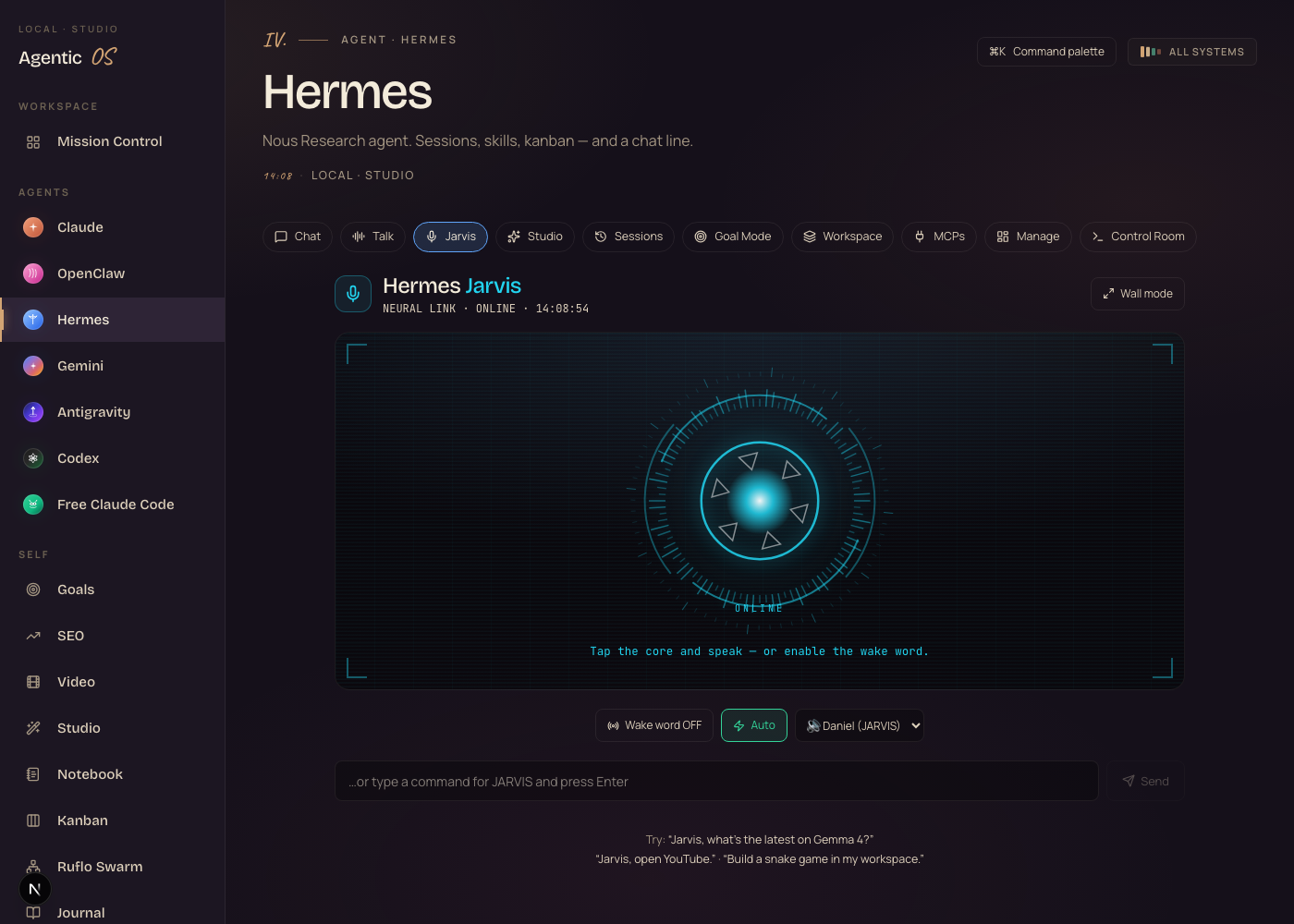
The Goldie Oracle Control System™.
I just talk to it. It does the thing.
I built a voice assistant into my Agent OS. It powers on like Iron Man's reactor and greets me. I say its name and it wakes up. I say “show me the numbers” and a glowing chart paints across the screen. I say “build me a snake game” — and a real, working game appears on my own Mac. No cloud. No bill. It all runs right here on my screen.
I was you. Then I built a voice that does things.
Before
Talking to AI felt like work.
I typed every prompt into a little box.
I read back long walls of text.
I jumped between five tabs just to get one thing done.
And when it “built” me something, I got code to paste — not a thing that actually ran.
Then I wired a voice into my Agent OS — the Oracle Control System.
After
Now I just talk. Hands free.
I say its name and it wakes up.
It answers out loud in a couple of seconds.
It opens my apps and sites for me.
And when I say “build me a game” — a real game appears and runs, right on my screen, for nothing.
You can have this too. Same tools. Same path.
Commit to transitioning today. Not tomorrow.
You've seen the proof. Real people. Real results.
The next few minutes show exactly how I built a voice that does real work.
So here's the deal.
If you're watching this — promise yourself one thing right now. You're going to finish this AND set up one piece of it before you sleep tonight. Just one piece. Because the moment you start talking to your AI instead of typing at it, everything about how you work changes.
The people sitting still are getting passed. The people building today are the ones who look back in six months and say “that was the moment.”
Be one of those people.
Commit to the transition. Commit to taking action today. This changes everything about how you work.
Three words. Total control.
Here's the part that makes people lean in. Forget menus. Forget tabs. Forget twelve tools open at once. The whole thing runs on three spoken words. That is the entire interface.
1 · It wakes.
One word. It powers on, lights up, and listens. No app to open. No button to press. It's just there.
2 · It reveals.
Two words, and anything appears — your numbers, your builds, your whole team — painted across the screen like a hologram.
3 · It creates.
Two words, and a real, working app appears in seconds. You say it out loud. It exists. On your own Mac. For free.
That's the whole thing. Three words — the rest is just you talking while it does the work.
An assistant that talks — vs one that does.
- Type every prompt into a chat box
- Read back long walls of text
- Copy-paste between five tabs to get one job done
- Pay every month for a cloud assistant that forgets you
- It “builds” you code — that you still have to run yourself
- Result: an assistant that talks, not one that does
- Just talk — hands free, across the room
- It answers out loud in a couple of seconds
- It opens your apps and sites for you
- Say “build me a X” → a working app appears and runs, live
- Runs on your own Mac. Free. Private.
- Result: an assistant that does the thing, not one that describes it
One. It powers on — and briefs you.
Here's the first thing that happens. Before you say a word.
You open the tab and it boots up, like a HUD from a film.
The word JARVIS lights up. System checks tick off one by one. A low power-up hum rises.
Then it talks to you first. “Good morning, sir. All systems online — 14 builds in your workshop, and it's 06:37. What shall we create today?”
It knows the time of day. It knows what you've built. You didn't ask for any of that — it just briefed you.
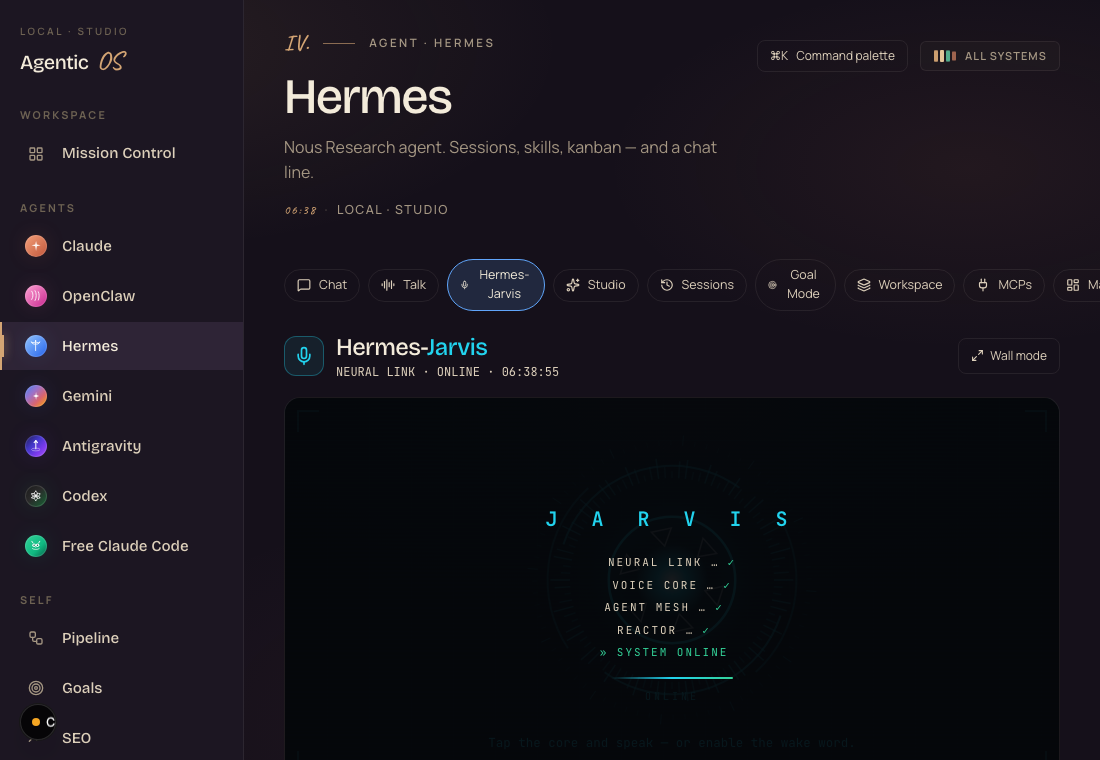
There's nothing to set up. No sound files. No config.
The hum, the blips, the boot-up, the spoken briefing — all built in. Open the tab and it just happens.
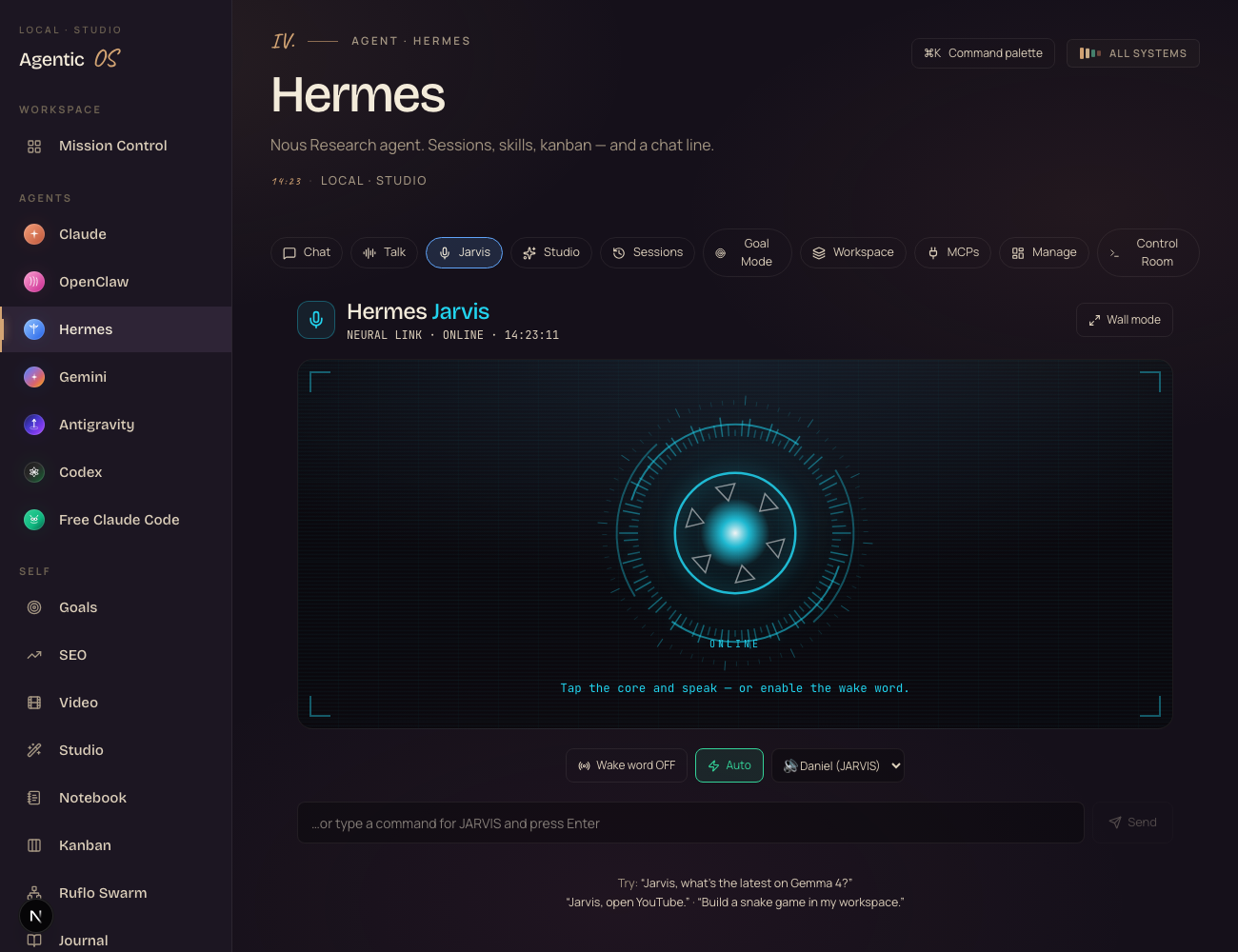
Two. It looks like the reactor from Iron Man.
Let me start with the part everyone notices first.
Open the Hermes tab and tap Jarvis. You get a living arc-reactor core — glowing rings, ticking dials, a pulsing center.
It's not just a pretty picture. The core reacts to the voice. When it talks, the rings pulse to its words. When it listens, it lights up.
This is the kind of thing you put on a screen and people lean in.
It's one tab in a dashboard you already have.
If you can click “Jarvis” and tap a glowing circle, you can run it.
Three. Say its name. It wakes up.
Next big one. The wake word.
Flip one toggle and it's always listening for its name.
You're across the room. You say “Jarvis, what's on my calendar?” — and it answers. No clicking. No buttons. Hands free.
This is what makes it feel less like an app and more like a presence in the room.
It listens for one word, in your browser, on your machine.
It only acts when it hears its name — and it pauses while it's talking back.
Four. Say “show me” — and it paints the screen.
This is the one that feels like the future.
You say “Jarvis, show me the numbers.” A glowing chart appears on the HUD.
You say “show me my builds.” Every app you've made lines up in a grid — tap one and it plays.
“Show me my agents” lights up your whole team. “Show me system status” brings up live gauges.
You talk. The data appears. Right on the screen. This is the Iron Man moment.
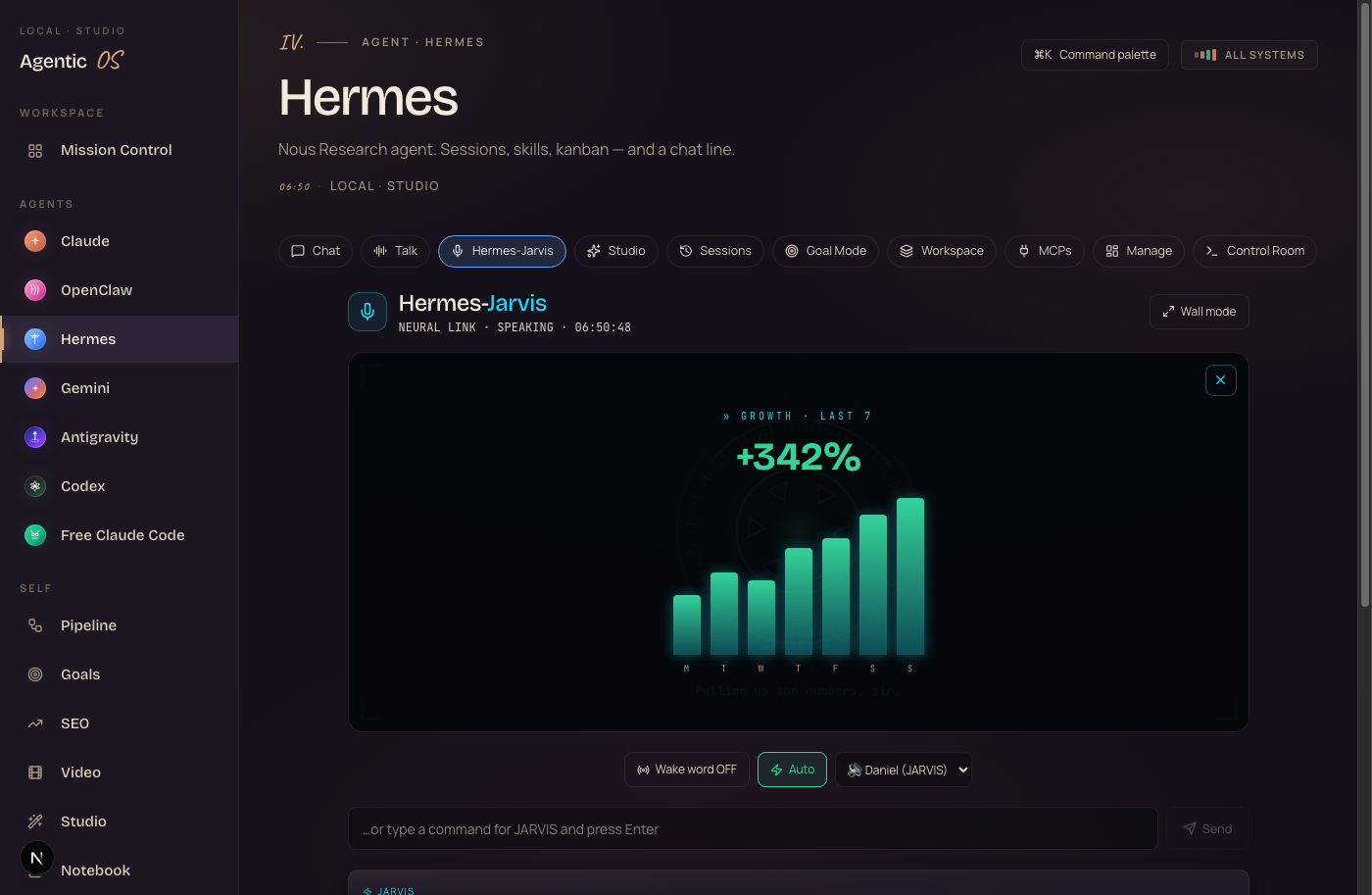
And “show me my builds” lays out everything it's made for you — click any one and it plays right there.
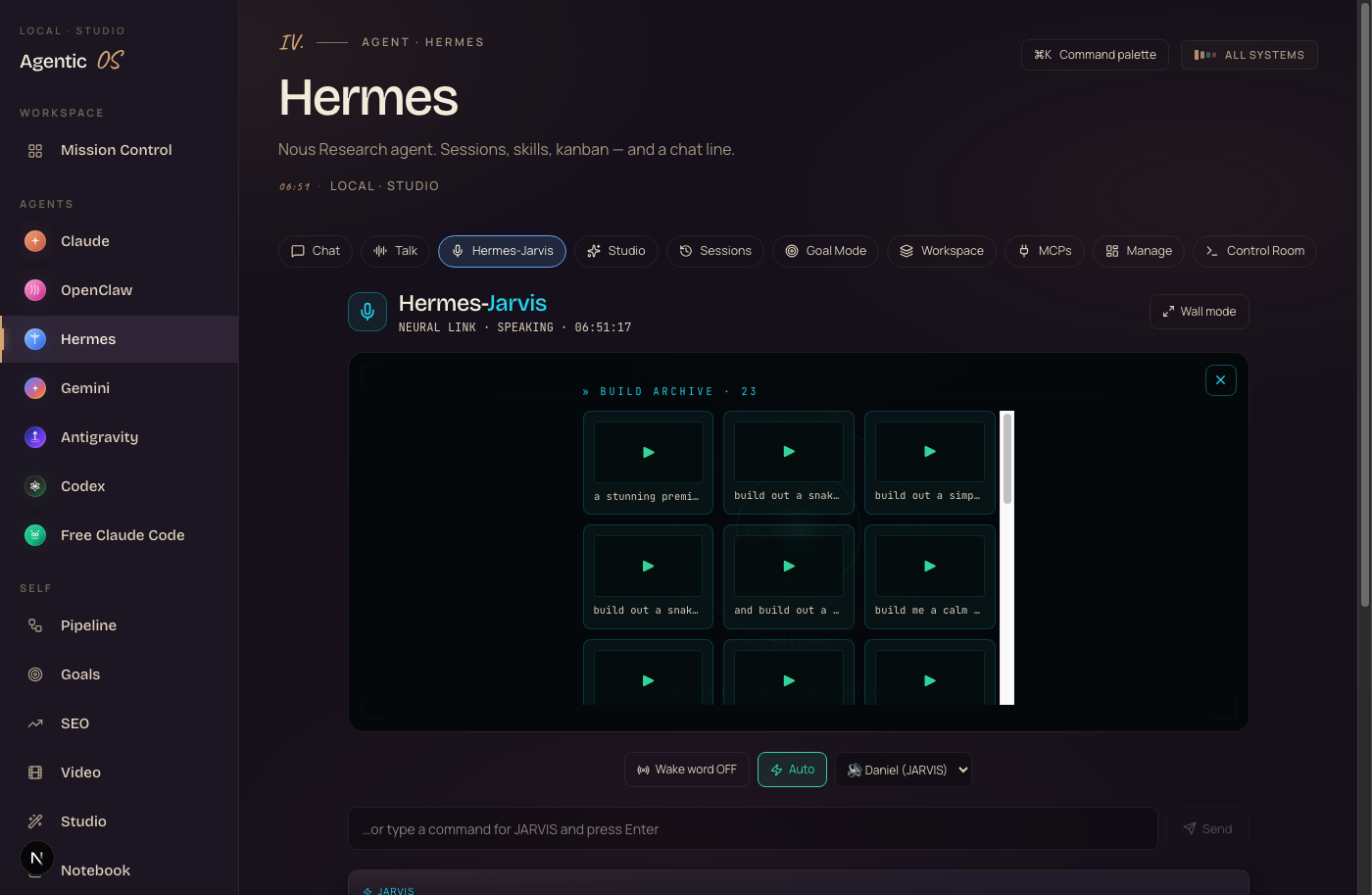
Your builds and your agents are real — pulled live from your own machine.
And it all comes back in seconds, because the quick stuff runs on a fast model and the heavy stuff runs local. No cloud queue, no waiting.
Five. Put it on the wall.
If you have ever wanted your own mission control, this is it.
Tap “Wall mode” and the whole thing goes full screen.
Giant reactor in the middle. A live clock. Your status readouts down the side. A running transcript of everything you've said.
Put it on a spare monitor or a TV on the wall and talk to it from across the room. It looks like something out of a film — and it's running on your desk.
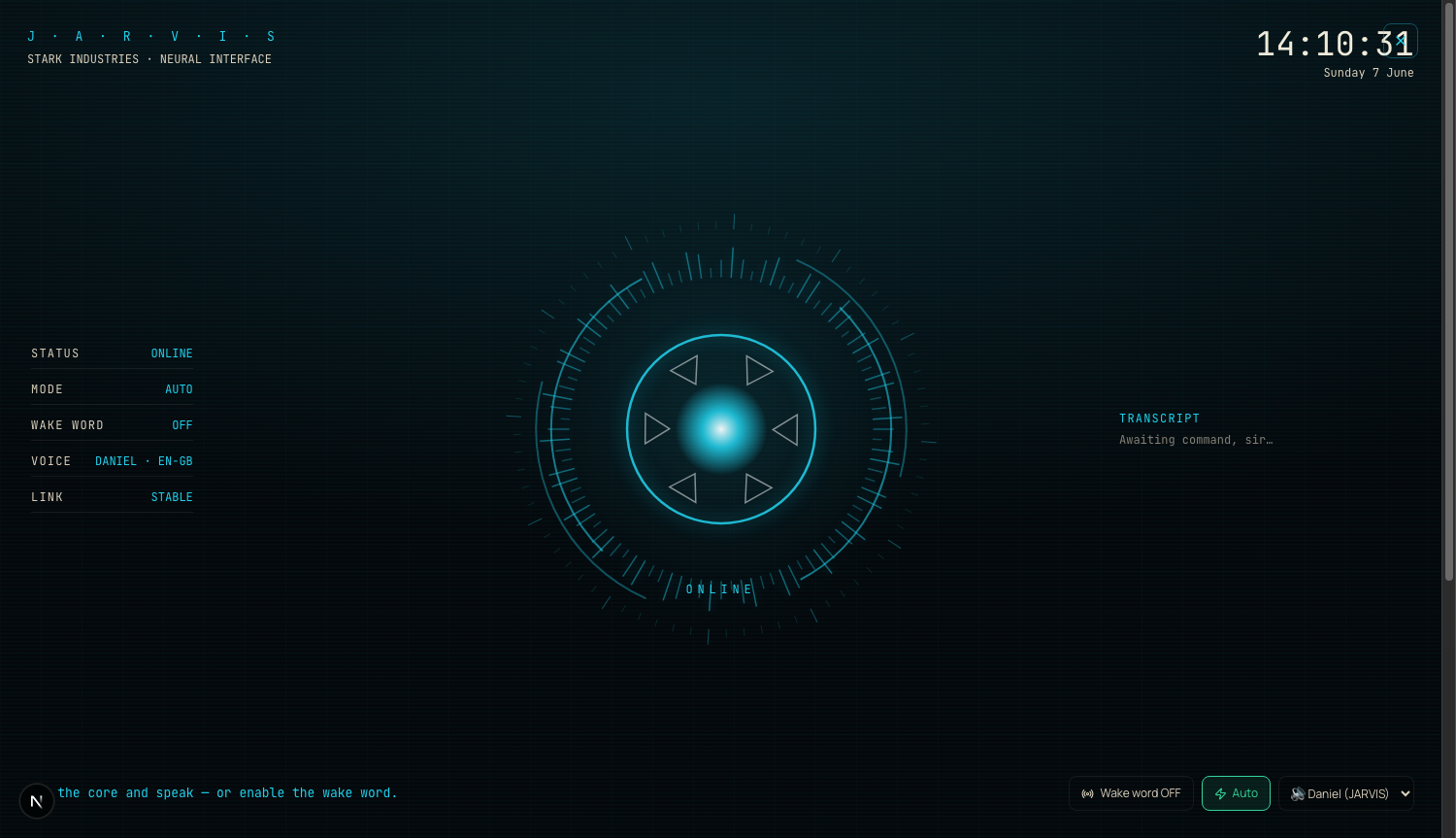
It only lights up the heavy stuff when you ask it to.
Idle, it sits there calm and quiet — built to stay cool.
Six. Say “build me a game” — and it builds it.
This is the one that gets the reaction.
You say “Jarvis, build me a snake game.”
It says “Building it on your Mac, sir.”
About fifteen seconds later, a real, working game appears in the screen next to it — and runs. You can play it.
No code to paste. No setup. It builds the whole thing on your own machine, for free, and shows you the result right there.
Here's one it built me from a single spoken line — “build me a colorful starfield.”

The building runs on a free model on your own Mac. Zero per build.
Not a trial. Not credits. Actually free, every time.
Want the whole system — not just the voice?
The Oracle Control System lives inside the Agent Operating System in the AI Profit Boardroom.
It's a full dashboard I built that wires Claude, OpenClaw and Hermes into one place. Your agents share one memory. They know your goals. They know your business. So when you talk to your voice, it already has the full picture — your files, your context, your work.
You get the full zip file, every prompt, the Obsidian memory setup, and coaching calls where I walk you through the whole thing.
3,000+ business owners are in there right now. A 30-day roadmap. Daily tutorials. A member map so you can find people near you. Someone's online 24/7 — a room of equals, everyone bringing problems and answers.
Get the Agent OS →Inside the AI Profit Boardroom · aiprofitboardroom.com
What you believe is what's holding you back.
❌ “Voice assistants are gimmicks — they can't do real work.”
✓ This one opens your apps, answers fast, and builds working software from a sentence. That's real work.
❌ “Something this futuristic must be hard to set up.”
✓ It's one tab in a dashboard. If you can paste a command and click a circle, you're live.
❌ “I'll wait until this stuff settles down.”
✓ The people who learn to talk to their tools now are way ahead when everything settles. Every workflow you build compounds.
158 pages of members who already broke through these exact beliefs. Real businesses. Real wins.
Read the 158-page testimonials doc →Everything you just got, in one glance.
It powers on and tells you what's up before you ask.
Say its name across the room and it wakes up.
A chart, your builds, your agents — painted on the screen.
Say “build me a game” and a real app appears and runs.
One tap puts the whole thing on a wall.
It all runs free, on your own Mac. Private.
Stop typing at your AI. Start talking to it.
Used in 38 countriesBuild your own Oracle Control System.
If you want a voice that actually saves you time every day — not another tool you check sometimes — grab the Agent Operating System inside the AI Profit Boardroom.
It turns Claude, OpenClaw and Hermes into one system with shared memory, shared context, and one dashboard you control. Your voice understands your business. It remembers everything. And every new feature — like the wake word, wall mode, and voice-to-build you just saw — makes the whole system more powerful automatically.
I built it in one session. You get the zip file. Every prompt. The Obsidian memory setup. Coaching calls where we set it up together, step by step.
3,000+ members. Daily tutorials. A 30-day roadmap. A member map to find people near you. And 158 pages of real member wins.
Get the Agent OS →Inside the AI Profit Boardroom · aiprofitboardroom.com
Try it first. Then decide. I'll see you in the next one.








