One command centre. Seven AI agents. Zero chaos.
Most people are stuck in one chat window, tinkering with AI like it's 2023. Meanwhile, a few of us built our own operating system — every agent, every memory, every signal in one beautiful dashboard. This is what it looks like when you stop tinkering and start running AI like a real business.
The problem most people do not see.
You open ChatGPT. You ask it to write something. You copy-paste the output into another tab. You search for the file you generated yesterday. You can't find it. You try a different model. You hit a rate limit. You give up and go back to doing it manually.
The problem is not the AI. The AI is fine. The problem is the interface.
You're using AI like a vending machine — one ask, one answer, walk away. Meanwhile the people winning right now are running AI like an operating system. Memory across sessions. Agents that build things while they sleep. Generated assets that live in one searchable workspace. Voice in. Preview inline. Auto-saved to vault.
"The gap between people who figured out how to wire AI together and people still copy-pasting between tabs is now bigger than the gap between people with AI and people without it." — Julian Goldie
The Agent OS. One screen, every agent, every output.
I run my entire business out of one dashboard. It lives on my Mac. Nothing in the cloud. No SaaS bill. No tracking. When I want to chat with Claude Code, I click Claude. When I want to build a video with HyperFrames, I click Hermes. When I want to set a goal and walk away for hours, I click Codex. When I want it all free, I click Free Claude Code.
Every output gets saved. Every conversation gets logged to my Obsidian vault. Every image, video, HTML page, and audio file Hermes generates renders right inside the dashboard. No more "where did I save that file again?"
Mission Control
Live status of every agent. Latency, version, queue depth, model in use. One glance.
Unified chat
Same chat box, every agent. Type once, route to whichever AI is best for the job.
Workspace previews
Anything any agent builds — HTML apps, MP4 videos, images, audio — renders inline.
Vault memory
Auto-logged to your Obsidian vault. Searchable. Forever. No data lock-in.
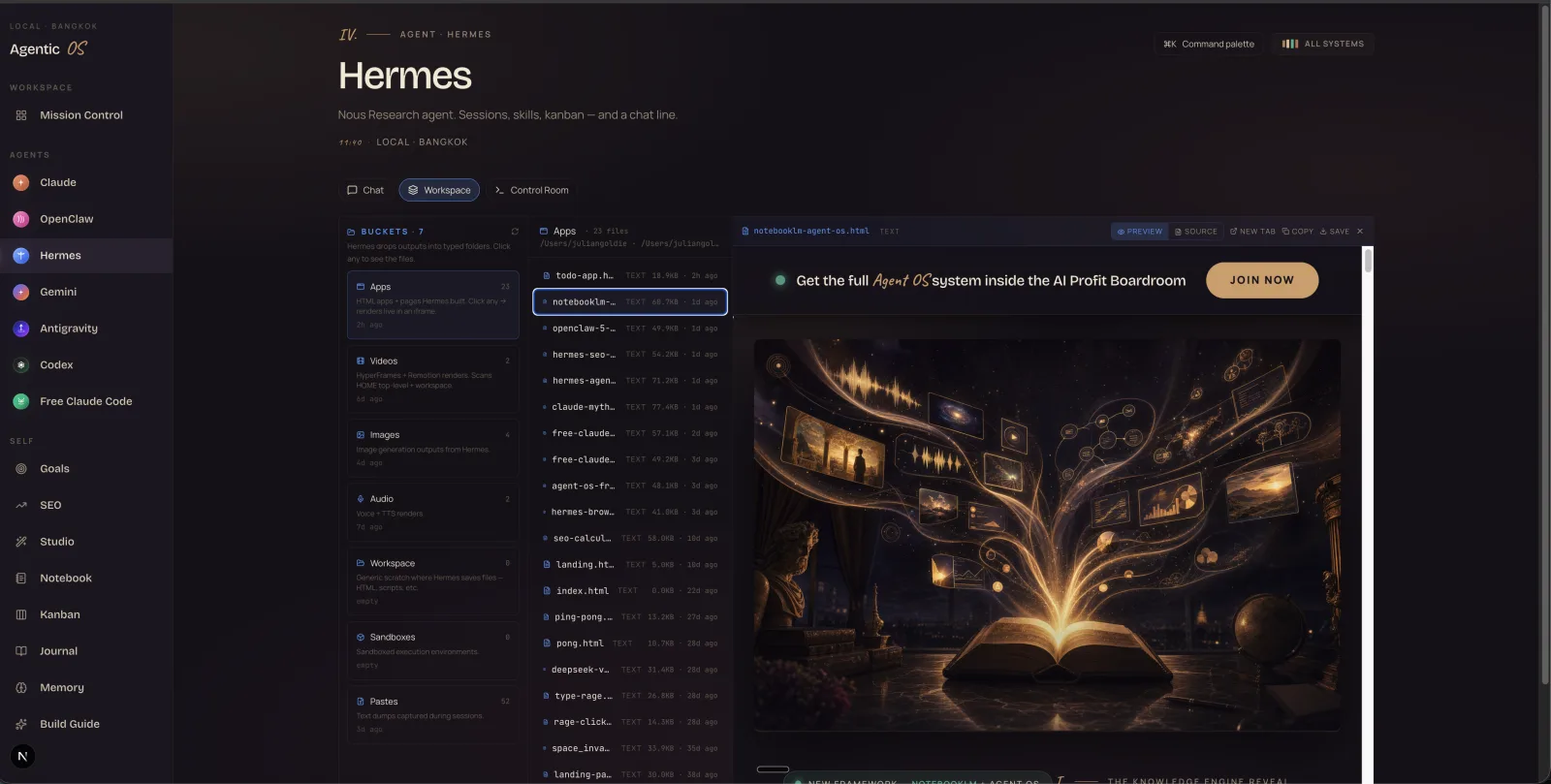
Above: the Hermes agent's Workspace tab. Every HTML app, page, and asset I've ever asked Hermes to build, surfaced automatically. Click any → it renders live in the preview pane on the right. The cinematic image is the cover of one of my Agent OS guides — generated by Hermes from a 6-word prompt.
Want this dashboard ready-made?
The full setup — every agent wired in, the design system applied, the workspace previews working out of the box — lives inside the AI Profit Boardroom. Members get the install + the source + a walk-through.
Join the BoardroomFree Claude Code. Same CLI. $0 per token.
Anthropic's Claude is the gold standard for coding agents. But the bill adds up fast — $15 per million output tokens. Run it all day, you're at $50+ a week. We route it through a local proxy to OpenRouter. Same exact tooling. Zero per-token cost. ↘ saves 90%+
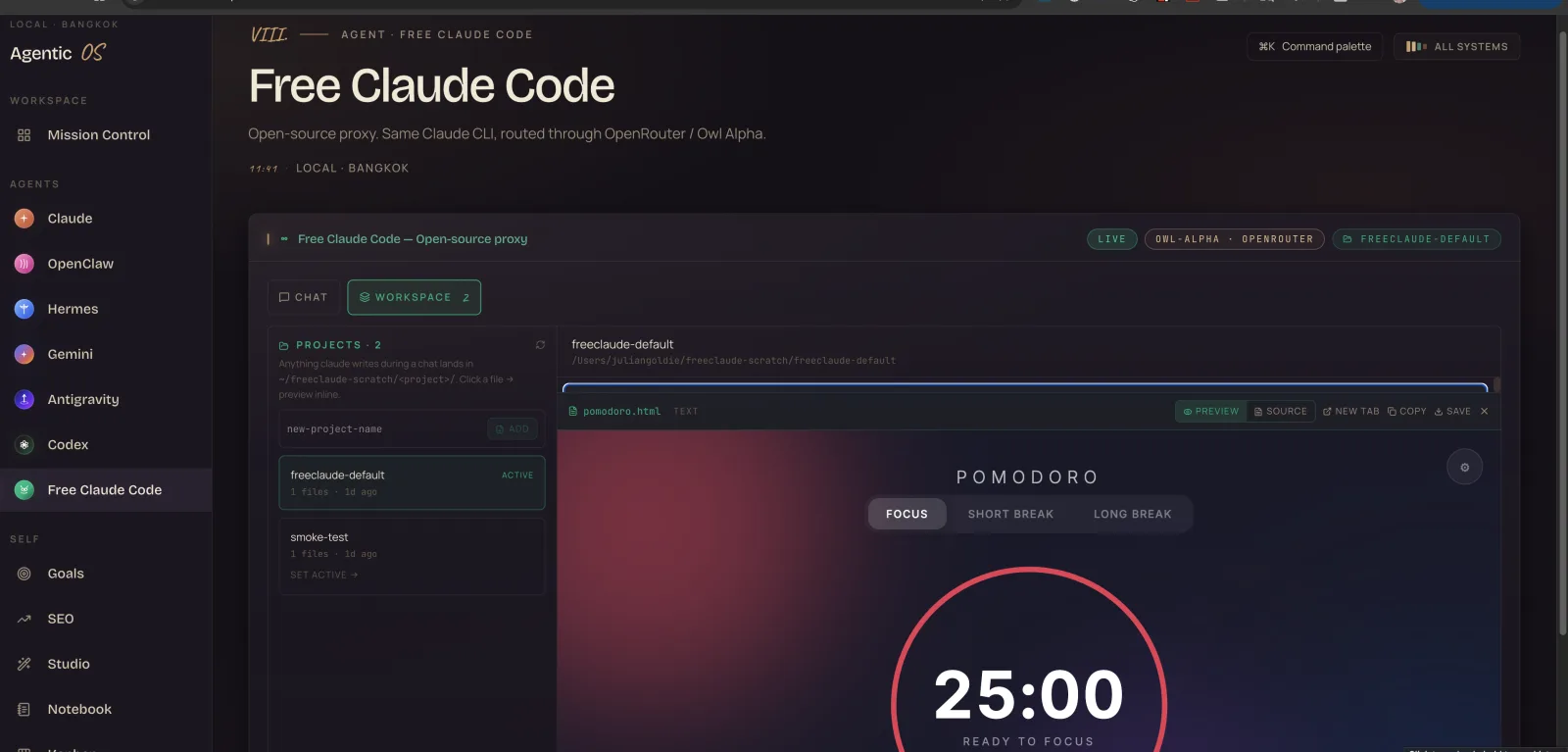
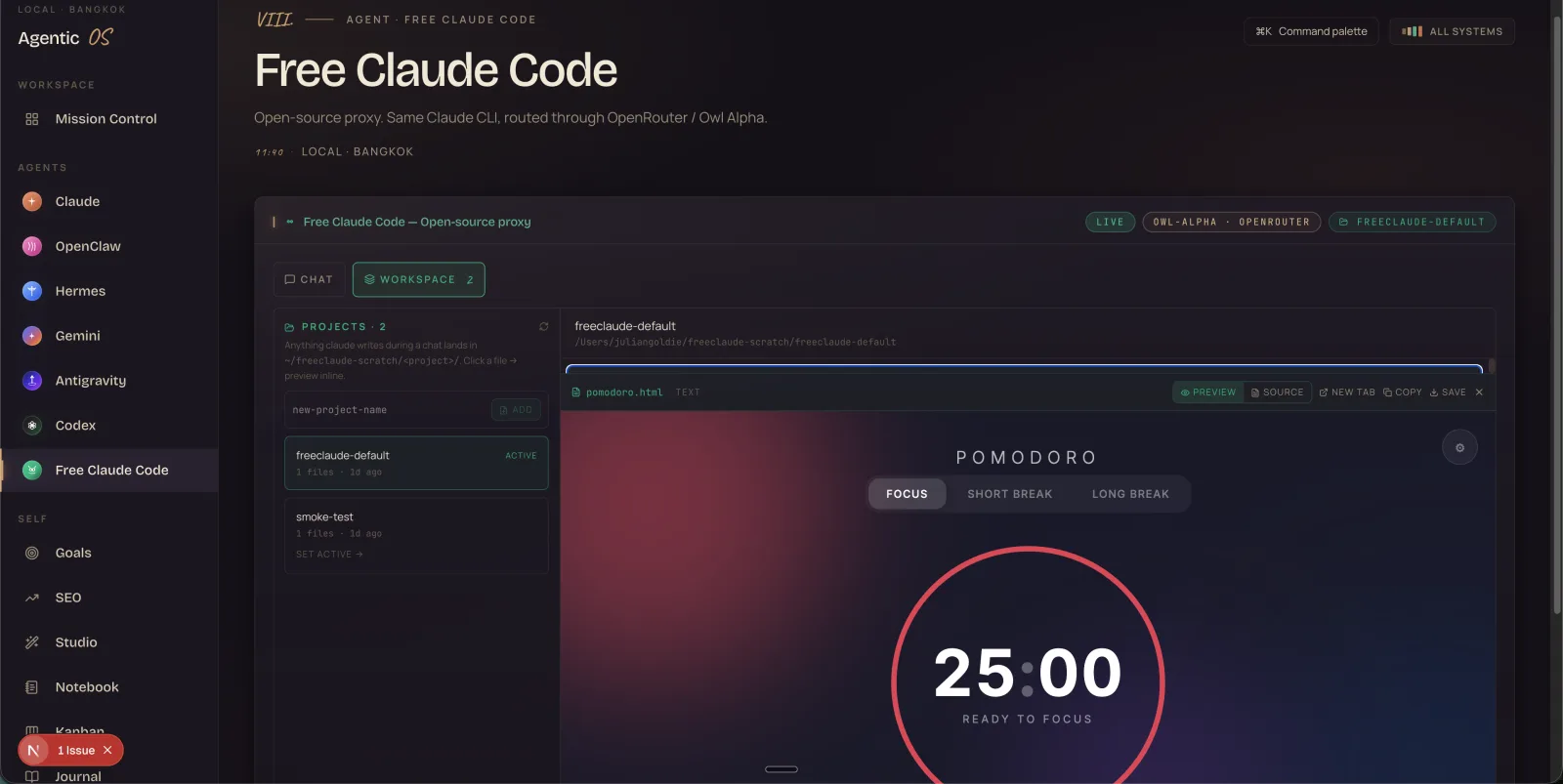
Above: I asked Free Claude Code to "build me a Pomodoro timer in HTML." Ten seconds later, the .html file was in the workspace + rendering live in the preview pane on the right. Click Preview / Source / New tab / Save / Copy. That's the workflow — ask, build, ship.
- ✓Same Claude Code CLI. Same interface, same tool use, same MCPs.
- ✓Owl Alpha by default. Free 1M-context model on OpenRouter. Or swap to any model.
- ✓Workspace preview. Anything Claude writes → click → renders inline.
- ✓Persistent history. Auto-saved to localStorage. Never lose a conversation.
- ✗No Anthropic bill. Zero per-token cost. Forever.
Studio. Voice in. Image, video, speech out.
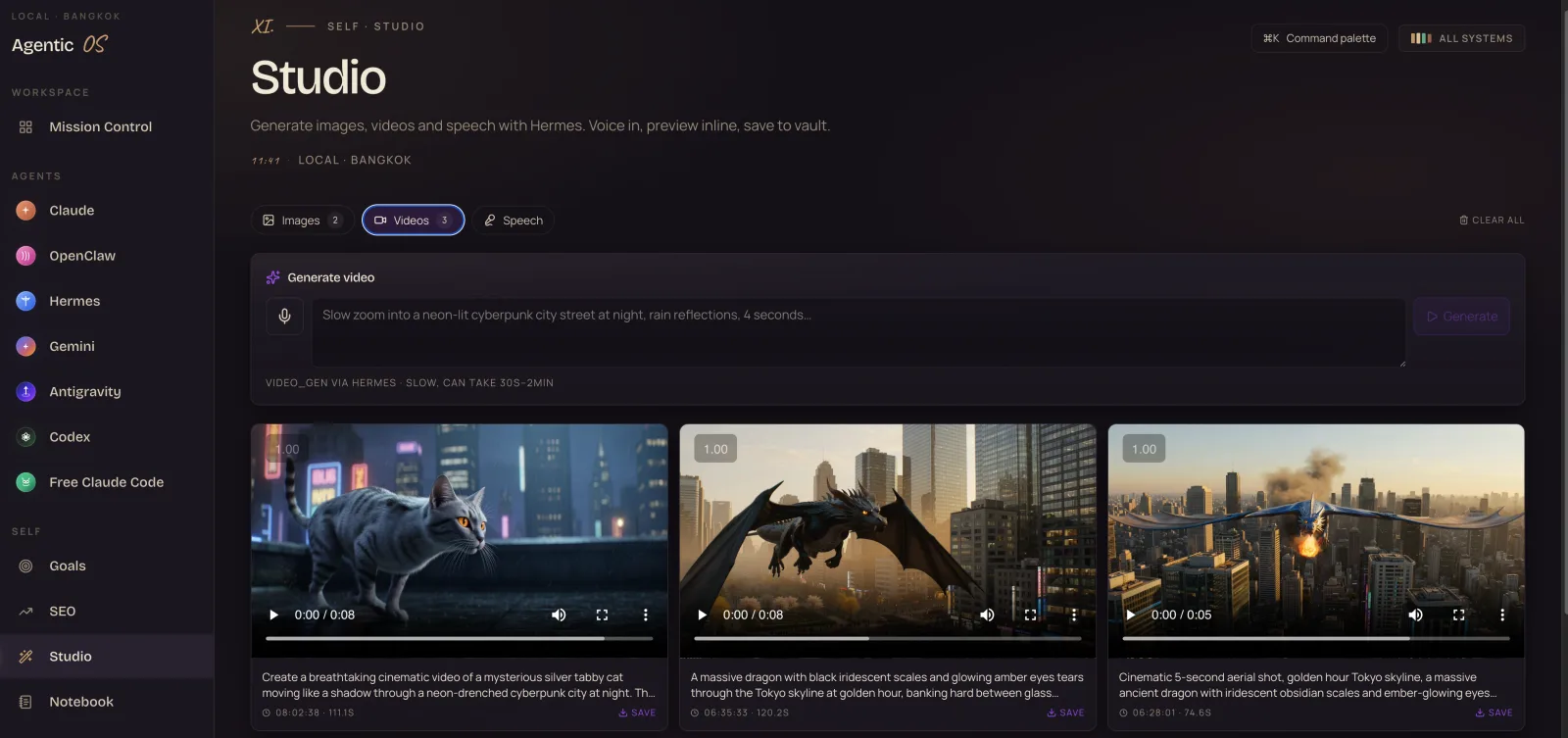
I describe what I want. Hermes builds it. The output lands in the Studio grid where I can preview it, play it, save it. No third-party tools. No upload-download-upload cycle. The dragon in the screenshot below? Built from a one-sentence prompt while I was making tea.
Images
Type or speak a prompt. Get high-res images in seconds. Saved to your vault automatically.
Videos
Veo, HyperFrames, Remotion — pick your engine. 5-second clips to 30-second narratives.
Speech
TTS via Whisper, Riva, or local. Voice cloning supported. Used for shorts + voiceovers.
NotebookLM. Wired straight into your dashboard.
I dump every URL, every PDF, every transcript into NotebookLM. Then I generate audio overviews, infographics, and mind maps. All of it shows up in the Notebook tab + saves to my Obsidian vault. The audio plays inline. The video assets render inline. Searchable forever.
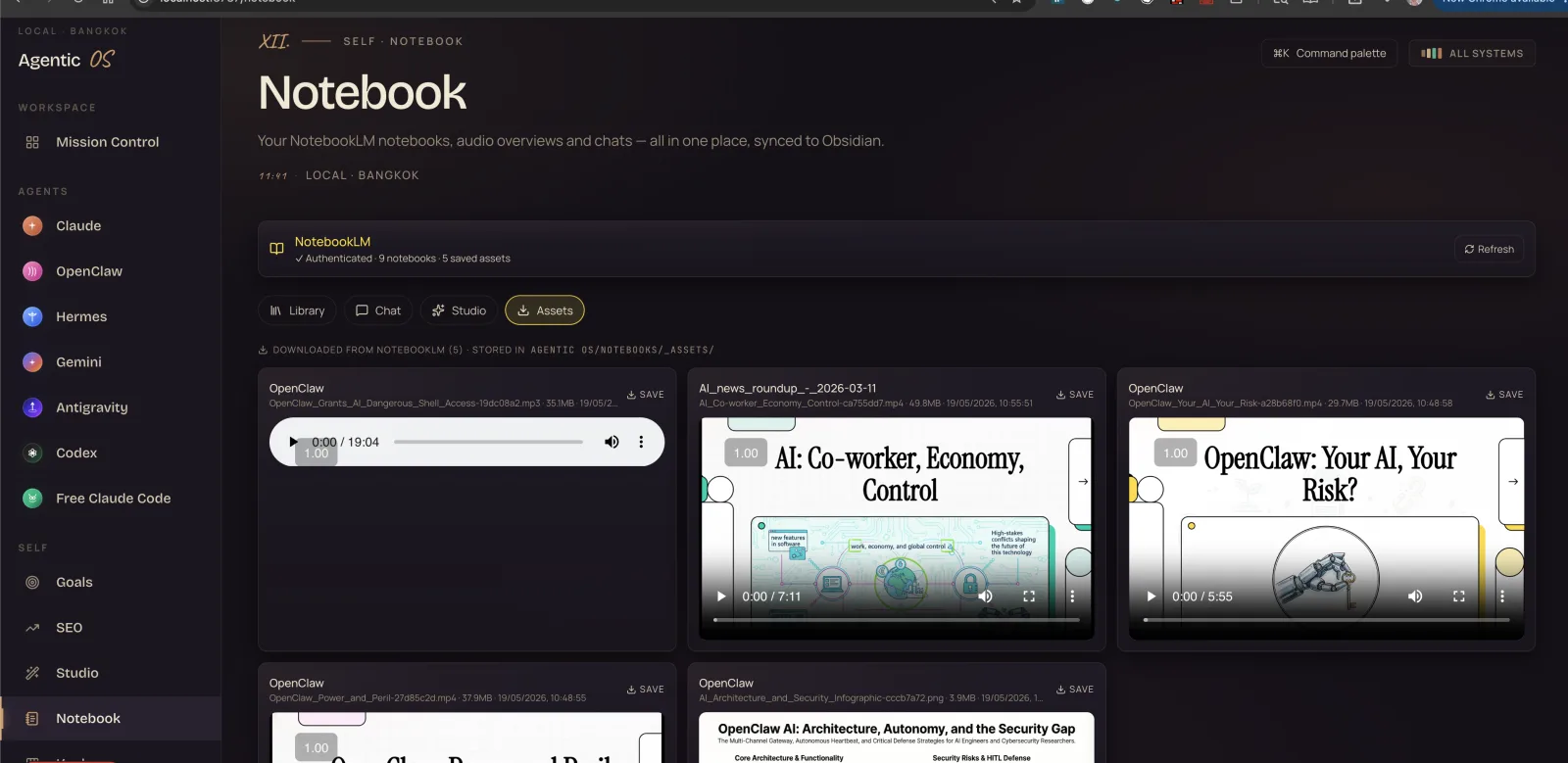
Above: my Notebook tab. Audio overviews from NotebookLM playing inline. AI: Co-worker, Economy, Control. OpenClaw: Your AI, Your Risk. Architecture diagrams + power-and-peril deep dives. Each one is a 19-minute audio overview I generated in 30 seconds from a Skool community URL.
What you've seen so far is the dashboard.
The setup is the hard part. Wiring seven agents together, applying the design system, building the preview iframe pattern, configuring the proxy. That's what AI Profit Boardroom members get out of the box.
See What's InsideCodex Goal Mode. Set the target. Walk away.
This is the one most people don't even know exists yet. Codex's Goal Mode
lets you hand the agent a long-horizon objective — "build me a 3-page
landing site for an AI tutoring service" — and it runs --full-auto
in a dedicated scratch dir until the goal is met. Hours or days.
- I set a goal at 11pm: "Generate 5 unique blog posts about AI automation, formatted for Netlify deploy"
- I wake up at 7am
- 5 blog posts are in my workspace, ready to push live
- Total cost: 0 (Codex via ChatGPT Pro, already paid for)
That's what running AI like an operating system looks like. While you sleep, the work happens. The Goal Mode timeline shows every command, every file written, every assistant message — like watching a junior developer work, without paying a junior developer.
Is the Agent OS for you?
- ✓You run a business and want AI to be invisible infrastructure — not another chrome tab you babysit.
- ✓You've used ChatGPT, Claude, Gemini — and you're frustrated they don't talk to each other.
- ✓You want everything on your own machine — no SaaS lock-in, no data leaving your Mac.
- ✓You're willing to spend 30 minutes setting it up once — to save 30 minutes every day forever.
- ✗You're looking for a magic AI tool that "does it all for you." This is power tooling, not a button.
- ✗You don't want to learn anything new. The system is simple, but it's not zero-effort.
Built by someone who actually uses it. Daily.
The members inside the AI Profit Boardroom get the exact same setup I run on my Mac Studio in Bangkok. Same agents, same design system, same workflow. Plus the install walk-through, the Skool community, and weekly live calls where I show what's new.
Stop tinkering with AI. Start running it.
Join 3,000+ members inside the AI Profit Boardroom. Get the full Agent OS setup, the source files, the install guide, and weekly live calls. Cancel anytime in two clicks.
Join the Boardroom →
Built in Bangkok. Used daily by people across 38 countries.
aiprofitboardroom.com