The Pocket Mission Control™ — your Agent OS, on your phone.
Your Agent OS just escaped the desk — today I'm putting the whole thing on a phone.
Imagine checking your agents from the sofa, the gym, or the school run, exactly like you do at your desk.
Every dashboard, every agent, every build — in your pocket, private, and free to set up.
No ports opened, nothing exposed to the internet, and the setup takes about ten minutes.
Along the way we found a bug that breaks the whole thing on phones — and fixed it live.
And there's one checkbox most people miss that makes the connection appear — stick with me to the end.

A private wire between your devices.
Tailscale is a free app that connects your devices into one private network.
Your Mac, your phone, your laptop — they all join something called a tailnet.
Inside it, your devices talk to each other directly, encrypted end to end.
Nothing is published to the public internet. No router settings. No opened ports. No domain to buy.
Which means the Agent OS running on your Mac can appear on your phone — as a private HTTPS address only your devices can reach.
That's the whole trick. Tailscale is the wire; the Agent OS rides it.
My agents worked all night. I couldn't see them.
My Agent OS runs around the clock.
Agents building, benches running, videos rendering — all night, every night.
But the only window into it was the desk chair.
Away from the studio, I was blind. Is the bench done? Did the deploy pass? No idea until morning.
Then I put Mission Control on my phone.
Now the whole OS sits one tap from my lock screen.
Agent status from the sofa. Build results from the gym.
Same dashboard, same everything — just in my pocket.
You can have this too. The exact setup is below.
Real people. Real wins. Running systems like this.
Members inside the Boardroom run the Agent OS across agencies, ecom stores and content businesses.
Every win is collected in one doc — read the 158-page member wins doc →
The Isolation Problem — your best system, cut off from you.
Here's the quiet flaw in every home-built AI system.
It lives on localhost — one machine, one room.
Step away, and you're cut off. Your agents keep working; you just can't see them anymore.
Is the bench finished? Did the build pass? Did an agent get stuck an hour ago? You find out whenever you're back at the machine.
The obvious fixes are all bad.
Port forwarding exposes your machine to the whole internet. Cloud hosting means moving your keys and your data off your Mac. Remote-desktop apps give you a blurry desktop squeezed onto a phone screen.
So the most connected system you own stays isolated from the person it works for.
The fix is a private tunnel that follows you. That's the Pocket Mission Control™.
The Pocket Mission Control™
Three layers. Ten minutes. Zero exposure.
Layer 1 · The Station
A second Mission Control on your Mac — its own copy, its own port. Experiments never touch your main OS.
Layer 2 · The Wire
Tailscale joins your Mac and phone into a private tailnet, then serves the OS at a private HTTPS address.
Layer 3 · The Pocket
Your phone opens that address anywhere. Add it to your home screen and it feels like a native app.
Why the old ways of remote access were never worth it.
Expose, host, or squint.
- Port-forward your router and pray nobody scans you.
- Or move the whole system — and your keys — to a cloud server.
- Or remote-desktop into a blurry, laggy screen.
- Dynamic DNS, certificates, firewall rules to maintain.
- One misstep = your machine on the public internet.
One tunnel that follows you.
- Install Tailscale on Mac and phone. Log in on both.
- One command serves the OS at a private HTTPS address.
- Certificates handled for you, automatically.
- Works from any network — home, hotel, 5G.
- Turn it off any time with one command.
Here's mine, on my actual iPhone.
This isn't a mockup and it isn't a simulator. The screenshots in the walkthrough below are straight off my phone, connected through the tailnet from the sofa.
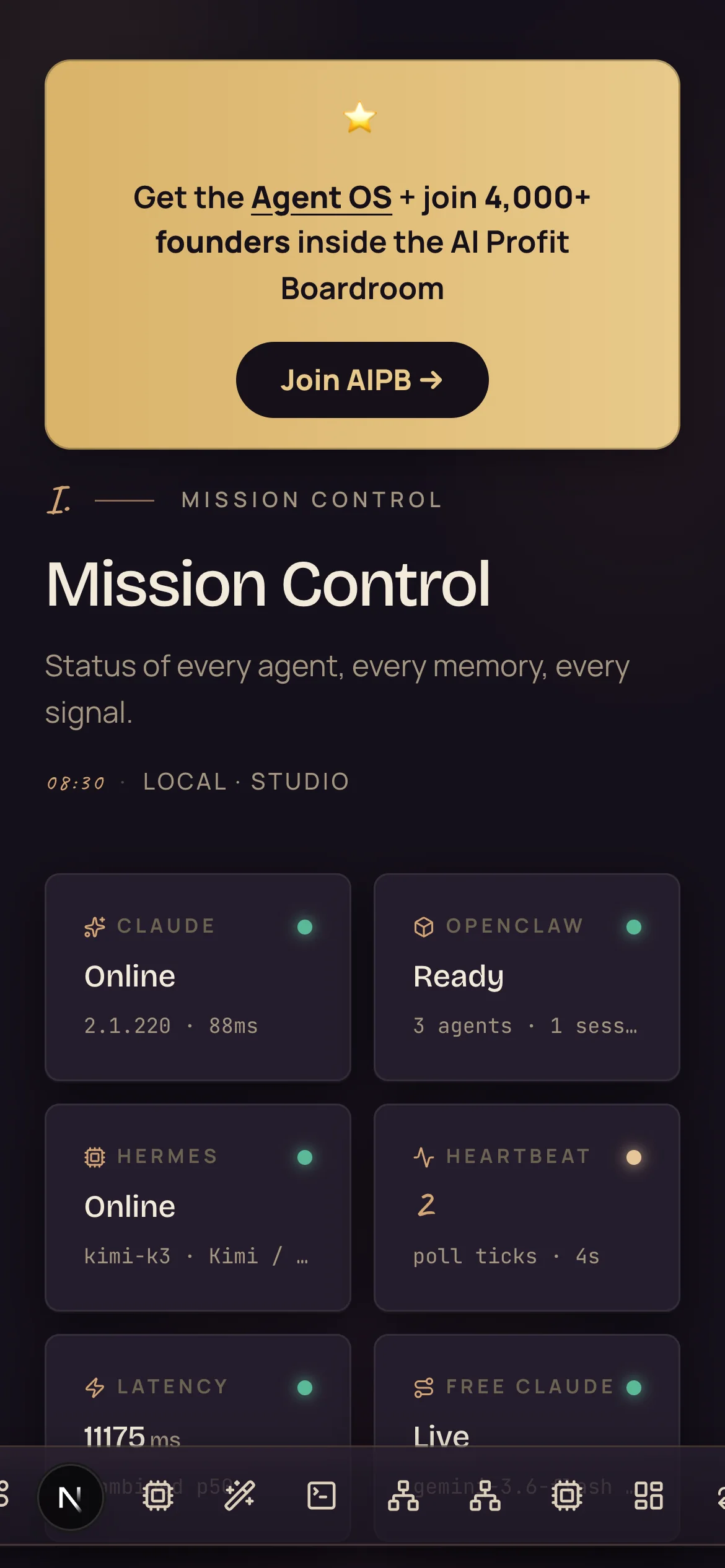
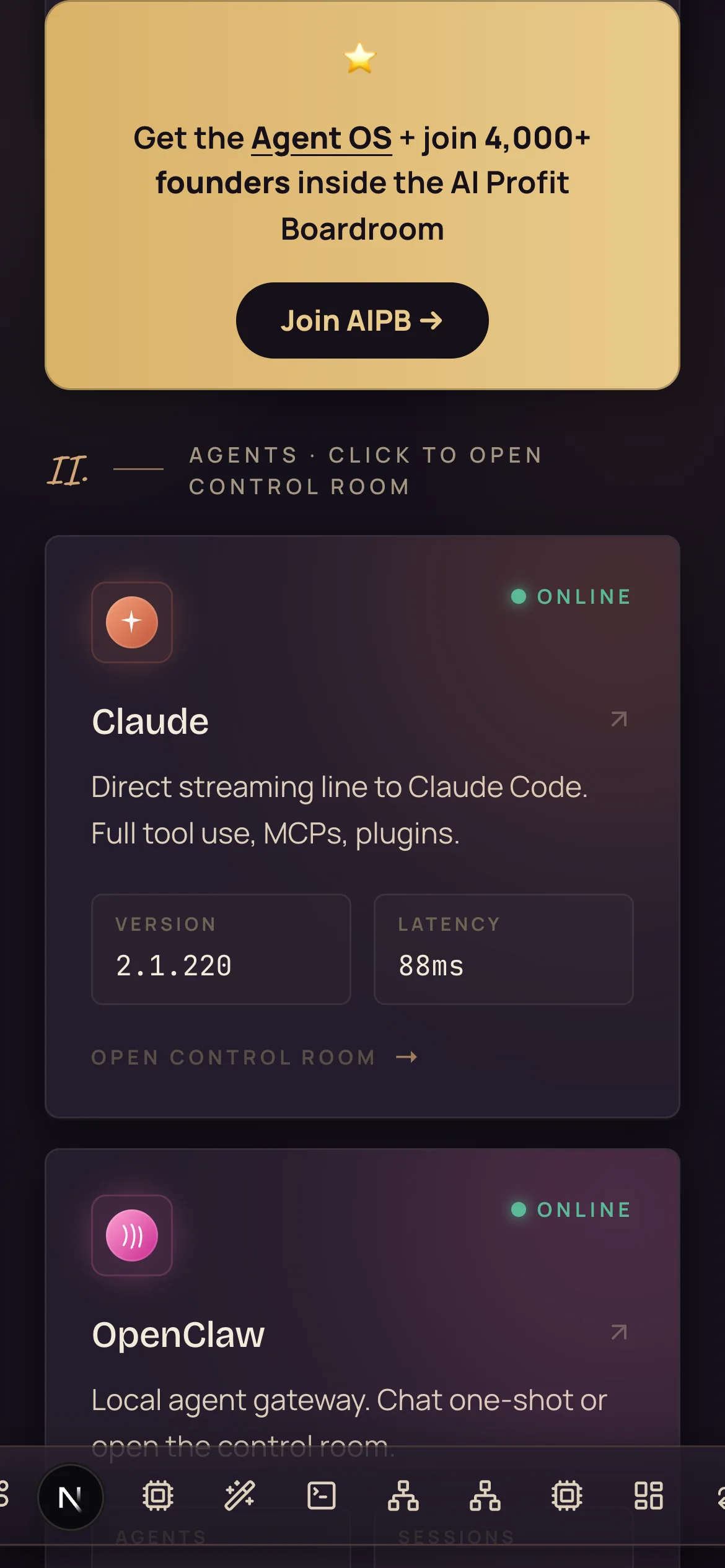
And the plot twist: the first phone test showed a blank screen.
Real bug. The mobile nav's positioning class was being overridden, so it swallowed the whole layout and squeezed the dashboard to zero width on phones.
One-line fix, applied everywhere. That's WHY you do a test run on a separate station before touching your main one — the test found a bug the desktop never showed.
The full walkthrough — Mac to pocket in eight steps.
This is the exact sequence, in the exact order I ran it. Five steps on the Mac, three on the phone. Every command is copy-paste.
Install Tailscale
One brew command installs the whole toolkit, then a second line starts the connection engine in the background. No admin password needed — this mode runs entirely as your user.
brew install tailscale
tailscaled --tun=userspace-networking \
  --statedir="$HOME/.tailscale" --socket="$HOME/.tailscale/tailscaled.sock" &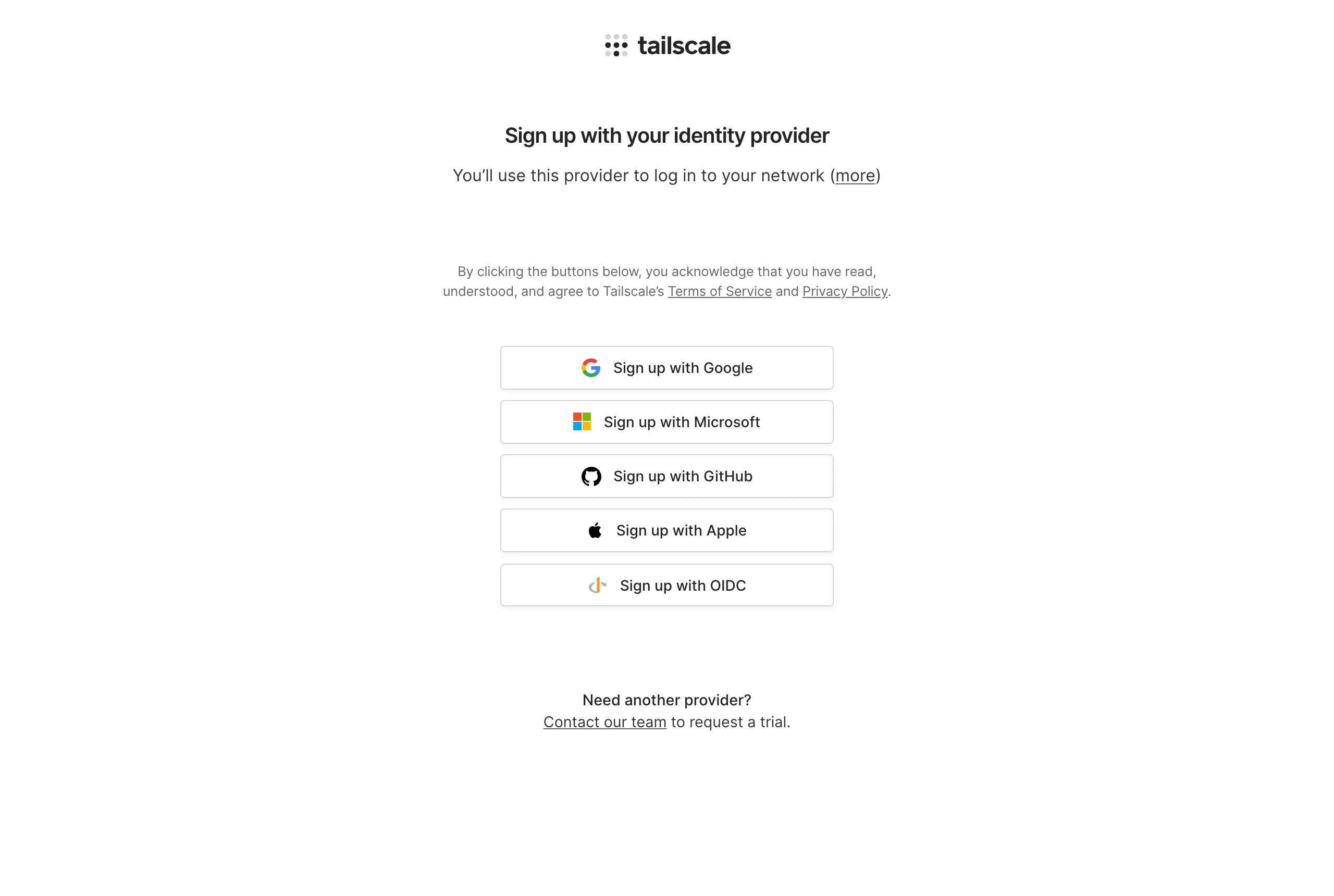
Create your free account and join
Ask Tailscale to connect. It prints a login link — open it and you'll see this page.
tailscale --socket="$HOME/.tailscale/tailscaled.sock" up --hostname agentos-mobileSign up free with Google, Apple, GitHub or Microsoft — whichever you already use. The moment you finish, your Mac joins your brand-new tailnet as agentos-mobile.
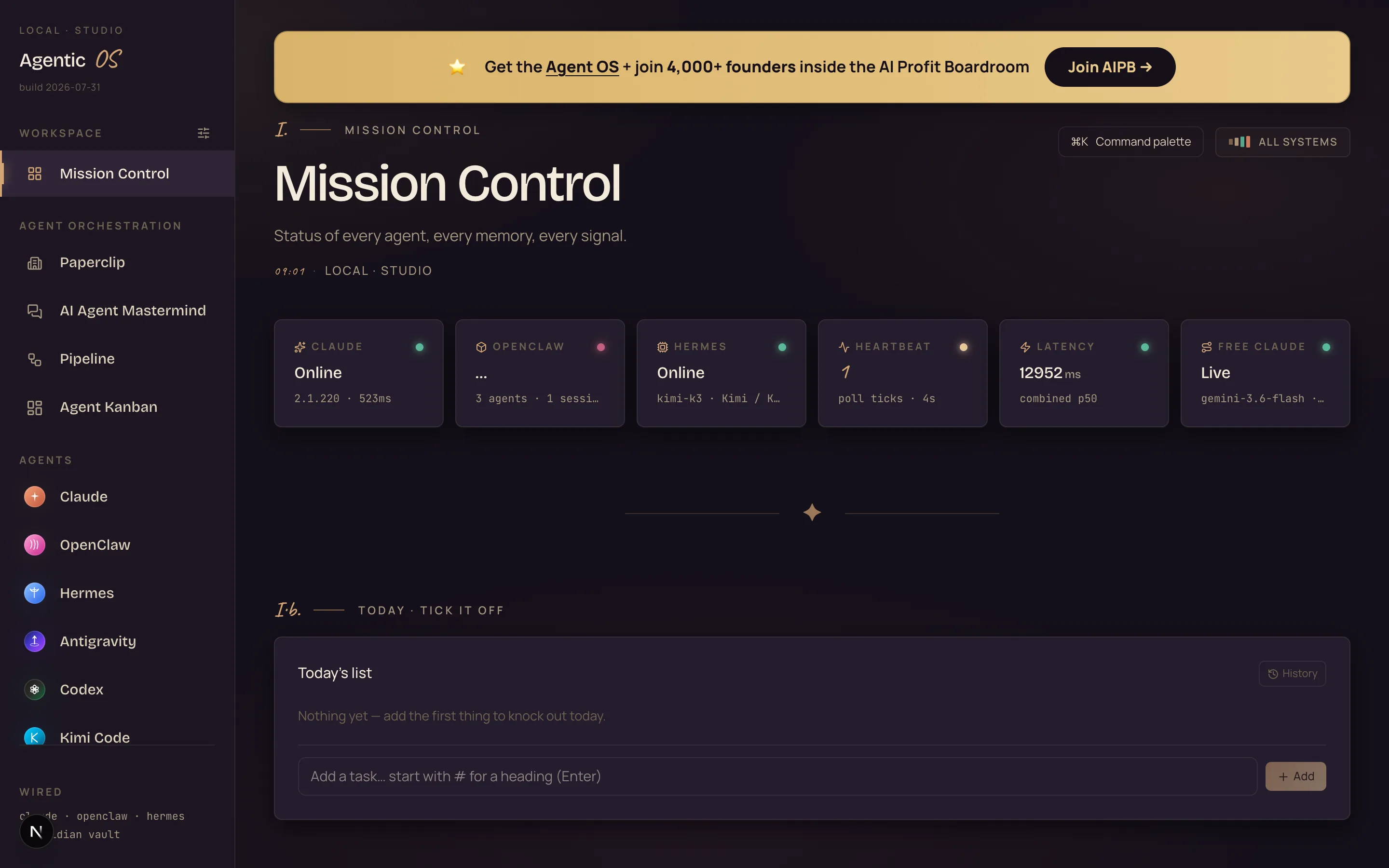
Start your second Agent OS
Copy your Agent OS folder into a test station and run it on its own port. The copy is instant — and your main OS never feels a thing.
cp -cR "Agentic OS/agentic-os" ~/agentic-os-mobile
cd ~/agentic-os-mobile && npx next dev -p 3838
Open localhost:3838 in your browser — that's the exact dashboard your phone is about to receive.
Connect the Agent OS to the tunnel
This is the moment the two sides meet: one command tells Tailscale to carry your OS.
tailscale --socket="$HOME/.tailscale/tailscaled.sock" serve --bg http://localhost:3838The checkbox from the hook: the very first run answers with an approval link instead of starting. Open it, click Enable once for your tailnet, and run the same command again.
Copy your private address
Tailscale replies with your personal URL — it looks like this:
https://agentos-mobile.tailXXXXX.ts.net (tailnet only)
Certificates are already handled. That address now serves your Agent OS — but only to devices signed into YOUR tailnet. To everyone else on earth, it doesn't exist.
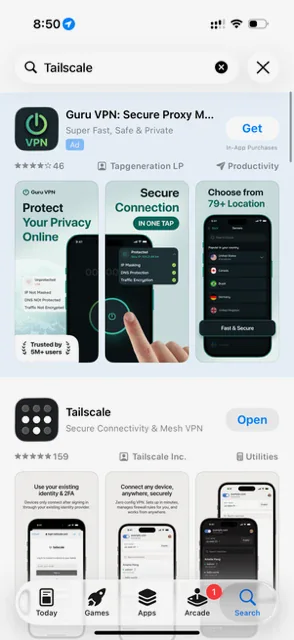
Install the Tailscale app
App Store → search "Tailscale" → install Tailscale — Secure Connectivity & Mesh VPN by Tailscale Inc. It's free.
Watch out: sponsored VPN ads sit above the real result. Skip them.
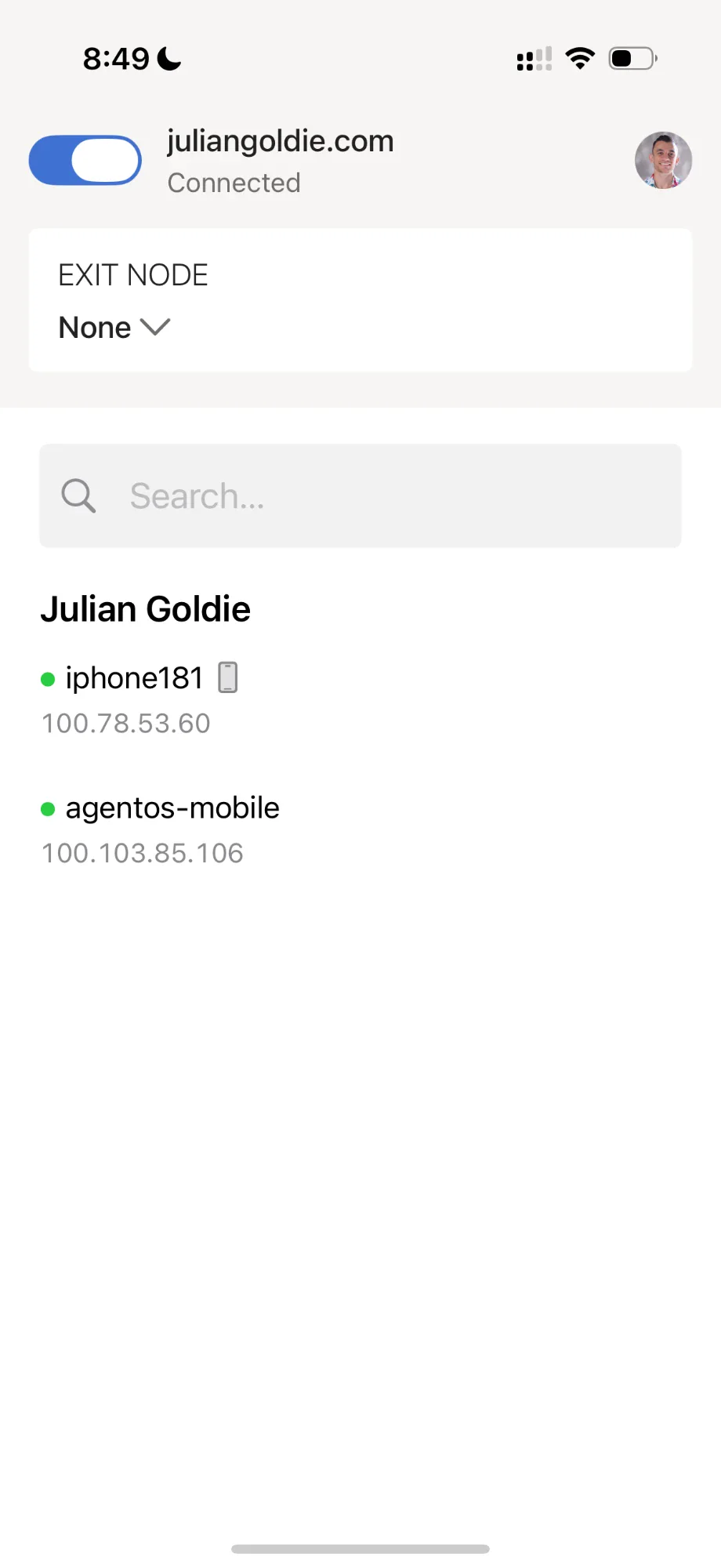
Log in with the SAME account
Open the app and sign in with the same provider you picked in step 2 — same Google, same Apple, whatever you chose. Flip the toggle to Connected and accept the VPN prompt iOS shows once.
Your device list appears: the phone and agentos-mobile, each with a green dot. Two green dots = the tunnel is alive.
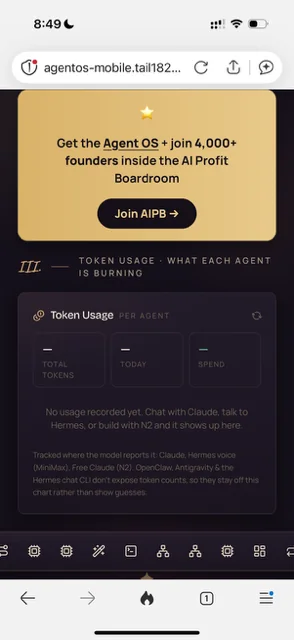
Open your address — and pin it
Type the address from step 5 into any browser — Safari, Chrome, DuckDuckGo — in the address bar, not the search box (it's not on the public internet, so search finds nothing).
Mission Control loads. That's your Agent OS, in your hand, from anywhere.
Finish: Share → Add to Home Screen. One tap from lock screen to your agents, forever.
Six ways the pocket changes your day.
Agent check-ins
Glance at every agent's status from anywhere — online, working, stuck.
Overnight watch
Benches and renders run all night. Check results from bed, not the office chair.
Kick off builds
Fire a build from the sofa and watch it land in the workspace gallery.
Kanban on the go
Reorder the agent queue while you're out — they pick up the new priorities.
Memory in your pocket
Search your second brain from anywhere — the galaxy renders beautifully on a phone.
A safe test bench
The second station doubles as a sandbox — try risky changes without touching your daily OS.
If you want this in one place.
The Agent OS behind these screenshots — every agent, studio and dashboard — is the system I run my business on. Inside the AI Profit Boardroom you get it pre-wired, plus the people to help when something doesn't work first try.
- The Pocket Mission Control™ setup, ready to follow
- The complete Agent OS — every agent and studio in one dashboard
- 5 live coaching calls a week — get unblocked by people on your exact setup
- 1,000+ prebuilt agents and the automation playbooks
- 4,000+ members in 38 countries — someone's online whenever you're stuck
The three beliefs holding you back.
What this costs, straight up.
Tailscale's personal plan is free, and it covers everything in this guide — the tailnet, the serve command, the phone app.
The Agent OS side is the system you already run (or the one this guide's screenshots come from).
Follow the setup above and you can have your own dashboard in your pocket tonight. Or take the shortcut: the Boardroom has the whole OS pre-wired, with live calls when you get stuck.
Eight steps to your pocket OS.
Install Tailscale on the Mac
One brew command. Start the daemon in userspace mode — no admin password needed.
Join your tailnet
Run tailscale up, open the login link it prints, sign in. Your Mac gets a private address.
Spin up the test station
Copy your OS folder, run it on a second port. Your main OS stays untouched.
Check it on a phone-sized window
Before going remote, shrink the browser to phone width. We caught a layout-breaking bug exactly here.
Serve it
One command. First run asks you to enable Serve for your tailnet — that's the one-time checkbox.
Install Tailscale on the phone
Same account, one login. Your phone joins the tailnet.
Open your private address
The https://…ts.net link from step v. Mission Control loads like any website — except only your devices can see it.
Add to Home Screen
Share → Add to Home Screen. Now it's an app icon. One tap from lock screen to your agents.
Thirty days to an OS that follows you.
Week 1 — The tunnel
Days 1–7Goal: tailnet live, test station served, OS opening on your phone.
Week 2 — The habits
Days 8–14Goal: home-screen icon, morning agent check from the phone, first build kicked off remotely.
Week 3 — The fleet
Days 15–21Goal: laptop and tablet on the tailnet too — same address works on all of them.
Week 4 — The graduation
Days 22–30Goal: promote the setup to your main OS and keep the test station as your sandbox.
Everything you just learned, in one glance.
The problem
Your OS lives on one machine — step away and you're cut off from it.
The wire
Tailscale joins your devices into one private, encrypted tailnet.
The station
A second Mission Control on its own port — safe to experiment on.
The serve
One command turns localhost into a private HTTPS address.
The checkbox
First serve prints an enable link — click it once, then it just works.
The bug
Phone testing caught a layout-killer the desktop never showed.
The pocket
Phone app, same login, home-screen icon — feels native.
The exposure
Zero. No ports, no public URL, off with one command.
Build it tonight. Or take the shortcut.
Everything above is reproducible from this page in about ten minutes. And if you'd rather have the whole OS handed to you working, that's what the Boardroom is for.
- The Pocket Mission Control™ + the full Agent OS, pre-wired
- 5 live coaching calls a week + a community already running this
- 258 documented member wins — read all of them here