The Goldie Living Office™.
Your AI agents have always been invisible — commands typed into a black box. So I gave them a place to work. An office you walk into and see your whole team sitting at their desks. Green means they're working right now. Click anyone and talk to them — and they actually do the job.
I had a team of agents — and I couldn't see a single one.
Before
My agents lived in black terminal windows.
Fourteen tabs open. No faces. No names.
Was Hermes running? Was Codex stuck? I couldn't tell.
I'd babysit each one in its own window, one at a time.
I had a whole AI team and no way to actually look at them.
Then I gave them an office.
After
Now I open one tab and my whole team is sitting there.
I can see who's working right now — they light up green.
I click a desk and I'm talking to that agent.
I tell Codex to build something — and it builds it, for real.
You can have this too. Same agents. One office.
Commit to meeting your team today.
You've seen the proof. Real people. Real results.
The next few minutes show exactly how the office works and why it changes everything.
So here's the deal.
Promise yourself one thing right now. Before you sleep tonight, you'll open one tab and actually see your AI team at their desks. Just once. Because the moment you can see your agents — and talk to them — you stop managing ghosts and start running a team.
The people sitting still are still typing into a black box. The people building today are walking the floor and giving orders.
Be one of those people.
Commit to the transition. Commit to taking action today. This changes how you work with every agent you've got.
The Goldie Living Office™.
Five layers turn a pile of invisible terminal agents into a team you can see, command, and grow.
The Roster
Every agent gets a desk and a face — Claude, OpenClaw, Hermes, Gemini, Codex, the lot. Your whole AI team, finally visible in one room.
The Status Lights
Green means working live. Amber means hired and ready. You see who's busy at a glance — no more guessing if an agent is running or stuck.
The Three Views
A pixel office, a clean avatar team, or a walkable 3D headquarters. See your team the way you like — from a quick glance to a full room you move through.
The Command Floor
Click any agent and talk to them. They don't just reply — they actually run. You tell Codex to write something, it writes it. You ask Gemini to analyse, it analyses. Real work, from a chat.
The Shared HQ
They all live in one building, share one memory, and know your goals. Give the office a job and the right agent picks it up. The team compounds.
A black box vs a team you can see.
Here's the difference between how most people run AI and what happens when your agents get an office.
- Agents live in black terminal windows
- No faces, no names, no idea who's who
- Can't tell who's working or stuck
- You babysit each one in its own tab
- Copy-paste between windows all day
- Result: a team you can't actually see
- Your whole team on one floor
- Every agent has a desk and a face
- Green light = working live, at a glance
- Click a desk → talk to that agent
- Give them a job → they actually run it
- Result: a team you can see and command
It's both. The office is the front door — but click an agent and it runs the real CLI underneath.
I asked Codex to confirm it was live in the office. It replied: "I'm Codex, running live inside the 3D office." That was the real agent, not a script.
Open the Office. Meet your team.
It's one tab inside the Agent OS. Open it and your agents are sitting at their desks — no setup, no export. Each one shows its real status, pulled live from your machine.
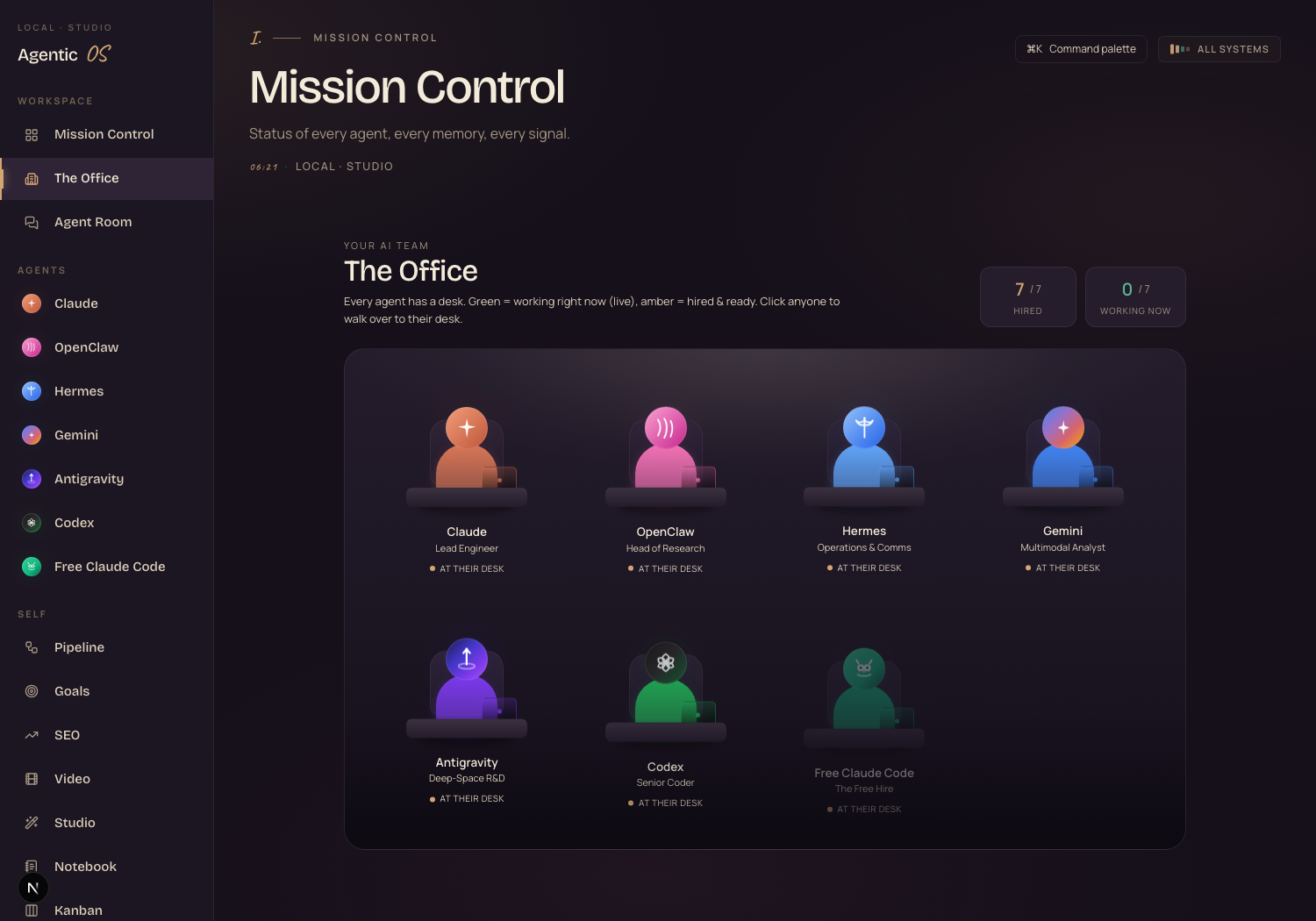
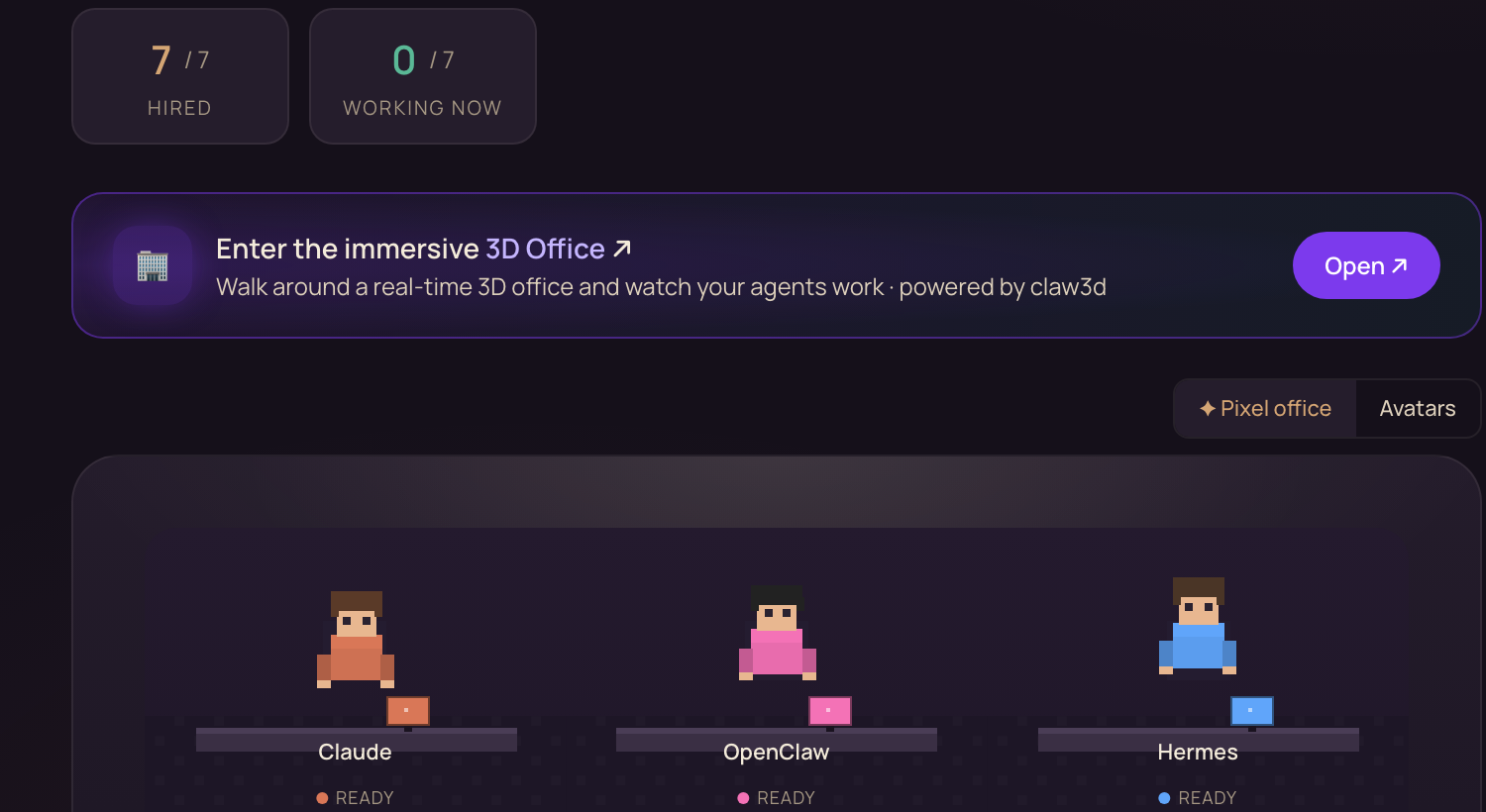
Flip between three views with one tap. Pixel office for the charming retro look. Avatars for a clean line-up of your team. 3D office for a walkable headquarters you move through.
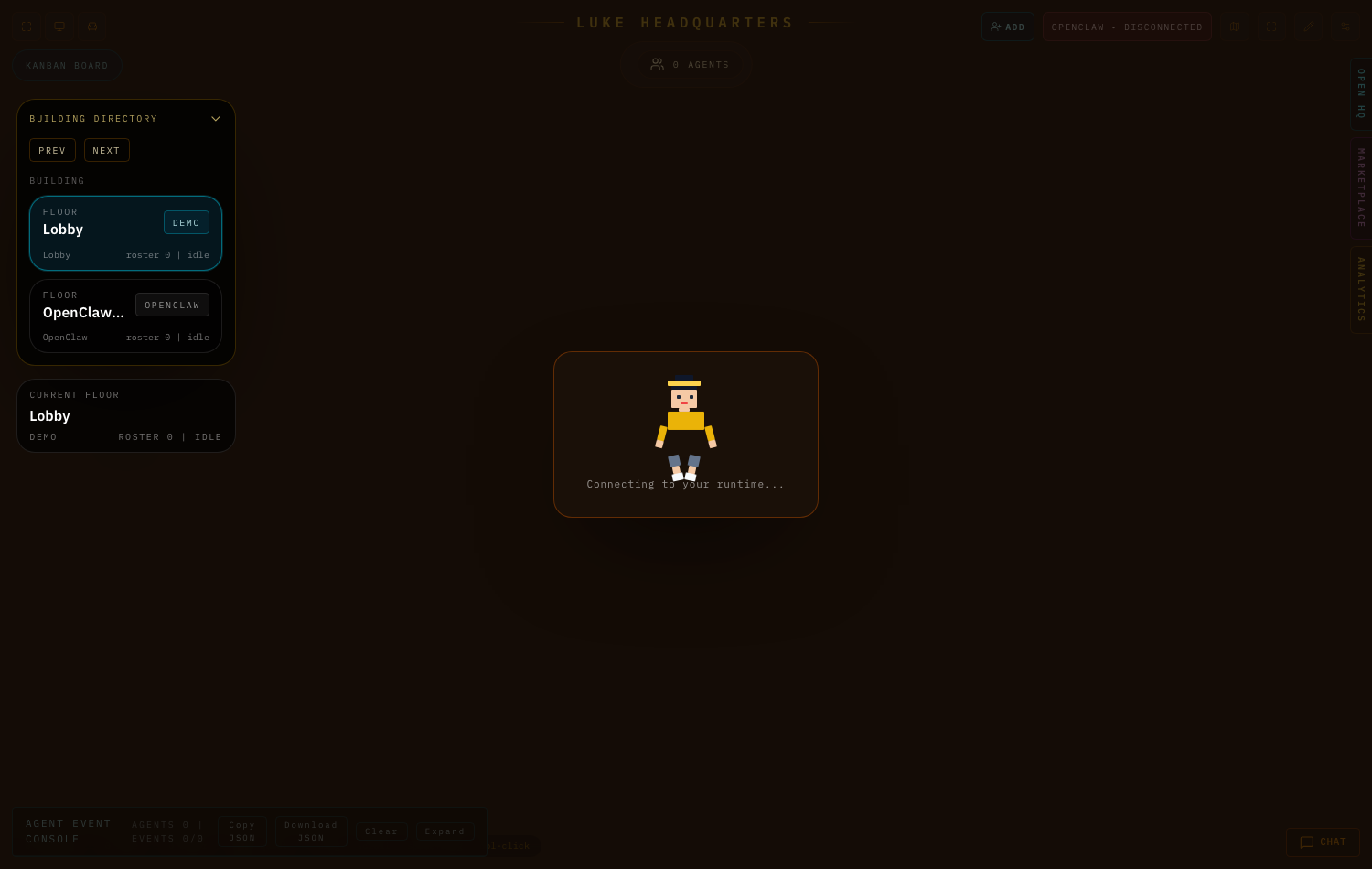
Click any agent to jump to their full tab. Chat them and the real agent runs — Codex writes code, Gemini analyses, Hermes handles your comms. The office is the room. The agents are real.
It's one tab. You open it and your team's already there — it reads which agents you've got installed and shows them.
If you can open a tab and click a desk, you can run this. No config, no terminal gymnastics.
Where the office earns its keep.
See who's working
Green lights show which agents are live right now. No more guessing in the dark.
Give a real order
Click an agent, type a job, and it actually runs. A chat that does the work.
One door to everything
Every agent's full tab is one click from their desk. Stop hunting through windows.
Walk the floor
Flip to 3D and move through a real headquarters while your team works.
Show your setup
A jaw-dropping visual for a video or a client call. "This is my AI team."
One shared brain
They share one memory and your goals — so the right agent picks up the right job.
That's exactly why. Most people pay for ChatGPT and stop there. The office runs Claude, Gemini, Codex, Hermes and more — together, in one place.
You stop picking one. You get a whole team, and you can see all of them at once.
Get the Agent Operating System.
The Living Office is one tab inside the Agent OS. Want the whole thing — the visible team, the shared memory, the agents that actually run — without building it yourself? That's what the Agent Operating System inside the AI Profit Boardroom is for.
It connects OpenClaw, Claude, and Hermes into one dashboard. Your agents share one memory and know your goals. So when you give the office a job, the right agent already has your full context. Everything compounds.
- The full Agent OS zip — the dashboard and the office you've seen here
- The Obsidian memory setup your whole team shares
- Every prompt + a 30-day roadmap
- Four coaching calls every week with people building now
- Daily tutorials + a member map to find operators near you
What's holding you back — and why it's wrong.
"A visual office is just for show."
It's the control room. Seeing who's live and clicking a desk to run an agent is faster than hunting through tabs — and it's the same agents doing the real work.
"Running this many agents is too complex for me."
The office hides the complexity. One tab, one view, one click. It shows the agents you have and lets you talk to them like people.
"I'll set this up later, when I have more time."
Later is when you're still typing into a black box while everyone else runs a team. The window where this is ahead of normal usage is closing fast. Start today.
158 pages of members who already turned scattered AI tools into one system they run like a team — real businesses, real wins.
Read the 158-page testimonials doc →What you gained.
Every agent gets a desk and a face.
Green lights = live, at a glance.
Pixel, avatars, or walkable 3D.
Chat an agent → it actually runs.
Every agent's tab is one click away.
One memory, your goals, the whole team.
Stop typing into a black box. Walk the floor. See your team. Give the orders.
Run your AI like a team.
The office is the room — but the real power is that your agents share one memory, know your business, and actually run when you ask. Inside the Agent Operating System, your team, your memory, and your goals all live in one dashboard you control.
Your agents understand your business. They remember everything. And every new agent you add just gets another desk in the same office.
- I built it in one session. You get the zip file
- Every prompt. The Obsidian memory setup the team shares
- Coaching calls where we set it up together, step by step
- 2,200+ members, daily tutorials, a 30-day roadmap
- The 158-page doc of real member wins
Or read the 158 pages of member wins first →








