agentos.guide › blog
Hermes Agent Kanban Orchestrator: Run A Planner Profile In Your Agent OS, With Five Copy-Paste Prompts
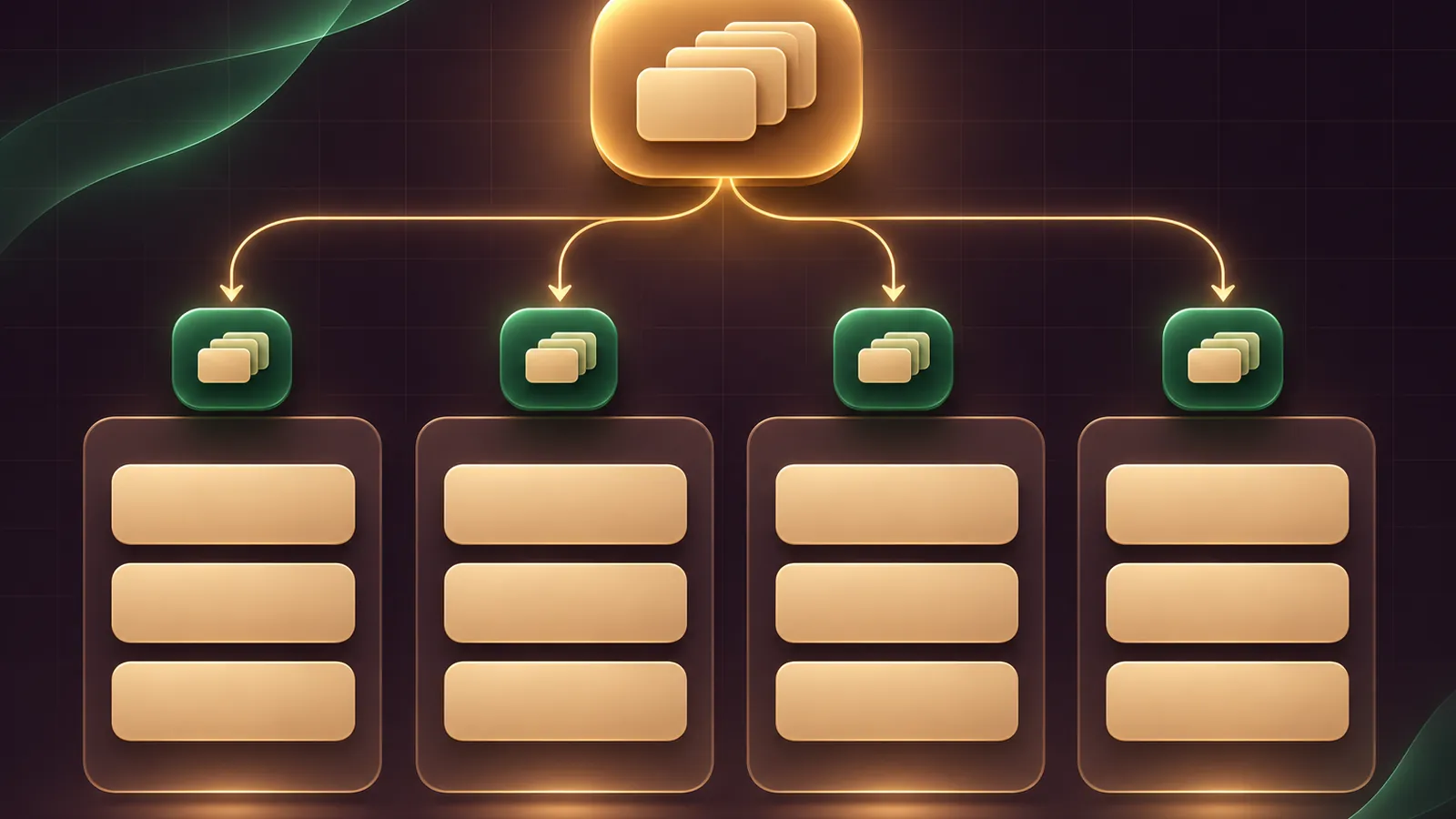
Inside your Agent OS, a hermes agent kanban orchestrator is the profile that organises the others: you give it an outcome, it writes the cards, and your specialist profiles pick them up from a shared board.
This guide gives you a quick start, five prompts to paste into your agents, and a weekly rhythm for keeping the board tidy.
Everything here follows the official Hermes Kanban reference.
If you'd like help mapping your own profiles to a board, book a free SEO strategy session with my team.
Where The Orchestrator Sits In Your Agent OS
Your Agent OS already runs a gateway and a handful of profiles.
Kanban adds a durable board that all of those profiles share, stored in ~/.hermes/kanban.db.
The gateway hosts the dispatcher, which checks for ready cards every 60 seconds and spawns the assigned profile as its own process.
The orchestrator is simply one more profile, with a narrow job: decompose, link, assign, step back.
Members of the AI Profit Boardroom get the installable Agent OS, so the gateway and base profiles are already in place before you add the board.
If you missed the recent board changes, the Hermes Kanban update guide covers them.
Quick Start: Five Commands
hermes profile list
hermes -p planner tools enable kanban
hermes kanban init
hermes gateway start
hermes dashboard
The first command confirms the profile names your planner will assign to.
The second gives the planner its kanban_* tools; add --platform telegram or another platform if you'll brief it from chat, then open a new conversation.
The last opens the dashboard, where the Kanban tab sits as a bundled plugin.
Keep the gateway running; without it the dispatcher doesn't tick and ready cards simply wait, which is the most common reason a new board looks frozen.
Fence The Planner In
The worker lanes page describes the orchestrator lane as a profile with kanban but without terminal, file, code or web.
The reference recommends kanban, gateway and memory only.
That way the planner can't drift into doing the job, which is the failure the docs' injected anti-temptation rules exist to prevent.
| Profile | Toolsets | Role on the board |
|---|---|---|
planner | kanban, gateway, memory | Creates and links cards, never executes them |
researcher | Your usual research tools | Picks up research cards |
writer | Your usual writing tools | Picks up drafting cards with research as parents |
reviewer | Read-only where possible | Approves or requests changes on cards in review |
The profile names are examples; use whatever your Agent OS already has.
Prompt 1: Audit Your Profiles Before The First Card
Give this to your main agent, not the planner, so it can actually inspect the machine.
List every Hermes profile on this machine with hermes profile list.
For each one, tell me its toolsets and whether it has a description.
Flag any profile with no description, and draft a one-line description
for each based on its skills. Do not change anything yet; show me first.
Descriptions matter because the built-in decomposer routes cards by them, and unknown assignee names make cards sit in ready with a skipped_nonspawnable event.
Prompt 2: Brief The Planner With An Outcome
Goal: publish a weekly local-news roundup for our bakery's newsletter.
Break this into Kanban cards for our existing profiles only.
Run the research cards in parallel, make the writing card depend on them,
and finish with a review card for the reviewer profile.
Decide the file format and headline style once and write it into every card body.
Do not do any of the work yourself.
The line about shared decisions is there because workers can't see sibling cards, so each card body must carry what it depends on.
A child created with parents waits in todo and moves to ready once every parent is done.
🔥 Want the planner, worker profiles and prompts pre-built in your Agent OS?
Inside the AI Profit Boardroom you get step-by-step video trainings, the installable Agent OS with Hermes, four coaching calls a week and 3,600+ members running boards like this.
Prompt 3: Check The Board For Stuck Cards
Run hermes kanban list and hermes kanban stats.
List any card that has sat in ready for more than one dispatcher tick,
any card in blocked, and any card whose assignee is not a real profile.
For each blocked card, show the block reason and the last comment.
Suggest whether I should comment, unblock or reassign. Wait for my answer.
Two causes come up most in the reference: a gateway that isn't running, so nothing dispatches, and a support card linked under the very card it was meant to unblock.
The fix for the second is hermes kanban unlink <parent> <child>, then a reference to the parent id in the support card's body.
Prompt 4: Turn On Auto Mode Safely
Show me the kanban section of my config.yaml.
Confirm auto_decompose, auto_decompose_per_tick, orchestrator_profile
and default_assignee. Set orchestrator_profile to planner and
default_assignee to a profile that exists. Show me the diff before saving.
With auto_decompose on, which is the default, rough ideas dropped into Triage are split by the built-in decomposer, up to 3 per tick.
orchestrator_profile owns the root card afterwards, and default_assignee catches children routed to unknown names.
The dashboard's Orchestration pill flips between Auto and Manual if you'd rather approve every split.
Prompt 5: Split Models By Role
For each profile used on the Kanban board, show me the model set in its config.yaml.
I want the planner on our strongest model and the workers on a lighter one.
Propose the changes, and list any card that should be pinned to a stronger model
with hermes kanban set-model instead of changing its whole profile.
That mirrors the reference's cost strategy: a frontier model for the orchestrator, inexpensive models for workers, each in its own ~/.hermes/profiles/<name>/config.yaml.
The docs use placeholder model names, so the choice is yours.
How Each Card Run Has To End
Workers don't simply stop when they think they're done.
The reference says every run must finish with kanban_complete, kanban_request_review or kanban_block.
A run that ends any other way is reaped and recorded as crashed, gave_up or timed_out.
After two spawn failures in a row, the default kanban.failure_limit, the card is blocked automatically with the last error, so a broken profile can't loop all night.
When you read the board, those three endings tell you what to do next: completed cards need nothing, review cards need a reader, and blocked cards need an answer.
Use Goal-Mode Cards For Open-Ended Jobs
Some cards can't be done in one shot, such as tidying every page of a long document.
Create them with --goal and the worker runs in a judge loop inside that card's session, checking each turn against the card body as acceptance criteria.
The default budget is 20 turns, changeable with --goal-max-turns, and an exhausted budget blocks the card for your review.
Write the card body as a clear finish line, because the judge is only as good as that text.
This is separate from /goal in chat, which never touches the board.
Steer The Board From Your Phone
/kanban works in hermes chat and on gateway platforms such as Telegram, WhatsApp, Slack and Discord, with the same flags as the CLI.
It skips the running-agent guard, so /kanban comment or /kanban unblock lands straight away, even mid-turn.
Creating a card with /kanban create from a chat subscribes that chat to the card's completed and blocked events.
If you run several profile gateways, the multi-gateway page says one gateway owns the dispatcher and the rest set kanban.dispatch_in_gateway: false.
A Weekly Rhythm For The Board
- Monday: brief the planner with the week's outcomes, one message each.
- Daily: skim the dashboard's Running lanes and the blocked column; answer blocks with a comment.
- Midweek: run Prompt 3 to catch stuck or misassigned cards.
- Friday: review cards in
review, archive what's done, and note any profile that keeps blocking.
Once a month, prune the board: archive old done cards, check that every profile still has an accurate description, and remove profiles nobody assigns to any more.
A smaller, well-described roster gives both your planner and the auto decomposer fewer wrong turns to take.
If you want a separate stream of work, such as client jobs versus internal admin, create a second board; each one has its own database, and workers only see their own.
Keep /goal for single-chat jobs; the goals page confirms it never creates or moves cards.
The Kanban tutorial has four worked stories with screenshots, and the code lives in the Hermes Agent repository.
📞 Want a second pair of eyes on your board design?
Book a free SEO strategy session and my team will go through your profiles, cards and handoffs with you.
Also On Our Network
- 🌐 The eight-step setup for a Hermes Kanban planner profile and its workers
- 🌐 Whether a small business should run a Hermes Kanban planner and worker board
- 🌐 A nine-point scorecard rating the Hermes Kanban orchestrator, strengths and limits
- 🌐 Which AI models to pair with a Hermes Kanban planner and its workers, by real GoldieBench scores
FAQ
Which profile should be the Kanban orchestrator in my Agent OS?
A dedicated planner profile limited to the kanban, gateway and memory toolsets, so it plans and assigns but cannot do implementation work.
Why does my planner not see any kanban tools?
The toolset is off for chat profiles until you run hermes -p planner tools enable kanban and start a new chat.
Can the board split my rough ideas automatically?
Yes. With kanban.auto_decompose on, the default, cards dropped into Triage are split by the built-in decomposer, up to 3 per dispatcher tick.
Do I need to install an orchestrator skill?
The Kanban reference says the orchestrator guidance is injected into the system prompt automatically, so there is nothing to install.
Final word on Hermes Agent Kanban Orchestrator
Paste Prompt 1 into your agent today, fence the planner tomorrow, and if you want help shaping the rest, book a free strategy session or bring it to the AI Profit Boardroom and run your own hermes agent kanban orchestrator.
About Julian
I'm Julian Goldie, an AI entrepreneur, SEO expert and the founder of the AI Profit Boardroom, which has 3,400+ members.
I help business owners scale with AI agents, automation and SEO.
My YouTube channel has 400,000+ subscribers, and I run Goldie Agency, a seven-figure SEO agency.
Related guides on agentos.guide
→ Hermes Agent Browser: What It Is, The Quick-Start And Where It Fits In An Agent OS
→ The Best Hermes Agent Plugins: My Top 10, And Where Each One Fits In Your Agent OS
→ The Best Hermes Agent Model, And The Five Model Lanes I Route Inside My Agent OS
Get the whole Agent OS
The installable system behind every guide on this site — dashboard, agents, memory and pipelines — updated as new tools land, with 3,400+ members and four coaching calls a week.
Join the AI Profit Boardroom →📺 Video notes + links to the tools 👉
🎥 Learn how I make these videos 👉