Grok 4.5 in HermesOpus-class frontier model. On your X login. No API key.
Grok 4.5 is xAI's new flagship — Elon calls it "Opus-class". The catch with frontier models is usually the bill. Not here: you run Grok 4.5 inside Hermes with nothing but your X Premium+ / SuperGrok login, over Grok OAuth. No API key, no per-token cost. Here's what it is, how to add it as a Hermes profile, and what to build with it.

Frontier models used to mean a frontier bill.
Before
Every time a new top model dropped, I wanted it in my stack.
Then I saw the per-token price and did the maths on a week of agent runs.
So I'd stay on the cheaper model and watch the good one from the sidelines.
Paying twice — an X subscription AND an API bill — for the same company's model felt daft.
Then I logged Grok into Hermes with OAuth.
After
Now Grok 4.5 runs in Hermes on the X Premium+ plan I already pay for.
No API key. No metered bill. It just answers.
An Opus-class model, building games and apps in my Agent OS, on a login I already had.
You can add the same profile in two minutes.
Real operators. Real builds. On their own logins.
This is the stack the founders in the AI Profit Boardroom run — frontier models wired into one agent, on the subscriptions they already have.
Grok 4.5, in plain numbers.
Grok 4.5 landed on 8 July 2026 as xAI's strongest model — a big jump on reasoning, coding and agentic work. Elon described it as "Opus-class", putting it in the same tier as the frontier from Anthropic and OpenAI.
That last pair is the whole point of this guide. On the API it's $2/$6 per million tokens — cheap for a frontier model. But through Hermes on Grok OAuth, it runs on your existing X Premium+ / SuperGrok subscription, so there's no metered API bill at all.
Pay once, not twice.
Most people wire a frontier model in the expensive way: create an API key, load a balance, and watch every agent run tick the meter. If you already pay for X Premium+ or SuperGrok, that's paying the same company twice. The OAuth path skips it.
- Create a key at console.x.ai
- Load a prepaid balance
- Every run meters tokens against it
- You're paying for X and the API
- Log in once with your X account
- No key, no balance to top up
- Runs on your X Premium+ / SuperGrok quota
- Hermes refreshes the session for you
A Hermes profile in two minutes.
Hermes runs each model as a profile. Here's the Grok 4.5 one, on OAuth. If you've ever logged Grok into Hermes before, the login step is already done.
hermes model, pick xAI Grok OAuth (SuperGrok / X Premium+), and approve in the browser. No API key is asked for. Hermes keeps the session refreshed after that.grok-4-5 in the chat switcher, or run it one-shot. It answers on your X plan.# 1. log in once (browser) — no API key hermes model # → xAI Grok OAuth (SuperGrok / X Premium+) # 2. create the profile hermes profile create grok-4-5 --clone-from grok-build # 3. point ~/.hermes/profiles/grok-4-5/config.yaml at Grok 4.5 + OAuth model: default: grok-4.5 provider: xai-oauth base_url: https://api.x.ai/v1 # 4. run it — answers on your X plan, no key hermes --profile grok-4-5 -z "Build me a neon Breakout in one HTML file."
grok-4-5.An Opus-class agent, aimed at your work.
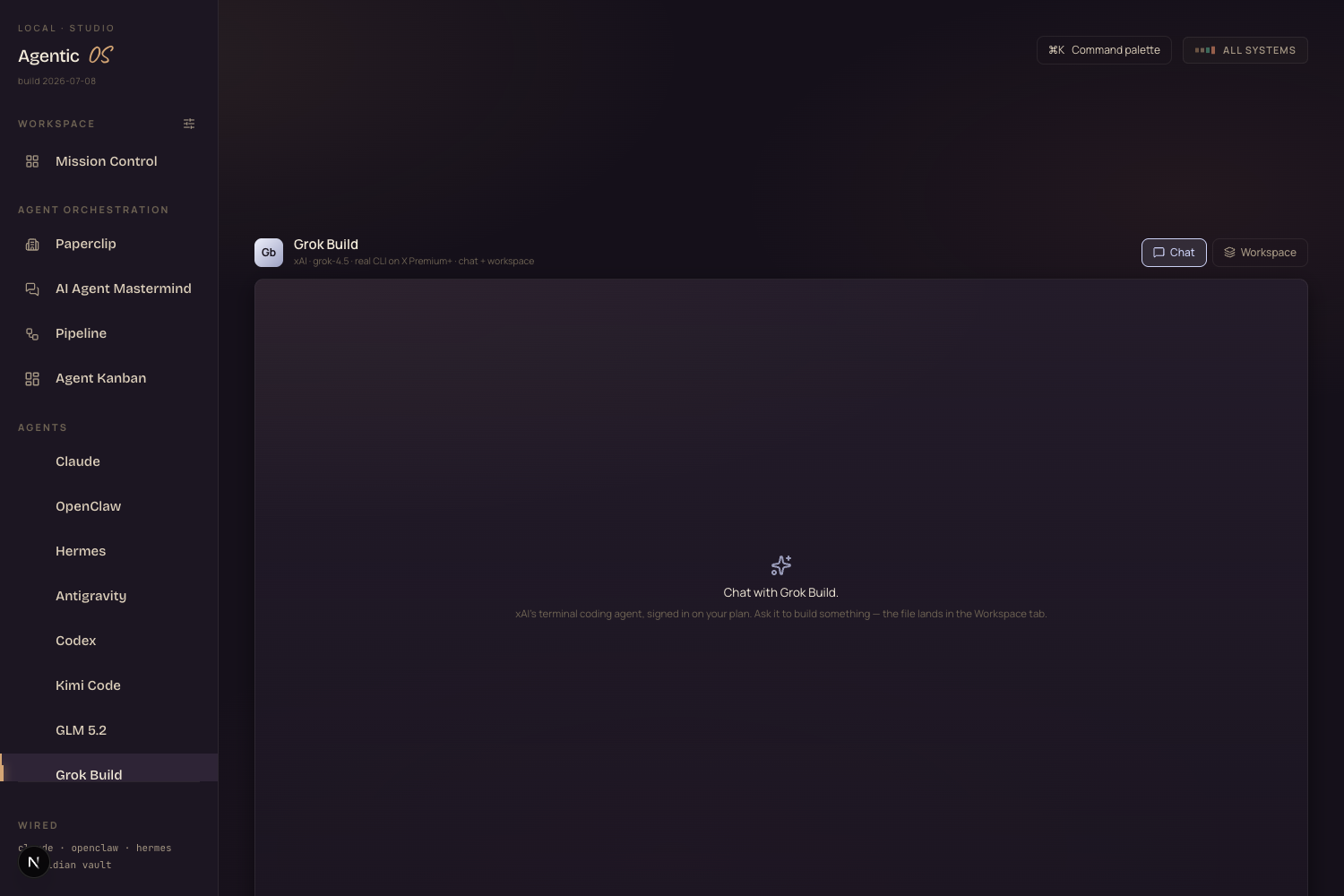
Inside the Agent OS, Grok 4.5 is already the model behind the Grok Build agent — a real coding agent you chat with, that builds games and apps and previews them live. With 4.5 under it, the builds get sharper.
And because it's just another Hermes profile, everything the Agent OS already does — memory, the workspace, the loops — works with Grok 4.5 the moment you switch to it.
Grok 4.5 is wired into the Agent OS.
You don't set up a key, a balance and a billing alert. Grok 4.5 runs inside Hermes in the Agent Operating System in the AI Profit Boardroom — on the X plan you already have, next to every other frontier model, one switch away.
- Grok 4.5 on OAuth — Opus-class, no API key, no metered bill
- The Grok Build agent — chat, build games + apps, preview live
- Every other model too — Claude, GLM, Kimi, all in one switcher
- 4 coaching calls a week + daily tutorials as we ship more
- 3,900+ members across 38 countries building with it
What to take away.
hermes profile create grok-4-5, point it at grok-4.5 + xai-oauth, done.Frontier model. Your login. No bill.
Run the best model you already pay for.
If you've got X Premium+ or SuperGrok, you already own access to an Opus-class model — most people just never wire it into their agent. The Agent Operating System inside the AI Profit Boardroom does it for you: Grok 4.5 in Hermes on your own login, next to every other frontier model, ready to build.
- The full Agent OS — Grok 4.5 + every model, in one dashboard
- The setup walkthrough, done with you, step by step
- 4 weekly coaching calls, daily tutorials, a 30-day roadmap
- 3,900+ members, a member map, a 24/7 community
- 158 pages of member wins — read them here →