Boardroom Mailbag · #1

Your Questions, Answered.

Real member questions · answered on video every day

I'm answering your real questions today — live from the AI Profit Boardroom community.

Seven members asked. Seven straight answers.

One member runs a medical transport business, and his elderly clients need to book rides by just calling a phone number — I'll show you the exact setup that does it.

Another wants an AI that never forgets his business — the answer is one folder, and I'll show it running on my own screen.

No fluff. Straight into it.

7Real questions
2Live demos
4,000+Members asking
38Countries
The real questions, in the community ↓
4,000+ founders inside AIPB
400k YouTube subscribers
38 countries · live members
163k X followers
Q1 · Memory

Do you need Gbrain or Hindsight for memory? No — you need one folder.
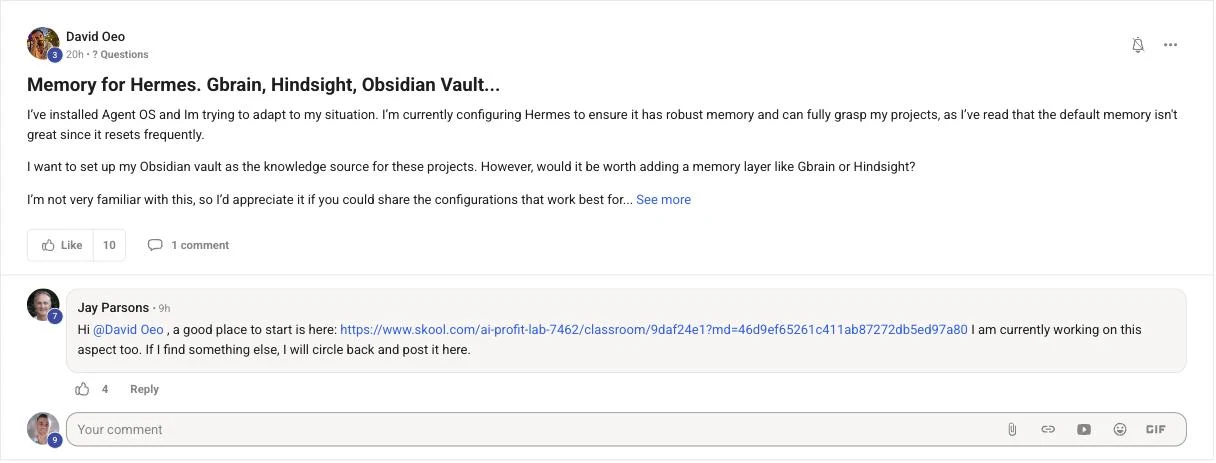
David Oeo's real Skool post asking whether Hermes needs a memory layer like Gbrain or Hindsight on top of the Obsidian vault
— David Oeo · read the real post ↗

Great question, David — and the answer is simpler than you think.

Obsidian is ready to go.

It stores the memory — that's its whole job in this stack.

Every chat and every session auto-logs into the vault.

And every agent — Hermes, Claude Code, all of them — reads the SAME vault.

So nothing resets.

Adding Gbrain or Hindsight on top just creates more problems, more tokens, and more confusion for the Hermes agent.

One folder. One brain. Keep it simple.

THINKING IT? "More memory tools = better memory."

That's backwards.

One shared brain beats three partial ones.

ONE VAULT Hermes Claude Every agent Every chat auto-logs in. Every agent reads it back. Nothing resets. ✓

One folder in the middle. Every agent plugged into the same brain — that's the whole memory system.

What you're watching: my real Agent OS. The Hermes chat says it right on screen — every exchange auto-saves to the Obsidian vault. Then the Memory tab opens the same vault as a galaxy: 1,261 memories, 186 notes, one brain shared by every agent.
Q2 · Voice bookings

Can clients book on the phone — no app? Yes.

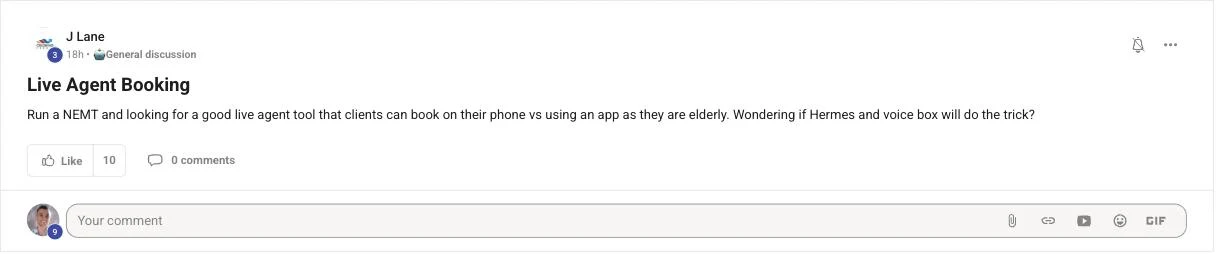
J Lane's real Skool post asking for a live agent booking tool his elderly medical-transport clients can use on the phone

Yes — and there's an even simpler way than most people think.

Connect Hermes to Telegram or WhatsApp — whatever you already use.

Then plug in the Google Workspace API.

A booking message comes in, and Hermes books it straight into your Google Calendar.

That's the actually-simpler route: no new app, no new login, just the chat your clients already have.

The alternative: Tailscale + the Agent OS + a voice agent on a real phone number.

That one is built for your elderly clients — they just CALL.

No app. No login. The voice agent answers, takes the booking, writes it into the calendar, and confirms out loud.

Keep a human fallback for anything unclear, and start with one number and one booking flow.

Two lanes into the same calendar Lane 1 · Telegram / WhatsApp — actually simpler ✓ 💬 Telegram · WhatsApp Hermes + Workspace API Google Calendar booking saved ✓ Lane 2 · the phone — elderly clients just call 📞 📞 Client calls Voice agent Tailscale + Agent OS Same calendar confirmed out loud ✓ No new app either way. Every booking lands in the calendar.

Two lanes, one calendar. Lane 1: a Telegram or WhatsApp message goes through Hermes and the Google Workspace API. Lane 2: a real phone call goes through the voice agent — built for clients who just want to dial.

What you're watching: Apollo — the realtime voice agent inside my Agent OS — live and listening. This is the same voice tech that answers a phone line: it hears, replies out loud, and writes what it agreed into your tools.

Your phone number is the app.
Q3 · Remote vault

Can the vault live on an old machine? Yes — it's just a folder.

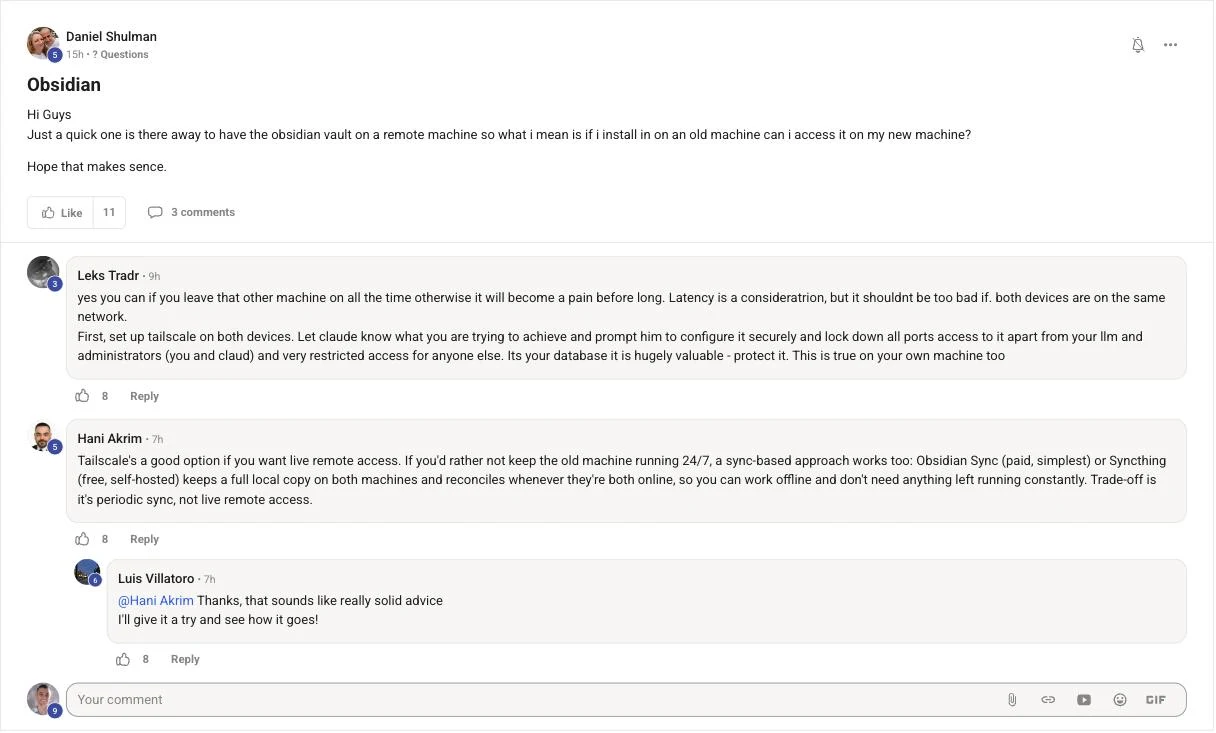
Daniel Shulman's real Skool post asking if the Obsidian vault can live on a remote or old machine and be accessed from a new one
— Daniel Shulman · read the real post ↗

Yes — because the vault is just a folder of files.

There are three clean ways.

Way one: sync the folder between machines.

Obsidian Sync does it, or a synced folder like iCloud, Drive, or Syncthing.

Way two: reach the old machine directly with Tailscale.

It's free, takes about ten minutes, and it's the same trick that lets you open the whole Agent OS dashboard from anywhere.

Way three: use the Obsidian MCP to sync it — or simply log into Obsidian on both machines and restore the vault between them.

Pick whichever feels easiest. They all end the same way: one vault, both machines.

Old machine 🗂 vault a folder of files New machine 🗂 same vault reads + writes Way 1 · sync the folder Way 2 · Tailscale direct Way 3 · MCP or login Sync the folder · Tailscale in · or the MCP / your login Yes — three clean ways ✓

Same vault, two machines: sync the folder, reach the old machine over Tailscale, or let the Obsidian MCP — or just your Obsidian login — carry it across.

If you want me to answer your questions personally, like I'm doing in this video, post them inside the AI Profit Boardroom community — I do this every single day with video tutorials.

Q4 · Localhost fix

"Localhost not found" — the two-minute fix.

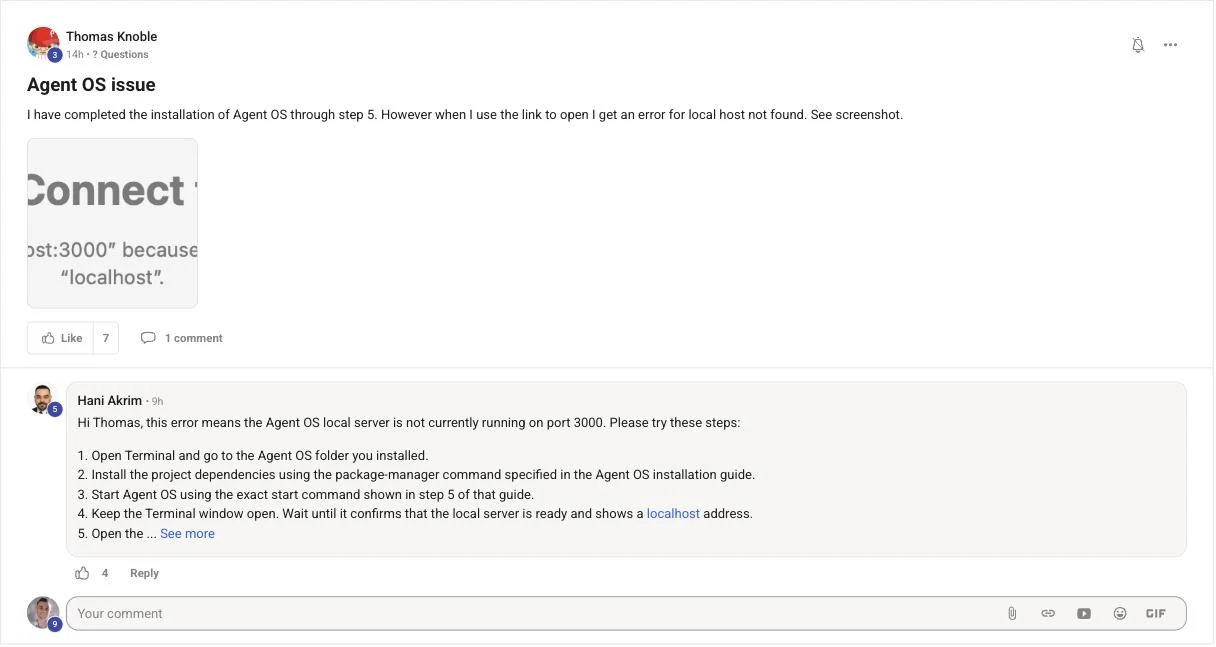
Thomas Knoble's real Skool post reporting the Agent OS install worked but the link shows localhost not found
— Thomas Knoble · read the real post ↗

Good news, Thomas — your install is fine.

"Localhost not found" just means the dashboard app isn't running yet.

It's a local app.

The link only works while the app is on.

The fix: open the terminal in the Agent OS folder, run the start command, and WAIT until it says ready.

Keep that window open.

Then reload localhost.

One more thing: sometimes it IS running — just at a different local address.

So ask Claude: "Is it running? If not, start it. If it is running, what address is it on?"

If it still fails, restart the machine and run it again — that clears a stuck port.

This is a two-minute fix, not a broken install.

App OFF localhost → "not found" ✕ App RUNNING localhost → dashboard ✓ ❯ run the start command Wait for "ready" · keep the window open · reload the page

Localhost is a door into an app on YOUR machine — it only opens while the app is running.

Q5 · Two-machine sync

Two machines out of sync? Pick one engine and test it.

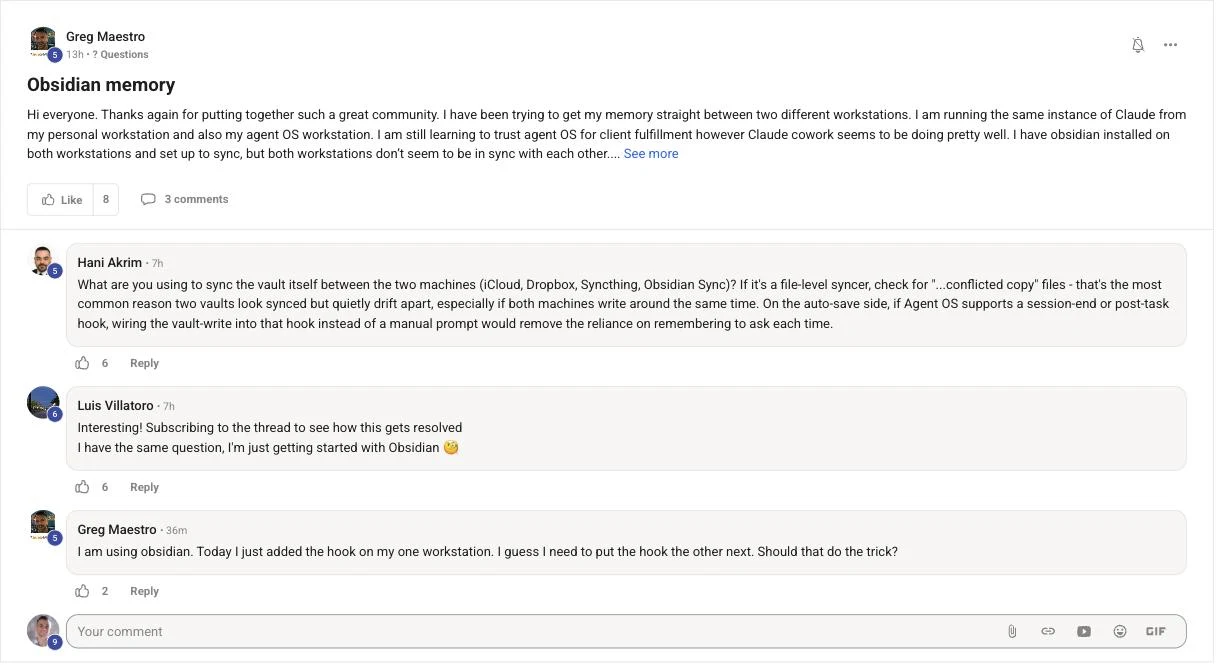
Greg Maestro's real Skool post about two workstations with Obsidian set up to sync but the machines staying out of sync
— Greg Maestro · read the real post ↗

Greg, here's the rule that fixes this: pick ONE sync engine.

Two sync tools on the same vault fight each other.

That's how you get conflicted copies.

So choose one — Obsidian Sync, or iCloud, or Syncthing — and turn the others off for that folder.

Use the same folder path on both machines.

Let the first sync finish before you edit on both sides.

Then run the test: edit one note on machine A, and watch it appear on machine B.

Only trust it after you've seen that.

THINKING IT? "Sync is set up, so sync is working."

Not the same thing.

Always verify with a test note before you rely on it.

✕ Two engines fight iCloud + Sync conflicted copies ✕ ✓ One engine wins ONE sync engine same path, both Macs ✓ edit on A appears on B ✓ The test note is the proof. Watch it land before you trust it.

Left: two sync tools wrestling over one folder. Right: one engine, one path — and the test note that proves it.

Skip the guesswork

Get your questions answered every day.

Every question on this page came from a member — and got a personal video answer.

That's the normal daily rhythm inside the AI Profit Boardroom.

Your questions answered daily with video tutorials — post them, I answer them personally, like this page
The full Agent OS — the dashboard, the vault memory loop, and Apollo voice, ready to install
Weekly live coaching calls — get unblocked by people who've hit your exact error
A room of 4,000+ founders across 38 countries running this exact stack
The prompts, the SOPs, and daily new tutorials as tools ship
Get the Agent OS → Inside the AI Profit Boardroom · skool.com/ai-profit-lab
Set up in an afternoon · used in 38 countries · new tools added the week they ship
Q6 · Office setup

Office setup ideas? Keep it simple.

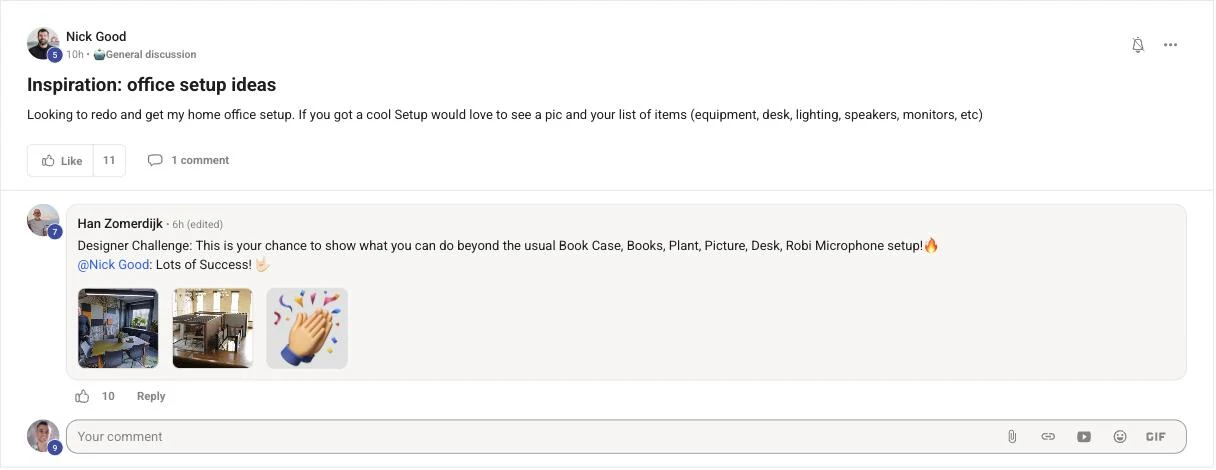
Nick Good's real Skool post asking for home office setup inspiration and ideas
— Nick Good · read the real post ↗

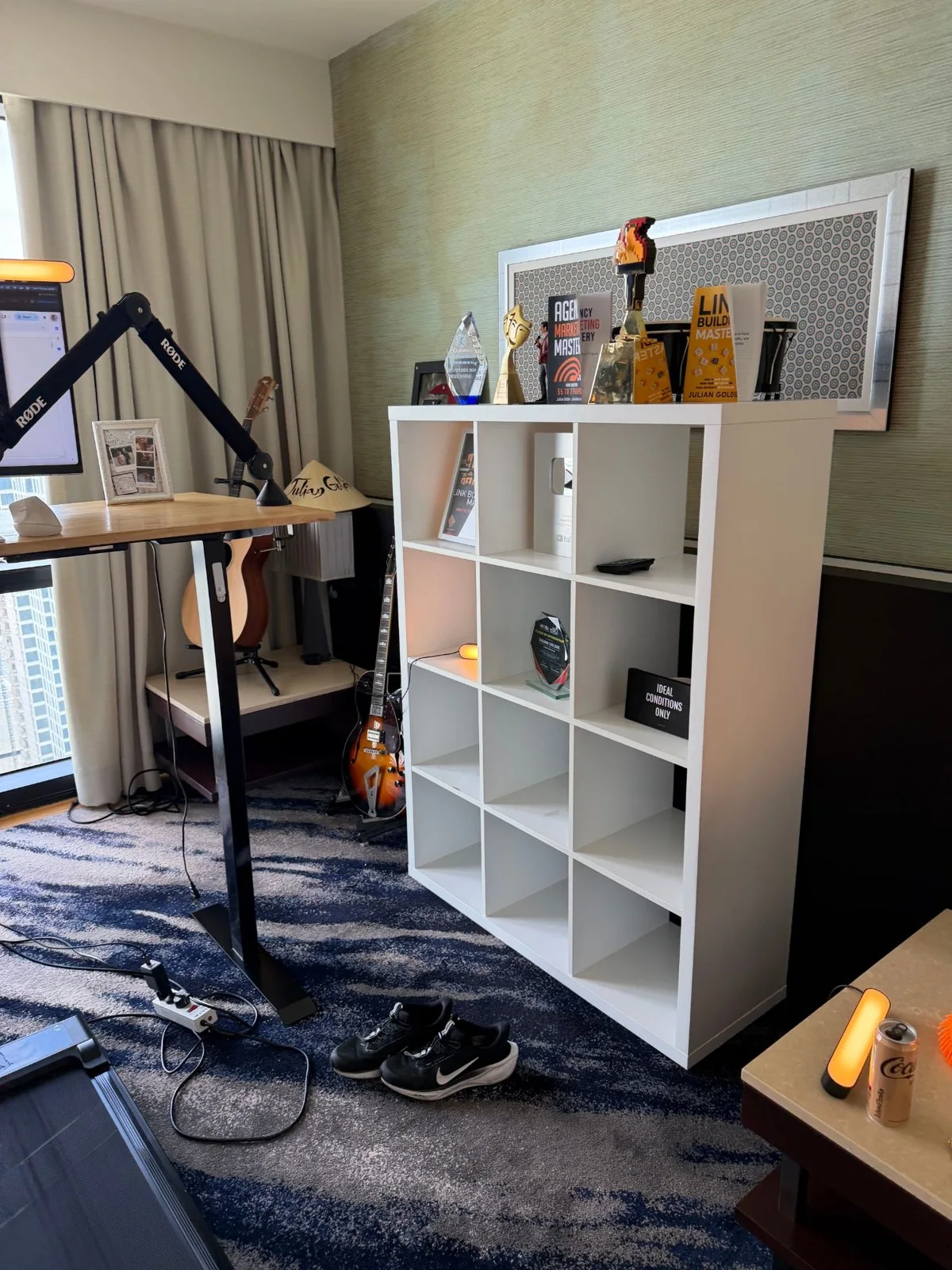
Nick, here's my honest answer — straight from my own room.

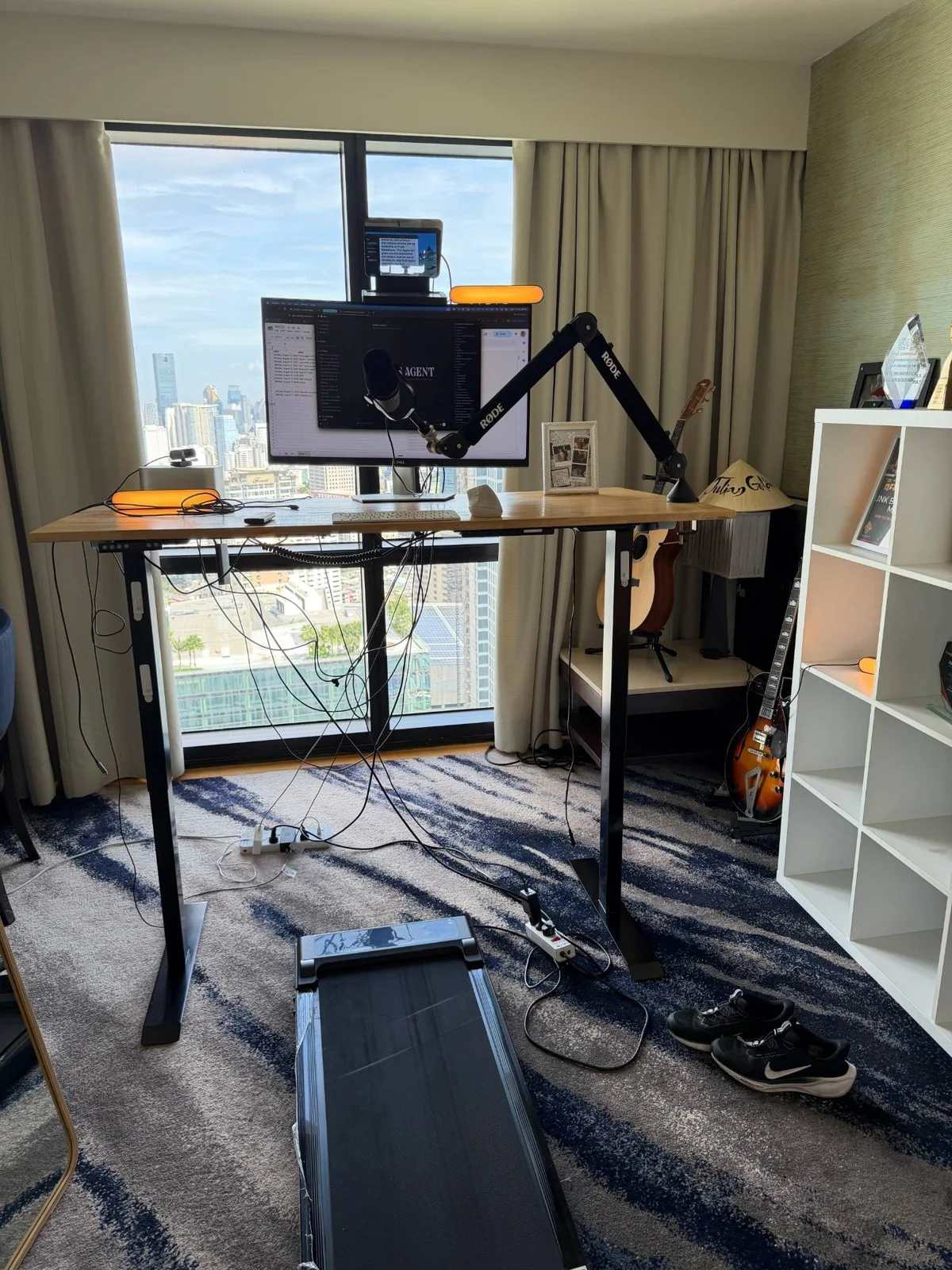
I use a WALKING TREADMILL under a standing desk, so I don't sit.

I walk while I work.

And the real wins are simple: a nice office you actually enjoy being in, plus a second monitor.

Then spend in this order: good mic first, light second, second monitor third.

Everything else is decoration.

Here are my actual desk photos so you can steal the layout — and post your pics in the thread, I'd love to see the finished room.

🎙 1 · Mic your content lives here 💡 2 · Light look good on camera 🖥 3 · 2nd monitor agent dashboard Spend in this order The room that makes you want to sit down wins.

Mic, then light, then the second monitor for your agents — in that order.

Q7 · Gemini & avatars

Gemini watermarks and avatars — go faceless with voice.

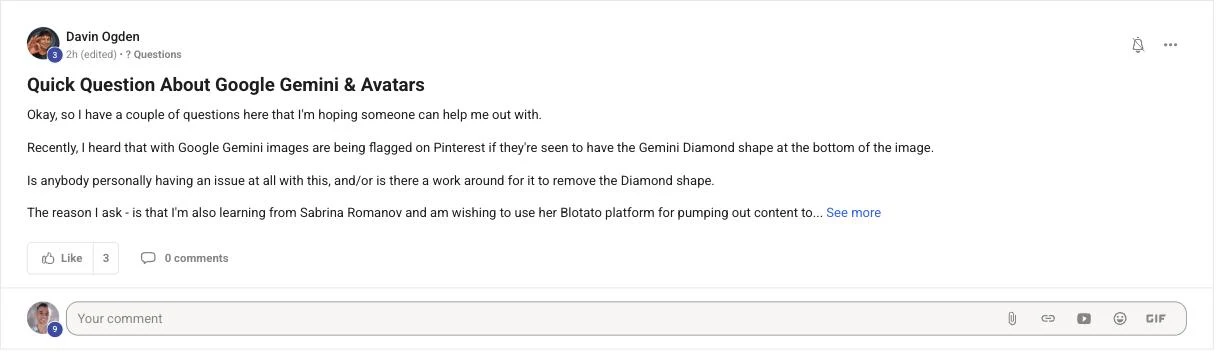
Davin Ogden's real Skool post asking about Gemini watermark flags on Pinterest and whether to use a full-face avatar for content
— Davin Ogden · read the real post ↗

On Pinterest — I'm not an expert on the Pinterest side, 100% transparent.

What I'd do is warm the account up naturally.

Do normal, natural activity first, then build from there.

Same way I approached Reddit and X.

On avatars — going completely faceless with voice only is totally fine.

It's actually a benefit.

Audio platforms like Fish sound a lot more realistic, and they plug into video tools much more easily.

A full-face avatar locks you into whatever voice platform has the right API for your video tool.

Faceless, voice-only — the free path ✓ Script Real voice Fish · sounds human Any video tool plugs in easily ✓ Full-face avatar — the locked path ✕ Face avatar one voice platform 🔒 locked to its API Voice-only keeps every door open. The avatar closes them.

Top: the faceless pipeline — script, a realistic voice, any video tool. Bottom: the avatar path that locks you to one platform.

One folder. Every agent. Nothing forgets.
One more thing
Welcome to the room, Todd →
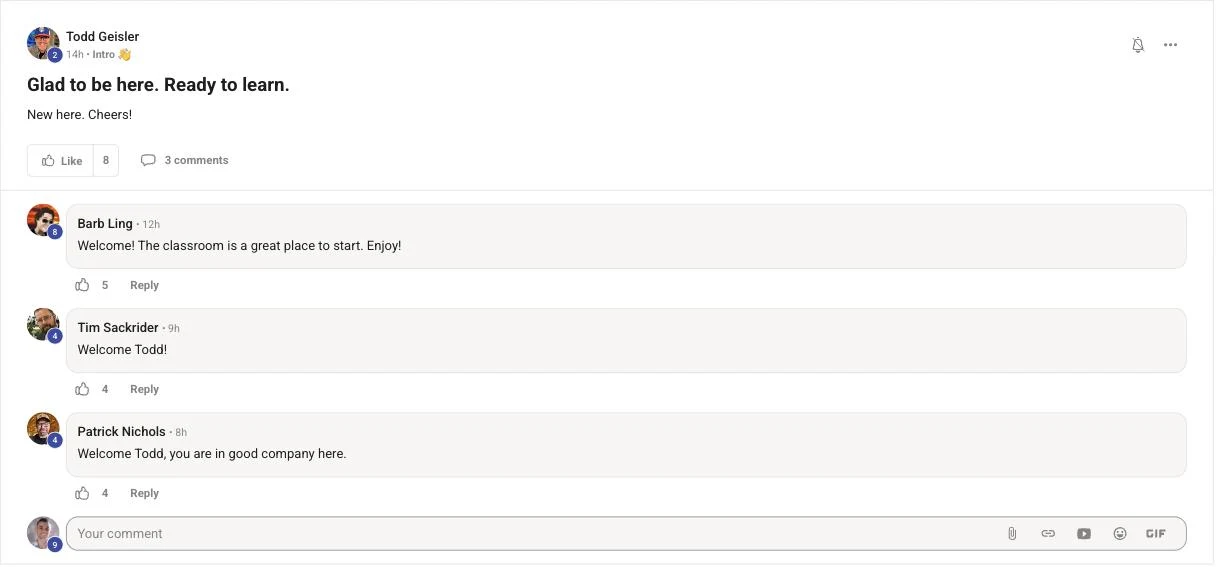
Todd Geisler's real Skool post: glad to be here, ready to learn
— Todd Geisler · read the real post ↗

Welcome here, Todd.

I recommend starting with the Start Here post — it walks you through the whole thing in order.

Members post their wins every day — agency owners, ecom founders, course creators, solo operators across 38 countries. Real businesses, real numbers, in their own words.

Read the 158-page wins doc →

If you want me to answer your questions personally, like I'm doing in this video, post them inside the AI Profit Boardroom community — I do this every single day with video tutorials.

Seven questions in. Yours is next.
Your move

Post your question. Get a video answer.

Seven members asked this week and got personal video answers — that's what you just read.

Readers bookmark this page and keep guessing alone.

Members post the question, get the answer, and move on to the next win.

Your questions answered daily with video tutorials — post inside, I answer personally, every single day
The full Agent OS — vault memory, Apollo voice, and the whole dashboard, install-ready
Weekly live coaching calls — we set it up together, step by step
4,000+ founders across 38 countries, someone online around the clock
Every prompt, SOP, and new tool the week it ships
Get the Agent OS → Inside the AI Profit Boardroom · skool.com/ai-profit-lab
258 documented member wins · 38 countries · your first question answered this week